Minecraft version
Back to mods 
CurseForge · Minecraft mod
Colds: Mob Tracker
Adds a Redstone Device which allows you to easily find Specific Mobs in your world.
Choose a version Pick your version below, then grab the matching file.
Quick answer
Which Colds: Mob Tracker release matches 1.16.4 Forge?
Best match for your filters MobTracker(Forge1.16.4)vrs1.0.2
Game version 1.16.5, 1.16.4
Loader Forge
Colds: Mob Tracker MobTracker(Forge1.16.4)vrs1.0.2 targets 1.16.5, 1.16.4 with Forge. The project page does not say whether this file belongs on the client, dedicated server, or both. No extra mods listed for this file.
Where it goes
Is Colds: Mob Tracker required on the client, server, or both?
The project page does not say whether this file belongs on the client, dedicated server, or both.
Client Source doesn’t say
Dedicated server Source doesn’t say
Loader for this release Forge
Required install it here Optional supported, not mandatory Not supported do not install here Source doesn’t say do not assume
The source does not explicitly classify this release as client-only or server-only.
What else does Colds: Mob Tracker MobTracker(Forge1.16.4)vrs1.0.2 need?
MobTracker(Forge1.16.4)vrs1.0.2 on 1.16.4 Forge. Every mod below is checked against that same setup.
This file does not list any required mods. Do not add a library just because a different file uses it.
This file does not list any required or optional mods.
Before you install it
Add Colds: Mob Tracker without breaking your instance.
Built for Colds: Mob Tracker MobTracker(Forge1.16.4)vrs1.0.2 on 1.16.4 Forge. Pick another file and the loader, install side or required mods may change.
- 01
Stick to this file
Use MobTracker(Forge1.16.4)vrs1.0.2. It targets 1.16.5, 1.16.4 with Forge; another release may have different loader, side or dependency requirements.
- 02
Bring the mods it needs
This file does not list any required mods. Do not add a library just because a different file uses it.
- 03
Put it on the correct side
The project page does not say whether this file belongs on the client, dedicated server, or both.
- 04
Pick the file you checked
Use the “Get this file” button beside MobTracker(Forge1.16.4)vrs1.0.2. It opens that exact file at the source.
About this project
What does Colds: Mob Tracker add?
Colds: Mob Tracker allows you to easily locate many different kinds of creatures in your world!
How's it work?
Crouch + Right Click while holding the Mob Tracker to toggle through the various Creature Types.
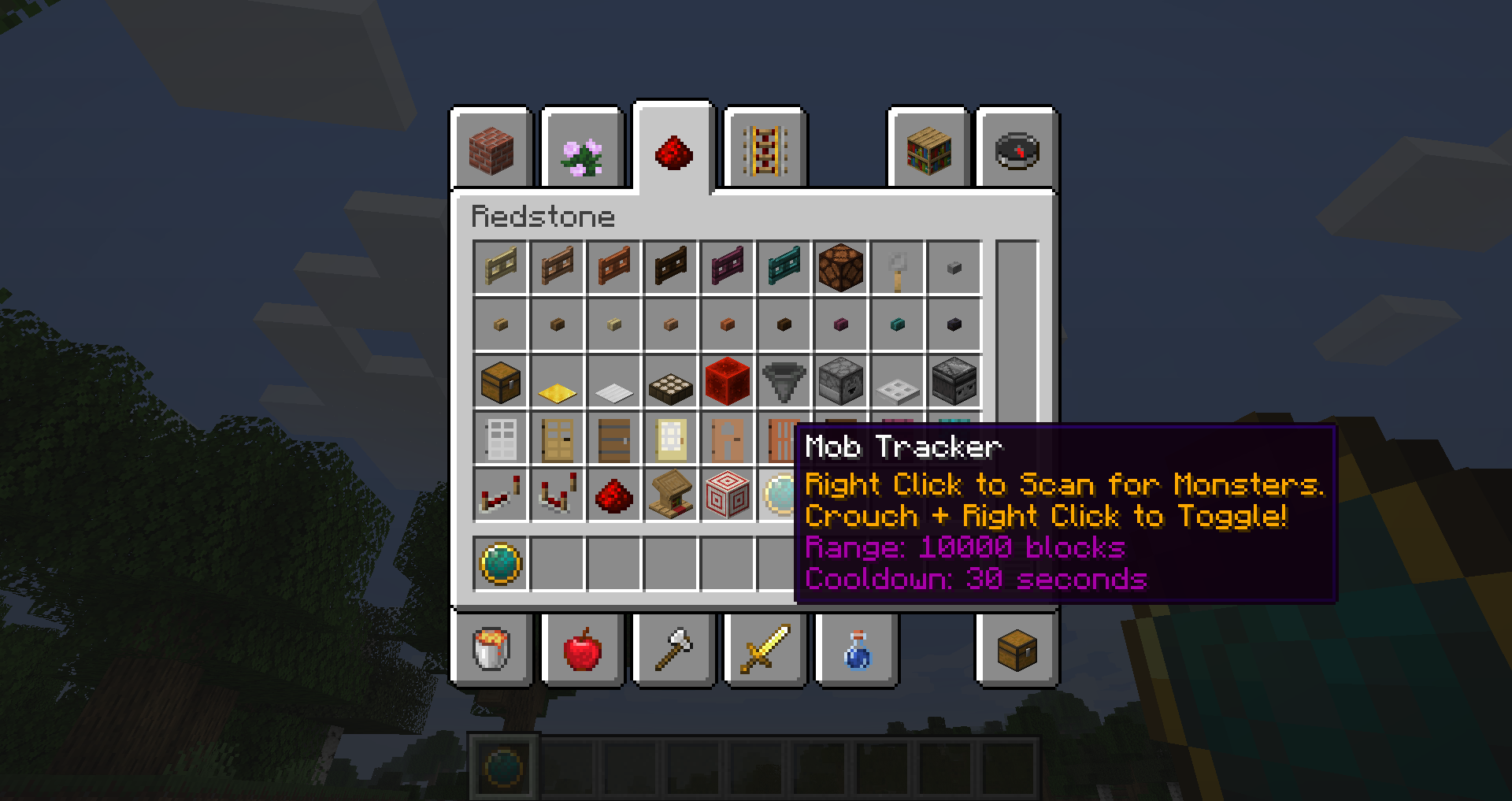
Right Click to scan the area for that mob type. (Range: 10,000 Blocks)
If found, the Mob Tracker will apply a GLOWING EFFECT to the creature for a short time.
Mob Types
- Monsters
- Animals
- Aquatic Creatures
- Villagers
- Pillagers
- Piglins
- All Creatures
Using the Mob Tracker will apply the "Scanned" Effect to you as well for a very short time. You WILL NOT be able to scan again until the effect wears off! (30 seconds)
The Mob Tracker can be used up to 50 times before it needs to be repaired using a Compass in an Anvil!

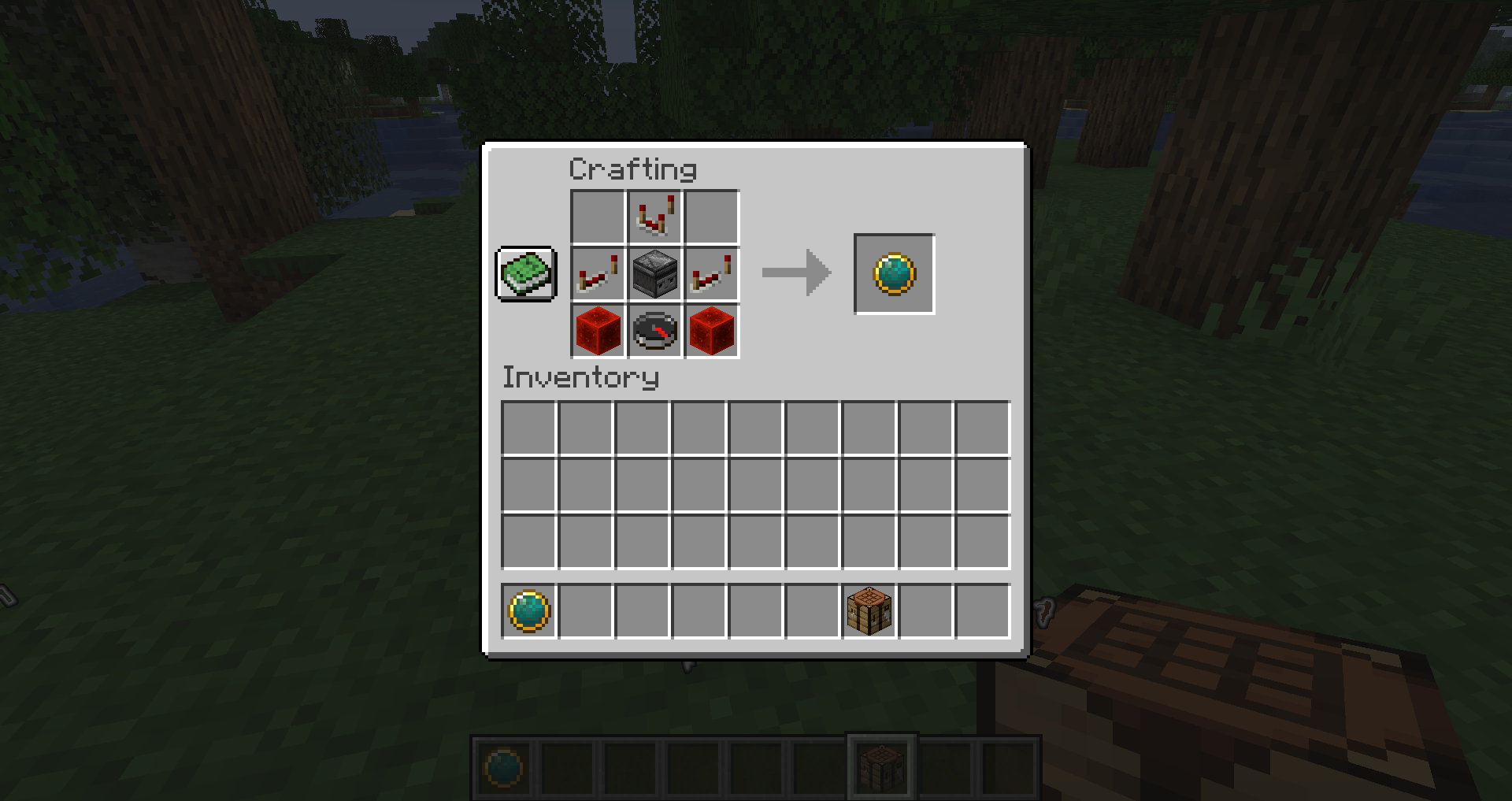
Recipe
Toggling and You can see Monsters that have recently been scanned underground!
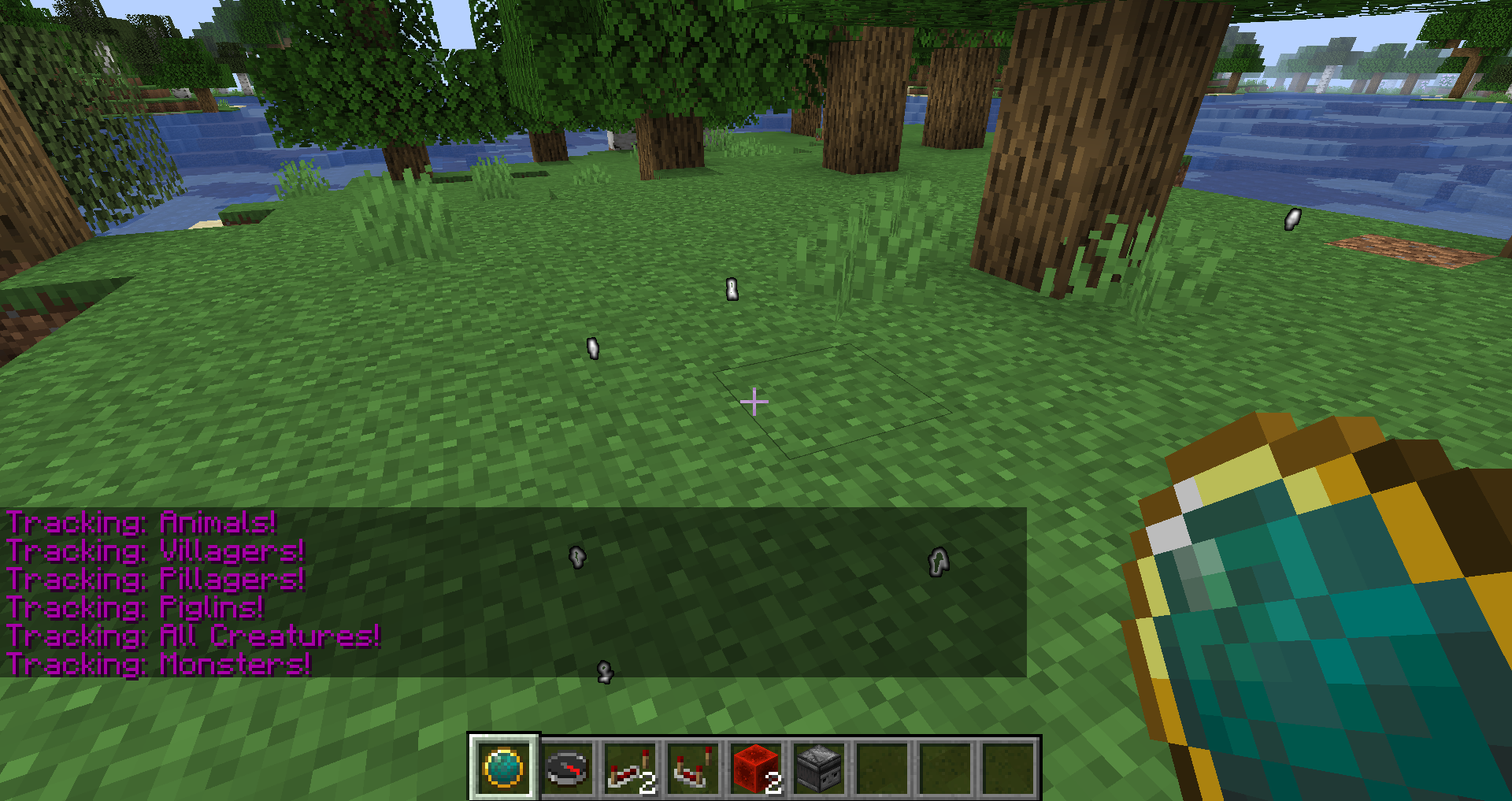
Recently Scanned for Animals!
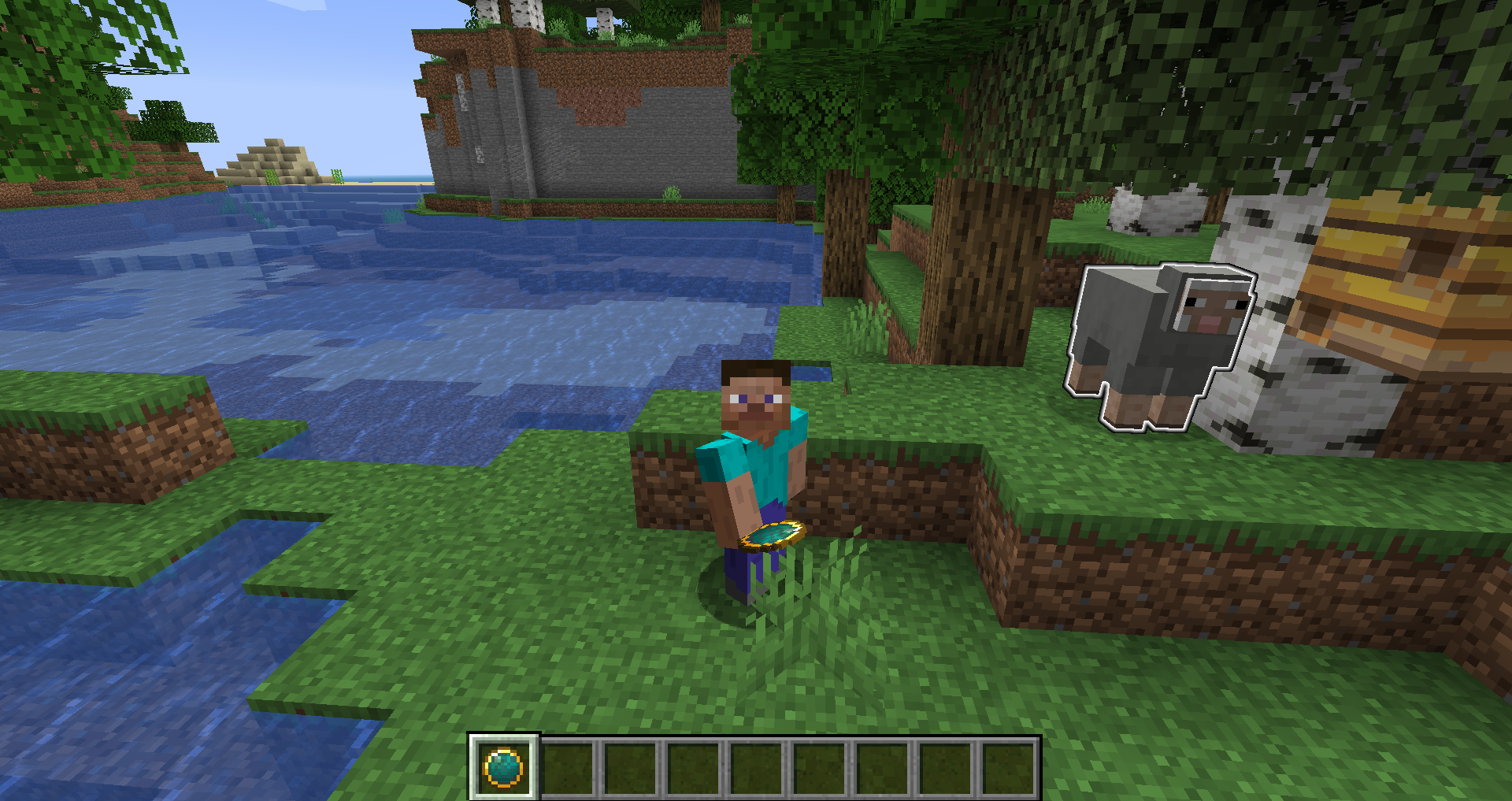
Project description from CurseForge.
Pick your setup
Colds: Mob Tracker by Minecraft version and loader
Choose the version and loader you play, then open the matching release.
Minecraft version
1.16.4
1 loader buildCheck the dependencies, then try the file in a copied instance before changing a world you care about.
Recent files
Colds: Mob Tracker versions and loaders
MobTracker(Forge1.16.4)vrs1.0.2
MobTracker(Forge1.16.4)vrs1.0.2.jar
24 Jun 2021
Client Source doesn’t say Server Source doesn’t say Dependencies No extras listed Listed on Release listing
Check the 1.16.4 · Forge setup 1.16.5Forge1.16.4 release
MobTracker(Forge1.16.4)vrs1.0.1
MobTracker(Forge1.16.4)vrs1.0.1.jar
24 Jun 2021
Client Source doesn’t say Server Source doesn’t say Dependencies No extras listed Listed on Release listing
Check the 1.16.4 · Forge setup 1.16.5Forge1.16.4 release
MobTracker(Forge1.16.4)vrs1.0.0
MobTracker(Forge1.16.4)vrs1.0.0.jar
24 Jun 2021
Client Source doesn’t say Server Source doesn’t say Dependencies No extras listed Listed on Release listing
Check the 1.16.4 · Forge setup 1.16.5Forge1.16.4 release
Looking for an older file? The official CurseForge project page is in Resources.
 mod
CurseForge · Minecraft
TONI's Magic: Wizardry
Become a wizard: 13 spells from tomes (Arcane Ray, meteor, blizzard...), an Inscription Table and spell hotkeys, good and dark wizards, the Ancient Mage, Dark Towers and the Arcane Bunker dungeon.
 mod
CurseForge · Minecraft
TofuCraftReload
This mod is a remake of Old Mod TofuCraft made by tsuteto. add soybean As a new all-purpose food!
 mod
CurseForge · Minecraft
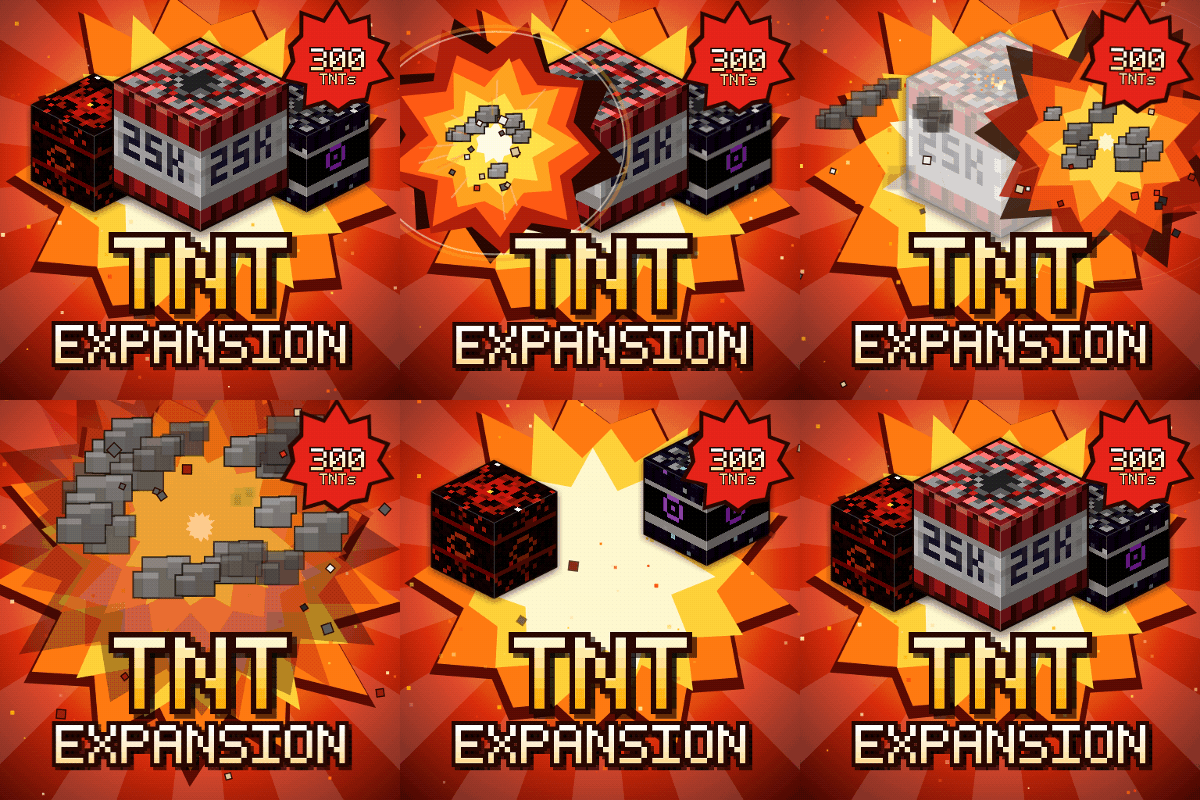
TNT Expansion (+300 new craftable TNT)
300 craftable TNTs, from harmless mini TNTs to nukes, black holes, a TNT x100,000 and THE ABSOLUTE CORRUPTION OF ALL EXISTENCE (power -∞). Build your own at the Workbench and see every TNT in 3D in the guide book.