Minecraft version
Back to mods 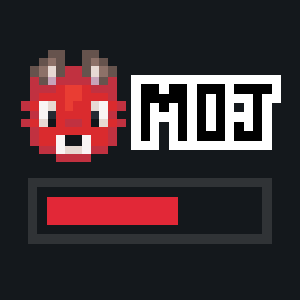
Modrinth · Minecraft mod
Dark Loading Screen Neoforge
Makes the loading screen darker. Now on Neoforge!
Choose a version Pick your version below, then grab the matching file.
Quick answer
Which Dark Loading Screen Neoforge release matches 26.2?
Best match for your filters 1.0.1
Game version 26.2
Loader NeoForge
Dark Loading Screen Neoforge 1.0.1 targets 26.2 with NeoForge. It must be installed on the client. Do not install it on the dedicated server. No extra mods listed for this file.
Where it goes
Is Dark Loading Screen Neoforge required on the client, server, or both?
It must be installed on the client. Do not install it on the dedicated server.
Client Required
Dedicated server Not supported
Loader for this release NeoForge
Required install it here Optional supported, not mandatory Not supported do not install here Source doesn’t say do not assume
This file is marked client-only.
What else does Dark Loading Screen Neoforge 1.0.1 need?
1.0.1 on 26.2. Every mod below is checked against that same setup.
This file does not list any required mods. Do not add a library just because a different file uses it.
This file does not list any required or optional mods.
Before you install it
Add Dark Loading Screen Neoforge without breaking your instance.
Built for Dark Loading Screen Neoforge 1.0.1 on 26.2. Pick another file and the loader, install side or required mods may change.
- 01
Stick to this file
Use 1.0.1. It targets 26.2 with NeoForge; another release may have different loader, side or dependency requirements.
- 02
Bring the mods it needs
This file does not list any required mods. Do not add a library just because a different file uses it.
- 03
Put it on the correct side
It must be installed on the client. Do not install it on the dedicated server.
- 04
Pick the file you checked
Use the “Get this file” button beside 1.0.1. It opens that exact file at the source.
About this project
What does Dark Loading Screen Neoforge add?
A simple Neoforge port of a mod to make the loading screen darker and way more customizable!
Color configuration:the
Colors can be modified in-game if both Mod Menu/Catalgoue and Cloth Config are installed.
Manual configuration
Create or edit .minecraft/config/dark-loading-screen.json, the default config is
{
"background": "14181c",
"bar": "e22837",
"barBackground": "14181c",
"border": "303336",
"logo": "ffffff",
"fadeIn": 1.0,
"fadeOut": 2.0
}
Manual changes are only visible after restarting the game.
Credits
- Original mod by A5b84 found here
- Config screen made using shedaniel's Cloth Config
- Logo coloring suggested by Minenash
- Bar background coloring suggested by Chrisblox
I’ve spent thousands of hours on my mods. I learned Java specifically for this. If you've enjoyed my projects a ton, two great ways to support me are through Patreon directly, or buying your server through Bisect Hosting. Click on the above picture to get a server, use my code CraisinCraft to get 25% off your first month and enjoy playing with your friends! Set up is so easy, it's basically one click.
Click on the picture bellow for my patreon to directly support me. You'll get exclusive discord roles, chats, and get to directly influence the development of IDAS.

Join the Discord by clicking on the image or link below if you run into an issue of any kind or have a suggestion, I'll try my best to respond to everyone and would absolutely love suggestions! Thanks for playing and supporting my mod!

Project description from Modrinth.
Pick your setup
Dark Loading Screen Neoforge by Minecraft version and loader
Choose the version and loader you play, then open the matching release.
Minecraft version
26.1.2
1 loader buildMinecraft version
26.1.1
1 loader buildMinecraft version
26.1
1 loader buildMinecraft version
1.21.1
1 loader buildCheck the dependencies, then try the file in a copied instance before changing a world you care about.
Recent files
Dark Loading Screen Neoforge versions and loaders
1.0.1
dark_loading_screen-neoforge-26.2-1.0.0.jar
8 Aug 2026
Client Required Server Not supported Dependencies No extras listed Listed on Release listing
Check the 26.2 · NeoForge setup 26.2NeoForge release
1.0.0
dark_loading_screen-neoforge-26.2-1.0.0.jar
13 Jul 2026
Client Required Server Not supported Dependencies No extras listed Listed on Release listing
Check the 26.2 · NeoForge setup 26.2NeoForge release
Looking for an older file? The official Modrinth project page is in Resources.
 mod
CurseForge + Modrinth · Minecraft
AntOS Computer | Quests + Guidebook
An immersive and fully functioning computer that provides an anternative to the stale and overused quest book and guide book
 mod
CurseForge · Minecraft
Fight Club
A lightweight combat rebalance and overhaul with new weapons and abilites
 mod
CurseForge + Modrinth · Minecraft
Ecliptic Seasons
A living seasonal world with changing landscapes, weather, crops, and 24 solar terms—even beyond the horizon.