YetAnotherConfigLib (YACL) Optional for Mino++ 1.4.0+1.21.1+fabric
optionalMatching file found Matched file: 3.8.2+1.21.1-fabric

Modrinth · Minecraft mod
Recreation of a certain popular card game in Minecraft!
Quick answer
Mino++ 1.4.0+1.21.1+fabric targets 1.21.1 with Fabric. Installation on the client is optional. Installation on the dedicated server is optional. No extra mods listed for this file.
Where it goes
Installation on the client is optional. Installation on the dedicated server is optional.
The source marks this as usable on both the client and server.
1.4.0+1.21.1+fabric. Change the file and its required mods may change too.
This file does not list any required mods. Do not add a library just because a different file uses it.
1 extra mod was pulled in by another dependency. Indented rows show who needs each one. We only count dependency files that match this setup. A file for another loader does not fill the gap.
Before you install it
Built for Mino++ 1.4.0+1.21.1+fabric. Pick another file and the loader, install side or required mods may change.
Use 1.4.0+1.21.1+fabric. It targets 1.21.1 with Fabric; another release may have different loader, side or dependency requirements.
This file does not list any required mods. Do not add a library just because a different file uses it.
Installation on the client is optional. Installation on the dedicated server is optional.
Use the “Get this file” button beside 1.4.0+1.21.1+fabric. It opens that exact file at the source.
About this project
Recreating a certain popular card game in Minecraft
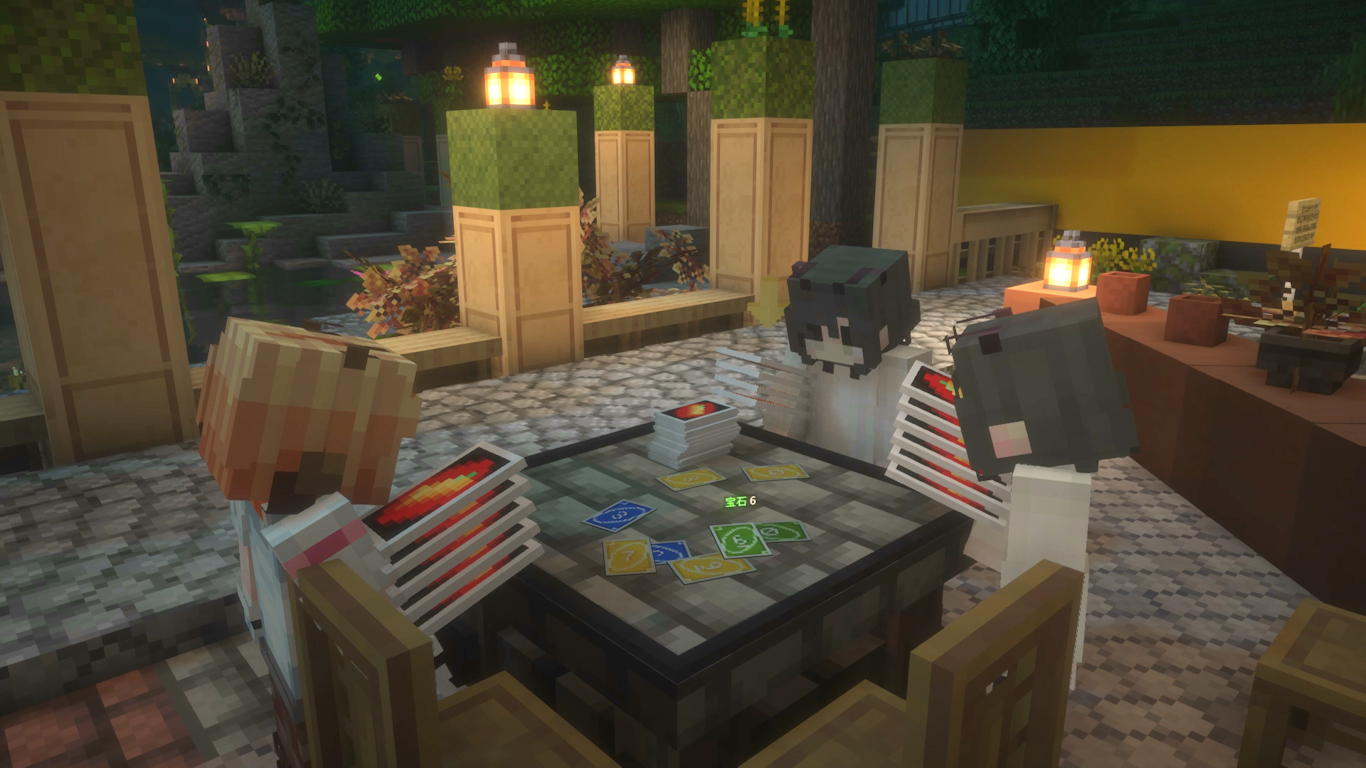
Wouldn't it be a shame when you met up with your best friends online, but stranded with no card games to play? Mino++ aims to resolve this issue in a Minecraft-y way.
We also provide you with virtual friends whenever organic counterparts of yours happened to be unavailable!
Place down a Mino++ table, and right click it to join.
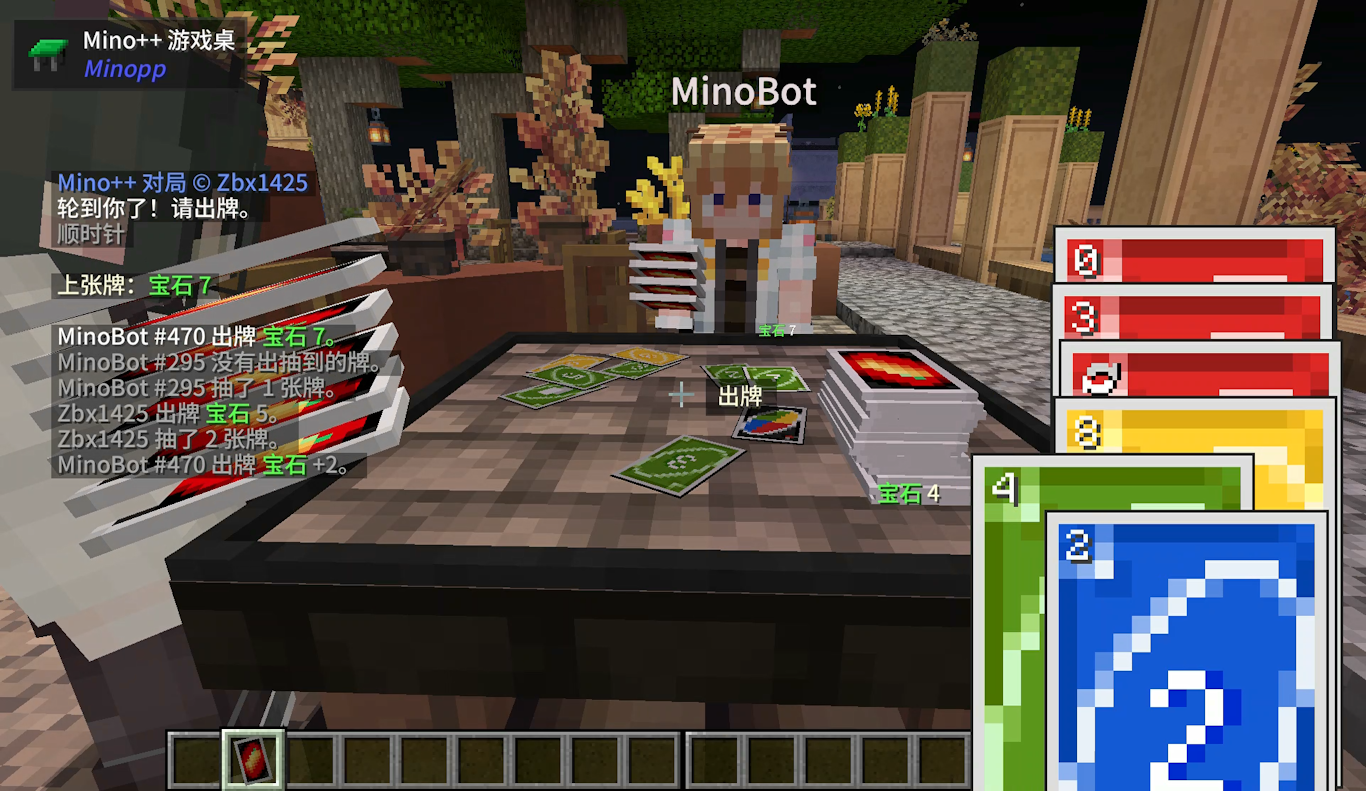
We'll skip the rules - See online resources like THIS for that!
Bots can be summoned to join a table. Currently this can only be done with commands.
/summon minopp:mino_auto_player
After summoning the bot, right click it and it'll search for and join a table near it.
Shift + Right click it will open a menu that allows configuring its behavior. (Requires YetAnotherConfigLib)
Mino++ implemented the game slightly different than the official rule.
Project description from Modrinth.
Pick your setup
Choose the version and loader you play, then open the matching release.
Check the dependencies, then try the file in a copied instance before changing a world you care about.
Recent files
minopp-1.4.0+1.21.1+fabric.jar
25 Aug 2025
minopp-1.4.0+1.21.1+neoforge.jar
25 Aug 2025
minopp-1.4.0+1.20.1+fabric.jar
25 Aug 2025
minopp-1.4.0+1.20.1+forge.jar
25 Aug 2025
minopp-1.3.0+1.21.1+fabric.jar
19 Apr 2025
minopp-1.3.0+1.21.1+neoforge.jar
19 Apr 2025
minopp-1.3.0+1.20.1+fabric.jar
19 Apr 2025
minopp-1.3.0+1.20.1+forge.jar
19 Apr 2025
minopp-1.2.0+1.21.1+fabric.jar
13 Mar 2025
minopp-1.2.0+1.21.1+neoforge.jar
13 Mar 2025
minopp-1.2.0+1.20.1+fabric.jar
13 Mar 2025
minopp-1.2.0+1.20.1+forge.jar
13 Mar 2025
Looking for an older file? The official Modrinth project page is in Resources.
 mod
Adds naturally spawning Moyai to your game 🗿
 mod
This Mod adds the ability to add custom capes to your player including gifs and normal images with a resolution up to 2048x1024 you can also see other capes and vice versa and it also works with elytra models and wavey capes
 mod
Merge mobs and fight merged monsters