Minecraft version
Back to mods 
Modrinth · Minecraft mod
Enhanced Loading Screens
A mod that allows you to add and use custom backgrounds on your Minecraft loading screens.
Choose a version Pick your version below, then grab the matching file.
Quick answer
Which Enhanced Loading Screens release matches 1.21.7 Forge?
Best match for your filters 1.4.1
Game version 1.21.6, 1.21.7, 1.21.8
Loader Forge, NeoForge
Enhanced Loading Screens 1.4.1 targets 1.21.6, 1.21.7, 1.21.8 with Forge, NeoForge. It must be installed on the client. Do not install it on the dedicated server. No extra mods listed for this file.
Where it goes
Is Enhanced Loading Screens required on the client, server, or both?
It must be installed on the client. Do not install it on the dedicated server.
Client Required
Dedicated server Not supported
Loader for this release Forge, NeoForge
Required install it here Optional supported, not mandatory Not supported do not install here Source doesn’t say do not assume
This file is marked client-only.
What else does Enhanced Loading Screens 1.4.1 need?
1.4.1 on 1.21.7 Forge. Every mod below is checked against that same setup.
This file does not list any required mods. Do not add a library just because a different file uses it.
This file does not list any required or optional mods.
Before you install it
Add Enhanced Loading Screens without breaking your instance.
Built for Enhanced Loading Screens 1.4.1 on 1.21.7 Forge. Pick another file and the loader, install side or required mods may change.
- 01
Stick to this file
Use 1.4.1. It targets 1.21.6, 1.21.7, 1.21.8 with Forge, NeoForge; another release may have different loader, side or dependency requirements.
- 02
Bring the mods it needs
This file does not list any required mods. Do not add a library just because a different file uses it.
- 03
Put it on the correct side
It must be installed on the client. Do not install it on the dedicated server.
- 04
Pick the file you checked
Use the “Get this file” button beside 1.4.1. It opens that exact file at the source.
About this project
What does Enhanced Loading Screens add?
Enhanced Loading Screens.
Enhanced Loading Screens is a mod that allows you to use custom background images in some Minecraft Screens.
Information:
- Enhanced Loading Screens is a client-side mod.
- Feel free to upload background packs.
- Use Enhanced Loading Screens wherever you want.
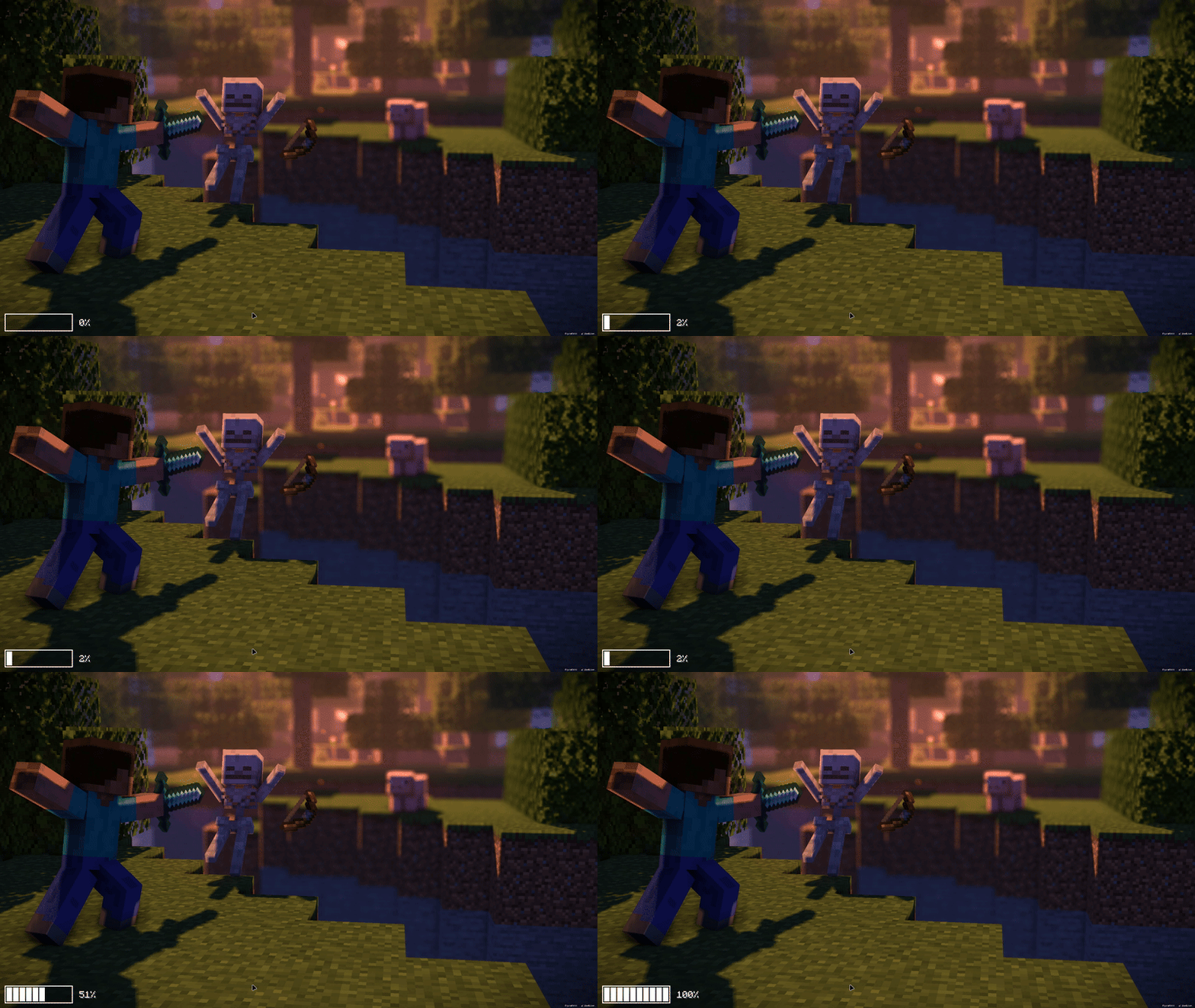
My own els addon: Minecraft: At Night.
World loading screen.
Adding backgrounds:
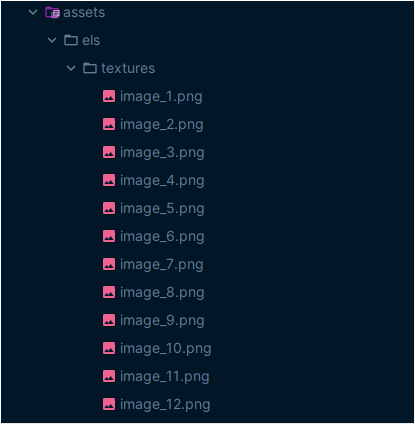
First, create a resource pack.
Next, add your images to it, following the example below.
Don't forget that the images must be in .png format, and you can include a maximum of 12 images, any extra ones will not be loaded.
Well, if you want to leave me a tip, https://ko-fi.com/mateusmg2010
Thanks for downloading :)
Project description from Modrinth.
Pick your setup
Enhanced Loading Screens by Minecraft version and loader
Choose the version and loader you play, then open the matching release.
Minecraft version
1.21.8
3 loader buildsMinecraft version
1.21.7
3 loader buildsMinecraft version
1.21.6
3 loader buildsMinecraft version
1.21.5
3 loader buildsMinecraft version
1.21.4
3 loader buildsMinecraft version
1.21.3
3 loader buildsMinecraft version
1.21.1
1 loader buildCheck the dependencies, then try the file in a copied instance before changing a world you care about.
Recent files
Enhanced Loading Screens versions and loaders
1.4.1
EnhancedLoadingScreens-1.4.1.jar
26 Jul 2025
Client Required Server Not supported Dependencies No extras listed Listed on Release listing
Check the 1.21.7 · Forge setup 1.21.61.21.71.21.8Forge release
Looking for an older file? The official Modrinth project page is in Resources.
 mod
CurseForge + Modrinth · Minecraft
Underground Villages, Stoneholm (Fabric/Forge/NeoForge)
((✓ Forge, ✓ Neoforge and ✓ fabric ) Stoneholm is a Forge & Fabric mod adds underground villages to the world. Inspired by Strongholds and Villages.
 mod
Modrinth · Minecraft
Hearthwood
Build with timber beams, palisades, braces, patterned frames and log piles in the wood types available in your game. Light them with braziers, chandeliers, sconces and candelabras.
 mod
Modrinth · Minecraft
Enchantment Level Language Patch
Sharpness enchantment.level.20 => Sharpness 20/XX