Mod Menu Optional for ScheduledTickVisualizer 1.0.0
optionalMatching file found Matched file: 20.0.3

Modrinth · Minecraft mod
Render ScheduledTick in real-time!
Quick answer
ScheduledTickVisualizer 1.0.0 targets 26.1, 26.1.1, 26.1.2 with Fabric. Installation on the client is optional. Installation on the dedicated server is optional. All 1 required mods have matching files.
Where it goes
Installation on the client is optional. Installation on the dedicated server is optional.
The source marks this as usable on both the client and server.
1.0.0 on 26.2 Fabric. Every mod below is checked against that same setup.
Install YetAnotherConfigLib (YACL) first. We found matching files for this game-version and loader setup. 2 come through another mod in the chain.
2 extra mods were pulled in by other dependencies. Indented rows show who needs each one. We only count dependency files that match this setup. A file for another loader does not fill the gap.
Before you install it
Built for ScheduledTickVisualizer 1.0.0 on 26.2 Fabric. Pick another file and the loader, install side or required mods may change.
Use 1.0.0. It targets 26.1, 26.1.1, 26.1.2 with Fabric; another release may have different loader, side or dependency requirements.
Install YetAnotherConfigLib (YACL) first. We found matching files for this game-version and loader setup. 2 come through another mod in the chain.
Installation on the client is optional. Installation on the dedicated server is optional.
Use the “Get this file” button beside 1.0.0. It opens that exact file at the source.
About this project
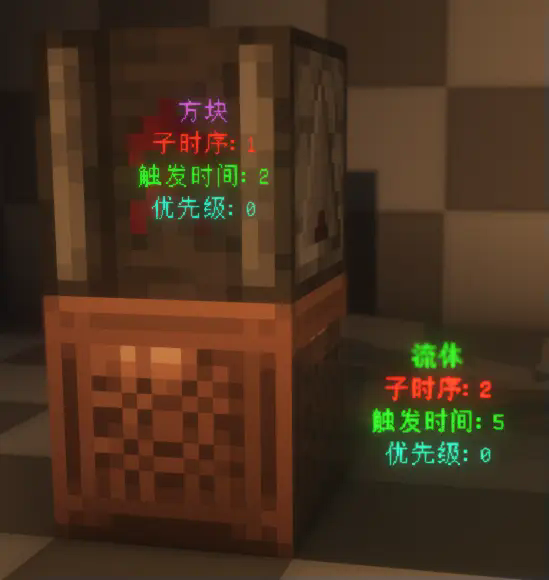
This is a visualization mod that renders detailed information about ScheduledTicks in the world, including their type, trigger time, order, and priority.
First, make sure to install YACL and Mod Menu, and ensure this mod is installed on both the server and the client.
Then, enter the world, open the settings menu, navigate to Mod Menu, find this mod, and click on its settings. Enable "Main Render" to start visualizing ScheduledTicks.

Settings are already explained in the configuration menu and won't be elaborated on here. However, it's worth noting that to prevent the server from sending ScheduledTick data for distant areas (very far away) to the client, the server will check whether any players are within range (default is 20 blocks). This range can be adjusted using the command:
/gamerule scheduledTickInformationRange <int>
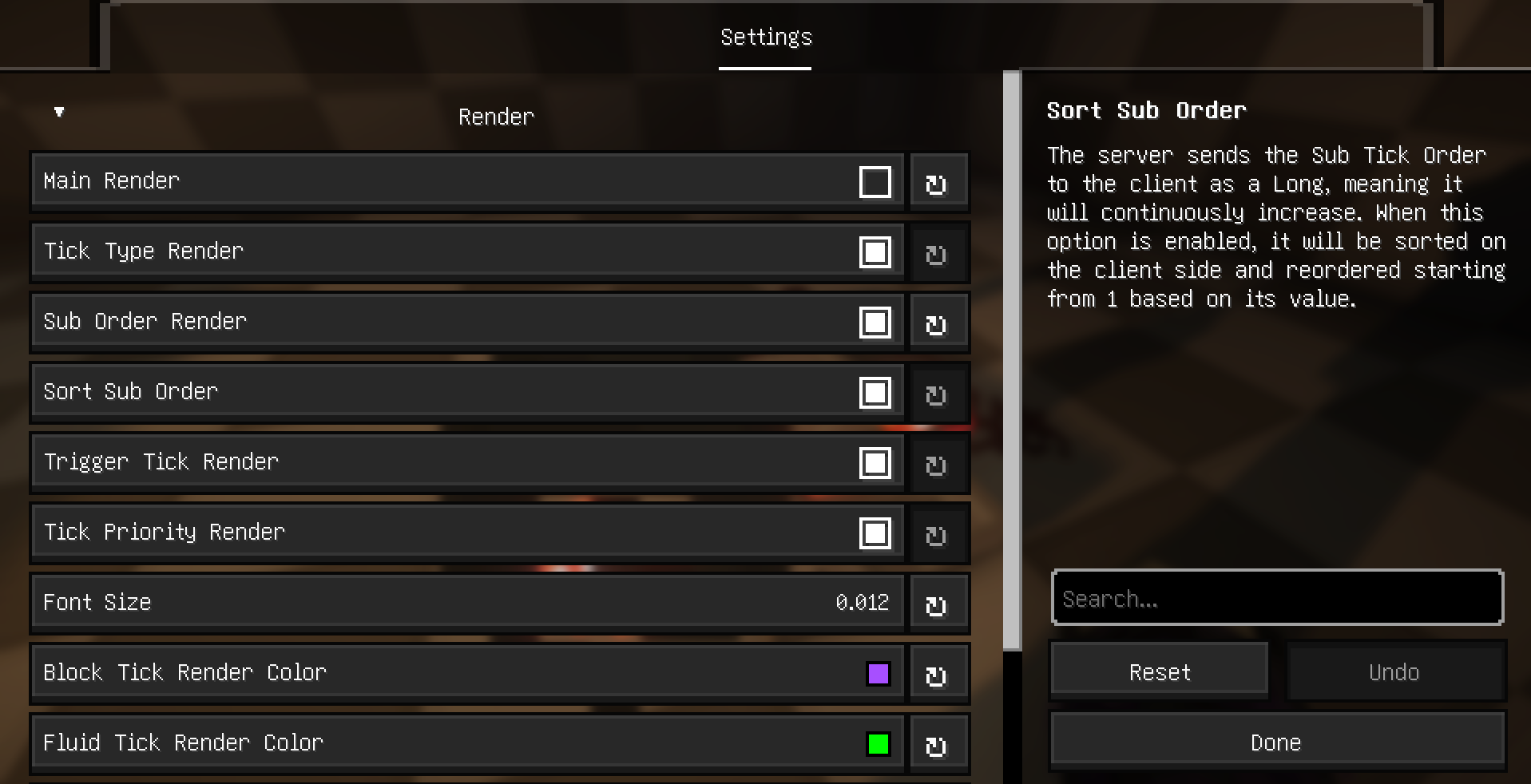
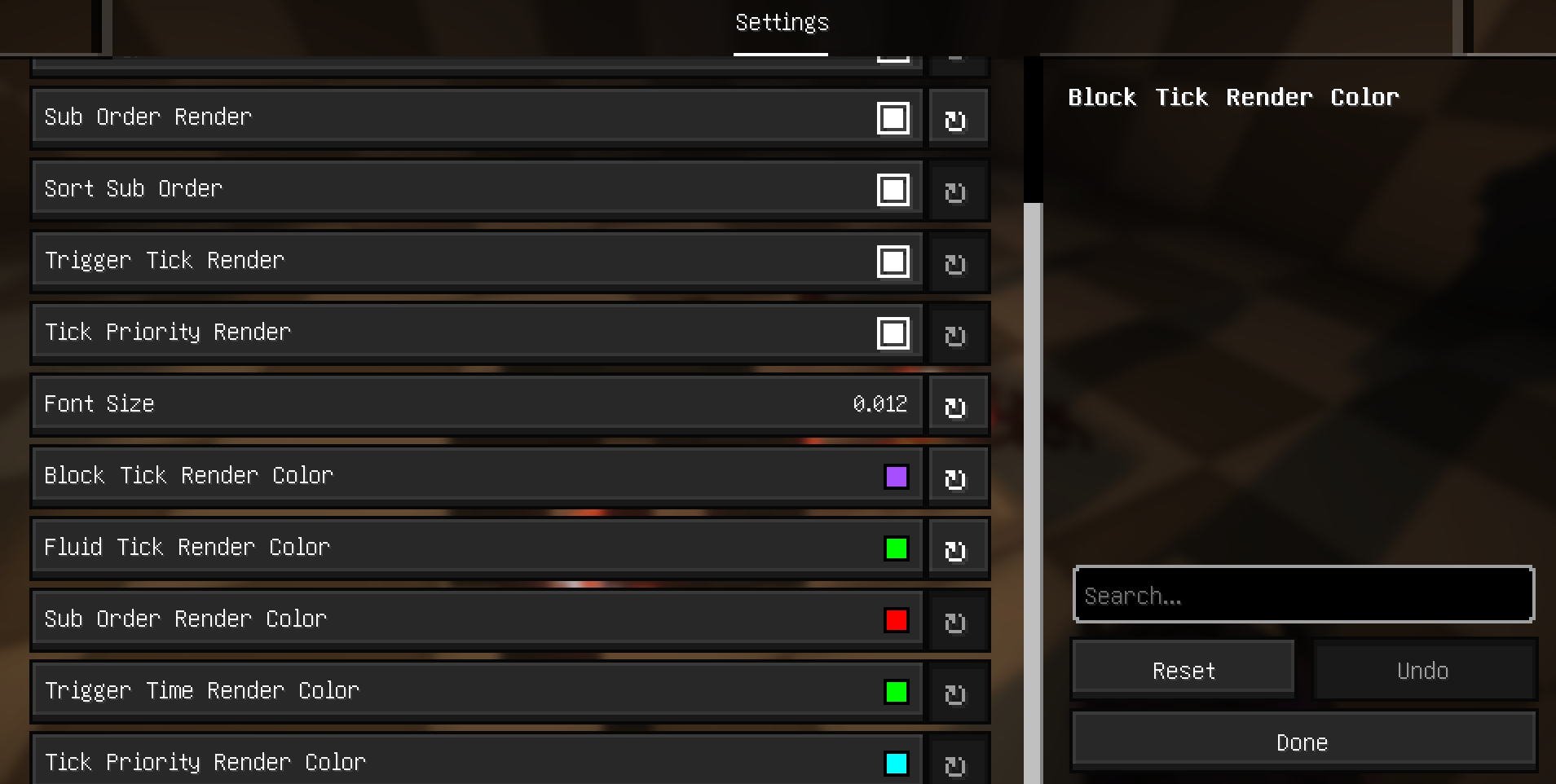
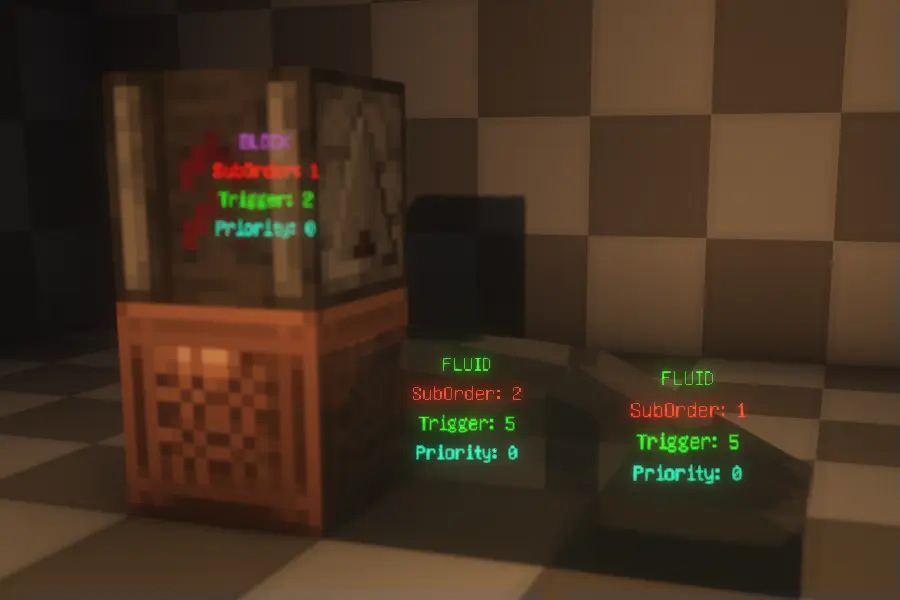
The mod currently supports multiple languages, including English, Simplified Chinese, Traditional
(Taiwan and Hong Kong), and Japanese.
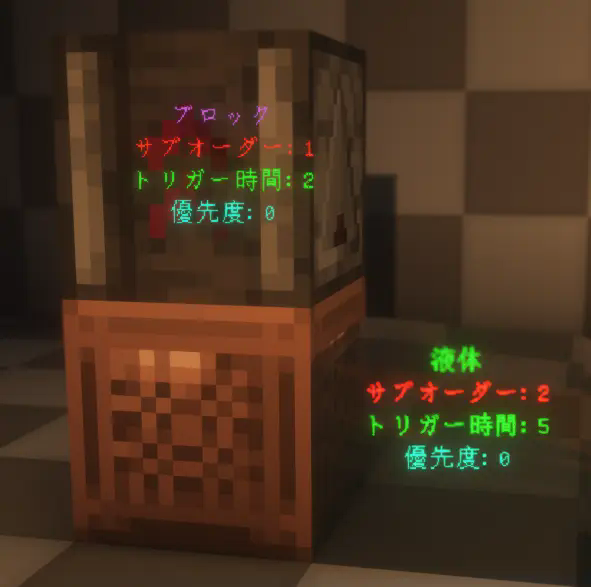
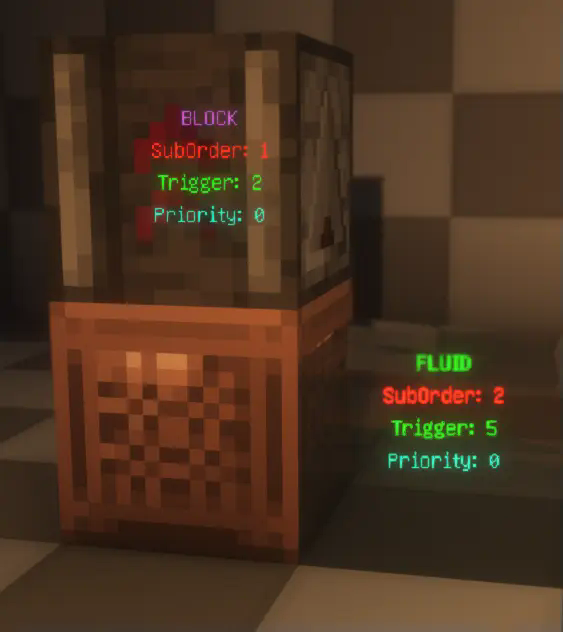
Project description from Modrinth.
Pick your setup
Choose the version and loader you play, then open the matching release.
Showing the newest 12 of 21 game versions. Older files are in the list below.
Check the dependencies, then try the file in a copied instance before changing a world you care about.
Recent files
scheduledtickvisualizer-1.0.0.jar
2 Jul 2026
Looking for an older file? The official Modrinth project page is in Resources.