Minecraft version
Back to mods 
Modrinth · Minecraft mod
Virskorj Bleach Mod
Unofficial Bleach mod made for me.
Choose a version Pick your version below, then grab the matching file.
Quick answer
Which Virskorj Bleach Mod release should I use?
Latest stable file 1.1
Game version 1.20.1
Loader Forge
Virskorj Bleach Mod 1.1 targets 1.20.1 with Forge. Installation on the client is optional. Installation on the dedicated server is optional. No extra mods listed for this file.
Where it goes
Is Virskorj Bleach Mod required on the client, server, or both?
Installation on the client is optional. Installation on the dedicated server is optional.
Client Optional
Dedicated server Optional
Loader for this release Forge
Required install it here Optional supported, not mandatory Not supported do not install here Source doesn’t say do not assume
The source marks this as usable on both the client and server.
What else does Virskorj Bleach Mod 1.1 need?
1.1. Change the file and its required mods may change too.
This file does not list any required mods. Do not add a library just because a different file uses it.
This file does not list any required or optional mods.
Before you install it
Add Virskorj Bleach Mod without breaking your instance.
Built for Virskorj Bleach Mod 1.1. Pick another file and the loader, install side or required mods may change.
- 01
Stick to this file
Use 1.1. It targets 1.20.1 with Forge; another release may have different loader, side or dependency requirements.
- 02
Bring the mods it needs
This file does not list any required mods. Do not add a library just because a different file uses it.
- 03
Put it on the correct side
Installation on the client is optional. Installation on the dedicated server is optional.
- 04
Pick the file you checked
Use the “Get this file” button beside 1.1. It opens that exact file at the source.
About this project
What does Virskorj Bleach Mod add?
The Bleach Mod is an unofficial fan-made project that adds elements from the *Bleach* universe to Minecraft.
The mod features progression paths such as Shinigami or Hollow, a Reiatsu system, Zanpakutō, Shikai, Bankai, Hollow masks, and various stages of evolution. Techniques like Getsuga Tenshou, Cero, and certain Hadō spells are also included.
Available content encompasses characters such as Ichigo, Rukia, and Ulquiorra, various types of Hollows, and the Soul Society and Hueco Mundo dimensions—accessible via Senkaimon and Garganta.
Currently, the mod is available for Minecraft 1.20.1 (Forge) and will continue to receive updates and new content.
This is an unofficial project and has no affiliation with the creators or rights holders of Bleach.
How to play
You start as a human and become a soul after death. To follow the Shinigami path, find another Shinigami, travel to the Soul Society, and meditate by pressing J. If you prefer the Hollow path, let a Hollow defeat you while in soul form.
Defeat Hollows to gain experience and evolve. Use V to charge your Reiatsu and O to open the progression menu.
As a Shinigami, meditate to commune with your Zanpakutō and unlock Shikai and Bankai. Press G to release your sword. Abilities are used with Z, X, and C.
Use R to toggle between Kidō or Cero, and H to attack. The Hollow mask can be activated with N, while M opens portals to the Soul Society or Hueco Mundo.
This is the first version of the mod, so some bugs and balancing issues may still arise. The project will continue to receive fixes, improvements, and new content in future updates.
Project description from Modrinth.
Pick your setup
Virskorj Bleach Mod by Minecraft version and loader
Choose the version and loader you play, then open the matching release.
Check the dependencies, then try the file in a copied instance before changing a world you care about.
Recent files
Virskorj Bleach Mod versions and loaders
1.1
Bleach-Mod-1.1.0.jar
3 Aug 2026
Client Optional Server Optional Dependencies No extras listed Listed on Release listing
Check the 1.20.1 · Forge setup 1.20.1Forge release
1.0.0
Bleach-Mod-1.0.jar
23 Jul 2026
Client Optional Server Optional Dependencies No extras listed Listed on Release listing
Check the 1.20.1 · Forge setup 1.20.1Forge beta
Looking for an older file? The official Modrinth project page is in Resources.
 mod
mod CurseForge · Minecraft
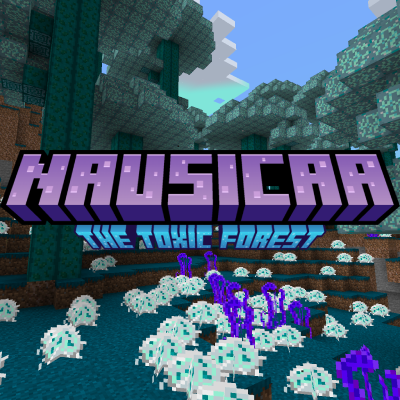
Nausicaa: The Toxic Forest
This mod adds new biome called Toxic Forest, items, blocks and more
 mod
mod CurseForge + Modrinth · Minecraft
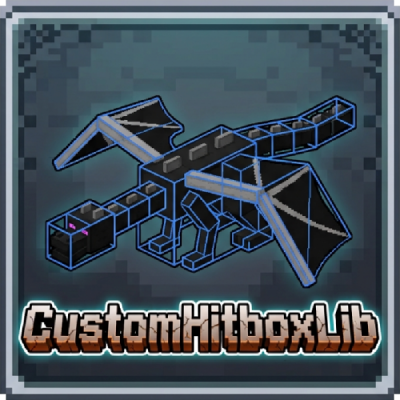
CustomHitboxLib
A powerful Forge 1.20.1 library that adds true multipart hitboxes to any entity! Override vanilla's single-square limitation and create complex bosses with precise collision using simple JSON Datapacks or the developer API.
 mod
mod CurseForge + Modrinth · Minecraft
LDLib
LDLib is a libarary mod for custom rendering, modular gui.