Minecraft version
Back to mods 
Modrinth · Minecraft mod
Furnace Progress
See at a glance how many items have been smelted and how far the current item is.
Choose a version Pick your version below, then grab the matching file.
Quick answer
Which Furnace Progress release matches 26.2 Forge?
Best match for your filters 0.2+mod
Game version 26.2
Loader Fabric, Forge, NeoForge
Furnace Progress 0.2+mod targets 26.2 with Fabric, Forge, NeoForge. Installation on the client is optional. Installation on the dedicated server is optional. No extra mods listed for this file.
Where it goes
Is Furnace Progress required on the client, server, or both?
Installation on the client is optional. Installation on the dedicated server is optional.
Client Optional
Dedicated server Optional
Loader for this release Fabric, Forge, NeoForge
Required install it here Optional supported, not mandatory Not supported do not install here Source doesn’t say do not assume
The source marks this as usable on both the client and server.
What else does Furnace Progress 0.2+mod need?
0.2+mod on 26.2 Forge. Every mod below is checked against that same setup.
This file does not list any required mods. Do not add a library just because a different file uses it.
This file does not list any required or optional mods.
Before you install it
Add Furnace Progress without breaking your instance.
Built for Furnace Progress 0.2+mod on 26.2 Forge. Pick another file and the loader, install side or required mods may change.
- 01
Stick to this file
Use 0.2+mod. It targets 26.2 with Fabric, Forge, NeoForge; another release may have different loader, side or dependency requirements.
- 02
Bring the mods it needs
This file does not list any required mods. Do not add a library just because a different file uses it.
- 03
Put it on the correct side
Installation on the client is optional. Installation on the dedicated server is optional.
- 04
Pick the file you checked
Use the “Get this file” button beside 0.2+mod. It opens that exact file at the source.
About this project
What does Furnace Progress add?
🔥 Furnace Progress
This data pack / mod helps you see how many items the furnace has already smelted and how far the current item has been smelted.
To get the indicator, you must place the furnace directly in front of you! If you don't want the indicator, place the furnace at least two blocks away from you. If you dismantle the furnace, the indicator will also disappear.
📚 How to Install the Datapack
👤 Singleplayer
Drag the downloaded .zip file into the "\.minecraft\saves\YOURWORLD\datapacks" folder.
Now enter your world. You can check whether the datapack is enabled with /datapack list.
👥 Multiplayer (Server)
Drag the downloaded .zip file into the datapack folder, which is located in the default "world" folder.
Now join your server. You can check whether the datapack is enabled with /datapack list.
Project description from Modrinth.
Pick your setup
Furnace Progress by Minecraft version and loader
Choose the version and loader you play, then open the matching release.
Minecraft version
26.1.2
5 loader buildsMinecraft version
26.1.1
5 loader buildsMinecraft version
26.1
5 loader buildsMinecraft version
1.21.11
5 loader buildsMinecraft version
1.21.10
5 loader buildsMinecraft version
1.21.9
5 loader buildsMinecraft version
1.21.8
5 loader buildsMinecraft version
1.21.7
5 loader buildsCheck the dependencies, then try the file in a copied instance before changing a world you care about.
Recent files
Furnace Progress versions and loaders
0.2+mod
furnace-progress-0.2.jar
27 Aug 2026
Client Optional Server Optional Dependencies No extras listed Listed on Release listing
Check the 26.2 · Forge setup 26.2FabricForgeNeoForge release
0.1.1+mod
furnace-progress-0.1.1.jar
20 Sept 2025
Client Optional Server Optional Dependencies 1 required · 1 unchecked Listed on Release listing
Check the 26.2 · Forge setup 1.21.71.21.81.21.91.21.10 release
Looking for an older file? The official Modrinth project page is in Resources.
 mod
mod Modrinth · Minecraft
Super Enchants
Combine Vanilla Enchantment Books by Throwing them on top of Anvils. Nearly All Vanilla Enchantments can Exceed their Level Caps.
 mod
mod Modrinth · Minecraft
D E S C E N T
A datapack focused on adding skill based bosses and complex weaponary.
 mod
mod CurseForge + Modrinth · Minecraft
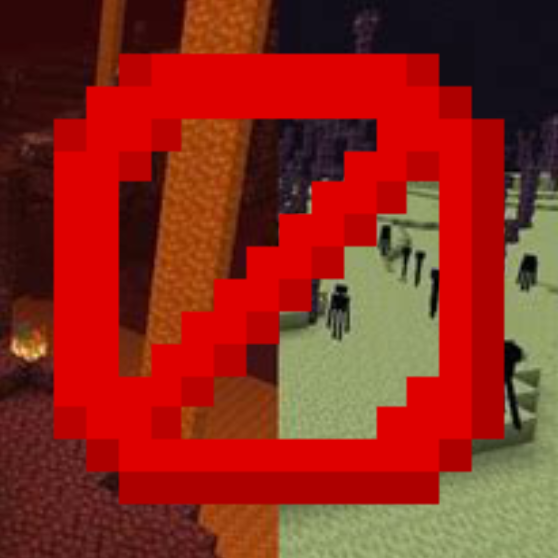
Disable Dimensions
A hard-to-break, grief-resistant solution for preventing players from entering The Nether, The End, and any further custom dimensions, with optional per-dimension conditions.