MaLiLib Needed by Chat Magic 2.2.0
requiredMatching file found Matched file: 0.19.2

Modrinth · Minecraft mod
Better display WorldEdit / other build tools' command line. With block/item view and charts for complex materials and more!
Quick answer
Chat Magic 2.2.0 targets 1.20.4, 1.20.5, 1.20.6 with Fabric. It must be installed on the client. Do not install it on the dedicated server. All 1 required mods have matching files.
Where it goes
It must be installed on the client. Do not install it on the dedicated server.
This file is marked client-only.
2.2.0. Change the file and its required mods may change too.
Install MaLiLib first. We found matching files for this game-version and loader setup.
We only count dependency files that match this setup. A file for another loader does not fill the gap.
Before you install it
Built for Chat Magic 2.2.0. Pick another file and the loader, install side or required mods may change.
Use 2.2.0. It targets 1.20.4, 1.20.5, 1.20.6 with Fabric; another release may have different loader, side or dependency requirements.
Install MaLiLib first. We found matching files for this game-version and loader setup.
It must be installed on the client. Do not install it on the dedicated server.
Use the “Get this file” button beside 2.2.0. It opens that exact file at the source.
About this project
Do you hate the not human friendly view of WorldEdit's materials in the commands? This is a graphic displayer for you architects!
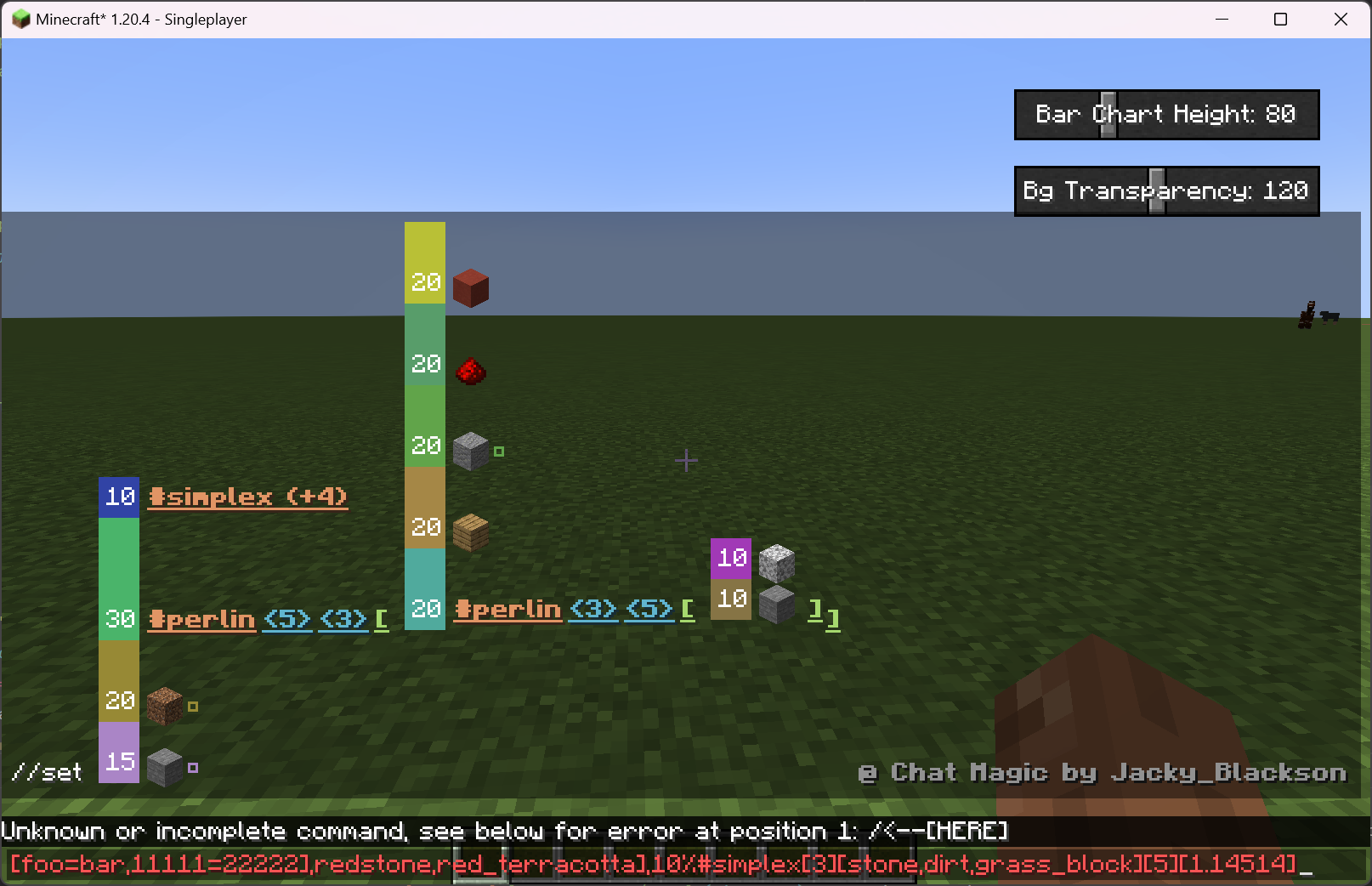
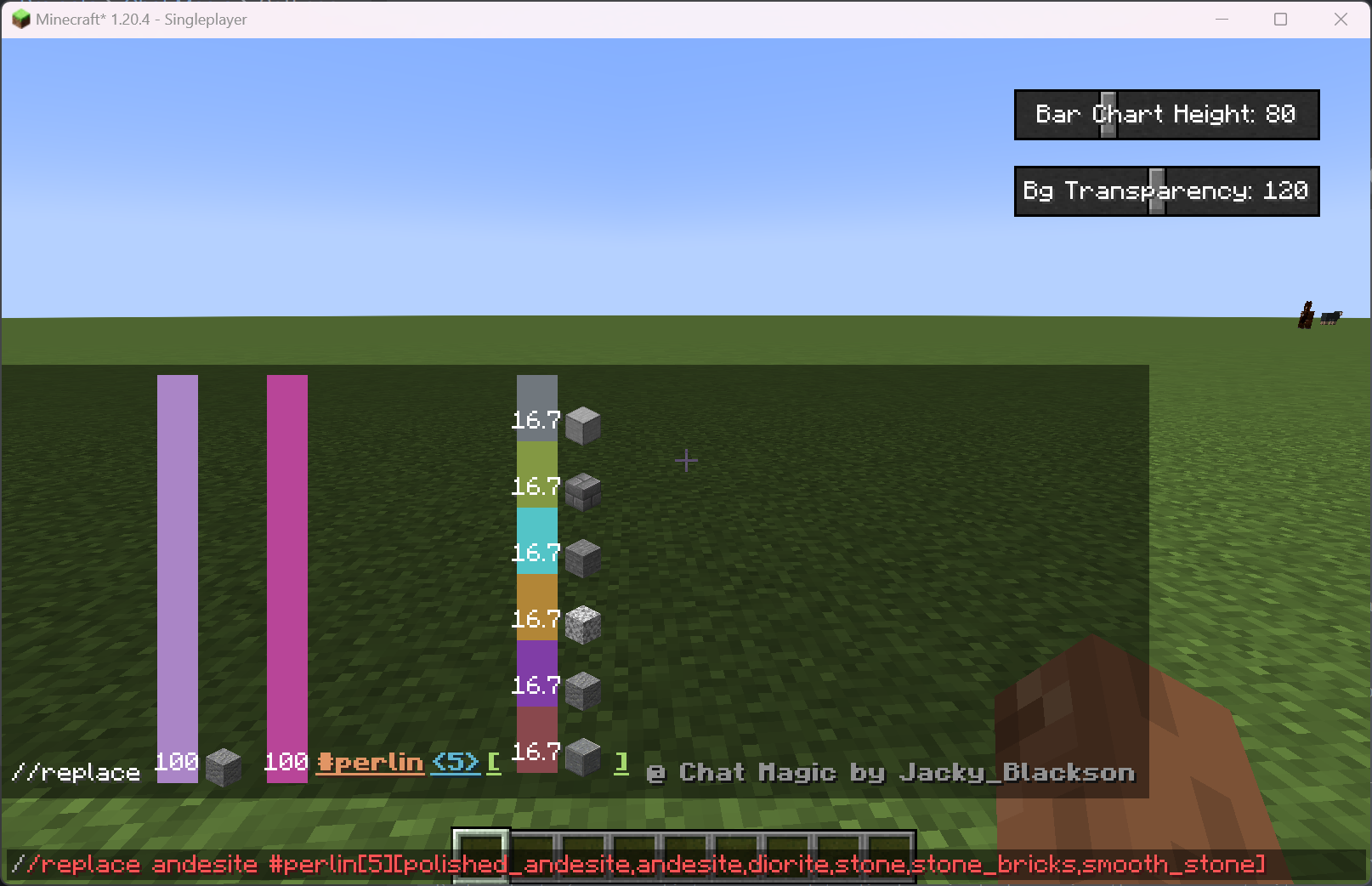
This mod will display the content of the command you entered above the input widget, making it beautiful and meaningful.
The source is on github LINK, please leave a star if this mod is of some help.
Parse, render and display items when mentions Identifier in chat. Supports both name and namespace:name.
When input WorldEdit random materials, such as 30%stone,70%grass etc, will display a bar chart to indicate the portions of each single material.
Supports materials with custom blockstate such as stone_stairs[top=true,face=west], will display in the tooptip when you put your mouse on the item.
Complex worldedit materials, including selector start with # and recursive material expressions. Each selector's param list can expand to display simply by moving the mouse on to it.
//set 15%stone[foo=1,bar=2],20%dirt[foo=[1,2,3],bar={4}],30%#perlin[5][3][#perlin[3][5][10%stone,10%diorite],oak_planks,andesite[foo=bar,11111=22222],redstone,red_terracotta],10%#simplex[3][stone,dirt,grass_block][5][1.14514] will look like this: Better display system with fixs on positionings and font and style.
Making adjustments to charts' height and background transparency possible by adding 2 slide bars to the chat screen: 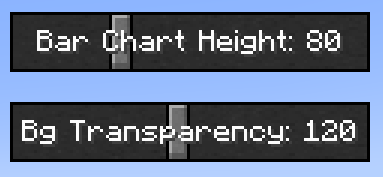
Project description from Modrinth.
Pick your setup
Choose the version and loader you play, then open the matching release.
Check the dependencies, then try the file in a copied instance before changing a world you care about.
Recent files
chatmagic-2.2.0.jar
13 Sept 2024
chatmagic-2.1.0.jar
4 Sept 2024
chatmagic-2.0.0.jar
22 Aug 2024
chatmagic-1.3.0.jar
19 Aug 2024
chatmagic-1.2.0.jar
18 Aug 2024
Looking for an older file? The official Modrinth project page is in Resources.
 mod
Mobs can drop their head when killed by a player, easy drop rate config, drop messages, advancement collection and more
 mod
Storage, computation and crafting extensions for Neo ECO AE Extension, with KubeJS integration for custom infinite matrices.
 mod
Adds posibility to use both of your hands to mine. Future plans, make both hands fully functionable