Fossils and Archeology: Revival Optional for Prehistoric Nature Integration prehistoricfloraintegration-1.12.2-2.01b.jar
optionalMatching file found Matched file: Fossils and Archeology: Revival 8.0.6
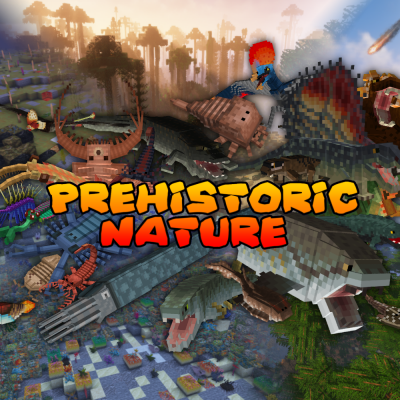
CurseForge · Minecraft mod
Contains DNA items to integrate Prehistoric Nature with Fossils and Archeology Revival
Quick answer
Prehistoric Nature Integration prehistoricfloraintegration-1.12.2-2.01b.jar targets 1.12.2. The project page does not say whether this file belongs on the client, dedicated server, or both. No extra mods listed for this file.
Where it goes
The project page does not say whether this file belongs on the client, dedicated server, or both.
The source does not explicitly classify this release as client-only or server-only.
prehistoricfloraintegration-1.12.2-2.01b.jar. Change the file and its required mods may change too.
This file does not list any required mods. Do not add a library just because a different file uses it.
2 extra mods were pulled in by other dependencies. Indented rows show who needs each one. We only count dependency files that match this setup. A file for another loader does not fill the gap.
Before you install it
Built for Prehistoric Nature Integration prehistoricfloraintegration-1.12.2-2.01b.jar. Pick another file and the loader, install side or required mods may change.
Use prehistoricfloraintegration-1.12.2-2.01b.jar. It targets 1.12.2; another release may have different loader, side or dependency requirements.
This file does not list any required mods. Do not add a library just because a different file uses it.
The project page does not say whether this file belongs on the client, dedicated server, or both.
Use the “Get this file” button beside prehistoricfloraintegration-1.12.2-2.01b.jar. It opens that exact file at the source.
About this project

https://discord.gg/snzaYpu | https://twitter.com/cenotopia
Give feedback and input, get help, join discussion, sneak-peaks of development, share builds, play, see other modpacks and servers, and much more.
Support me on Patreon please! https://www.patreon.com/aecht_rob
This mod is NOT being supported and extended for use with Prehistoric Nature v. 53.0 and above!
See the Prehistoric Nature mod page for how to integrate other mods' content into the Prehistoric Nature machines instead.
This small addin mod provides you with a set of all the DNA items which you can use to integrate the Prehistoric Nature mod more deeply with Fossils and Archeology Revival mod via CraftTweaker. To implement it into your Fossils and Archeology (v. 8.0.4+) main game you need to follow these instructions, and then DNA will be produced from analysing fossils, and the DNA can be cultured into one a suitable Prehistoric Nature item to allow you to spawn the mob in the world. This will only give uses for the DNA which has a mob in Prehistoric Nature.
We have stopped supporting the integration to get PN creatures out of FA machines (which is what this page is about), but are instead supporting a method where you get FA creatures (and plants) from PN machines. You can integrate FA with our mod for that method by following the instructions on the main mod page now, so please go there: https://www.curseforge.com/minecraft/mc-mods/prehistoric-nature
Where it says "Notes on inter-mod integration:" You need to add two scripts - which are provided there - and edit the main Prehistoric Nature config file - the config extract is also given there for you to copy and paste into it. Please go there and use that integration method instead now. You can get help on our Discord channel if needed.
The old info is retained below for legacy use only:
WARNING Update to v. 2.0: The version 2.0 is for use with Prehistoric Nature v. 51. Before installing this update make sure to not have stored in your pre-existing world animals in buckets, eggs and egg phials, nest blocks and animal DNA. Due to several new and improved features coming with these update those items will be permanently deleted from your world if you were to load the mod with them in. You should make sure that animals are spawned, blocks placed, and these are not stored in "item form" when updating.
1) Install the CraftTweaker mod to enable the integration: https://www.curseforge.com/minecraft/mc-mods/crafttweaker
2) Create a folder in your installation called "scripts" - if it isn't there already. It goes at the same "level" as the mods and config folders are, so in the same place as those, not inside either of those though.
3) Download these three files and place them inside that scripts folder:
prehistoricnatureintegrationmobs.zs
prehistoricnatureintegrationplants.zs
prehistoricnatureintegrationstatics.zs
Do you want to your own server to play this, or any other mods with friends? Drop my promotional code aechtrob into your order and pick up a cool 25% off with the wonderful Bisect Hosting by clicking on the image:
Disclaimer: I have nothing to do with the Fossils and Archeology mod and this mod is not linked to their development in any way at all, and carries no dependencies.
Project description from CurseForge.
Pick your setup
Choose the version and loader you play, then open the matching release.
Check the dependencies, then try the file in a copied instance before changing a world you care about.
Recent files
20 Nov 2022
20 Nov 2022
11 Sept 2022
16 Dec 2021
14 Sept 2021
10 Jul 2021
Looking for an older file? The official CurseForge project page is in Resources.
 mod
The official companion mod for the FrostBound modpack. It applies pack-wide tweaks and adds Northstar gear, story items, and Christmas presents
 mod
A Mod that aims to change the survival progression to be more linear
 mod
A Compatibility project that allows Power Grid, Electro Energetics and their addons to function as one eco-system