Minecraft version
Back to mods 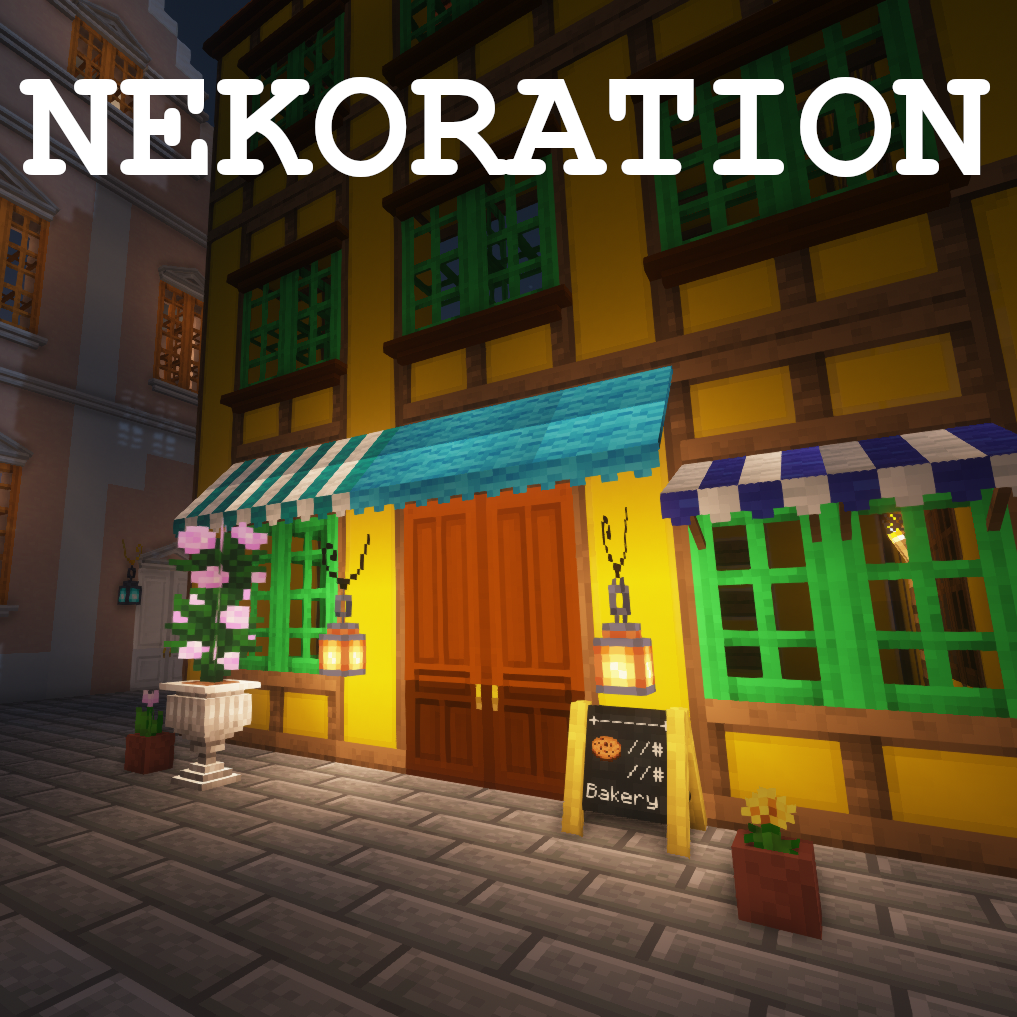
CurseForge · Minecraft mod
Nekoration
A Decoration Mod For Minecraft
Choose a version Pick your version below, then grab the matching file.
Quick answer
Which Nekoration release should I use?
Latest stable file nekoration-1.18.2-1.7.5.jar (requires Patchouli-1.18.2-71 or higher)
Game version 1.18.2
Loader Forge
nekoration-1.18.2-1.7.5.jar (requires Patchouli-1.18.2-71 or higher) targets 1.18.2 with Forge. The project page does not say whether this file belongs on the client, dedicated server, or both. No extra mods listed for this file.
Where it goes
Is Nekoration required on the client, server, or both?
The project page does not say whether this file belongs on the client, dedicated server, or both.
Client Source doesn’t say
Dedicated server Source doesn’t say
Loader for this release Forge
Required install it here Optional supported, not mandatory Not supported do not install here Source doesn’t say do not assume
The source does not explicitly classify this release as client-only or server-only.
What else does nekoration-1.18.2-1.7.5.jar (requires Patchouli-1.18.2-71 or higher) need?
nekoration-1.18.2-1.7.5.jar (requires Patchouli-1.18.2-71 or higher). Change the file and its required mods may change too.
This file does not list any required mods. Do not add a library just because a different file uses it.
This file does not list any required or optional mods.
Before you install it
Add Nekoration without breaking your instance.
Built for nekoration-1.18.2-1.7.5.jar (requires Patchouli-1.18.2-71 or higher). Pick another file and the loader, install side or required mods may change.
- 01
Stick to this file
Use nekoration-1.18.2-1.7.5.jar (requires Patchouli-1.18.2-71 or higher). It targets 1.18.2 with Forge; another release may have different loader, side or dependency requirements.
- 02
Bring the mods it needs
This file does not list any required mods. Do not add a library just because a different file uses it.
- 03
Put it on the correct side
The project page does not say whether this file belongs on the client, dedicated server, or both.
- 04
Pick the file you checked
Use the “Get this file” button beside nekoration-1.18.2-1.7.5.jar (requires Patchouli-1.18.2-71 or higher). It opens that exact file at the source.
About this project
What does Nekoration add?
Nekoration 
A Decoration Mod for Minecraft
Upgrade Note
The development of Nekoration remained halted in the past few years, and there has not been new official releases for Minecraft 1.20 and later during the time period.
In the past few months, Nekoration has undergone a complete redesign and rewrite. The upgraded version will be known as v2, with revamped models and textures, new QoL features and more. Releases for Minecraft 1.21.1 are expected to be available in the upcoming months, and Minecraft 1.20.1 backport will soon follow.
Here's a quick lookup table for you to check which version you can use for your game:
| Minecraft Version | Nekoration Version |
|---|---|
| 1.16.5-1.19.2 Forge | v1 |
| 1.20.1 Forge | v1 unofficial port by Flechazo098; Planned v2 official backport, with built-in data upgrader for v1 worlds |
| 1.20.1 Fabric | Planned v2 official backport |
| 1.21.1 NeoForge | Upcoming v2, with built-in data upgrader for v1 worlds |
| 1.21.1 Fabric | Upcoming v2 |
ALWAYS backup your save before opening it in a new game instance!
Since v2 is a complete rewrite from scratch, many ids and data values have changed from the previous version. You can see here for a technical breakdown of what has changed. A world data upgrader is implemented in Nekoration v2 (Neo)Forge version to handle to data change automatically and you can just load in your old save with v1 mod and continue building. Do remember to backup your old save, just in case.
Introduction
Nekoration is a NeoForge & Fabric mod for Minecraft which adds lots of decorational stuff to the game, allowing players to have a wider choice when building & creating.
About Its Name
The name 'Nekoration' is a compound of 'cat' in Japanese(ねこ, neko) and 'decoration', suggesting that the mod is both ornamental and cats-friendly… ^._.^= ∫
Features
Dyeing
Many of Nekoration's blocks are dyeable using vanilla dyes, so that you can paint your build with your favorite tint!
Connected Models and Textures
Many blocks in Nekoration supports both model and texture connecting, to name a few, Half-Timber Pillars and Lamp Posts. When being placed by players, they'll automatically adapt to visually connect to adjacent blocks.
Custom Paintings
Painting is a feature with which you can draw your OWN paintings! You can pick colors with a palette item, and enjoy creating your art work on a custom painting! (Click here for tutorial)
Wallpaper
With Nekoration, you can turn any Banner into Wallpaper with exactly the same pattern, just the way you make Shields from Banners. Then you can place it on any wall surface(several pieces of wallpaper can fit into a 1x1x1 space, so don't worry about room corners).
Neko Brochure
Once you install the mod with Patchouli, you'll find a red brochure in 'Neko Tools' tab, which introduces all aspects of Nekoration, like recipes and mechanics. The book is still being written, and will be of more use as the mod updates.
Code Repository
This project is open-source at https://github.com/DevBobcorn/nekoration, where you can view the code or contribute to the mod.
Your feedback and suggestions are welcome!
Project description from CurseForge.
Pick your setup
Nekoration by Minecraft version and loader
Choose the version and loader you play, then open the matching release.
Minecraft version
1.19
1 loader buildMinecraft version
1.18.2
1 loader buildMinecraft version
1.18.1
1 loader buildMinecraft version
1.17.1
1 loader buildMinecraft version
1.16.5
2 loader buildsCheck the dependencies, then try the file in a copied instance before changing a world you care about.
Recent files
Nekoration versions and loaders
nekoration-1.19.2-1.8.1.jar
20 Aug 2022
Client Source doesn’t say Server Source doesn’t say Dependencies No extras listed Listed on Release listing
Check the 1.19.2 · Forge setup 1.19.2Forge beta
nekoration-1.18.2-1.7.5.jar (requires Patchouli-1.18.2-71 or higher)
nekoration-1.18.2-1.7.5.jar
1 Aug 2022
Client Source doesn’t say Server Source doesn’t say Dependencies No extras listed Listed on Release listing
Check the 1.18.2 · Forge setup Forge1.18.2 release
nekoration-1.19-1.7.5.jar
27 Jul 2022
Client Source doesn’t say Server Source doesn’t say Dependencies No extras listed Listed on Release listing
Check the 1.19 · Forge setup Forge1.19 alpha
nekoration-1.18.2-1.7.3.jar (requires Patchouli-1.18.2-71 or higher)
nekoration-1.18.2-1.7.3.jar
9 Jul 2022
Client Source doesn’t say Server Source doesn’t say Dependencies 1 required · 1 unchecked Listed on Release listing
Check the 1.18.2 · Forge setup 1.18.2Forge release
nekoration-1.17.1-1.5.9.jar
9 Jul 2022
Client Source doesn’t say Server Source doesn’t say Dependencies No extras listed Listed on Release listing
Check the 1.17.1 · Forge setup 1.17.1Forge release
nekoration-1.16.5-1.5.9.jar (requires Patchouli-1.16.4-50 or higher)
nekoration-1.16.5-1.5.9.jar
9 Jul 2022
Client Source doesn’t say Server Source doesn’t say Dependencies No extras listed Listed on Release listing
Check the 1.16.5 · Forge setup 1.16.5Forge release
nekoration-1.16.X-1.5.6.jar (requires Patchouli-1.16.4-50 or higher)
nekoration-1.16.X-1.5.6.jar
6 Jul 2022
Client Source doesn’t say Server Source doesn’t say Dependencies No extras listed Listed on Release listing
Check the 1.16.5 · Forge setup 1.16.5Forge release
nekoration-1.17.X-1.5.6.jar
6 Jul 2022
Client Source doesn’t say Server Source doesn’t say Dependencies No extras listed Listed on Release listing
Check the 1.17.1 · Forge setup 1.17.1Forge release
nekoration-1.18.2-1.7.0.jar (requires Patchouli-1.18.2-71 or higher)
nekoration-1.18.2-1.7.0.jar
4 Jul 2022
Client Source doesn’t say Server Source doesn’t say Dependencies No extras listed Listed on Release listing
Check the 1.18.2 · Forge setup 1.18.2Forge release
nekoration-1.18.2-1.6.2.jar (requires Patchouli-1.18.2-71 or higher)
nekoration-1.18.2-1.6.2.jar
2 Jul 2022
Client Source doesn’t say Server Source doesn’t say Dependencies No extras listed Listed on Release listing
Check the 1.18.2 · Forge setup 1.18.2Forge release
nekoration-1.18.2-1.6.1.jar (fixed server crash)
nekoration-1.18.2-1.6.1.jar
23 Jun 2022
Client Source doesn’t say Server Source doesn’t say Dependencies No extras listed Listed on Release listing
Check the 1.18.2 · Forge setup 1.18.2Forge release
nekoration-1.17.X-1.5.1.jar (fixed server crash)
nekoration-1.17.X-1.5.1.jar
23 Jun 2022
Client Source doesn’t say Server Source doesn’t say Dependencies No extras listed Listed on Release listing
Check the 1.17.1 · Forge setup 1.17.1Forge release
Looking for an older file? The official CurseForge project page is in Resources.
 mod
CurseForge + Modrinth · Minecraft
Mishang Urban Construction 迷上城建
An amount of blocks and items that make a beautiful city!
 mod
CurseForge · Minecraft
Vertical Trapdoors
Allows you to place your trapdoors vertically! - It should support all modded trapdoors as well - No new blocks added.
 mod
CurseForge · Minecraft
Let Me Place: Yuushya
Let Me Place! - Yuushya brings more creative possibilities to Yuushya windows by allowing compatible blocks and decorations to share the same space.