Minecraft version
Back to mods 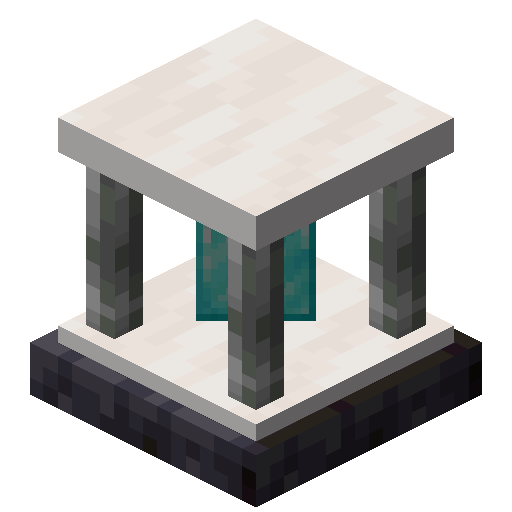
CurseForge · Minecraft mod
Pylons
Just another magic block mod
Choose a version Pick your version below, then grab the matching file.
Quick answer
Which Pylons release matches 1.16.5 Forge?
Best match for your filters pylons-1.16.5-1.1.0.jar
Game version 1.16.5
Loader Forge
pylons-1.16.5-1.1.0.jar targets 1.16.5 with Forge. The project page does not say whether it belongs on the client. The project page does not say whether it belongs on the dedicated server. No extra mods listed for this file.
Where it goes
Is Pylons required on the client, server, or both?
The project page does not say whether it belongs on the client. The project page does not say whether it belongs on the dedicated server.
Client Source doesn’t say
Dedicated server Source doesn’t say
Loader for this release Forge
Required install it here Optional supported, not mandatory Not supported do not install here Source doesn’t say do not assume
The source does not explicitly classify this release as client-only or server-only.
What else does pylons-1.16.5-1.1.0.jar need?
pylons-1.16.5-1.1.0.jar on 1.16.5 Forge. Every mod below is checked against that same setup.
This file does not list any required mods. Do not add a library just because a different file uses it.
This file does not list any required or optional mods.
Before you install it
Add Pylons without breaking your instance.
Built for pylons-1.16.5-1.1.0.jar on 1.16.5 Forge. Pick another file and the loader, install side or required mods may change.
- 01
Stick to this file
Use pylons-1.16.5-1.1.0.jar. It targets 1.16.5 with Forge; another release may have different loader, side or dependency requirements.
- 02
Bring the mods it needs
This file does not list any required mods. Do not add a library just because a different file uses it.
- 03
Put it on the correct side
The project page does not say whether it belongs on the client. The project page does not say whether it belongs on the dedicated server.
- 04
Pick the file you checked
Use the “Get this file” button beside pylons-1.16.5-1.1.0.jar. It opens that exact file at the source.
About this project
What does Pylons add?
Currently adds the following blocks.
Expulsion Pylon:
Intended for use on servers, this block allows you to expel other players from the chunk it's placed in. You can whitelist players with a Player Filter - OPs are always whitelisted.
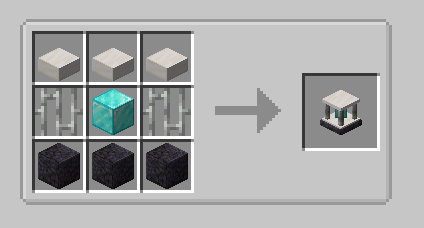
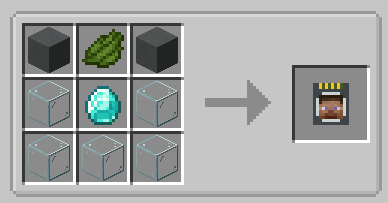
Infusion Pylon:
Allows you to apply effects to yourself from any distance (may require chunkloading) with activated Potion Filters. Potion Filters can be activated by applying an effect to yourself (from a potion, for example) and then right-clicking the Potion Filter. The minimum effect duration that can be extracted is 60 seconds by default. This will extract all remaining duration from the player and apply it to the Filter. To fully activate it, you will need a total of 1 hour of duration, the equivalent of 7.5 vanilla extended potions.
If you have multiple cards containing the same effect, you can combine them. Place one card in each hand, and right click. The duration from the off hand card will be added to the card in your main hand.
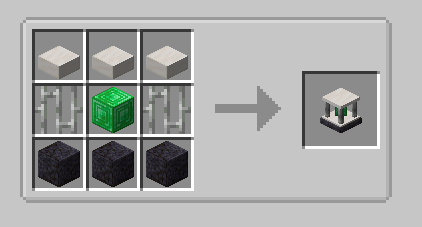
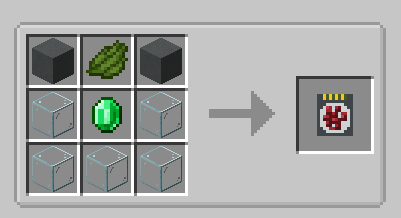
Harvester Pylon:
Harvests crops in a configurable radius (from 3x3 to 9x9) around the pylon and outputs to an inventory above. Place the pylon inside the water block of the farm:
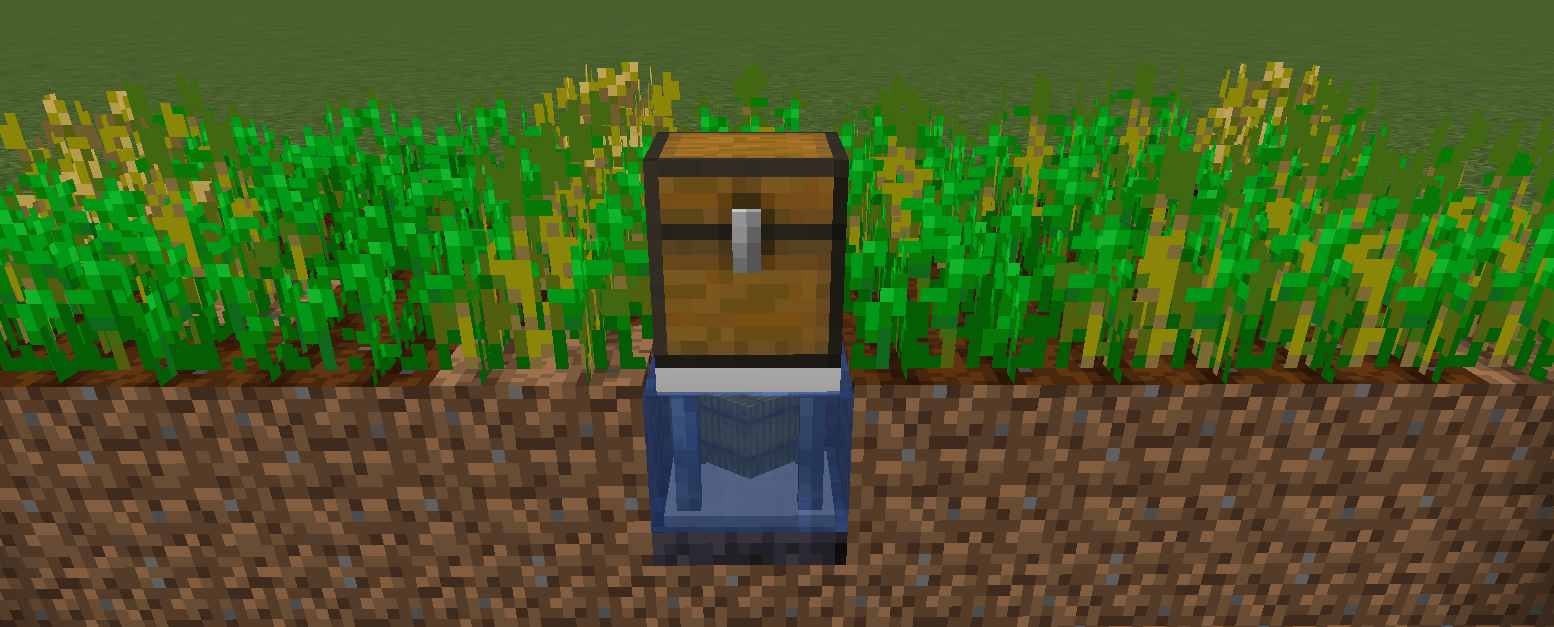
By default, the pylon requires a hoe in the pylon inventory, and will consume 1 durability per crop harvest. There is a config option to disable this. Unbreakable hoes, such as Mystical Agriculture's Supremium Hoe, can be used.
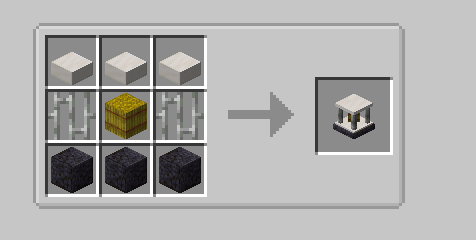
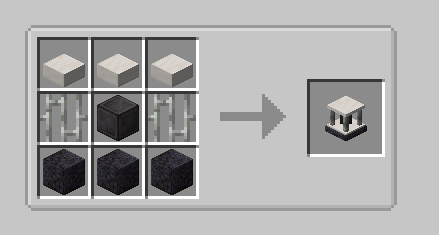
Interdiction Pylon
Prevents all spawns of specified mobs within the selected chunk range (1x1 to 5x5). Right click on a mob with a Mob Filter, then add the filter to the pylon to block that mob.
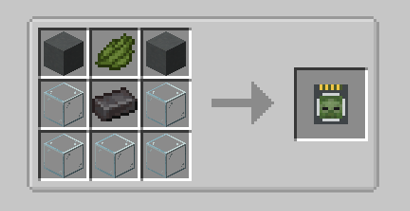
Project description from CurseForge.
Pick your setup
Pylons by Minecraft version and loader
Choose the version and loader you play, then open the matching release.
Minecraft version
26.1.1
1 loader buildMinecraft version
26.1
1 loader buildMinecraft version
1.21.1
1 loader buildMinecraft version
1.21
1 loader buildMinecraft version
1.20.1
2 loader buildsMinecraft version
1.20
2 loader buildsMinecraft version
1.19.2
1 loader buildMinecraft version
1.18.2
1 loader buildMinecraft version
1.18.1
1 loader buildMinecraft version
1.18
1 loader buildMinecraft version
1.16.5
1 loader buildCheck the dependencies, then try the file in a copied instance before changing a world you care about.
Recent files
Pylons versions and loaders
pylons-1.16.5-1.1.0.jar
23 May 2022
Client Source doesn’t say Server Source doesn’t say Dependencies No extras listed Listed on Release listing
Check the 1.16.5 · Forge setup 1.16.5Forge release
pylons-1.16.5-1.0.5.jar
4 Mar 2022
Client Source doesn’t say Server Source doesn’t say Dependencies No extras listed Listed on Release listing
Check the 1.16.5 · Forge setup 1.16.5Forge release
pylons-1.0.4.jar
3 Oct 2021
Client Source doesn’t say Server Source doesn’t say Dependencies No extras listed Listed on Release listing
Check the 1.16.5 · Forge setup 1.16.5Forge release
pylons-1.0.3.jar
30 Aug 2021
Client Source doesn’t say Server Source doesn’t say Dependencies No extras listed Listed on Release listing
Check the 1.16.5 · Forge setup 1.16.5Forge release
pylons-1.0.2.jar
22 Aug 2021
Client Source doesn’t say Server Source doesn’t say Dependencies No extras listed Listed on Release listing
Check the 1.16.5 · Forge setup 1.16.5Forge release
pylons-1.0.1.jar
21 Aug 2021
Client Source doesn’t say Server Source doesn’t say Dependencies No extras listed Listed on Release listing
Check the 1.16.5 · Forge setup 1.16.5Forge release
pylons-1.0.0.jar
21 Aug 2021
Client Source doesn’t say Server Source doesn’t say Dependencies No extras listed Listed on Release listing
Check the 1.16.5 · Forge setup 1.16.5Forge release
Looking for an older file? The official CurseForge project page is in Resources.
 mod
mod CurseForge · Minecraft
Kingdom Keys 2
A mod which adds elements from the Kingdom Hearts games
 mod
mod CurseForge · Minecraft
Occultism
A magic mod inspired by the world of Jonathan Stroud's Bartimaeus. With the help of occult rituals players can summon entities from the "Other Side" to perform magic.
 mod
mod Modrinth · Minecraft
Better HUD widgets
Advanced information HUD & interface customizer. Lightweight, draggable, and fully interactive.