Iceberg [Neo/Forge] Needed by Item Highlighter [Neo/Forge] Highlighter-26.3-forge-1.2.3.jar
requiredMatching file found Matched file: Iceberg-26.3-forge-1.4.3.1.jar
![Item Highlighter [Neo/Forge] project artwork](https://media.forgecdn.net/avatars/426/859/637657810753408357.png)
CurseForge · Minecraft mod
Highlights newly picked-up items. Simple and convenient.
Quick answer
Item Highlighter [Neo/Forge] Highlighter-26.3-forge-1.2.3.jar targets 26.3 with Forge. The project page does not say whether this file belongs on the client, dedicated server, or both. All 1 required mods have matching files.
Where it goes
The project page does not say whether this file belongs on the client, dedicated server, or both.
The source does not explicitly classify this release as client-only or server-only.
Highlighter-26.3-forge-1.2.3.jar. Change the file and its required mods may change too.
Install Iceberg [Neo/Forge] first. We found matching files for this game-version and loader setup.
We only count dependency files that match this setup. A file for another loader does not fill the gap.
Before you install it
Built for Item Highlighter [Neo/Forge] Highlighter-26.3-forge-1.2.3.jar. Pick another file and the loader, install side or required mods may change.
Use Highlighter-26.3-forge-1.2.3.jar. It targets 26.3 with Forge; another release may have different loader, side or dependency requirements.
Install Iceberg [Neo/Forge] first. We found matching files for this game-version and loader setup.
The project page does not say whether this file belongs on the client, dedicated server, or both.
Use the “Get this file” button beside Highlighter-26.3-forge-1.2.3.jar. It opens that exact file at the source.
About this project
Quickly find new items by showing an animated star on all newly-picked up items.

Versions after 1.12.x require Iceberg, you can download it here.
This mod needs to be installed on just the client.
Can be configured to clear new item markers when you close your inventory and/or when you hover over them. You can also choose whether to keep the gold colored icons, or if the icons should match the item name colors.
The appearance of the new item markers can be customized with resource packs. But why would you? They're so cute.
You are free to use this mod in modpacks.

Problems, feature request, something else? Join us on Discord!
Project description from CurseForge.
Pick your setup
Choose the version and loader you play, then open the matching release.
Showing the newest 12 of 26 game versions. Older files are in the list below.
Check the dependencies, then try the file in a copied instance before changing a world you care about.
Recent files
22 Sept 2026
22 Sept 2026
30 Jun 2026
30 Jun 2026
23 Jun 2026
23 Jun 2026
21 May 2026
21 May 2026
7 Feb 2025
7 Feb 2025
14 Dec 2024
14 Dec 2024
Looking for an older file? The official CurseForge project page is in Resources.
 mod
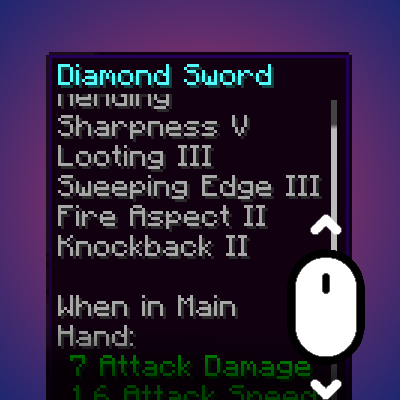
modDynamically resizes and scrolls oversized tooltips while keeping the item title anchored.
 mod
modFully customize Enchantment compatibilities!
 mod
modIn-game editor for villager and wandering trader shops: set every trade's cost, reward, uses, XP and price, then lock them so the game can't overwrite them.