Minecraft version
Back to mods 
CurseForge · Minecraft mod
BlockUI
Easy to Use UI library for Forge mods
Choose a version Pick your version below, then grab the matching file.
Quick answer
Which BlockUI release should I use?
Latest stable file blockui-1.20.1-1.0.193.jar
Game version 1.20.1
Loader Forge
blockui-1.20.1-1.0.193.jar targets 1.20.1 with Forge. The project page does not say whether this file belongs on the client, dedicated server, or both. No extra mods listed for this file.
Where it goes
Is BlockUI required on the client, server, or both?
The project page does not say whether this file belongs on the client, dedicated server, or both.
Client Source doesn’t say
Dedicated server Source doesn’t say
Loader for this release Forge
Required install it here Optional supported, not mandatory Not supported do not install here Source doesn’t say do not assume
The source does not explicitly classify this release as client-only or server-only.
What else does blockui-1.20.1-1.0.193.jar need?
blockui-1.20.1-1.0.193.jar. Change the file and its required mods may change too.
This file does not list any required mods. Do not add a library just because a different file uses it.
This file does not list any required or optional mods.
Before you install it
Add BlockUI without breaking your instance.
Built for blockui-1.20.1-1.0.193.jar. Pick another file and the loader, install side or required mods may change.
- 01
Stick to this file
Use blockui-1.20.1-1.0.193.jar. It targets 1.20.1 with Forge; another release may have different loader, side or dependency requirements.
- 02
Bring the mods it needs
This file does not list any required mods. Do not add a library just because a different file uses it.
- 03
Put it on the correct side
The project page does not say whether this file belongs on the client, dedicated server, or both.
- 04
Pick the file you checked
Use the “Get this file” button beside blockui-1.20.1-1.0.193.jar. It opens that exact file at the source.
About this project
What does BlockUI add?
BlockUI is an XML based UI management system for minecraft. Defines the structure for the UI inside an XML while providing a backing "Window" class that is used to handle callbacks and data supply.
It has been used in numerous past projects like Structurize and MineColonies and is now also used in projects like StorageRacks and MultiPiston.
It is continuously updated and supports a broad selection of UI tools:
Images
Buttons and Button Handlers
Text Input
Scroll and DragScreens
And more.
You can rent an easily configurable server with our Partner BisectHosting.
Click on the picture above, select a plan(at least 4GB) and use our code ldtteam to get 25% off your first month and Minecolonies with your friends.
Project description from CurseForge.
Pick your setup
BlockUI by Minecraft version and loader
Choose the version and loader you play, then open the matching release.
Minecraft version
1.21
1 loader buildMinecraft version
1.20.4
1 loader buildMinecraft version
1.20.1
2 loader buildsCheck the dependencies, then try the file in a copied instance before changing a world you care about.
Recent files
BlockUI versions and loaders
blockui-1.0.212-1.21.1-snapshot.jar
11 Oct 2026
Client Source doesn’t say Server Source doesn’t say Dependencies No extras listed Listed on Release listing
Check the 1.21.1 · NeoForge setup 1.21.1NeoForge beta
blockui-1.0.212-1.21.1-snapshot.jar
15 Sept 2026
Client Source doesn’t say Server Source doesn’t say Dependencies No extras listed Listed on Release listing
Check the 1.21.1 · NeoForge setup 1.21.1NeoForge beta
blockui-1.0.211-1.21.1-snapshot.jar
21 Mar 2026
Client Source doesn’t say Server Source doesn’t say Dependencies No extras listed Listed on Release listing
Check the 1.21.1 · NeoForge setup 1.21.1NeoForge beta
blockui-1.0.211-1.21.1-snapshot.jar
7 Mar 2026
Client Source doesn’t say Server Source doesn’t say Dependencies No extras listed Listed on Release listing
Check the 1.21.1 · NeoForge setup 1.21.1NeoForge beta
blockui-1.20.1-1.0.194-snapshot.jar
10 Feb 2026
Client Source doesn’t say Server Source doesn’t say Dependencies No extras listed Listed on Release listing
Check the 1.20.1 · Forge setup 1.20.1Forge beta
blockui-1.0.210-1.21.1-snapshot.jar
10 Feb 2026
Client Source doesn’t say Server Source doesn’t say Dependencies No extras listed Listed on Release listing
Check the 1.21.1 · NeoForge setup 1.21.1NeoForge beta
blockui-1.20.1-1.0.193.jar
28 Jan 2026
Client Source doesn’t say Server Source doesn’t say Dependencies No extras listed Listed on Release listing
Check the 1.20.1 · Forge setup 1.20.1Forge release
blockui-1.0.209-1.21.1.jar
28 Jan 2026
Client Source doesn’t say Server Source doesn’t say Dependencies No extras listed Listed on Release listing
Check the 1.21.1 · NeoForge setup 1.21.1NeoForge release
blockui-1.20.1-1.0.193-snapshot.jar
28 Jan 2026
Client Source doesn’t say Server Source doesn’t say Dependencies No extras listed Listed on Release listing
Check the 1.20.1 · Forge setup 1.20.1Forge beta
blockui-1.0.209-1.21.1-snapshot.jar
28 Jan 2026
Client Source doesn’t say Server Source doesn’t say Dependencies No extras listed Listed on Release listing
Check the 1.21.1 · NeoForge setup 1.21.1NeoForge beta
blockui-1.0.208-1.21.1-snapshot.jar
28 Dec 2025
Client Source doesn’t say Server Source doesn’t say Dependencies No extras listed Listed on Release listing
Check the 1.21.1 · NeoForge setup 1.21.1NeoForge beta
blockui-1.20.1-1.0.192-snapshot.jar
28 Dec 2025
Client Source doesn’t say Server Source doesn’t say Dependencies No extras listed Listed on Release listing
Check the 1.20.1 · Forge setup 1.20.1Forge beta
Looking for an older file? The official CurseForge project page is in Resources.
 mod
mod CurseForge · Minecraft
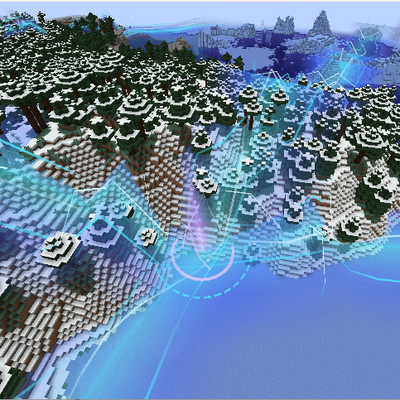
Sky's Ley Lines
A library mod to act as a foundation for magical mods, adding seed based Ley Lines and Nexus points of different magical strength and adding a magical currency system for magic mods to work their power system within.
 mod
mod CurseForge · Minecraft
Eyelib
render lib for minecraft
 mod
mod CurseForge · Minecraft
Base Power
Base Power is a base library for Base Steam and Base Electric, which add machines to the Base Metals Mod. It is a continuation of Dr Cyano's Advantage series and is fully backwards compatible with worlds saved with those mods.