Minecraft version
Back to mods 
CurseForge · Minecraft mod
Styled Nicknames
Simple, but configurable nicknaming mod allowing your server's players (and admins) to change their nickname with full formatting support
Choose a version Pick your version below, then grab the matching file.
Quick answer
Which Styled Nicknames release should I use?
Latest stable file styled-nicknames-1.13.0+26.2.jar
Game version 26.2
Loader Fabric
Styled Nicknames styled-nicknames-1.13.0+26.2.jar targets 26.2 with Fabric. The project page does not say whether this file belongs on the client, dedicated server, or both. No extra mods listed for this file.
Where it goes
Is Styled Nicknames required on the client, server, or both?
The project page does not say whether this file belongs on the client, dedicated server, or both.
Client Source doesn’t say
Dedicated server Source doesn’t say
Loader for this release Fabric
Required install it here Optional supported, not mandatory Not supported do not install here Source doesn’t say do not assume
The source does not explicitly classify this release as client-only or server-only.
What else does Styled Nicknames styled-nicknames-1.13.0+26.2.jar need?
styled-nicknames-1.13.0+26.2.jar. Change the file and its required mods may change too.
This file does not list any required mods. Do not add a library just because a different file uses it.
This file does not list any required or optional mods.
Before you install it
Add Styled Nicknames without breaking your instance.
Built for Styled Nicknames styled-nicknames-1.13.0+26.2.jar. Pick another file and the loader, install side or required mods may change.
- 01
Stick to this file
Use styled-nicknames-1.13.0+26.2.jar. It targets 26.2 with Fabric; another release may have different loader, side or dependency requirements.
- 02
Bring the mods it needs
This file does not list any required mods. Do not add a library just because a different file uses it.
- 03
Put it on the correct side
The project page does not say whether this file belongs on the client, dedicated server, or both.
- 04
Pick the file you checked
Use the “Get this file” button beside styled-nicknames-1.13.0+26.2.jar. It opens that exact file at the source.
About this project
What does Styled Nicknames add?
Styled Nicknames
It's a configurable mod allowing your server's players (and admins) to change their nickname with full Simplified Text Formatting support. It supports LuckPerms, PlayerRoles or any other fabric permission api compatible mod, with automatic removal of nicknames for players without permissions. If you have any questions, you can ask them on my Discord
Commands (and permissions):
/styled-nicknames- Main command (stylednicknames.main, available by default)/styled-nicknames reload- Reloads configuration (requiresstylednicknames.reload)/styled-nicknames set <player> <value>- Changes target players nickname (requiresstylednicknames.change_others)/styled-nicknames clears <player>- Clears target players nickname (requiresstylednicknames.change_others)/nickname set <value>//nick set <value>- Changes own nickname (requiresstylednicknames.use)/nickname clear//nick clear- Clears own nickname (requiresstylednicknames.use)
Configuration:
You can find config file in ./config/styled-nicknames.json. Formatting uses PlaceholderAPI's Simplified Text Format for which docs you can find here.
{
    "CONFIG_VERSION_DONT_TOUCH_THIS": 1,
    "allowByDefault": false,           // Enables player commands by default
    "defaultPrefix": "#",              // Default prefix of nickname
    "maxLength": 32,                   // Max length (without formatting) of the nickname, set to 0 to disable it
    "changeDisplayName": true,         // Changes player's display name
    "changePlayerListName": false,     // Changes nickname in player list (This option will be incompatible with some mods, use placeholder instead when possible)
    "allowLegacyFormatting": false,    // Allows usage of legacy text format in nicknames (&X)
    "nicknameChangedMessage": "...",   // Message send after changing nickname
    "nicknameResetMessage": "...",     // Message send after clearing nickname
    "defaultEnabledFormatting": {
      /*"tagname": value*/                // These values allow you to change tags enabled by default
    }
}
Permission
To use commands/permissions, players require stylednicknames.use to use commands and optionally permissions stylednicknames.format.[tag_name] ([tagname] is Simplified Text Format tag), for additional formatting.
You can also give stylednicknames.ignore_limit to disable nickname length limit for them (which already ignores tags).
You should also give stylednicknames.change_others permission to your admins, so they can remove bad nickname
Project description from CurseForge.
Pick your setup
Styled Nicknames by Minecraft version and loader
Choose the version and loader you play, then open the matching release.
Minecraft version
26.1.2
1 loader buildMinecraft version
26.1
1 loader buildMinecraft version
1.21.11
2 loader buildsMinecraft version
1.21.10
1 loader buildMinecraft version
1.21.9-snapshot
1 loader buildMinecraft version
1.21.9
1 loader buildMinecraft version
1.21.8
2 loader buildsMinecraft version
1.21.7
2 loader buildsMinecraft version
1.21.6
2 loader buildsMinecraft version
1.21.5-Snapshot
2 loader buildsMinecraft version
1.21.4
2 loader buildsShowing the newest 12 of 37 game versions. Older files are in the list below.
Check the dependencies, then try the file in a copied instance before changing a world you care about.
Recent files
Styled Nicknames versions and loaders
styled-nicknames-1.13.0+26.2.jar
16 Jun 2026
Client Source doesn’t say Server Source doesn’t say Dependencies No extras listed Listed on Release listing
Check the 26.2 · Fabric setup Fabric26.2 release
styled-nicknames-1.12.1+26.1.jar
15 May 2026
Client Source doesn’t say Server Source doesn’t say Dependencies No extras listed Listed on Release listing
Check the 26.1.2 · Fabric setup Fabric26.1.2 release
styled-nicknames-1.12.0+26.1.jar
25 Mar 2026
Client Source doesn’t say Server Source doesn’t say Dependencies No extras listed Listed on Release listing
Check the 26.1 · Fabric setup Fabric26.1 release
styled-nicknames-1.11.1+1.21.11.jar
13 Dec 2025
Client Source doesn’t say Server Source doesn’t say Dependencies No extras listed Listed on Release listing
Check the 1.21.11 · Fabric setup FabricQuilt1.21.11 release
styled-nicknames-1.10.0+1.21.9.jar
30 Sept 2025
Client Source doesn’t say Server Source doesn’t say Dependencies No extras listed Listed on Release listing
Check the 1.21.10 · Fabric setup Fabric1.21.91.21.101.21.9-snapshot release
styled-nicknames-1.9.0+1.21.6.jar
18 Jun 2025
Client Source doesn’t say Server Source doesn’t say Dependencies No extras listed Listed on Release listing
Check the 1.21.8 · Fabric setup Fabric1.21.81.21.71.21.6 release
styled-nicknames-1.8.0+1.21.5.jar
24 Mar 2025
Client Source doesn’t say Server Source doesn’t say Dependencies No extras listed Listed on Release listing
Check the 1.21.5-Snapshot · Fabric setup Fabric1.21.5-SnapshotQuilt release
styled-nicknames-1.7.0+1.21.2.jar
20 Oct 2024
Client Source doesn’t say Server Source doesn’t say Dependencies No extras listed Listed on Release listing
Check the 1.21.4 · Fabric setup 1.21.2-SnapshotFabric1.21.41.21.3 release
styled-nicknames-1.6.0+1.21.jar
12 Jun 2024
Client Source doesn’t say Server Source doesn’t say Dependencies No extras listed Listed on Release listing
Check the 1.21.1 · Fabric setup 1.21Fabric1.21-Snapshot1.21.1 release
styled-nicknames-1.5.0+1.20.5.jar
21 Apr 2024
Client Source doesn’t say Server Source doesn’t say Dependencies No extras listed Listed on Release listing
Check the 1.20.5-Snapshot · Fabric setup 1.20.5-SnapshotFabricQuilt release
styled-nicknames-1.4.0+1.20.3.jar
4 Dec 2023
Client Source doesn’t say Server Source doesn’t say Dependencies No extras listed Listed on Release listing
Check the 1.20.4 · Fabric setup Fabric1.20.3-Snapshot1.20.31.20.4 release
styled-nicknames-1.3.0+1.20.2.jar
19 Sept 2023
Client Source doesn’t say Server Source doesn’t say Dependencies No extras listed Listed on Release listing
Check the 1.20.2-Snapshot · Fabric setup 1.20.21.20.2-SnapshotFabricQuilt release
Looking for an older file? The official CurseForge project page is in Resources.
 mod
mod CurseForge · Minecraft
Dary's Decoratives: Curtains
Decorative curtains of all kinds, blinds, portieres, beaded curtains, and neat behavior
 mod
mod CurseForge · Minecraft
Simple Stages
A simple staging mod to slow/lock progression
 mod
mod CurseForge · Minecraft
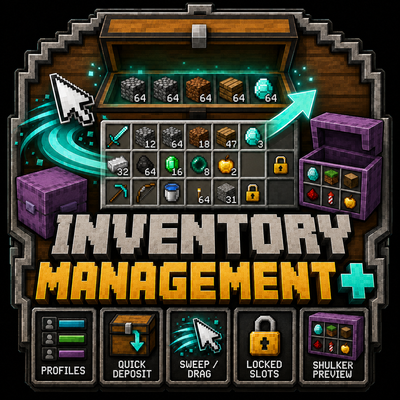
Inventory Managment+
Inventory Manager+ is a Fabric inventory-manager mod that adds fast drag transfers, smart deposit and withdraw controls, slot locking, interactive shulker previews, and customizable Inventory Profiles for quickly organizing and restocking your inventory.