Minecraft version
Back to mods 
CurseForge · Minecraft mod
Boring Default Game Rules
A mod that allows to change the default game rule values through convenient methods.
Choose a version Pick your version below, then grab the matching file.
Quick answer
Which Boring Default Game Rules release should I use?
Latest stable file 2.0.0+1.21.5-fabric
Game version 1.21.6-snapshot, 1.21.5, 1.21.8
Loader Fabric, Quilt
Boring Default Game Rules 2.0.0+1.21.5-fabric targets 1.21.6-snapshot, 1.21.5, 1.21.8 with Fabric, Quilt. The project page does not say whether this file belongs on the client, dedicated server, or both. No extra mods listed for this file.
Where it goes
Is Boring Default Game Rules required on the client, server, or both?
The project page does not say whether this file belongs on the client, dedicated server, or both.
Client Source doesn’t say
Dedicated server Source doesn’t say
Loader for this release Fabric, Quilt
Required install it here Optional supported, not mandatory Not supported do not install here Source doesn’t say do not assume
The source does not explicitly classify this release as client-only or server-only.
What else does Boring Default Game Rules 2.0.0+1.21.5-fabric need?
2.0.0+1.21.5-fabric. Change the file and its required mods may change too.
This file does not list any required mods. Do not add a library just because a different file uses it.
This file does not list any required or optional mods.
Before you install it
Add Boring Default Game Rules without breaking your instance.
Built for Boring Default Game Rules 2.0.0+1.21.5-fabric. Pick another file and the loader, install side or required mods may change.
- 01
Stick to this file
Use 2.0.0+1.21.5-fabric. It targets 1.21.6-snapshot, 1.21.5, 1.21.8 with Fabric, Quilt; another release may have different loader, side or dependency requirements.
- 02
Bring the mods it needs
This file does not list any required mods. Do not add a library just because a different file uses it.
- 03
Put it on the correct side
The project page does not say whether this file belongs on the client, dedicated server, or both.
- 04
Pick the file you checked
Use the “Get this file” button beside 2.0.0+1.21.5-fabric. It opens that exact file at the source.
About this project
What does Boring Default Game Rules add?
Boring Default Game Rules

Boring Default Game Rules is a simple mod that allows for changing the default values of all games rules. This mod aims to be the most convenient way to edit the default values of a game rule by not only offering a config screen, but also easy off-game configuration by generating a JSON Schema!
Part of the Boring series. Don't forget to check out Boring Backgrounds and Damage Incorporated!
Dependencies
As of Minecraft 1.20.6+, this mod requires Fabric API and either Fabric Loader or Quilt Loader.
This mod also has optional support with Mod Menu.
Configuration
With this mod, there are two main methods in which you can edit the default game rules.
The main way to edit the defaults is through the "Edit Default Game Rules" screen, which can be opened either thanks to a button at the bottom of Vanilla's "Game Rules" screen or through the mod's config button on Mod Menu. On this screen, you can change the defaults like you would change the game rule values on a regular world, with a "Reset Defaults" button being available at the bottom of the list if needed.
However, If you aren't in-game and have at least started it once, don't worry! There is a config file is located at .minecraft/config/boring_default_game_rules/config.json, and if you have a JSON Schema-compatible editor (Visual Studio Code is recommended if you have none), it will make use of the automatically-generated JSON Schema in order to enhance your editing experience! The generated JSON Schema contains not only documentation on the config itself, but also provides suggestions for all game rules detected on the game.
Below here is the commented format (if you are offline, the JSON Schema also contains information about the options):
{
    // The file path of this mod's JSON schema. Don't worry about changing this value!
    "$schema": "config.schema.json",
    // A map of game rules and the new default value that will override the original
    "default_game_rules": {
        // This will set "keepInventory" to true as the default value
        // Autocompletions are provided by the JSON schema, so don't worry about having to memorize all game rule options
        "keepInventory": true
    },
    // Defines if a JSON schema should be generated or not. Only disable this if you know what you are doing
    "generate_json_schema": true
}
Project description from CurseForge.
Pick your setup
Boring Default Game Rules by Minecraft version and loader
Choose the version and loader you play, then open the matching release.
Minecraft version
1.21.7
2 loader buildsMinecraft version
1.21.6-snapshot
2 loader buildsMinecraft version
1.21.6
2 loader buildsMinecraft version
1.21.5-Snapshot
2 loader buildsMinecraft version
1.21.5
2 loader buildsMinecraft version
1.21.4-Snapshot
2 loader buildsMinecraft version
1.21.4
2 loader buildsMinecraft version
1.21.3
2 loader buildsMinecraft version
1.21.2
2 loader buildsMinecraft version
1.21.1-Snapshot
2 loader buildsMinecraft version
1.21.1
2 loader buildsShowing the newest 12 of 27 game versions. Older files are in the list below.
Check the dependencies, then try the file in a copied instance before changing a world you care about.
Recent files
Boring Default Game Rules versions and loaders
2.0.0+1.21.5-fabric
boring_default_game_rules-2.0.0+1.21.5.jar
14 Jun 2025
Client Source doesn’t say Server Source doesn’t say Dependencies No extras listed Listed on Release listing
Check the 1.21.8 · Fabric setup 1.21.6-snapshot1.21.5Fabric1.21.8 release
1.3.0+1.21.3-fabric
boring_default_game_rules-1.3.0+1.21.3.jar
25 Oct 2024
Client Source doesn’t say Server Source doesn’t say Dependencies 1 required · 1 unchecked Listed on Release listing
Check the 1.21.5-Snapshot · Fabric setup 1.21.5Fabric1.21.41.21.5-Snapshot release
1.2.1+1.21.1-fabric
boring_default_game_rules-1.2.1+1.21.1.jar
25 Oct 2024
Client Source doesn’t say Server Source doesn’t say Dependencies 1 required · 1 unchecked Listed on Release listing
Check the 1.21.1 · Fabric setup 1.21Fabric1.20.61.21.1 release
1.2.0+1.21.1-fabric
boring_default_game_rules-1.2.0+1.21.1.jar
23 Oct 2024
Client Source doesn’t say Server Source doesn’t say Dependencies No extras listed Listed on Release listing
Check the 1.21.1 · Fabric setup 1.21Fabric1.20.61.21.1 release
1.1.0+1.20.6-fabric
boring_default_game_rules-1.1.0+1.20.6.jar
10 Jun 2024
Client Source doesn’t say Server Source doesn’t say Dependencies 1 required · 1 unchecked Listed on Release listing
Check the 1.21.1-Snapshot · Fabric setup 1.211.20.5Fabric1.21.1-Snapshot release
1.1.0+1.20.1-quilt
boring_default_game_rules-1.1.0+1.20.1.jar
10 Jun 2024
Client Source doesn’t say Server Source doesn’t say Dependencies No extras listed Listed on Release listing
Check the 1.20.4 · Quilt setup 1.20.21.20.11.201.20.4 release
1.0.5+1.20-quilt
boring_default_game_rules-1.0.5+1.20.jar
8 Jun 2023
Client Source doesn’t say Server Source doesn’t say Dependencies 1 required · 1 unchecked Listed on Release listing
Check the 1.20.4 · Quilt setup 1.20.21.20.11.201.20.4 release
1.0.4+1.19.4-quilt
boring_default_game_rules-1.0.4+1.19.4.jar
24 Mar 2023
Client Source doesn’t say Server Source doesn’t say Dependencies 1 required · 1 unchecked Listed on Release listing
Check the 1.19.4 · Quilt setup 1.19.4Quilt release
1.0.4+1.19.2-quilt
boring_default_game_rules-1.0.4+1.19.2.jar
24 Mar 2023
Client Source doesn’t say Server Source doesn’t say Dependencies 1 required · 1 unchecked Listed on Release listing
Check the 1.19.2 · Quilt setup 1.19.2Quilt release
1.0.3+1.19.4-quilt
boring_default_game_rules-1.0.3+1.19.4.jar
24 Mar 2023
Client Source doesn’t say Server Source doesn’t say Dependencies 1 required · 1 unchecked Listed on Release listing
Check the 1.19.4 · Quilt setup 1.19.4Quilt release
1.0.2+1.19.3-quilt
boring_default_game_rules-1.0.2+1.19.3.jar
1 Jan 2023
Client Source doesn’t say Server Source doesn’t say Dependencies 1 required · 1 unchecked Listed on Release listing
Check the 1.19.3 · Quilt setup 1.19.3Quilt release
1.0.1+1.19.2-quilt
boring_default_game_rules-1.0.1+1.19.2.jar
10 Oct 2022
Client Source doesn’t say Server Source doesn’t say Dependencies 1 required · 1 unchecked Listed on Release listing
Check the 1.19.2 · Quilt setup 1.19.2Quilt release
Looking for an older file? The official CurseForge project page is in Resources.
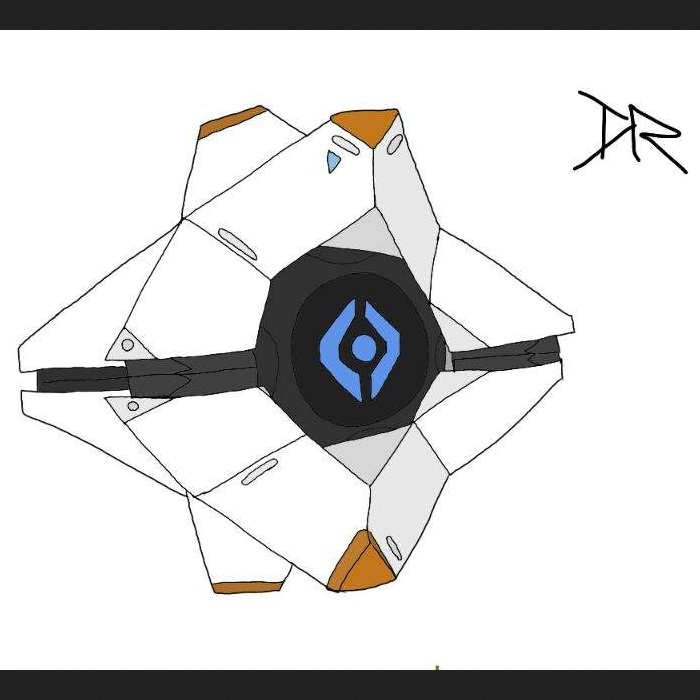 mod
mod CurseForge + Modrinth · Minecraft
Specter Companion
Inspired by "Ghosts" from the videogame Destiny (2014)
 mod
mod CurseForge + Modrinth · Minecraft
Reliable Advancements
In-game advancement editing and improvements to the advancement screen!
 mod
mod CurseForge + Modrinth · Minecraft
Cores
a core library