Minecraft version
Back to mods 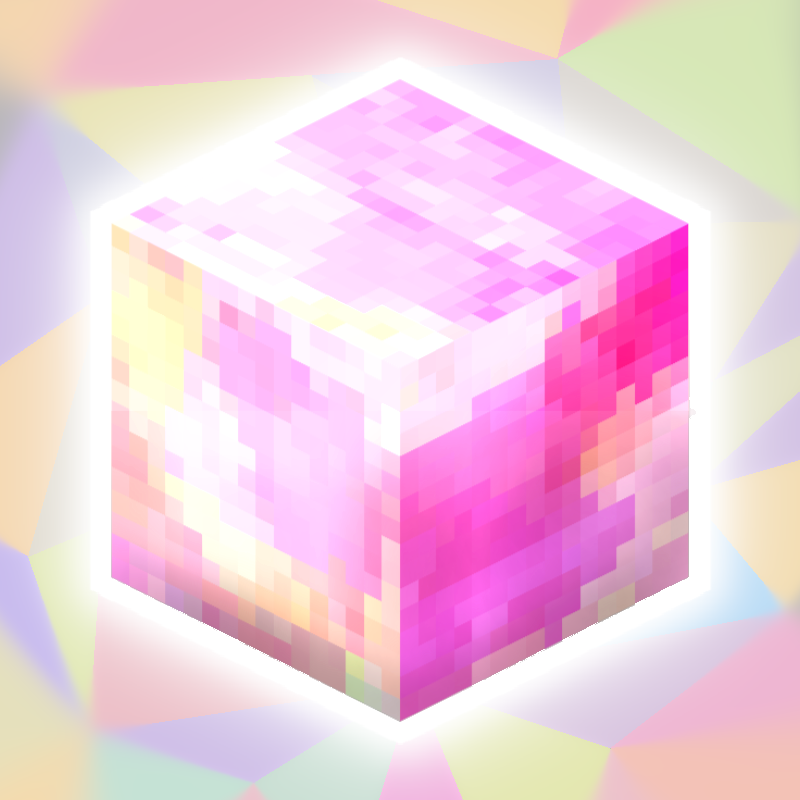
CurseForge · Minecraft mod
Chroma Color Blocks
+300 Blocks between chromatic blocks and slabs with texturized version
Choose a version Pick your version below, then grab the matching file.
Quick answer
Which Chroma Color Blocks release should I use?
Latest stable file 0.9.9.7.1 - 26.1.2
Game version 26.1.2
Loader NeoForge
Chroma Color Blocks 0.9.9.7.1 - 26.1.2 targets 26.1.2 with NeoForge. The project page does not say whether this file belongs on the client, dedicated server, or both. No extra mods listed for this file.
Where it goes
Is Chroma Color Blocks required on the client, server, or both?
The project page does not say whether this file belongs on the client, dedicated server, or both.
Client Source doesn’t say
Dedicated server Source doesn’t say
Loader for this release NeoForge
Required install it here Optional supported, not mandatory Not supported do not install here Source doesn’t say do not assume
The source does not explicitly classify this release as client-only or server-only.
What else does Chroma Color Blocks 0.9.9.7.1 - 26.1.2 need?
0.9.9.7.1 - 26.1.2. Change the file and its required mods may change too.
This file does not list any required mods. Do not add a library just because a different file uses it.
This file does not list any required or optional mods.
Before you install it
Add Chroma Color Blocks without breaking your instance.
Built for Chroma Color Blocks 0.9.9.7.1 - 26.1.2. Pick another file and the loader, install side or required mods may change.
- 01
Stick to this file
Use 0.9.9.7.1 - 26.1.2. It targets 26.1.2 with NeoForge; another release may have different loader, side or dependency requirements.
- 02
Bring the mods it needs
This file does not list any required mods. Do not add a library just because a different file uses it.
- 03
Put it on the correct side
The project page does not say whether this file belongs on the client, dedicated server, or both.
- 04
Pick the file you checked
Use the “Get this file” button beside 0.9.9.7.1 - 26.1.2. It opens that exact file at the source.
About this project
What does Chroma Color Blocks add?
Thanks for the 22116 downloads!
Blocks only can be obtined in creative/commands

Total Blocks (300):
Chromatics Blocks (75 x 2):
Each Block have his texturized version
- Alice Blue
- Aquamarine
- Azure
- Beige
- Black
- Blue
- Blue Violet
- Brown
- Crimson
- Cyan
- Dark Blue
- Dark Gray
- Deep Pink
- Dim Gray
- Forest Green
- Gold
- Goldenrod
- Gray
- Green
- Green Yellow
- Hot Pink
- Indigo
- Khaki
- Lime
- Ligth Blue
- Magenta
- Maroon
- Moccasin
- Mint Cream
- Misty Rose
- Olive Green
- Orange
- Orange Red
- Orchid
- Pale Green
- Pink
- Plum
- Podwer Blue
- Purple
- Red
- Rosy Brown
- Royal Blue
- Salmon
- Sea Green
- Sienna
- Silver
- Sky Blue
- Spring Green
- Turquoise
- Violet
- White
- Yellow
Chromatics Slabs (75 x 2):
Each Slab have his texturized version
Mechanics:
Press z and converts a block to his throwable version (only chroma blocks)
Damage: 5,0
Cooldown: 50 Ticks (2.5s)
Enjoy!
Check out my others mods: Click Here
Project description from CurseForge.
Pick your setup
Chroma Color Blocks by Minecraft version and loader
Choose the version and loader you play, then open the matching release.
Minecraft version
1.21.8
1 loader buildMinecraft version
1.21.4
1 loader buildMinecraft version
1.21.1
1 loader buildMinecraft version
1.21
1 loader buildMinecraft version
1.20.1
1 loader buildMinecraft version
1.20
1 loader buildCheck the dependencies, then try the file in a copied instance before changing a world you care about.
Recent files
Chroma Color Blocks versions and loaders
0.9.9.7.1 - 26.1.2
alexis_64_colors-0.9.9.7.1-neoforge-26.1.2.jar
29 Aug 2026
Client Source doesn’t say Server Source doesn’t say Dependencies No extras listed Listed on Release listing
Check the 26.1.2 · NeoForge setup NeoForge26.1.2 release
0.9.9.7.1 - 1.21.8(NEO)
alexis_64_colors-0.9.9.7.1-neoforge-1.21.8.jar
29 Mar 2026
Client Source doesn’t say Server Source doesn’t say Dependencies No extras listed Listed on Release listing
Check the 1.21.8 · NeoForge setup 1.21.8NeoForge release
0.9.9.7.1 - 1.20.1
alexis_64_colors-0.9.9.7.1-forge-1.20.1.jar
21 Sept 2025
Client Source doesn’t say Server Source doesn’t say Dependencies No extras listed Listed on Release listing
Check the 1.20.1 · Forge setup 1.20.1Forge release
0.9.9.7 - 1.21.4(NEO)
alexis_64_colors-0.9.9.7-neoforge-1.21.4.jar
22 Jun 2025
Client Source doesn’t say Server Source doesn’t say Dependencies No extras listed Listed on Release listing
Check the 1.21.4 · NeoForge setup 1.21.4NeoForge release
0.9.9.7 - 1.21.1(NEO)
alexis_64_colors-0.9.9.7-neoforge-1.21.1.jar
22 Jun 2025
Client Source doesn’t say Server Source doesn’t say Dependencies No extras listed Listed on Release listing
Check the 1.21.1 · NeoForge setup NeoForge1.21.1 release
0.9.9.7 - 1.20.1
alexis_64_colors-0.9.9.7-forge-1.20.1.jar
22 Jun 2025
Client Source doesn’t say Server Source doesn’t say Dependencies No extras listed Listed on Release listing
Check the 1.20.1 · Forge setup 1.20.1Forge release
0.9.9.6 - 1.21.1(NEO)
alexis_64_colors-0.9.9.6-neoforge-1.21.1.jar
1 Mar 2025
Client Source doesn’t say Server Source doesn’t say Dependencies No extras listed Listed on Release listing
Check the 1.21.1 · NeoForge setup NeoForge1.21.1 release
0.9.9.6 - 1.20.1
alexis_64_colors-0.9.9.6-forge-1.20.1.jar
1 Mar 2025
Client Source doesn’t say Server Source doesn’t say Dependencies No extras listed Listed on Release listing
Check the 1.20.1 · Forge setup 1.20.1Forge release
0.9.9.5 - 1.21.1 (NEO)
alexis_64_colors-0.9.9.5-neoforge-1.21.1.jar
21 Dec 2024
Client Source doesn’t say Server Source doesn’t say Dependencies No extras listed Listed on Release listing
Check the 1.21.1 · NeoForge setup 1.21NeoForge1.21.1 release
0.9.9.5 - 1.20.1
alexis_64_colors-0.9.9.5-forge-1.20.1.jar
21 Dec 2024
Client Source doesn’t say Server Source doesn’t say Dependencies No extras listed Listed on Release listing
Check the 1.20.1 · Forge setup 1.20.1Forge1.20 release
0.9.9.4 - 1.21.1 (NEO)
alexis_64_colors-0.9.9.4-neoforge-1.21.1.jar
8 Dec 2024
Client Source doesn’t say Server Source doesn’t say Dependencies No extras listed Listed on Release listing
Check the 1.21.1 · NeoForge setup 1.21NeoForge1.21.1 release
0.9.9.4 - 1.20.1
alexis_64_colors-0.9.9.4-forge-1.20.1.jar
7 Dec 2024
Client Source doesn’t say Server Source doesn’t say Dependencies No extras listed Listed on Release listing
Check the 1.20.1 · Forge setup 1.20.1Forge1.20 release
Looking for an older file? The official CurseForge project page is in Resources.
 mod
mod CurseForge + Modrinth · Minecraft
FTB Quests Entity Visualization
Adds entity visualization to FTB Quests
 mod
mod CurseForge + Modrinth · Minecraft
Graveless
Not just another grave mod... Your ghost waits at your death site under a beacon of light, holding every item for a one-click restore to its original slot. Spirit Compass tracking, a 3D grave browser, mob protection, and no physical grave block to lose.
 mod
mod CurseForge · Minecraft
AllTheCompressed
adds several compressed versions of blocks