Minecraft version
Back to mods 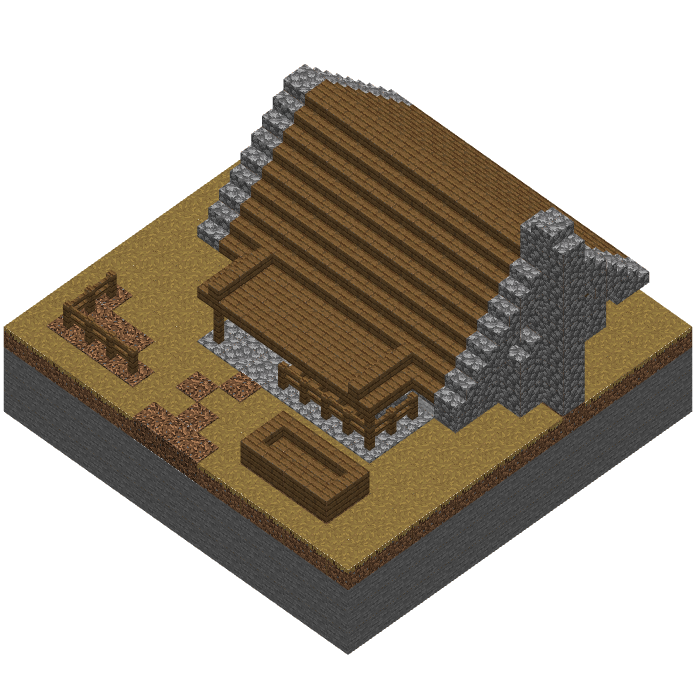
CurseForge · Minecraft mod
Microcosm
Resource automation via block sized buildings.
Choose a version Pick your version below, then grab the matching file.
Quick answer
Which Microcosm release should I use?
beta file Microcosm 1.19.2 - 1.5.1
Game version 1.19.2
Loader Forge
Microcosm 1.19.2 - 1.5.1 targets 1.19.2 with Forge. The project page does not say whether this file belongs on the client, dedicated server, or both. No extra mods listed for this file.
Where it goes
Is Microcosm required on the client, server, or both?
The project page does not say whether this file belongs on the client, dedicated server, or both.
Client Source doesn’t say
Dedicated server Source doesn’t say
Loader for this release Forge
Required install it here Optional supported, not mandatory Not supported do not install here Source doesn’t say do not assume
The source does not explicitly classify this release as client-only or server-only.
What else does Microcosm 1.19.2 - 1.5.1 need?
Microcosm 1.19.2 - 1.5.1. Change the file and its required mods may change too.
This file does not list any required mods. Do not add a library just because a different file uses it.
This file does not list any required or optional mods.
Before you install it
Add Microcosm without breaking your instance.
Built for Microcosm 1.19.2 - 1.5.1. Pick another file and the loader, install side or required mods may change.
- 01
Stick to this file
Use Microcosm 1.19.2 - 1.5.1. It targets 1.19.2 with Forge; another release may have different loader, side or dependency requirements.
- 02
Bring the mods it needs
This file does not list any required mods. Do not add a library just because a different file uses it.
- 03
Put it on the correct side
The project page does not say whether this file belongs on the client, dedicated server, or both.
- 04
Pick the file you checked
Use the “Get this file” button beside Microcosm 1.19.2 - 1.5.1. It opens that exact file at the source.
About this project
What does Microcosm add?
Microcosm
Model Villages
SPECIAL THANKS:
Youtuber Gabbro Boccia
Texture Artist/Modder Halbear_gameZ
Microcosm is a mod that provides numerous blocks that provide or manipulate resources in the form of small block sized buildings that can level up as they work. It also includes decorative blocks to create you're own Micro Village. This mod is in Active Development and updates providing new blocks and features come frequently eventually. If you'd like to provide feedback, ask questions, or make suggestions for new blocks. Please join us on our Discord Server
MCreator source available: Hedonistacrat/Microcosm (github.com)
Microcosm 1.19.2 version has been released. No new functionality like handling copper has been added as yet.
Microcosm 1.18.2 version has been released.
Hints and tips:
Farming: farms can share fields. The more of a certain seed item in the designated slot sets how likely that crop is to be harvested. Beehives, besides providing honey bottles, also will slightly increase field growth rates in a small radius around them. Connected Wells and Middens increase rates as well. Silos hold a LOT of resources. Farmhouses can also share a singular midden between them. Paths will connect the well's water source to the farm house if you want to place the well farther away. one well can supply multiple farmhouses this way.
Mining: you can place multiple of an item in the focus slot of the mine. the bigger the stack the bigger the multiplier for that specific resource. So while the mining chance for an emerald is very low it can be increased with a full stack of emeralds but it will still be fairly low. while a full stack of coal or iron will multiply their already high chance.
Smelters: Rate and Amount of ore increases with the level of the smelter. It may be a good idea to only have one smeltery handle multiple mines to increase it's level up rate. Gold smelts faster than iron so setting gold ore as the focus for one or more mines can increase XP gains.
Forestry: Forester huts replant harvested groves faster than lumberjacks and have a larger radius per level so plan your layouts accordingly. Forester huts only find one resource at a time and it can change everytime they go out and forage. As they do not have extra storage, hoppers or transport pipes are useful to get the most from them.
Lumberjacks: Set the desired log you want harvested in the target slot. If you wait till they 'tick' it will convert all current logs in inventory to that type.
Hunters: They will not travel to the Nether or to the End but they can be convinced to take a break and go fishing.
Seekers: These towers are only (currently) useful if you have other mods that utilize Curios.
Work Orders and Destination Orders: if you hold them in your hand particles will appear over the building they are linked to. Also they can work at any distance in the same dimension as long as both chunks are loaded.
Decorative: if you right click an empty plot with a sapling it will turn into a harvested grove and will eventually grow into a full grove. A Leaf block will plant a singular decorative only small tree, and a Flint will make it an empty plot with a rock in it.
All Microcosm tiles are "transparent" so you can place a light source under them to light them up.
Empty and decorative plots can be rotated with an empty hand.
Quarrys: provide stones but if a grindstone is placed near one it will provide cobblestone, gravel, and sand.
Microcosm 1.5 "Lumber N Loot"
- Added Explorer's Halls and Guilds that are wings of the hall to collect mob drops
- Added Forester's Hut and Lumber Mill for all your tree harvesting needs
- A Vault for all your µVillagers mined loot
- Smelter Improvements
- µPortals for the Explorer's to...well....explore
- Accelerator Blocks to slighty increase random tick rates of any block 3 blocks above it.
An Excellent Mod Spotlight by Gabbro Boccia! For Microcosm 1.3
And for the 1.5 update
Some of the Current Buildings:
- Farmhouses
- Beekeepers
- Mines
- Stone Quarries
- Lumbermills
- Fields, Paths, and Forests
- Smelters
Project description from CurseForge.
Pick your setup
Microcosm by Minecraft version and loader
Choose the version and loader you play, then open the matching release.
Minecraft version
1.18.2
1 loader buildMinecraft version
1.16.5
1 loader buildCheck the dependencies, then try the file in a copied instance before changing a world you care about.
Recent files
Microcosm versions and loaders
Microcosm 1.19.2 - 1.5.1
Microcosm-1_19_2-1_5_1.jar
12 Oct 2022
Client Source doesn’t say Server Source doesn’t say Dependencies No extras listed Listed on Release listing
Check the 1.19.2 · Forge setup 1.19.2Forge beta
Microcosm 1.18.2
Microcosm-1_18_2-1_5_1.jar
12 Oct 2022
Client Source doesn’t say Server Source doesn’t say Dependencies No extras listed Listed on Release listing
Check the 1.18.2 · Forge setup 1.18.2Forge beta
Microcosm 1.5.1
Microcosm-1_16_5-1_5_1.jar
9 Dec 2021
Client Source doesn’t say Server Source doesn’t say Dependencies No extras listed Listed on Release listing
Check the 1.16.5 · Forge setup 1.16.5Forge beta
Microcosm 1.5
Microcosm-1_16_5-1_5_0.jar
29 Nov 2021
Client Source doesn’t say Server Source doesn’t say Dependencies No extras listed Listed on Release listing
Check the 1.16.5 · Forge setup 1.16.5Forge beta
Microcosm 1.3.1
Microcosm-1_16_5-1_3_1.jar
8 Nov 2021
Client Source doesn’t say Server Source doesn’t say Dependencies No extras listed Listed on Release listing
Check the 1.16.5 · Forge setup 1.16.5Forge beta
Microcosm-1_16_5-1_3_0.jar
5 Nov 2021
Client Source doesn’t say Server Source doesn’t say Dependencies No extras listed Listed on Release listing
Check the 1.16.5 · Forge setup 1.16.5Forge beta
Microcosm 1.2.1
Microcosm-1_16_5-1_2_1.jar
1 Nov 2021
Client Source doesn’t say Server Source doesn’t say Dependencies No extras listed Listed on Release listing
Check the 1.16.5 · Forge setup 1.16.5Forge beta
Microcosm-1_16_5-1_2_0.jar
29 Oct 2021
Client Source doesn’t say Server Source doesn’t say Dependencies No extras listed Listed on Release listing
Check the 1.16.5 · Forge setup 1.16.5Forge beta
Microcosm 1.1.3 for 1.16.5
Microcosm-1_16_5-1_1_3.jar
18 Oct 2021
Client Source doesn’t say Server Source doesn’t say Dependencies No extras listed Listed on Release listing
Check the 1.16.5 · Forge setup 1.16.5Forge beta
Looking for an older file? The official CurseForge project page is in Resources.
 mod
mod CurseForge · Minecraft
Create Train Autonomy
Automate Create trains for mining, hauling, construction, and other tasks with direct movement control, configurable behaviors, and optional integrations.
 mod
mod CurseForge · Minecraft
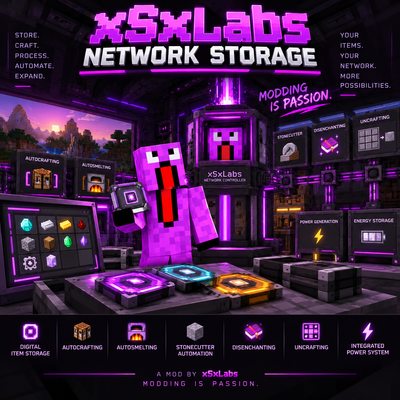
xSxLabs Network Storage
A digital item storage and automation system with storage disks, autocrafting, autosmelting, processing and integrated power — actively developed and continuously expanded.
 mod
mod CurseForge · Minecraft
NetheriteEasy
Upgrade Diamond gear to Netherite at the Smithing Table without needing a Netherite Upgrade Template.