Minecraft version
Back to mods ![Blu's Sign Pack [MTS/IV] project artwork](https://media.forgecdn.net/avatars/452/511/637716559113266181.png)
CurseForge · Minecraft mod
Blu's Sign Pack [MTS/IV]
A content pack with traffic signs for Immersive Vehicles
Choose a version Pick your version below, then grab the matching file.
Quick answer
Which Blu's Sign Pack [MTS/IV] release should I use?
Latest stable file Blu's Sign Pack-1.16.5-1.2.2_H1.jar
Game version 1.16.5
Loader Forge
Blu's Sign Pack [MTS/IV] Blu's Sign Pack-1.16.5-1.2.2_H1.jar targets 1.16.5 with Forge. The project page does not say whether this file belongs on the client, dedicated server, or both. No extra mods listed for this file.
Where it goes
Is Blu's Sign Pack [MTS/IV] required on the client, server, or both?
The project page does not say whether this file belongs on the client, dedicated server, or both.
Client Source doesn’t say
Dedicated server Source doesn’t say
Loader for this release Forge
Required install it here Optional supported, not mandatory Not supported do not install here Source doesn’t say do not assume
The source does not explicitly classify this release as client-only or server-only.
What else does Blu's Sign Pack [MTS/IV] Blu's Sign Pack-1.16.5-1.2.2_H1.jar need?
Blu's Sign Pack-1.16.5-1.2.2_H1.jar. Change the file and its required mods may change too.
This file does not list any required mods. Do not add a library just because a different file uses it.
This file does not list any required or optional mods.
Before you install it
Add Blu's Sign Pack [MTS/IV] without breaking your instance.
Built for Blu's Sign Pack [MTS/IV] Blu's Sign Pack-1.16.5-1.2.2_H1.jar. Pick another file and the loader, install side or required mods may change.
- 01
Stick to this file
Use Blu's Sign Pack-1.16.5-1.2.2_H1.jar. It targets 1.16.5 with Forge; another release may have different loader, side or dependency requirements.
- 02
Bring the mods it needs
This file does not list any required mods. Do not add a library just because a different file uses it.
- 03
Put it on the correct side
The project page does not say whether this file belongs on the client, dedicated server, or both.
- 04
Pick the file you checked
Use the “Get this file” button beside Blu's Sign Pack-1.16.5-1.2.2_H1.jar. It opens that exact file at the source.
About this project
What does Blu's Sign Pack [MTS/IV] add?
Welcome to Blu's Sign Pack - Immersive Vehicles Edition!
If you're looking for the Traffic Control Edition: Click here
About this pack:
This pack is the official successor of Melvin's Simple Sign Pack. It contains many road signs known from Road Stuff and adds them to Immersive Vehicles.
To get the original pack, click here (it might not be supported by future Immersive Vehicles versions!):
Download here
This pack requires Immersive Vehicles V20+:
It also requires a pack with poles for Immersive Vehicles, for example the Official Content Pack by Immersive Vehicles (you cannot place signs without one!):
How to use:
- Place a pole.
- Right-click on that pole with any sign in your main hand whereever you want to attach it.
- Done.
Things planned:
- Signposts
- Highway boards
- Larger city entry/exit signs
Contact:
Feel free to leave a comment here or join the Discord server if you have any questions (I accept community sign requests there!) :
Don't forget to tag me with @[BSP] Blulitron
Otherwise I might not read your messages!
Please don't DM unless I ask you to do so.
Cheers!
Blulitron
Project description from CurseForge.
Pick your setup
Blu's Sign Pack [MTS/IV] by Minecraft version and loader
Choose the version and loader you play, then open the matching release.
Minecraft version
1.12.2
1 loader buildCheck the dependencies, then try the file in a copied instance before changing a world you care about.
Recent files
Blu's Sign Pack [MTS/IV] versions and loaders
Blu's Sign Pack-1.16.5-1.2.2_H1.jar
Blu's Sign Pack-1.16.5-1.2.2.jar
24 Mar 2024
Client Source doesn’t say Server Source doesn’t say Dependencies No extras listed Listed on Release listing
Check the 1.16.5 · Forge setup 1.16.5Forge release
Blu's Sign Pack-1.16.5-1.2.2.jar
17 Mar 2024
Client Source doesn’t say Server Source doesn’t say Dependencies No extras listed Listed on Release listing
Check the 1.16.5 · Forge setup 1.16.5Forge release
Blu's Sign Pack-1.12.2-1.2.2.jar
17 Mar 2024
Client Source doesn’t say Server Source doesn’t say Dependencies No extras listed Listed on Release listing
Check the 1.12.2 · Forge setup Forge1.12.2 release
Blus_Sign_Pack_V1.2.1_H1.jar
25 Jul 2023
Client Source doesn’t say Server Source doesn’t say Dependencies 2 required · 2 unchecked Listed on Release listing
Check the 1.12.2 · Forge setup Forge1.12.2 release
Blus_Sign_Pack_V1.2.1.jar
10 Jul 2023
Client Source doesn’t say Server Source doesn’t say Dependencies 2 required · 2 unchecked Listed on Release listing
Check the 1.12.2 · Forge setup Forge1.12.2 release
Blus_Sign_Pack_V1.2.0.jar
25 Jan 2022
Client Source doesn’t say Server Source doesn’t say Dependencies 2 required · 2 unchecked Listed on Release listing
Check the 1.12.2 · Forge setup Forge1.12.2 release
Blus_Sign_Pack_V1.1.1.jar
9 Jan 2022
Client Source doesn’t say Server Source doesn’t say Dependencies 2 required · 2 unchecked Listed on Release listing
Check the 1.12.2 · Forge setup Forge1.12.2 release
Blus_Sign_Pack_V1.0.3.jar
20 Nov 2021
Client Source doesn’t say Server Source doesn’t say Dependencies 2 required · 2 unchecked Listed on Release listing
Check the 1.12.2 · Forge setup Forge1.12.2 release
Blus_Sign_Pack_V1.0.2.jar
16 Nov 2021
Client Source doesn’t say Server Source doesn’t say Dependencies 2 required · 2 unchecked Listed on Release listing
Check the 1.12.2 · Forge setup Forge1.12.2 release
Blus_Sign_Pack_V1.0.1.jar
6 Nov 2021
Client Source doesn’t say Server Source doesn’t say Dependencies 2 required · 2 unchecked Listed on Release listing
Check the 1.12.2 · Forge setup Forge1.12.2 release
Looking for an older file? The official CurseForge project page is in Resources.
 mod
mod CurseForge · Minecraft
IceeRamen Evolution
A mod that adds elements of naruto to minecraft!
 mod
mod CurseForge · Minecraft
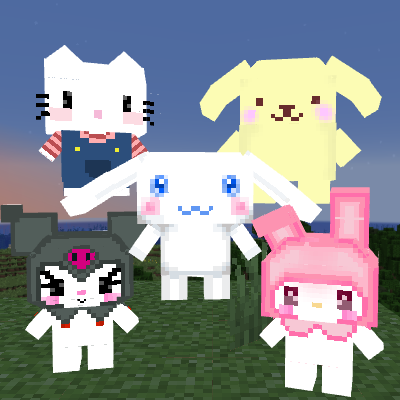
Cinnamoroll friends
Brings Cinnamoroll & Kuromi &Melody &HelloKitty &Pompompurin into Minecraft! This is a fan-made mod and is not affiliated with or endorsed by Sanrio.
 mod
mod CurseForge · Minecraft
Chronicles RP
Fantasy roleplay characters, a parchment journal, drawn signatures, and a digital and physical economy.