Fabric API Needed by Stylish Effects [Legacy Fabric] StylishEffects-v3.1.0-1.18.2-Fabric.jar
requiredMatching file found Matched file: [1.18.2] Fabric API 0.77.0+1.18.2

CurseForge · Minecraft mod
Status effect display overhaul: Display them anywhere! And way more compact.
Quick answer
Stylish Effects [Legacy Fabric] StylishEffects-v3.1.0-1.18.2-Fabric.jar targets 1.18.2 with Fabric. The project page does not say whether this file belongs on the client, dedicated server, or both. All 3 required mods have matching files.
Where it goes
The project page does not say whether this file belongs on the client, dedicated server, or both.
The source does not explicitly classify this release as client-only or server-only.
StylishEffects-v3.1.0-1.18.2-Fabric.jar. Change the file and its required mods may change too.
Install Fabric API, Puzzles Lib [Legacy Fabric], Forge Config API Port first. We found matching files for this game-version and loader setup. 1 comes through another mod in the chain.
1 extra mod was pulled in by another dependency. Indented rows show who needs each one. We only count dependency files that match this setup. A file for another loader does not fill the gap.
Before you install it
Built for Stylish Effects [Legacy Fabric] StylishEffects-v3.1.0-1.18.2-Fabric.jar. Pick another file and the loader, install side or required mods may change.
Use StylishEffects-v3.1.0-1.18.2-Fabric.jar. It targets 1.18.2 with Fabric; another release may have different loader, side or dependency requirements.
Install Fabric API, Puzzles Lib [Legacy Fabric], Forge Config API Port first. We found matching files for this game-version and loader setup. 1 comes through another mod in the chain.
The project page does not say whether this file belongs on the client, dedicated server, or both.
Use the “Get this file” button beside StylishEffects-v3.1.0-1.18.2-Fabric.jar. It opens that exact file at the source.
About this project
Download for 1.19+: https://www.curseforge.com/minecraft/mc-mods/stylish-effects



📖 About:
Stylish Effects completely overhauls how status effects are displayed. There are multiple modes to choose and countless configuration options available to create the effects display of your dreams.
📚 Contents:
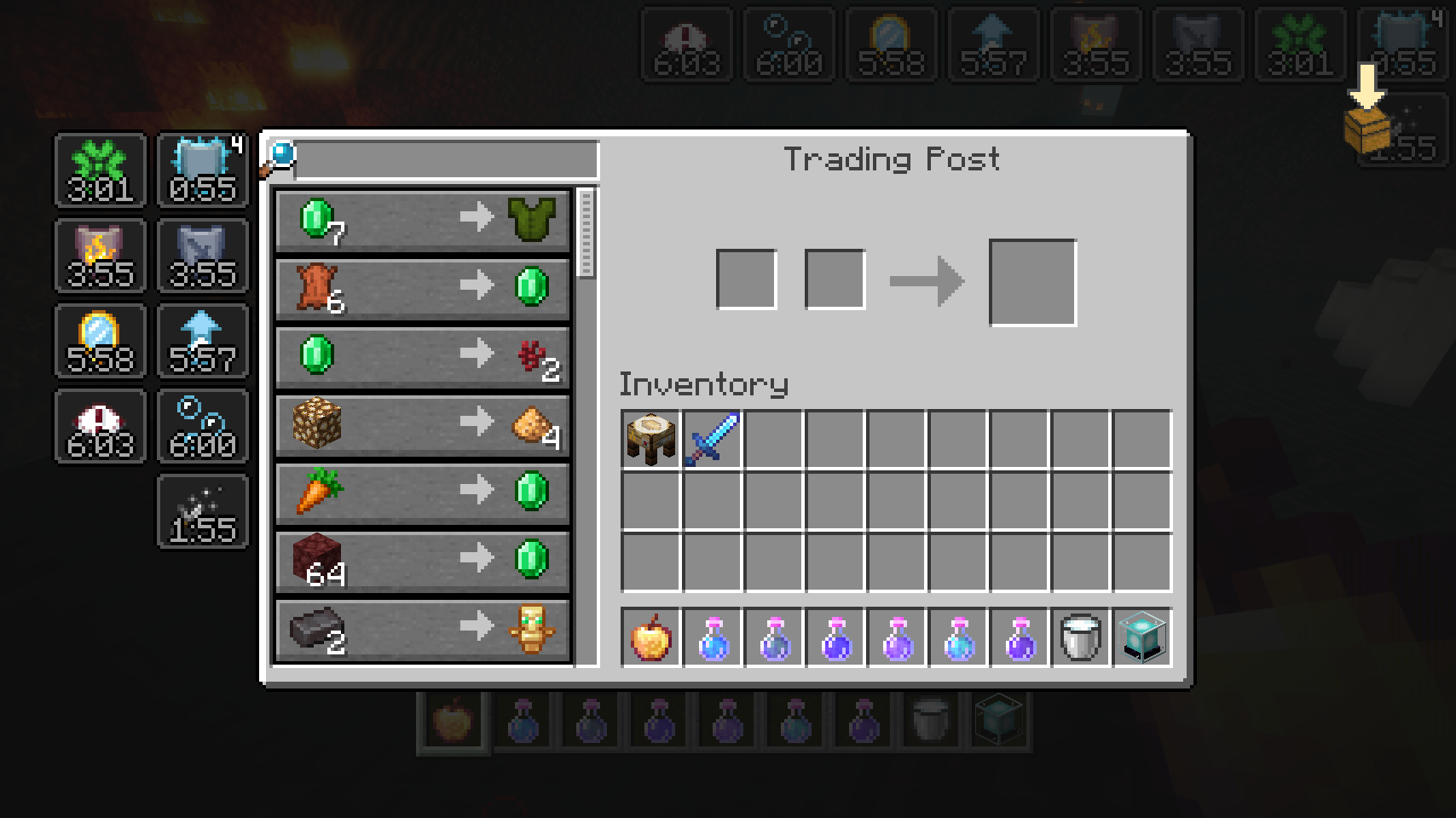
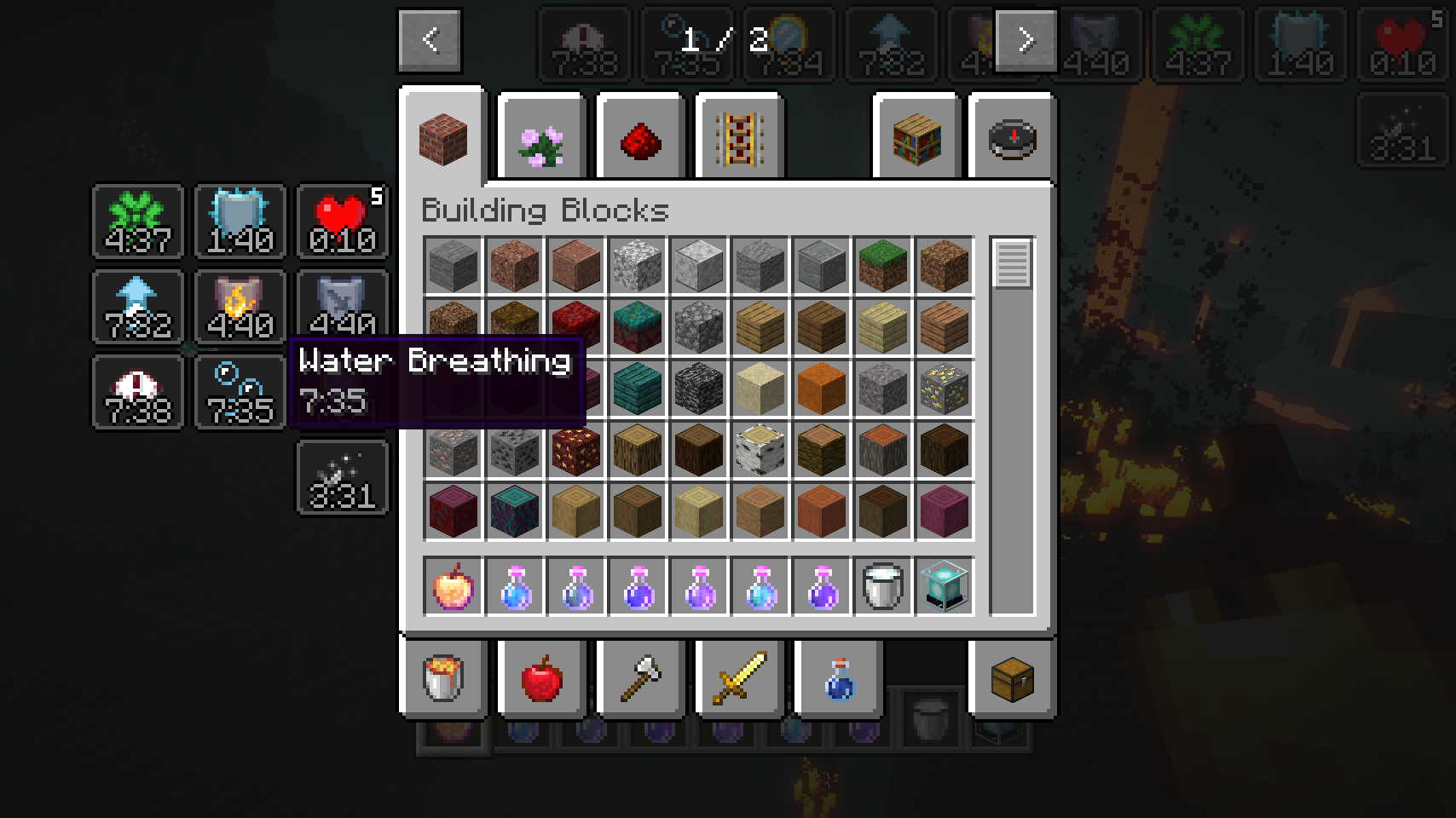
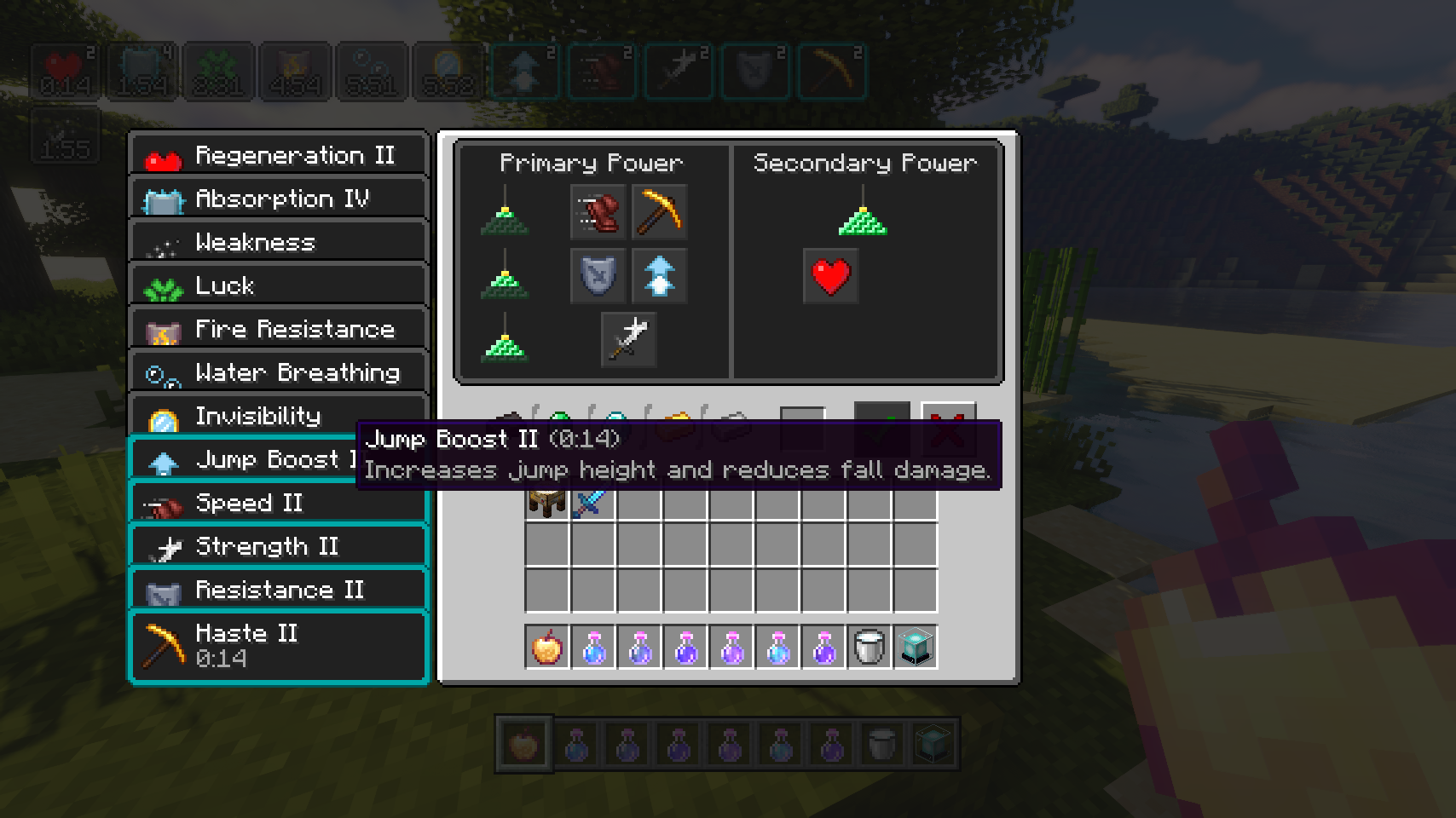
First of all, the crummy little vanilla hud effects display is replaced with a fancier version which includes an effect timer as well as the current effect amplifier. This display is also now used in the inventory, as it's way more compact and allows for many more effects to be shown before they start to overlap. And this new inventory display is no longer limited to the player inventory, now you can see your active effects in every container!
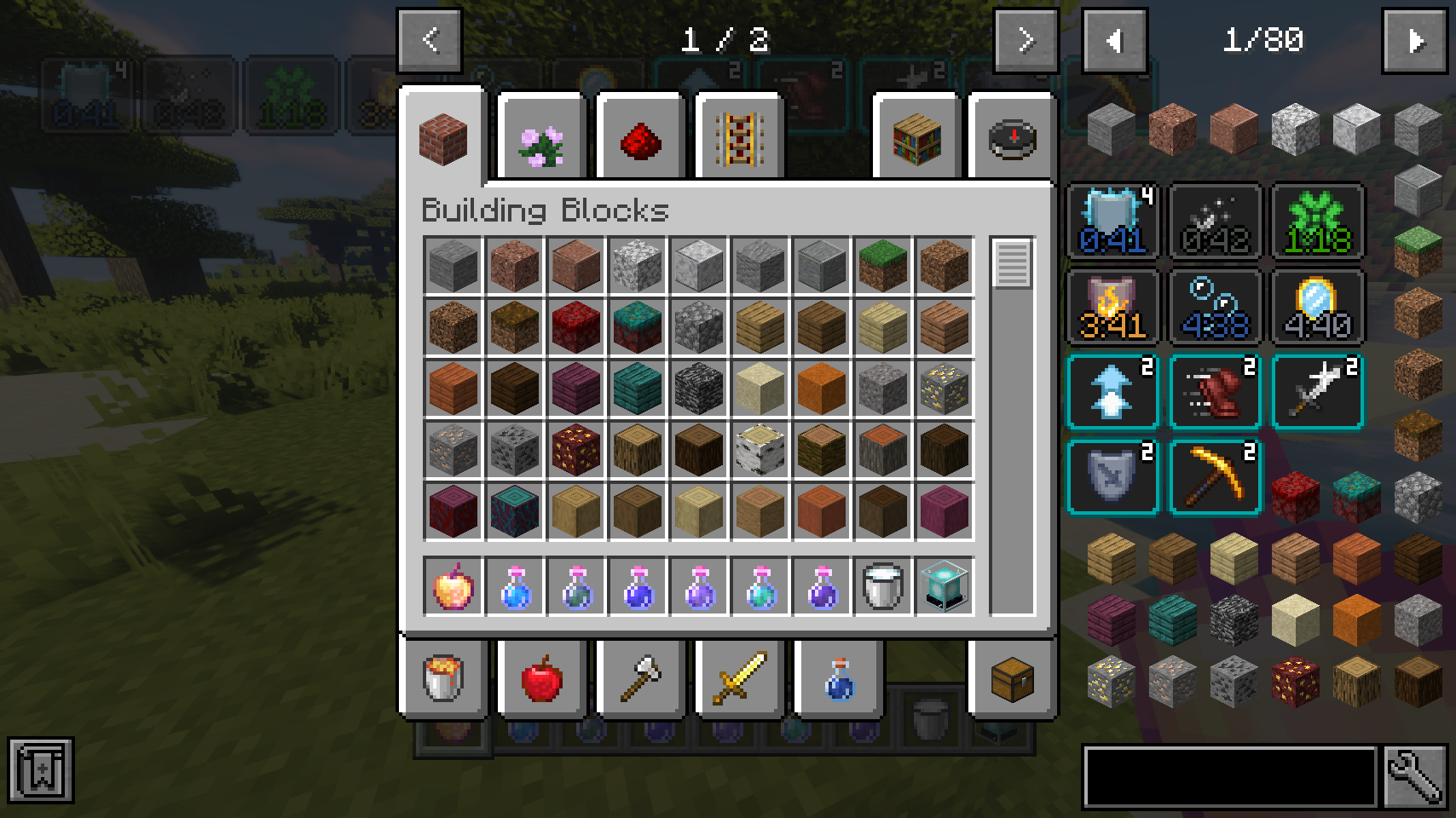
But wait, now that status effects are shown small and compact with just an icon, how will you find out how your active effects are called? Don't worry, a handy tooltip is added for that. The tooltip will be even more useful when Potion Descriptions by Azmalent is installed.
You like the vanilla inventory status effect display and want to keep it or even use it on the hud as well? No problem! You can choose any widget mode you want, or even none. Alongside that there are many configurable settings, such as the screen side for effects, amount of rows and columns, a custom alpha value, text colors, custom screen positions, and much, much more.
📷 Media:
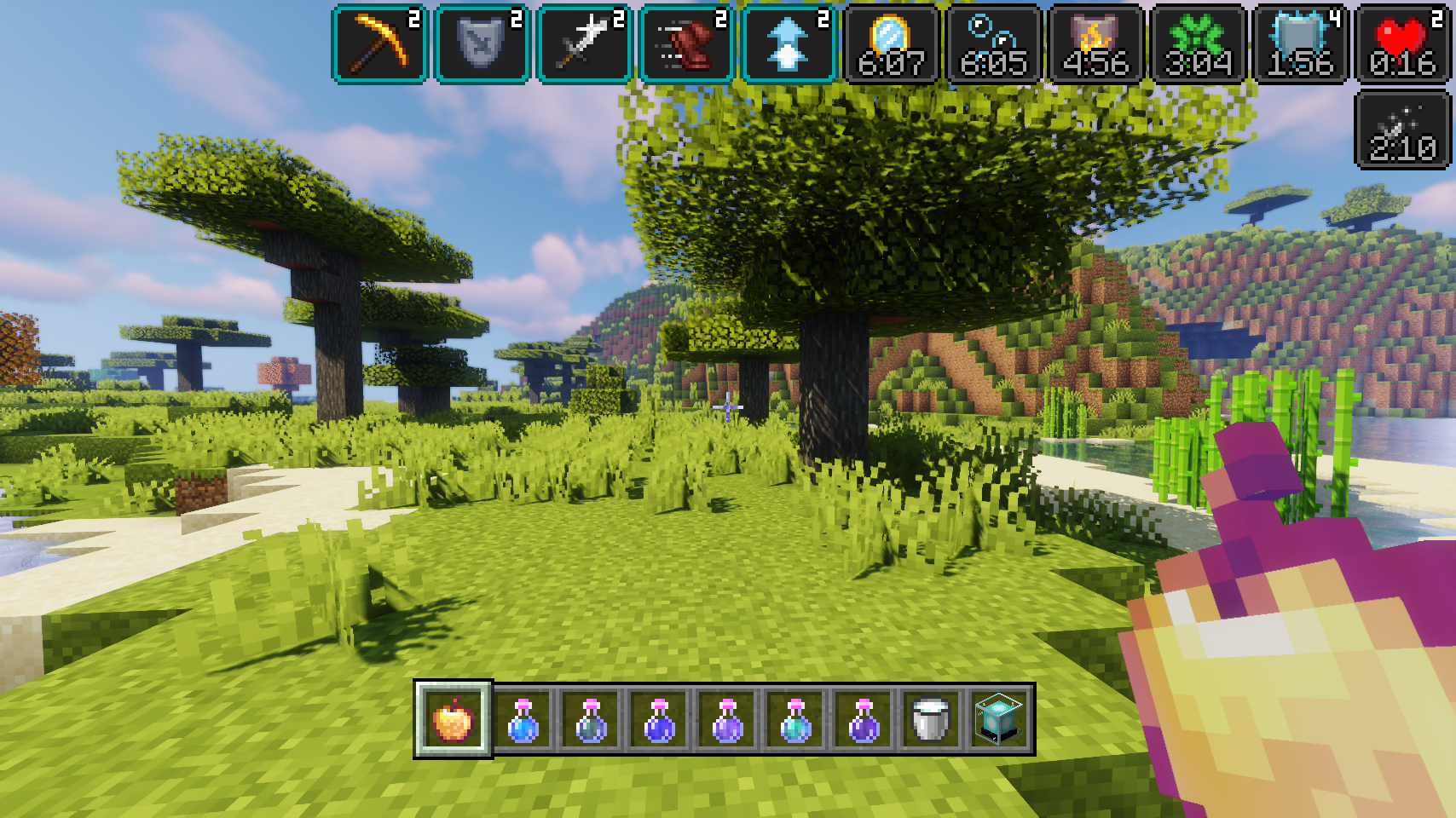 |
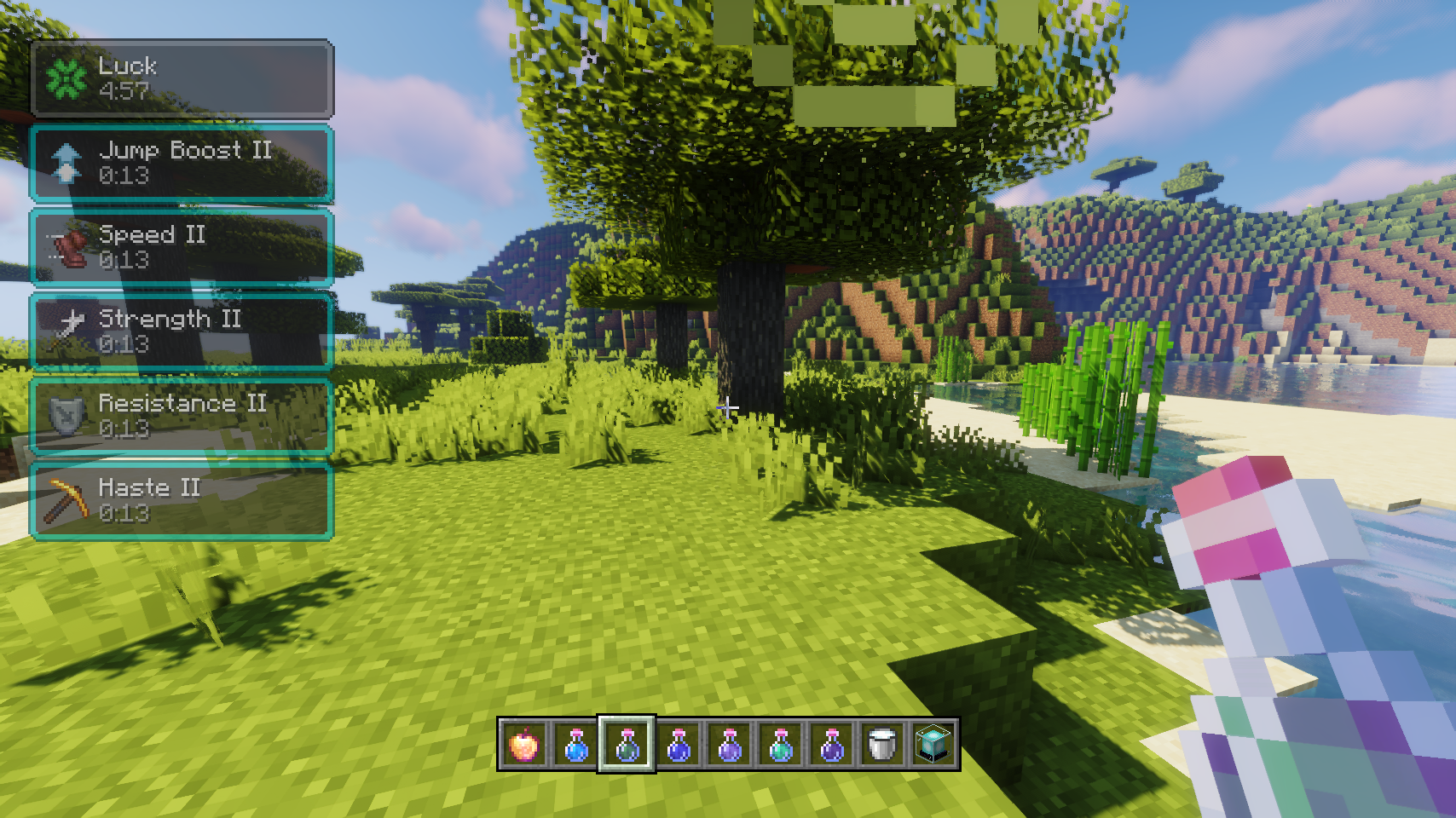 |
|
|---|---|---|
| Stylish effects in action being very stylish | Various effect render types can be chosen and configured | |
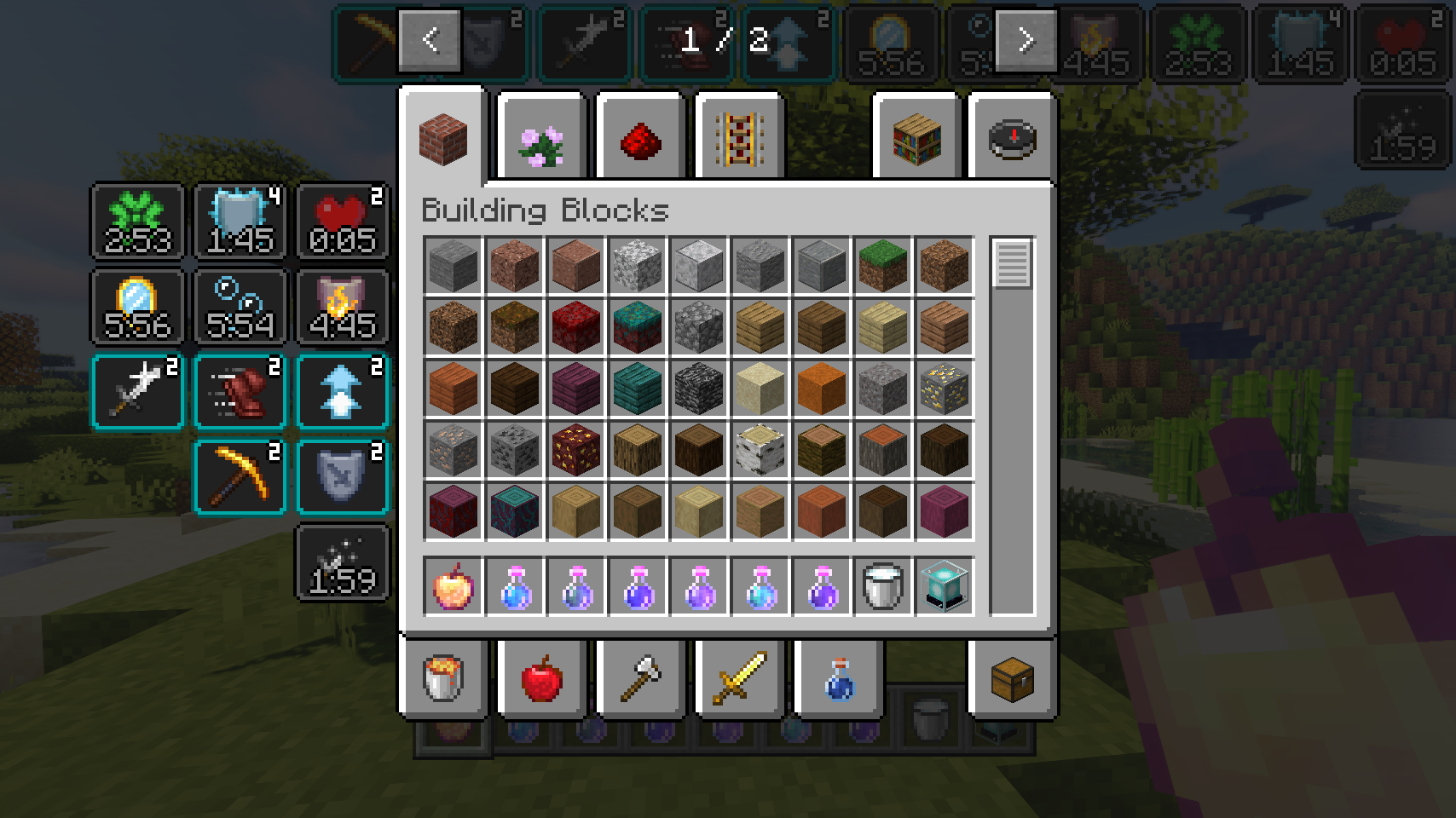 |
 |
|
| Compact effects replace the vanilla display inside of the inventory | The effects display is shown in every container, not just the inventory | |
 |
 |
|
| Useful tooltips will appear when effect widgets are hovered | Tooltips are great for retaining information while also adding even more | |
 |
||
| So many possible settings, and great REI compatibility | ||
💡 FAQ:
Q: How do I configure this mod?
A: Editing configs directly in-game has not yet been implemented. Instead when in a world run the /config showfile <modid> command by choosing either CLIENT or SERVER (depending on the mod), then click the file name (ending with .toml) that appears in chat to be able to manually edit the config file in a separate editor. After saving the file, the config will automatically reload in-game after a couple of seconds, so no game restart required.
Q: How do I enable effect descriptions on the tooltips?
A: The descriptions are provided by a separate mod: Potion Descriptions by Azmalent.
🏆 Credits:
Developing Stylish Effects was helped and inspired by:





 |
 |
|
|---|---|---|
Project description from CurseForge.
Pick your setup
Choose the version and loader you play, then open the matching release.
Check the dependencies, then try the file in a copied instance before changing a world you care about.
Recent files
3 Mar 2022
25 Dec 2021
24 Dec 2021
24 Dec 2021
22 Nov 2021
20 Nov 2021
Looking for an older file? The official CurseForge project page is in Resources.
 mod
An update of the original Advanced Chat HUD(With fixes). A brand new chat HUD design for Minecraft with tons of features.
 mod
An update of the original AdvancedChatBox(With fixes). Complex suggestions, spell check, and tab completion added in the Minecraft chat box
 mod
An update of the original Advanced Chat Core(With fixes). The core mod for AdvancedChat modules.


