Fabric API Needed by Visual Workbench [Legacy Fabric] VisualWorkbench-v3.3.0-1.18.2-Fabric.jar
requiredMatching file found Matched file: [1.18.2] Fabric API 0.77.0+1.18.2
![Visual Workbench [Legacy Fabric] project artwork](https://media.forgecdn.net/avatars/464/865/637745033656985721.png)
CurseForge · Minecraft mod
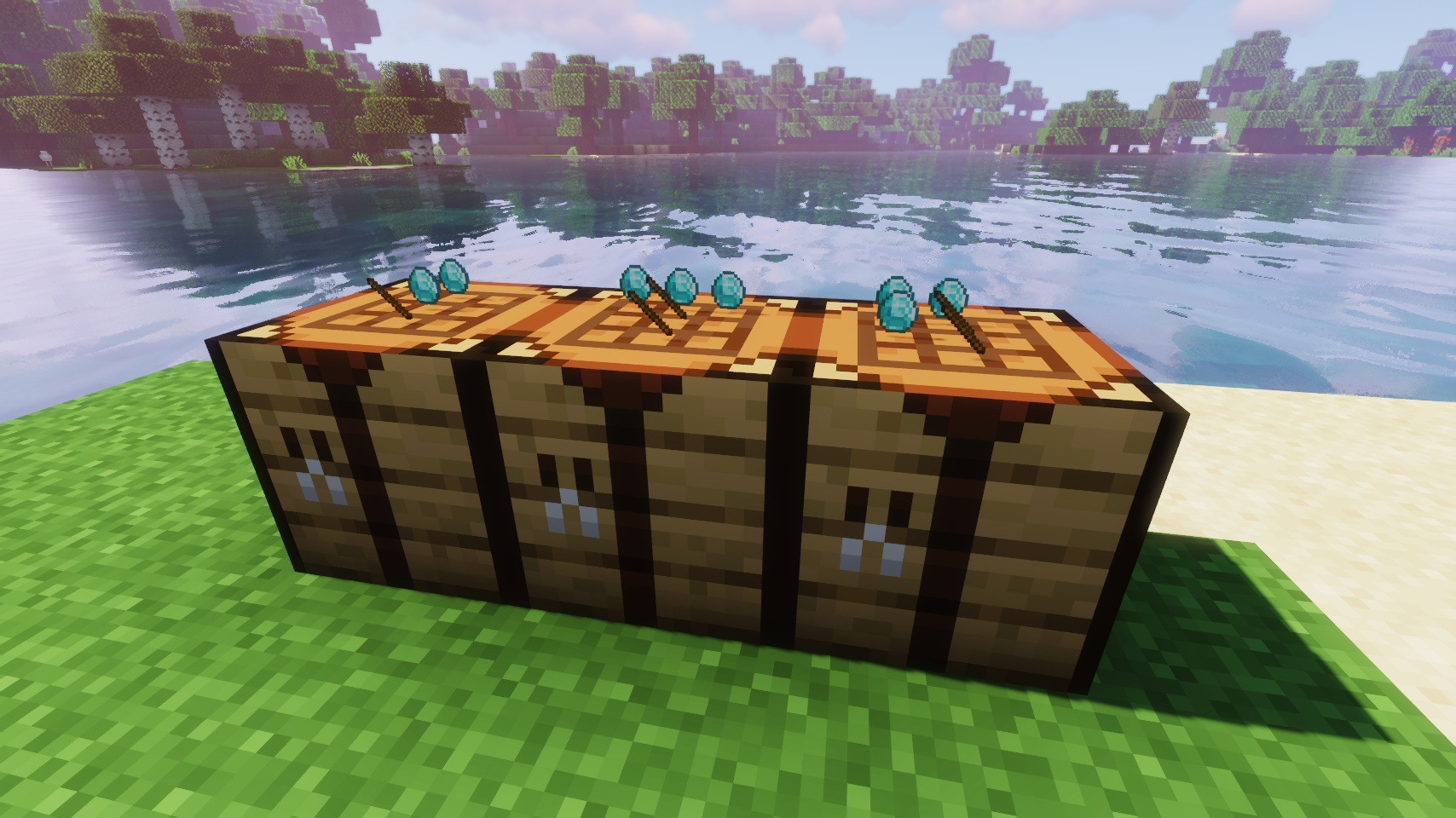
Items stay inside of crafting tables and are also rendered on top. It's really fancy!
Quick answer
Visual Workbench [Legacy Fabric] VisualWorkbench-v3.3.0-1.18.2-Fabric.jar targets 1.18.2 with Fabric. The project page does not say whether this file belongs on the client, dedicated server, or both. All 3 required mods have matching files.
Where it goes
The project page does not say whether this file belongs on the client, dedicated server, or both.
The source does not explicitly classify this release as client-only or server-only.
VisualWorkbench-v3.3.0-1.18.2-Fabric.jar. Change the file and its required mods may change too.
Install Fabric API, Puzzles Lib [Legacy Fabric], Forge Config API Port first. We found matching files for this game-version and loader setup. 1 comes through another mod in the chain.
1 extra mod was pulled in by another dependency. Indented rows show who needs each one. We only count dependency files that match this setup. A file for another loader does not fill the gap.
Before you install it
Built for Visual Workbench [Legacy Fabric] VisualWorkbench-v3.3.0-1.18.2-Fabric.jar. Pick another file and the loader, install side or required mods may change.
Use VisualWorkbench-v3.3.0-1.18.2-Fabric.jar. It targets 1.18.2 with Fabric; another release may have different loader, side or dependency requirements.
Install Fabric API, Puzzles Lib [Legacy Fabric], Forge Config API Port first. We found matching files for this game-version and loader setup. 1 comes through another mod in the chain.
The project page does not say whether this file belongs on the client, dedicated server, or both.
Use the “Get this file” button beside VisualWorkbench-v3.3.0-1.18.2-Fabric.jar. It opens that exact file at the source.
About this project
Download for 1.19+: https://www.curseforge.com/minecraft/mc-mods/visual-workbench




📖 About:
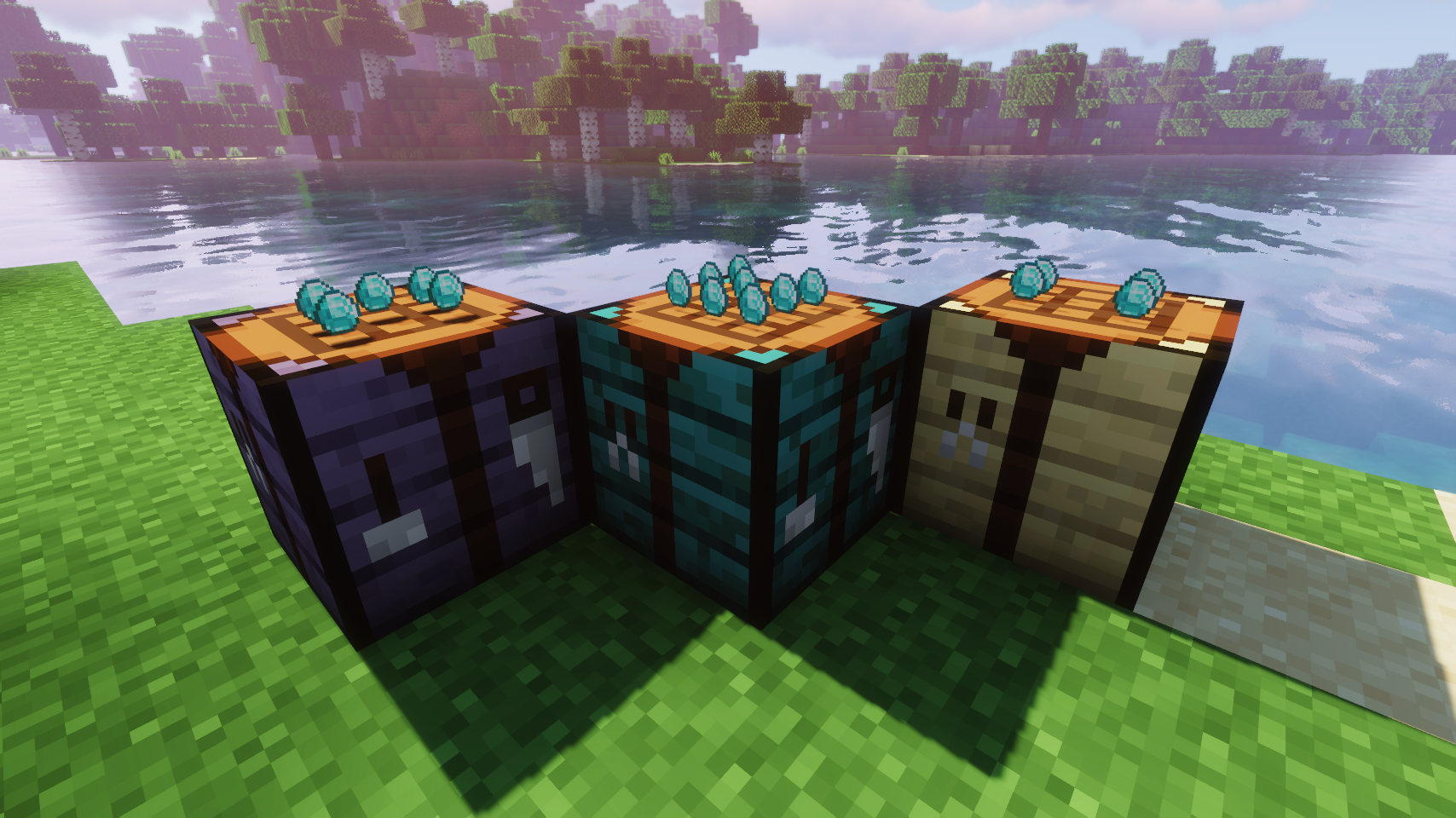
Visual Workbench makes items put into a crafting table stay inside. Breaking the block drops everything on the ground, just like you'd expect. Oh, and crafting ingredients are also rendered on top. Really fancy if you ask me!
 |
 |
|
|---|---|---|
| Crafting now looks really fancy | Modded crafting tables work too (Forge only) | |
 |
 |
|
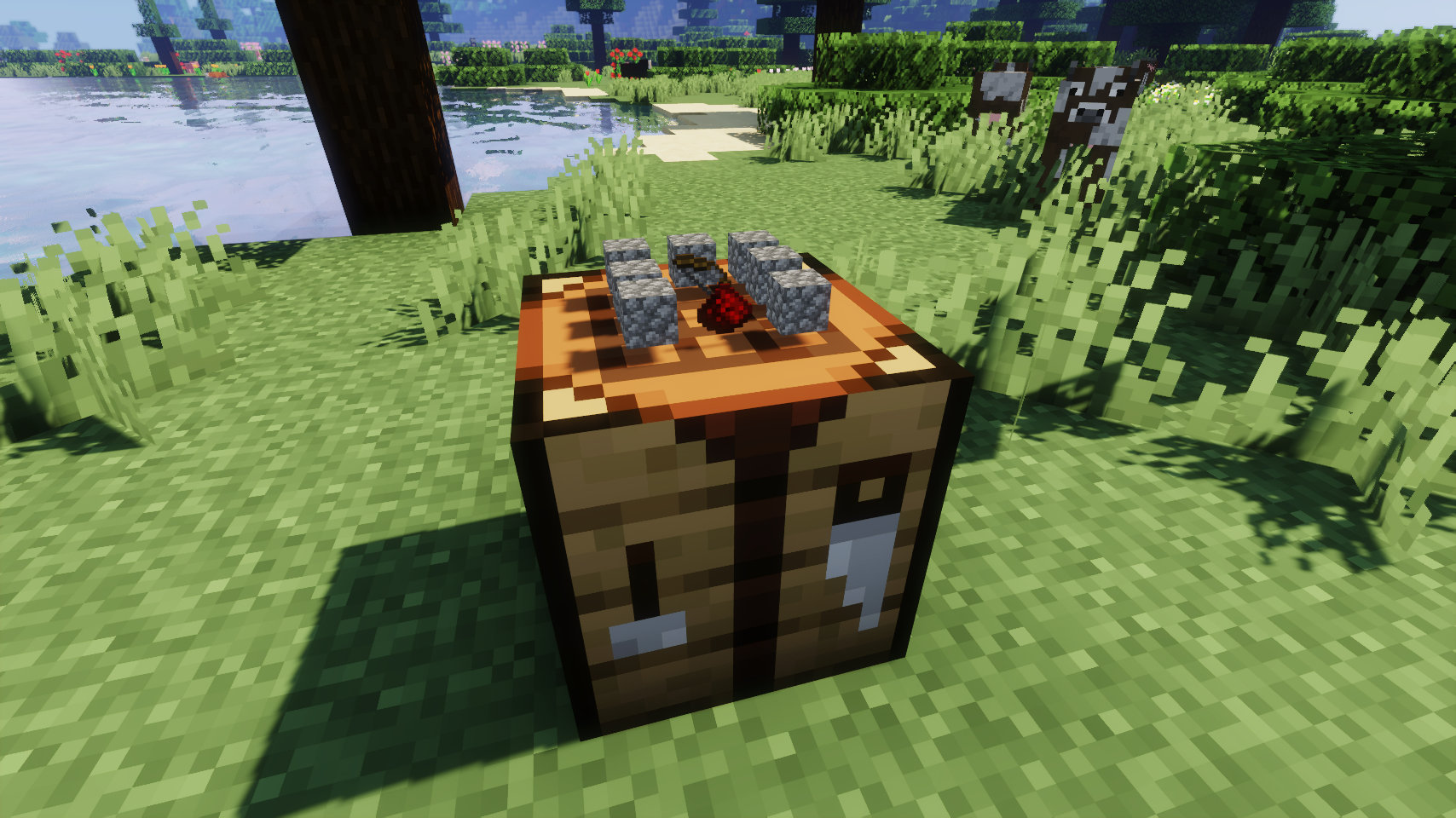
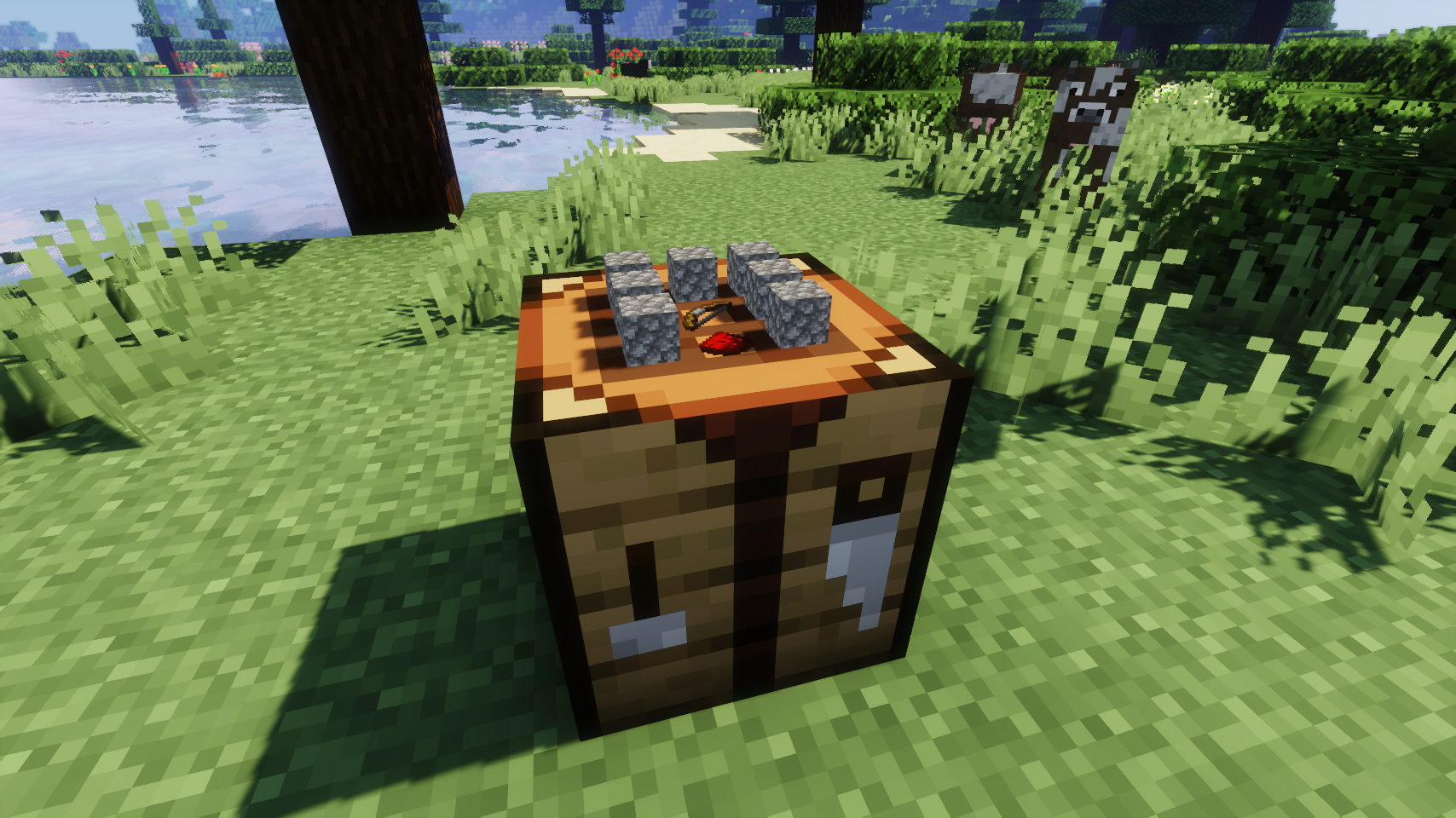
| Floating item rendering option | Flat item rendering option | |
💡 FAQ:
Q: How do I configure this mod?
A: Editing configs directly in-game has not yet been implemented. Instead when in a world run the /config showfile <modid> command by choosing either CLIENT or SERVER (depending on the mod), then click the file name (ending with .toml) that appears in chat to be able to manually edit the config file in a separate editor.
Q: Does this work with crafting tables from other mods?
A: Unfortunately no.
Q: Now that items stay in the table, clearing the interface is so tedious. What can I do?
A: Try Crafting Tweaks, a mod by BlayTheNinth.
🏆 Credits:
Developing Visual Workbench was helped and inspired by:






 |
 |
|
|---|---|---|
 |
 |
|
 |
 |
|
Project description from CurseForge.
Pick your setup
Choose the version and loader you play, then open the matching release.
Check the dependencies, then try the file in a copied instance before changing a world you care about.
Recent files
3 May 2022
3 Mar 2022
12 Dec 2021
12 Dec 2021
7 Dec 2021
Looking for an older file? The official CurseForge project page is in Resources.
 mod
modMakes your hotbar seemingly float in place by shifting it a few pixels upward.
 mod
modAllows Create Aeronautics To Be Played On Controller
 mod
modA server-authoritative Minecraft leaderboard for deaths and travel distance. Hold TAB for live rankings or open a full-screen view with sorting, pagination, configurable columns, and optional offline players.


