Minecraft version
Back to mods 
CurseForge · Minecraft mod
Archeology Update
Archeology was announced in Minecraft Live 2020 but was subsequently postponed to a version yet to be defined, but if you already want to play with these new features download this mod and enjoy!
Choose a version Pick your version below, then grab the matching file.
Quick answer
Which Archeology Update release should I use?
Latest stable file ArcheologyUpdateMod 1.16.5-1.2 FORGE
Game version 1.16.3, 1.16.1, 1.16
Loader Forge
Archeology Update ArcheologyUpdateMod 1.16.5-1.2 FORGE targets 1.16.3, 1.16.1, 1.16 with Forge. The project page does not say whether this file belongs on the client, dedicated server, or both. No extra mods listed for this file.
Where it goes
Is Archeology Update required on the client, server, or both?
The project page does not say whether this file belongs on the client, dedicated server, or both.
Client Source doesn’t say
Dedicated server Source doesn’t say
Loader for this release Forge
Required install it here Optional supported, not mandatory Not supported do not install here Source doesn’t say do not assume
The source does not explicitly classify this release as client-only or server-only.
What else does Archeology Update ArcheologyUpdateMod 1.16.5-1.2 FORGE need?
ArcheologyUpdateMod 1.16.5-1.2 FORGE. Change the file and its required mods may change too.
This file does not list any required mods. Do not add a library just because a different file uses it.
This file does not list any required or optional mods.
Before you install it
Add Archeology Update without breaking your instance.
Built for Archeology Update ArcheologyUpdateMod 1.16.5-1.2 FORGE. Pick another file and the loader, install side or required mods may change.
- 01
Stick to this file
Use ArcheologyUpdateMod 1.16.5-1.2 FORGE. It targets 1.16.3, 1.16.1, 1.16 with Forge; another release may have different loader, side or dependency requirements.
- 02
Bring the mods it needs
This file does not list any required mods. Do not add a library just because a different file uses it.
- 03
Put it on the correct side
The project page does not say whether this file belongs on the client, dedicated server, or both.
- 04
Pick the file you checked
Use the “Get this file” button beside ArcheologyUpdateMod 1.16.5-1.2 FORGE. It opens that exact file at the source.
About this project
What does Archeology Update add?
Archeology Update [Abandoned project.]


Features:
- Copper Golem


- Brush
- Exposed Brush
- Weathered Brush
- Oxidized Brush
- Oxidized Copper Ingots
- Ceramic Shard: Alex, Steve, Cow, Dragon, Vindicator, Skeleton, Tree


- Ancient Gravel
- Clay Pot
- Ceramic Pot
- Copper Tiles


- Wither Bone
- Wither Powder
- Wither Bone Block

Archaeological Sites
Oxidizer


Emerald Set


Discord: https://discord.gg/DcsZfhsU7W
Telegram: https://t.me/ BKaTmKYQLoVhNmU8
Project description from CurseForge.
Pick your setup
Archeology Update by Minecraft version and loader
Choose the version and loader you play, then open the matching release.
Minecraft version
1.17.1
1 loader buildMinecraft version
1.17
1 loader buildMinecraft version
1.16.5
1 loader buildMinecraft version
1.16.4
1 loader buildMinecraft version
1.16.3
1 loader buildMinecraft version
1.16.2
1 loader buildMinecraft version
1.16.1
1 loader buildMinecraft version
1.16
1 loader buildCheck the dependencies, then try the file in a copied instance before changing a world you care about.
Recent files
Archeology Update versions and loaders
ArcheologyUpdateMod 1.16.5-1.2 FORGE
ArcheologyUpdateMod 1.16.5-1.2.jar
18 May 2022
Client Source doesn’t say Server Source doesn’t say Dependencies No extras listed Listed on Release listing
Check the 1.16.5 · Forge setup 1.16.31.16.11.161.16.5 release
ArcheologyUpdateMod 1.18.2-1.2 FORGE
ArcheologyUpdateMod 1.18.2-1.2.jar
18 May 2022
Client Source doesn’t say Server Source doesn’t say Dependencies No extras listed Listed on Release listing
Check the 1.18.2 · Forge setup 1.18.2Forge release
ArcheologyUpdateMod 1.18.2-1.1
ArcheologyUpdateMod 1.18.2-1.1.jar
23 Apr 2022
Client Source doesn’t say Server Source doesn’t say Dependencies No extras listed Listed on Release listing
Check the 1.18.2 · Forge setup 1.18.2Forge beta
ArcheologyUpdateMod 1.17.X-1.1
ArcheologyUpdateMod 1.17.X-1.1.jar
23 Dec 2021
Client Source doesn’t say Server Source doesn’t say Dependencies No extras listed Listed on Release listing
Check the 1.17.1 · Forge setup 1.17.11.17Forge release
Archeology Update Mod 1.17.X 1.0
Archeology Update Mod 1.17.X 1.0.jar
21 Dec 2021
Client Source doesn’t say Server Source doesn’t say Dependencies No extras listed Listed on Release listing
Check the 1.17.1 · Forge setup 1.17.11.17Forge beta
Archeology Update Mod 1.16.X 1.0
Archeology Update Mod 1.16.X 1.0.jar
17 Dec 2021
Client Source doesn’t say Server Source doesn’t say Dependencies No extras listed Listed on Release listing
Check the 1.16.5 · Forge setup 1.16.31.16.11.161.16.5 beta
Looking for an older file? The official CurseForge project page is in Resources.
 mod
CurseForge · Minecraft
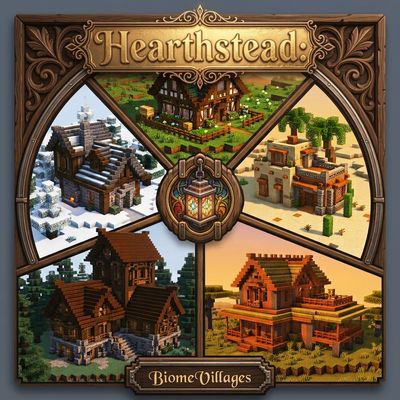
Hearthstead: Biome Villages
Every vanilla village rebuilt as a real little town: plazas, gardens, walled towns and 8 biome styles from desert to cherry grove. Pure vanilla blocks, works with vanilla villagers and raids.
 mod
CurseForge · Minecraft
Telemap: Core
A fullscreen map with clickable places, built on Diorama, JourneyMap or Xaero's World Map: markers, legend with search, event feed, teams and sharing. The core of the Telemap mods
 mod
CurseForge · Minecraft
Sou's Gameplay Tweaks
Configurable vanilla gameplay tweaks: faster furnaces, hoppers, breeding, crops and more, all adjustable in-game.