Mod Menu Needed by MCVM Client mcvm-client-1.0.0.jar
requiredMatching file found Matched file: Mod Menu v3.0.1 for 1.18 and 1.18.1

CurseForge · Minecraft mod
A Client Sided Fabric mod that adds zoom, lock FOV, and other Quality of Life improvements.
Quick answer
MCVM Client mcvm-client-1.0.0.jar targets 1.18.1, 1.18 with Fabric. The project page does not say whether this file belongs on the client, dedicated server, or both. All 2 required mods have matching files.
Where it goes
The project page does not say whether this file belongs on the client, dedicated server, or both.
The source does not explicitly classify this release as client-only or server-only.
mcvm-client-1.0.0.jar on 1.18. Every mod below is checked against that same setup.
Install Mod Menu, Fabric API first. We found matching files for this game-version and loader setup.
We only count dependency files that match this setup. A file for another loader does not fill the gap.
Before you install it
Built for MCVM Client mcvm-client-1.0.0.jar on 1.18. Pick another file and the loader, install side or required mods may change.
Use mcvm-client-1.0.0.jar. It targets 1.18.1, 1.18 with Fabric; another release may have different loader, side or dependency requirements.
Install Mod Menu, Fabric API first. We found matching files for this game-version and loader setup.
The project page does not say whether this file belongs on the client, dedicated server, or both.
Use the “Get this file” button beside mcvm-client-1.0.0.jar. It opens that exact file at the source.
About this project
MCVM Client is a Client Sided F abric mod that adds a few quality of life features to Minecraft.
Requires Fabric API (above version 0.11.3) and modmenu (above version 3.0.0) to function.
The mod's setting page can be accessed through either the configuration button for the mod in mod menu or through a button on the controls setting page for backwards compatability or preference if "Control page" is enabled in the mod settings (Disabled by default).
Zoom (Make sure to bind the keybind for this in your settings)
Adjustable zoom FOV (Defaults to 25)
Scroll while zooming to change zoom FOV (Defaults to enabled)
Toggle or Hold zoom modes (Defaults to Hold)
Lock FOV, prevents events like sprinting from modifying your FOV (Disabled by default)
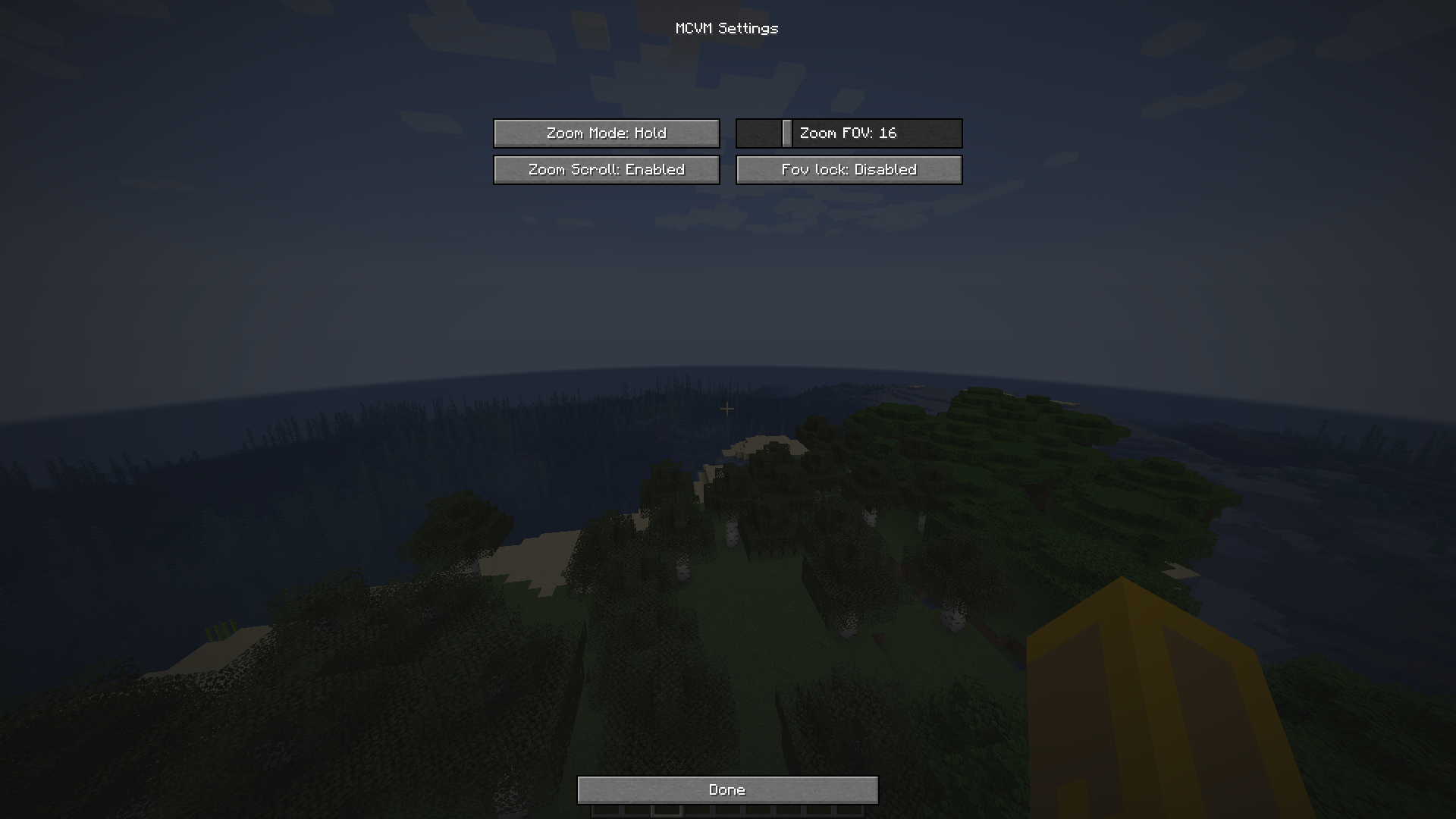
Project description from CurseForge.
Pick your setup
Choose the version and loader you play, then open the matching release.
Check the dependencies, then try the file in a copied instance before changing a world you care about.
Recent files
23 Dec 2021
mcvm-client-0.9.0.jar
21 Dec 2021
Looking for an older file? The official CurseForge project page is in Resources.