Minecraft version
Back to mods 
CurseForge · Minecraft mod
MOA DECOR (1.17)
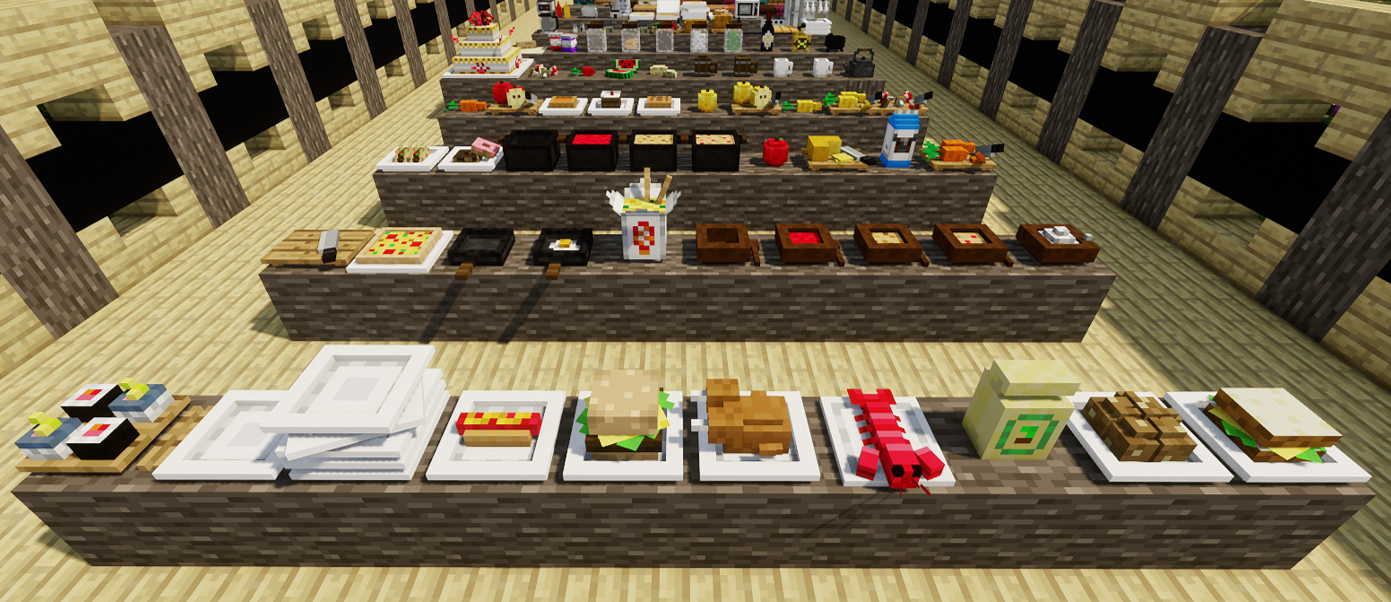
Add new models of decorative items for your constructions.
Choose a version Pick your version below, then grab the matching file.
Quick answer
Which MOA DECOR (1.17) release should I use?
Latest stable file MOAdecor 1.17-22.4
Game version 1.17.1
Loader forge
MOA DECOR (1.17) MOAdecor 1.17-22.4 targets 1.17.1. The project page does not say whether this file belongs on the client, dedicated server, or both. No extra mods listed for this file.
Where it goes
Is MOA DECOR (1.17) required on the client, server, or both?
The project page does not say whether this file belongs on the client, dedicated server, or both.
Client Source doesn’t say
Dedicated server Source doesn’t say
Loader for this release No loader listed
Required install it here Optional supported, not mandatory Not supported do not install here Source doesn’t say do not assume
The source does not explicitly classify this release as client-only or server-only.
What else does MOA DECOR (1.17) MOAdecor 1.17-22.4 need?
MOAdecor 1.17-22.4. Change the file and its required mods may change too.
This file does not list any required mods. Do not add a library just because a different file uses it.
This file does not list any required or optional mods.
Before you install it
Add MOA DECOR (1.17) without breaking your instance.
Built for MOA DECOR (1.17) MOAdecor 1.17-22.4. Pick another file and the loader, install side or required mods may change.
- 01
Stick to this file
Use MOAdecor 1.17-22.4. It targets 1.17.1; another release may have different loader, side or dependency requirements.
- 02
Bring the mods it needs
This file does not list any required mods. Do not add a library just because a different file uses it.
- 03
Put it on the correct side
The project page does not say whether this file belongs on the client, dedicated server, or both.
- 04
Pick the file you checked
Use the “Get this file” button beside MOAdecor 1.17-22.4. It opens that exact file at the source.
About this project
What does MOA DECOR (1.17) add?
MOA DECOR
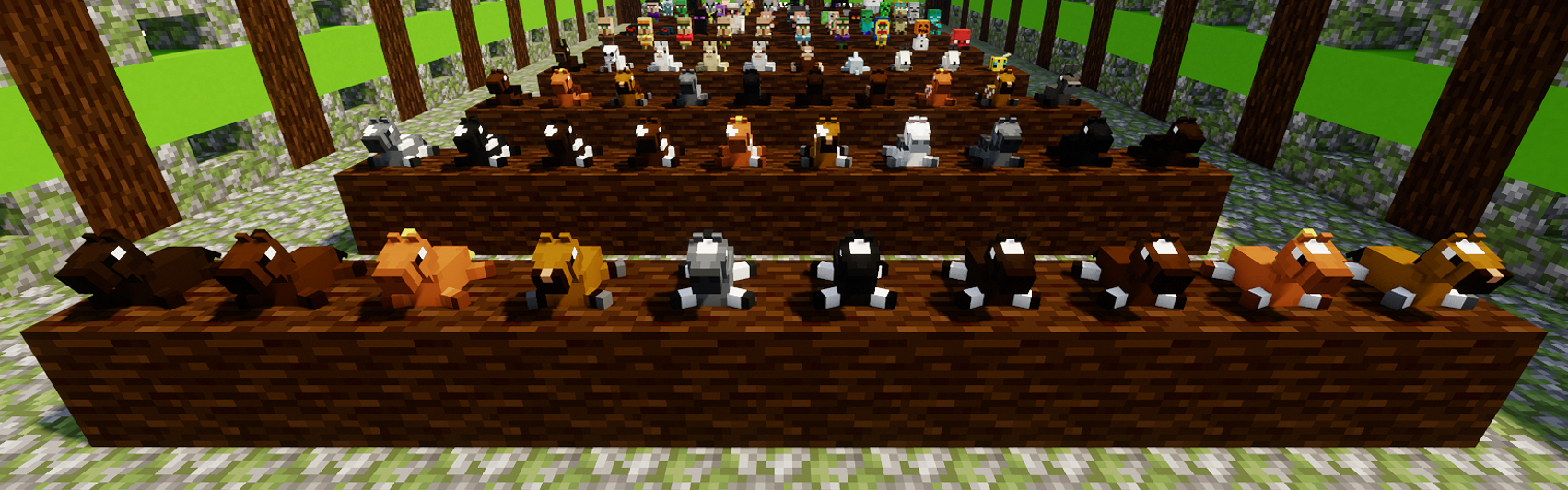
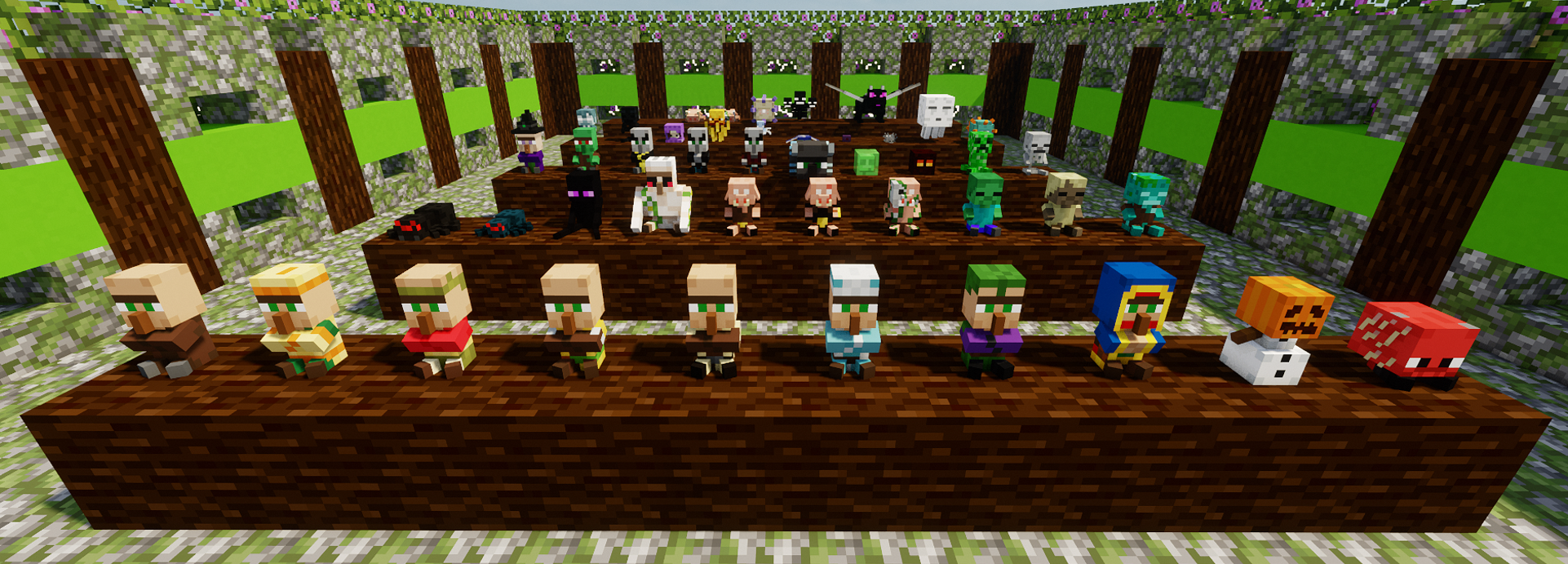
It’s a decoration mod that seeks to add new objects to set your buildings. Currently there are already several mods that add furniture, this mod seeks to be one more complement for them, since although you will not find furniture here, you can find hundreds of different objects and items with which to decorate your world.
CRAFTING:
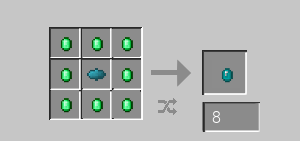
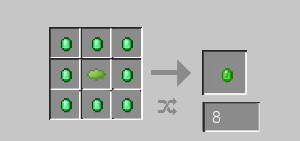
All items in the mod can be obtained in survival mode. In order to start creating these objects you must get an Emerald Fragment, placing an Emerald on the crafting table (Similar to a gold nugget).
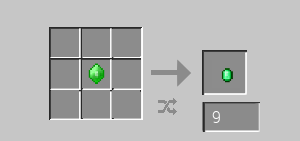
These will then be mixed with dyes for Category Gems. Which will help you create decorative objects according to the category to which they belong. CURRENTLY THERE ARE 4 CATEGORIES!
EXAMPLE: If you want to obtain the model of a Guitar, for its crafting you must necessarily have an Art Gem (Orange), in addition to the extra materials for the object, being in this case Planks, Stick and String).
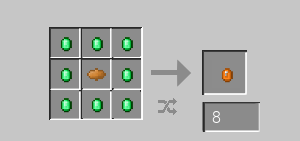
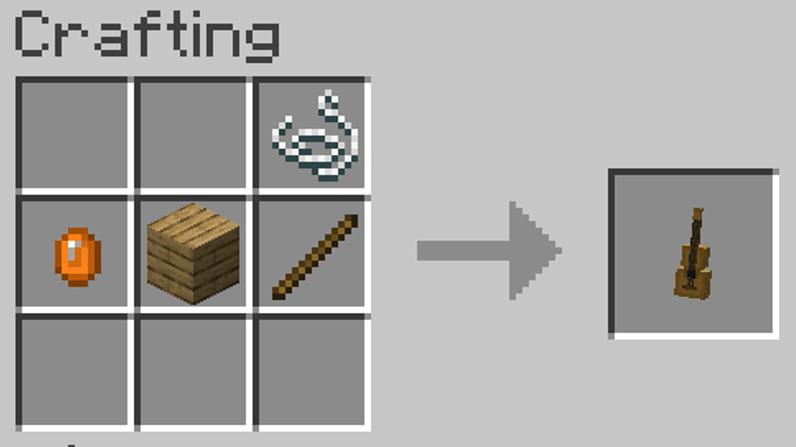
There are some secondaries crafts that derive from the combination of objects from two models. In these cases, the Gem will not be necessary, since it was already required for its previous craft.
CATEGORIES:
- Cookery (140)
- Art (95)
- Science (101)
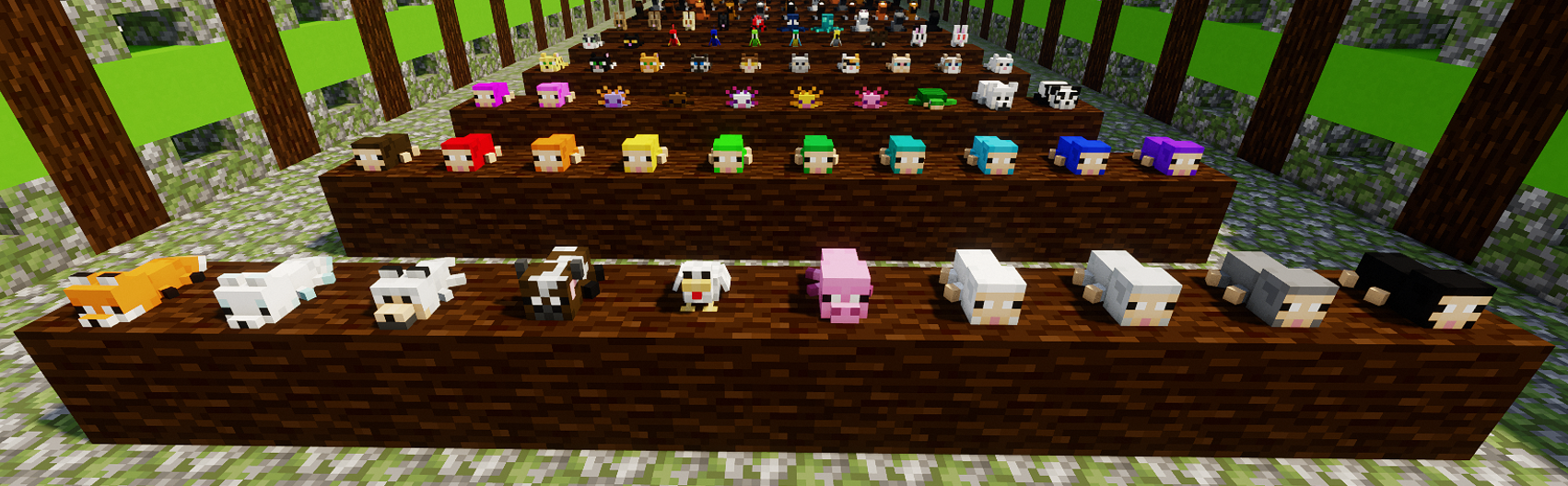
- Toys (143)
¡THERE ARE 479 NEW ITEMS!
COOKERY: (140 items)
Cookery Gem = Black Dye
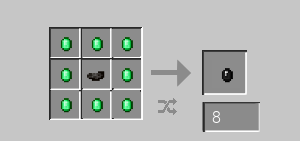
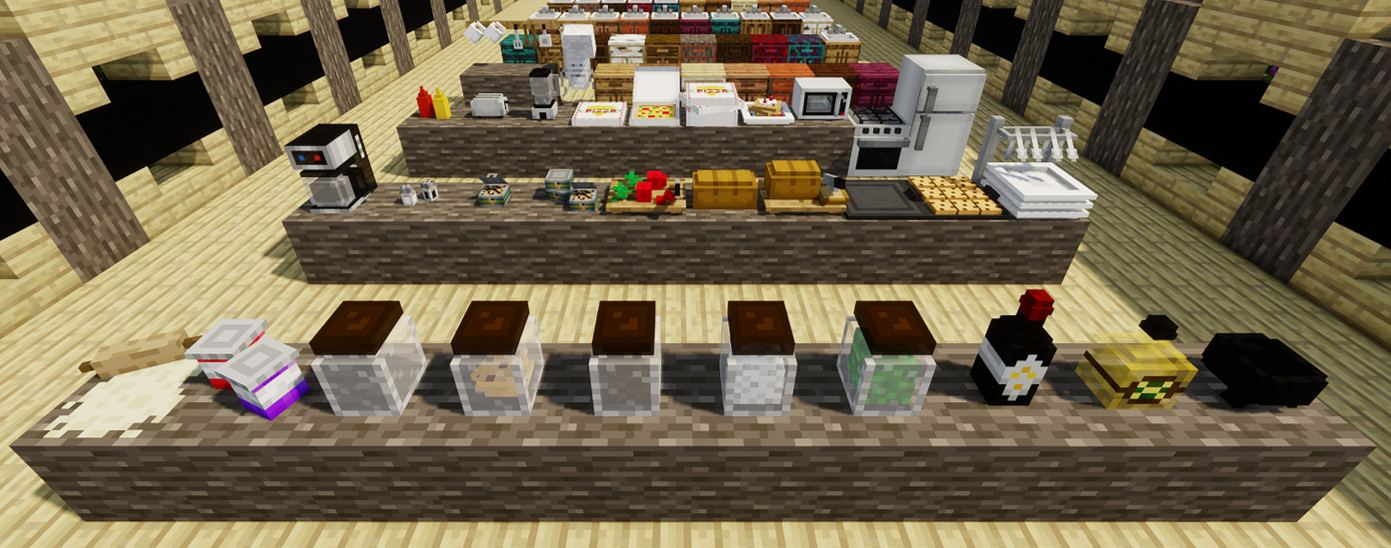
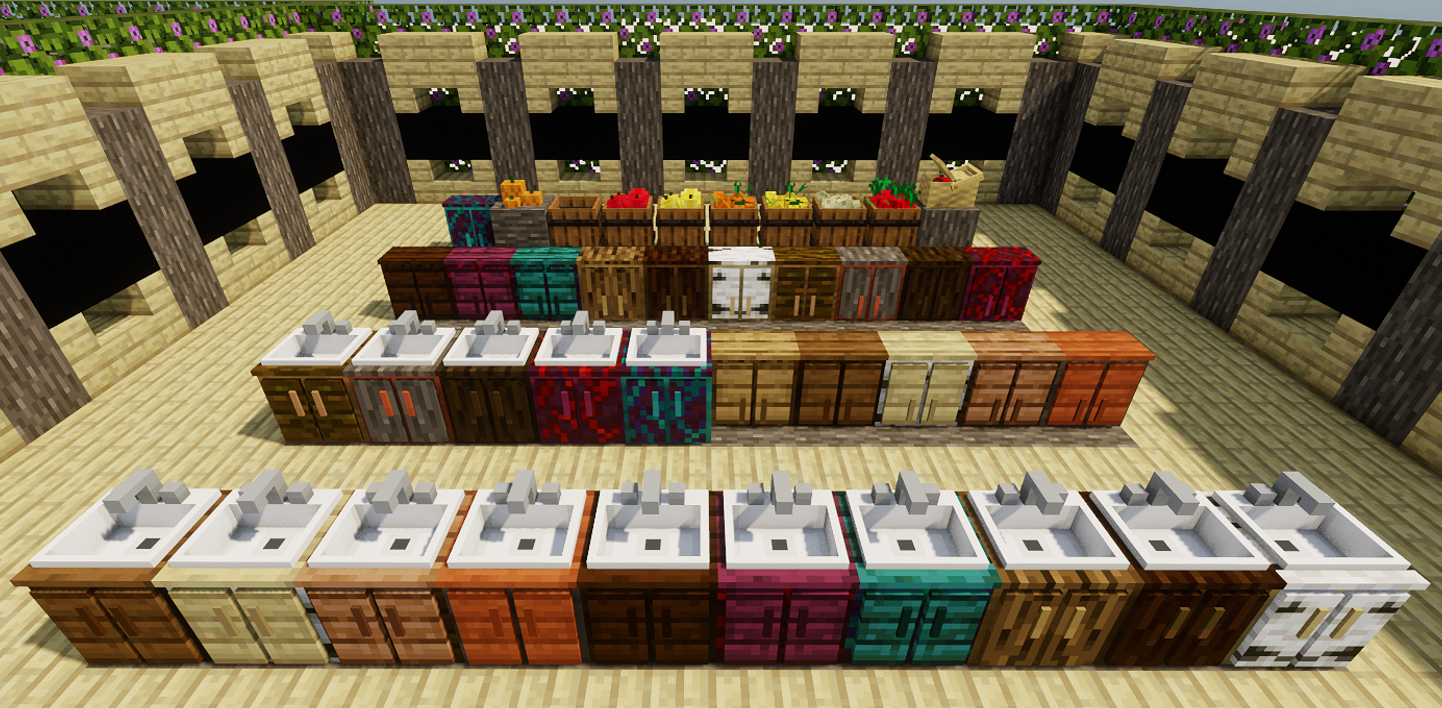
ART: (95 items)
Art Gem = Orange Dye
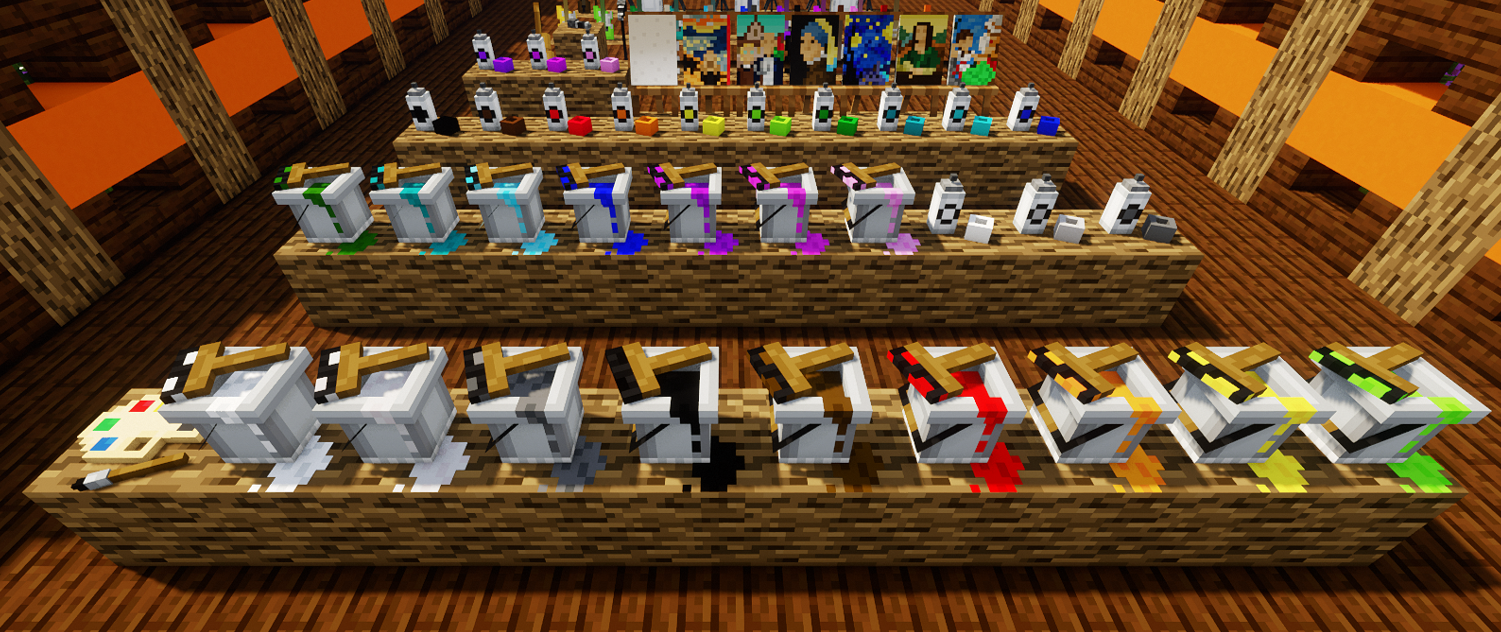
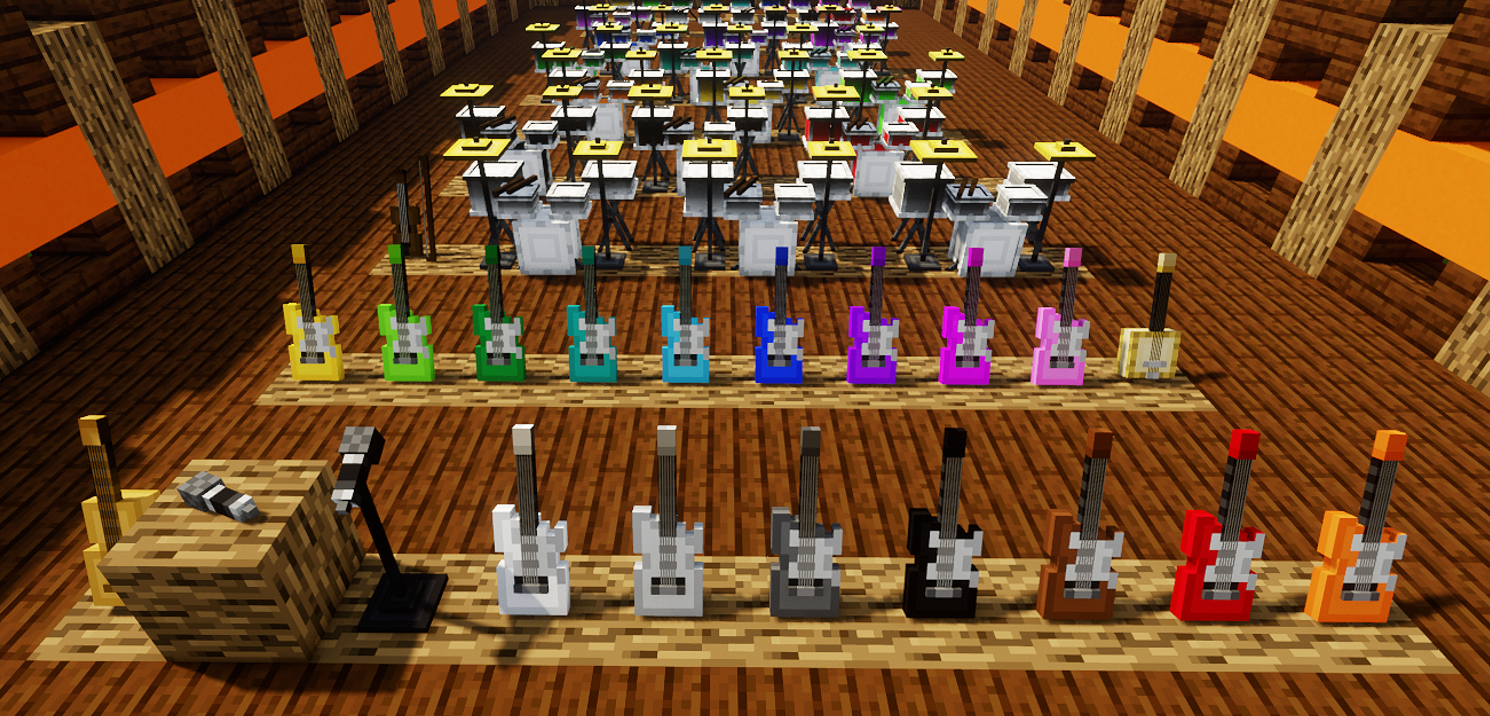
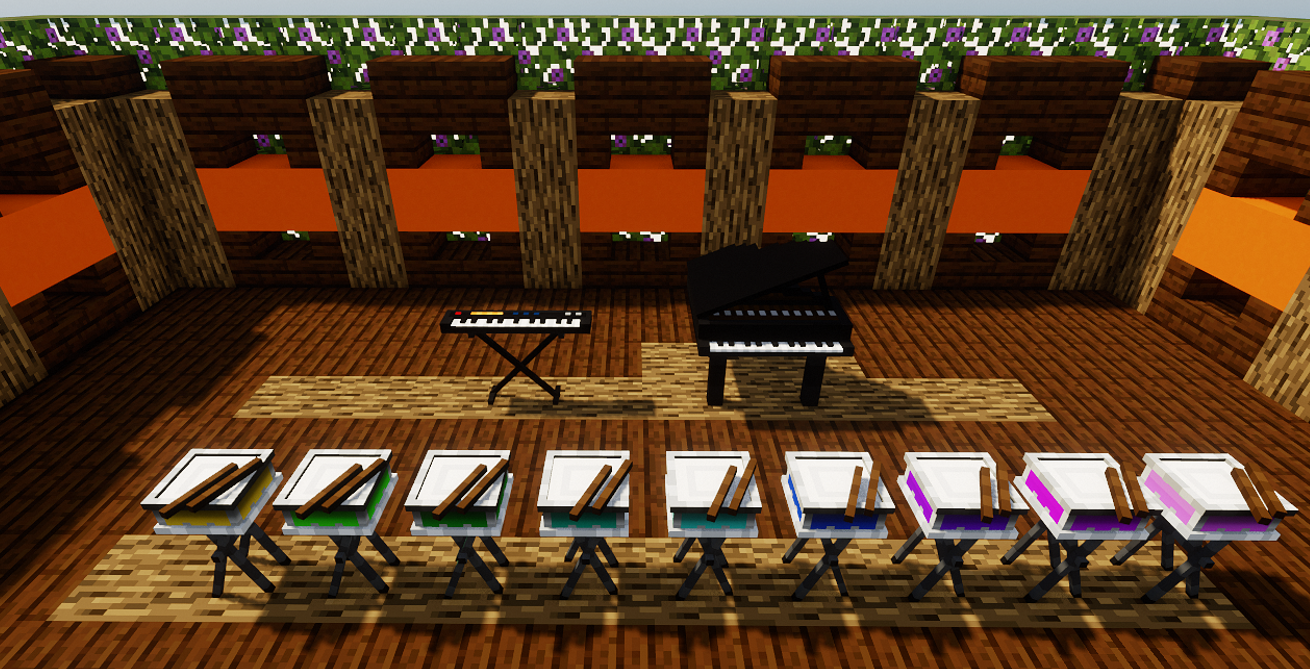
SCIENCE: (101 items)
Science Gem = Cyan Dye
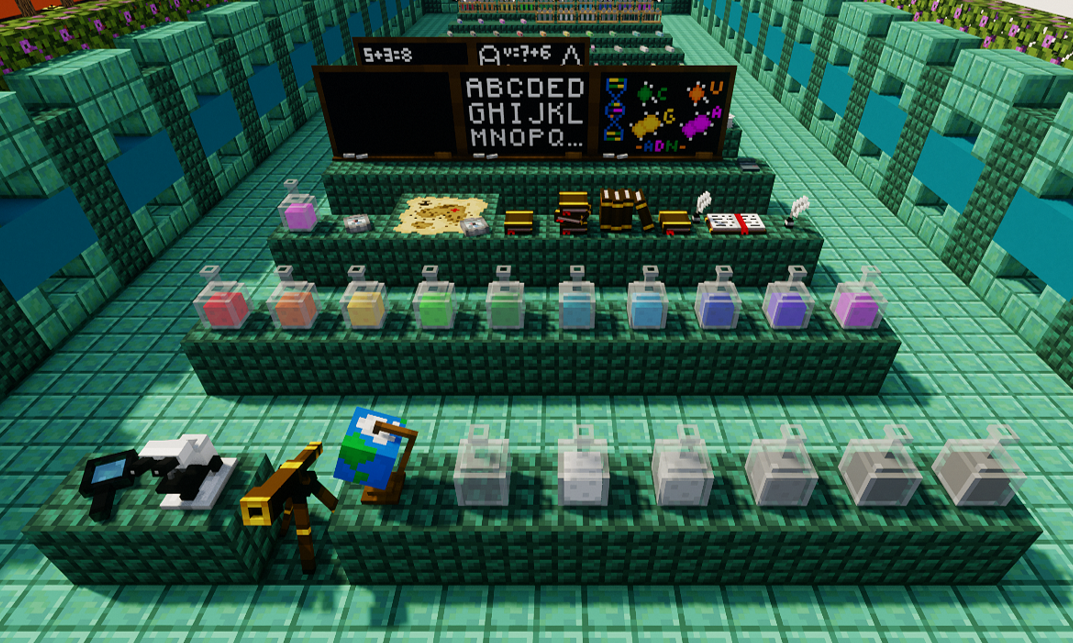
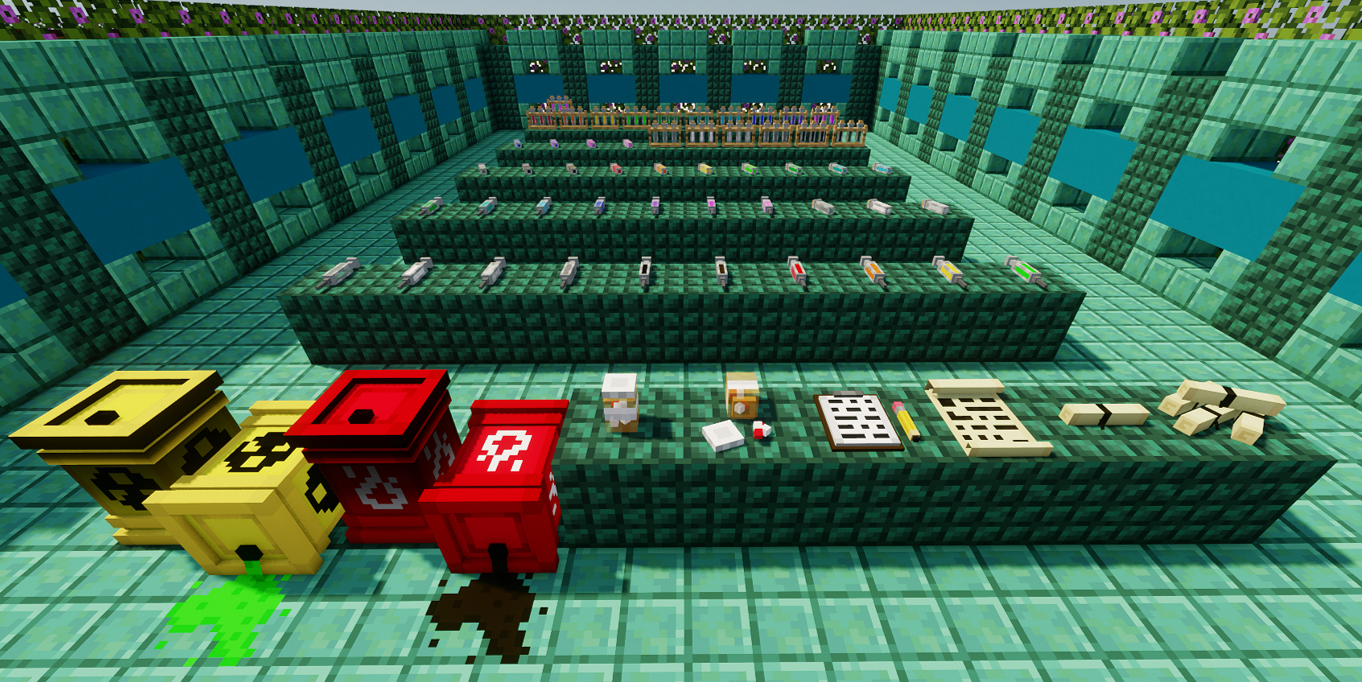
TOYS: (143 items)
Toys Gem = Lime Dye
Project description from CurseForge.
Pick your setup
MOA DECOR (1.17) by Minecraft version and loader
Choose the version and loader you play, then open the matching release.
Minecraft version
1.17
1 loader buildCheck the dependencies, then try the file in a copied instance before changing a world you care about.
Recent files
MOA DECOR (1.17) versions and loaders
MOAdecor 1.17-22.4
MOAdecor 1.17 - 22.4.jar
16 Apr 2022
Client Source doesn’t say Server Source doesn’t say Dependencies No extras listed Listed on Release listing
Check the 1.17.1 setup 1.17.1 release
MOAdecor 1.17-22.3
MOAdecor 1.17 - 22.3.jar
7 Mar 2022
Client Source doesn’t say Server Source doesn’t say Dependencies No extras listed Listed on Release listing
Check the 1.17.1 · Forge setup 1.17.1Forge release
MOAdecor 1.17-22.2
MOAdecor 1.17 - 22.2.jar
7 Feb 2022
Client Source doesn’t say Server Source doesn’t say Dependencies No extras listed Listed on Release listing
Check the 1.17.1 setup 1.17.11.17 release
Looking for an older file? The official CurseForge project page is in Resources.
 mod
mod CurseForge + Modrinth · Minecraft
Sodium Chinese Localization Mod
A project can translate you sodium mod into Chinese
 mod
mod CurseForge · Minecraft
rpcoin
RPCoin is a Minecraft mod that adds a cryptocurrency system, allowing players to earn and exchange RPCoins for in-game items.
 mod
mod CurseForge · Minecraft
ImmortalStorage
A NeoForge cultivation and personal storage mod featuring ten-stage progression, automation, personal realms, Spirit Swords, Immortal Furnaces, and optional cross-mod integration.