Minecraft version
Back to mods 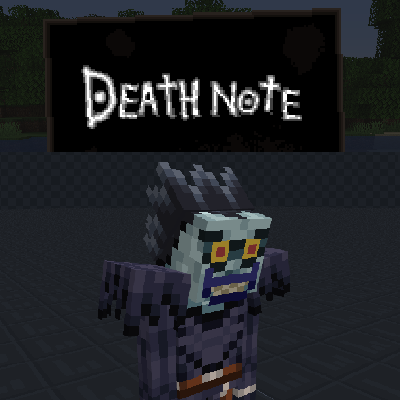
CurseForge · Minecraft mod
Death Note Mod
Adds content from the Death Note anime to Minecraft.
Choose a version Pick your version below, then grab the matching file.
Quick answer
Which Death Note Mod release should I use?
Latest stable file deathnotemod_1.16.5_1.2
Game version 1.16.5
Loader Not required
Death Note Mod deathnotemod_1.16.5_1.2 targets 1.16.5. The project page does not say whether this file belongs on the client, dedicated server, or both. No extra mods listed for this file.
Where it goes
Is Death Note Mod required on the client, server, or both?
The project page does not say whether this file belongs on the client, dedicated server, or both.
Client Source doesn’t say
Dedicated server Source doesn’t say
Loader for this release No loader listed
Required install it here Optional supported, not mandatory Not supported do not install here Source doesn’t say do not assume
The source does not explicitly classify this release as client-only or server-only.
What else does Death Note Mod deathnotemod_1.16.5_1.2 need?
deathnotemod_1.16.5_1.2. Change the file and its required mods may change too.
This file does not list any required mods. Do not add a library just because a different file uses it.
This file does not list any required or optional mods.
Before you install it
Add Death Note Mod without breaking your instance.
Built for Death Note Mod deathnotemod_1.16.5_1.2. Pick another file and the loader, install side or required mods may change.
- 01
Stick to this file
Use deathnotemod_1.16.5_1.2. It targets 1.16.5; another release may have different loader, side or dependency requirements.
- 02
Bring the mods it needs
This file does not list any required mods. Do not add a library just because a different file uses it.
- 03
Put it on the correct side
The project page does not say whether this file belongs on the client, dedicated server, or both.
- 04
Pick the file you checked
Use the “Get this file” button beside deathnotemod_1.16.5_1.2. It opens that exact file at the source.
About this project
What does Death Note Mod add?
Want to join our new discord community?
This mod aims to replicate features from the Death Note anime in Minecraft.
Details
The Death Note can be used to kill both mobs and players, but players are protected with a new 'name' system. Press 'N' to view your current name (the key for this can be changed in the game options). A new random name can be assigned either by respawning or by using a name change form. If you have written in the Note, you will be doomed to respawn in the Shinigami realm. To undo this and return to the normal world, bring a shinigami an apple by right-clicking them with it. Apples can be found in the Shinigami realm by breaking the leaves on the dead trees scattered around (The Shinigami realm can be disabled in the game rules). To write a name in the Death Note, type the desired name into the chat with 'T' and hit send while holding it in your hand. Whatever you type in the chat while holding the Death Note will not be shown to anyone. You can right-click with the Death Note to view various options, including the time and cause of death. Additionally, you can make a deal for the Shinigami Eyes or relinquish the Note on the second page. To make the deal for the eyes, you will need an apple, golden apple, or an enchanted golden apple. A normal apple gives the Shinigami Eyes effect for 1 minute. A golden apple is 5 minutes and an enchanted golden apple is 10 minutes. When the effect runs out, you will die of a heart attack. With the Shinigami Eyes, you can see a mob or player's name by right-clicking on them or hitting them. A 'name scanner' can be crafted, and displays the name of the person standing on top of it. Ryuk can be revealed or dismissed on the second page of the Note. Keep in mind that anyone can see him when he is revealed, so he may give you away in pvp situations. He will get bored and leave on his own after a certain amount of time. He can be fed apples, which gives him extra speed and increases the duration of his stay.
Current Features
- A detailed and functioning Death Note
- Shinigami realm dimension, with shinigami mob
- The Shinigami Eyes
- A 'name' system for players to protect themselves from Death Note users
- Name Change Form, Rules Sheet, and Name Scanner
- A fake Death Note
- (NEW) Ryuk mob
- (NEW) Custom name change form
FAQ
- This mod requires Forge
- If you're having issues summoning Ryuk, try hiding him and re-revealing him (He is particularly picky about spawning when you're floating in creative mode).
- Feel free to use in modpacks or in videos etc.
- The mod will be updated to 1.17.1 once I get some feedback that this version is stable
- Versions past 1.17.1 will take some time due to some limitations
- I will likely not be backporting to older versions
Lastly, this mod was made using MCreator, an "open source software used to make Minecraft Java Edition mods, Bedrock Edition Add-Ons, and data packs using an intuitive easy-to-learn interface or with an integrated code editor".
Project description from CurseForge.
Pick your setup
Death Note Mod by Minecraft version and loader
Choose the version and loader you play, then open the matching release.
Check the dependencies, then try the file in a copied instance before changing a world you care about.
Recent files
Death Note Mod versions and loaders
deathnotemod_1.16.5_1.2
deathnotemod_1.16.5_1.2.jar
11 Jan 2022
Client Source doesn’t say Server Source doesn’t say Dependencies No extras listed Listed on Release listing
Check the 1.16.5 setup 1.16.5 release
deathnotemod_1.16.5_1.1
deathnotemod_1.16.5_1.1.jar
9 Jan 2022
Client Source doesn’t say Server Source doesn’t say Dependencies No extras listed Listed on Release listing
Check the 1.16.5 setup 1.16.5 beta
deathnotemod_1.16.5_1.0
deathnotemod_1.16.5_1.0.jar
3 Jan 2022
Client Source doesn’t say Server Source doesn’t say Dependencies No extras listed Listed on Release listing
Check the 1.16.5 setup 1.16.5 release
deathnotemod_1.16.5_0
deathnotemod.jar
30 Dec 2021
Client Source doesn’t say Server Source doesn’t say Dependencies No extras listed Listed on Release listing
Check the 1.16.5 setup 1.16.5 alpha
Looking for an older file? The official CurseForge project page is in Resources.
 mod
Modrinth · Minecraft
Waystones Item Cost Extended
Extend Waystones with reversible crafting denomination payments, automatic change, combined multi-item costs, nested containers, and Lightman's Currency wallets.
 mod
Modrinth · Minecraft
Mob Capture & Ally MOD 敵味方MOD
Anyone is free to use this content to create and distribute videos. どなたでも自由に動画化・配信にご利用いただけます本MODは、実況者であるなぎすたんす様の敵味方クラフトシリーズにインスパイアされて制作いたしました※なぎすたんす様ご本人より、お名前の掲載およびインスパイア表記の許可をいただいております
 mod
CurseForge · Minecraft
Necromancy Port
Port of Necromancy (1.7.10) to 1.12.2: build minions from body parts and raise them. Cleanroom only, requires ArchaicLib.