Cloth Config API Needed by BlockMixer • v.1.0.1
requiredMatching file found Matched file: 18.0.145+fabric

CurseForge · Minecraft mod
This mod is designed to ease the building process. How it works After you put the block, the mod chooses a random slot from BlockMixer's binded slots and automatically switches your character's selection to it.
Quick answer
BlockMixer • v.1.0.1 targets 1.21.5 with Fabric. The project page does not say whether this file belongs on the client, dedicated server, or both. All 4 required mods have matching files.
Where it goes
The project page does not say whether this file belongs on the client, dedicated server, or both.
The source does not explicitly classify this release as client-only or server-only.
BlockMixer • v.1.0.1. Change the file and its required mods may change too.
Install Cloth Config API, Fabric API, Mod Menu, Text Placeholder API first. We found matching files for this game-version and loader setup. 1 comes through another mod in the chain.
1 extra mod was pulled in by another dependency. Indented rows show who needs each one. We only count dependency files that match this setup. A file for another loader does not fill the gap.
Before you install it
Built for BlockMixer • v.1.0.1. Pick another file and the loader, install side or required mods may change.
Use BlockMixer • v.1.0.1. It targets 1.21.5 with Fabric; another release may have different loader, side or dependency requirements.
Install Cloth Config API, Fabric API, Mod Menu, Text Placeholder API first. We found matching files for this game-version and loader setup. 1 comes through another mod in the chain.
The project page does not say whether this file belongs on the client, dedicated server, or both.
Use the “Get this file” button beside BlockMixer • v.1.0.1. It opens that exact file at the source.
About this project
Description
This mod is designed to ease the building process.
After you put the block, the mod chooses a random slot from BlockMixer's binded slots and automatically switches your character's selection to it.
Required FabricRequired Fabric APIOptional Cloth Config APIOptional Mod MenuBasic usage
To bind and unbind a slot to BlockMixer click B. The binded slot will be highlighted with a green indicator.
Different mixing modes
To select mixing mode go to mod settings (Mod Menu required).
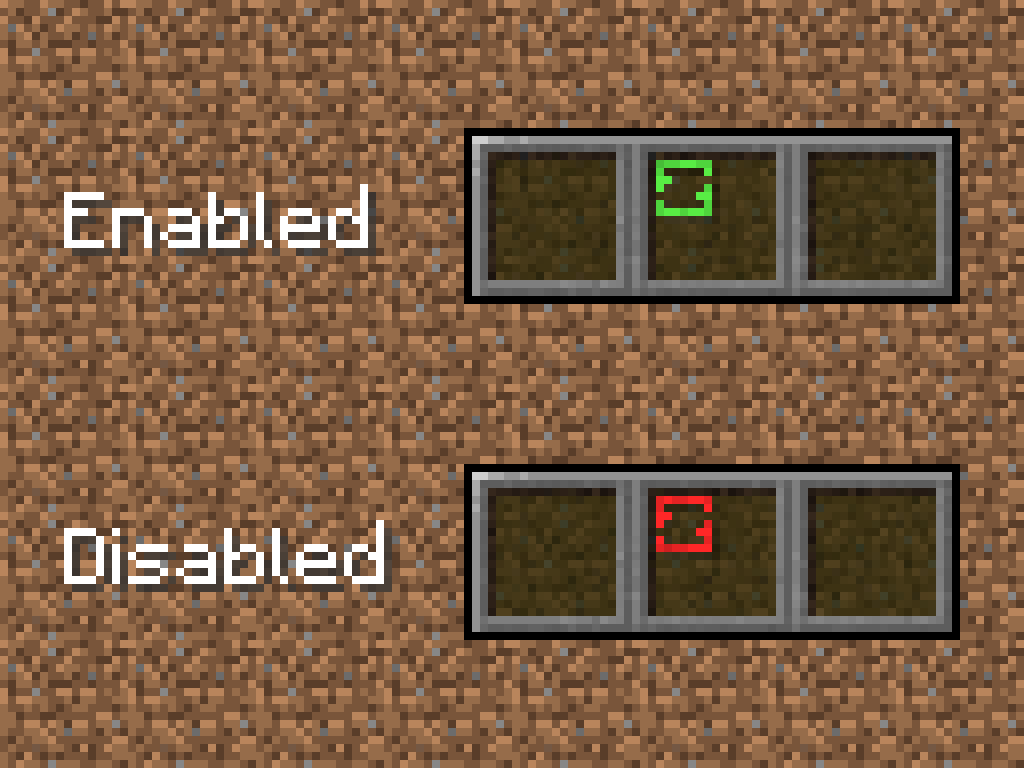
"Toggle Mod" optionThis option is for disable mod without cleaning BlockMixer's binded slots. To toggle mod press "Sneak" button (Shift by default) + "Toggle hotbar slot" button (B by default), Shift+B. All binded slots will be highlighted with a red indicator.
"Slot ratio" option
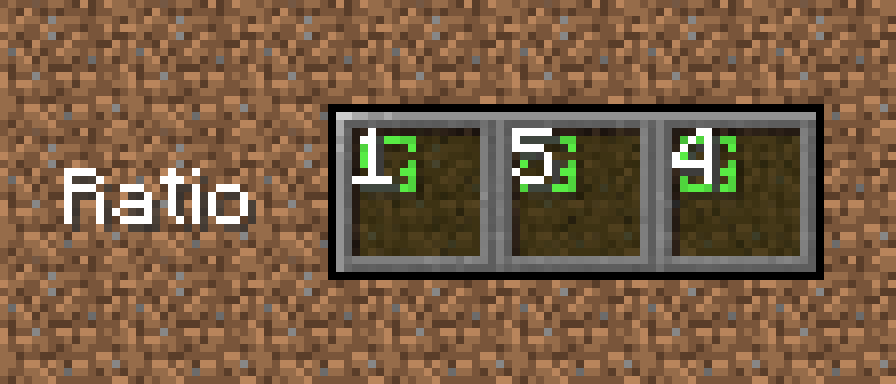
To increase slot ratio press ] (by default). To decrease slot ratio press [ (by default).
Project description from CurseForge.
Pick your setup
Choose the version and loader you play, then open the matching release.
Showing the newest 12 of 15 game versions. Older files are in the list below.
Check the dependencies, then try the file in a copied instance before changing a world you care about.
Recent files
blockmixer-1.0.1.jar
19 May 2025
blockmixer-1.0.1-1.20.jar
5 Aug 2023
blockmixer-1.0.0.jar
24 Oct 2022
blockmixer-1.0.0.jar
4 Jul 2022
blockmixer-1.0.0.jar
14 Jan 2022
blockmixer-1.0.0.jar
14 Jan 2022
Looking for an older file? The official CurseForge project page is in Resources.
 mod
Fight back against horror mods with holy crosses, holy water, churches and exorcism rituals that banish, block and silence the creatures haunting your world.
 mod
Theurgy is an open-source magic mod built around classical alchemy to replicate and transmute matter, and create magical artifacts.
 mod
Formerly named whwdzg's Recipe Add some recipes to Minecraft