Minecraft version
Back to mods 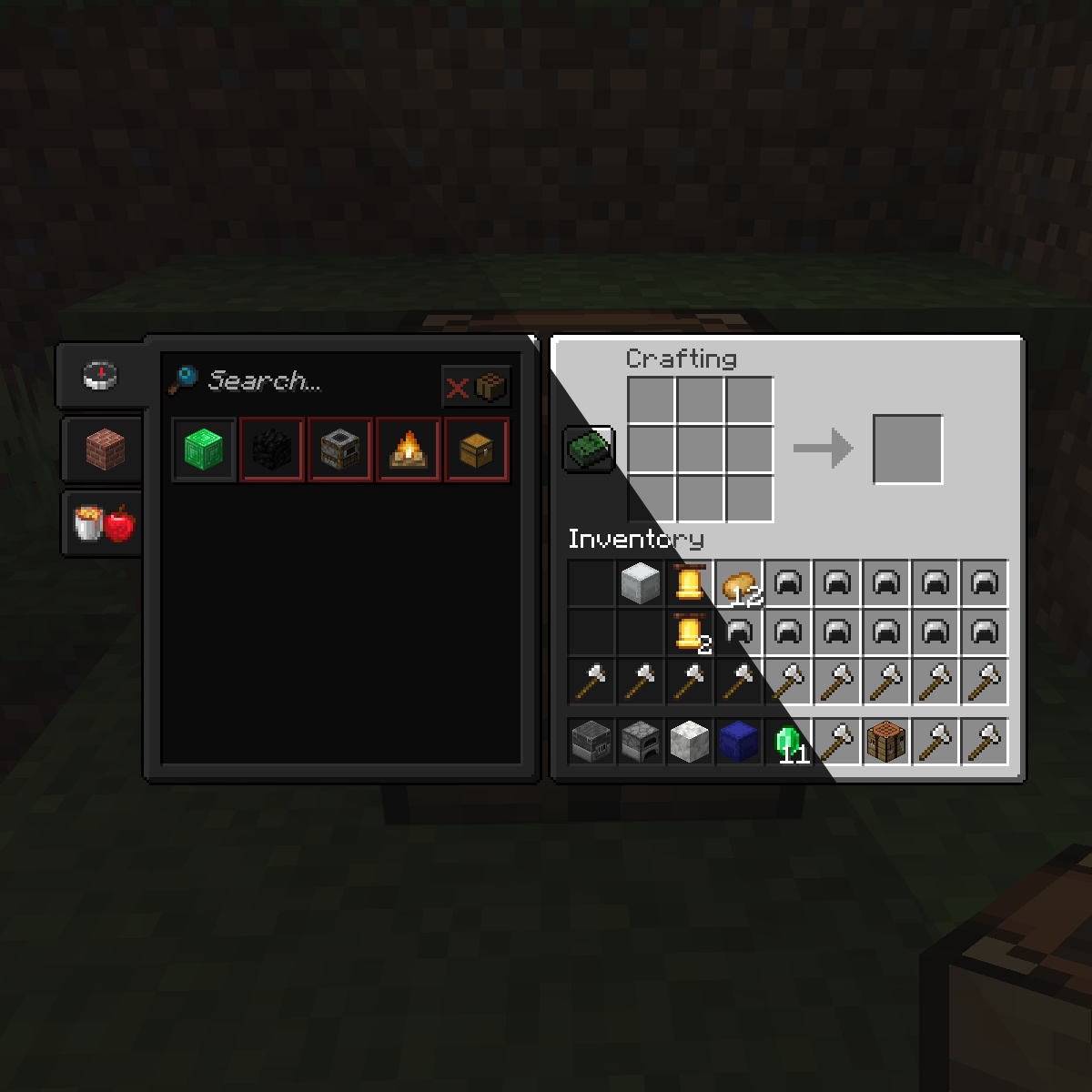
CurseForge · Minecraft mod
Dark Mode Everywhere
Have dark GUIs everywhere with the power of shaders
Choose a version Pick your version below, then grab the matching file.
Quick answer
Which Dark Mode Everywhere release matches 1.19.2 Forge?
Best match for your filters DarkModeEverywhere-1.19.2-1.1.4.jar
Game version 1.19.2, 1.19.3, 1.19.4
Loader Forge
Dark Mode Everywhere DarkModeEverywhere-1.19.2-1.1.4.jar targets 1.19.2, 1.19.3, 1.19.4 with Forge. The project page does not say whether it belongs on the client. The project page does not say whether it belongs on the dedicated server. No extra mods listed for this file.
Where it goes
Is Dark Mode Everywhere required on the client, server, or both?
The project page does not say whether it belongs on the client. The project page does not say whether it belongs on the dedicated server.
Client Source doesn’t say
Dedicated server Source doesn’t say
Loader for this release Forge
Required install it here Optional supported, not mandatory Not supported do not install here Source doesn’t say do not assume
The source does not explicitly classify this release as client-only or server-only.
What else does Dark Mode Everywhere DarkModeEverywhere-1.19.2-1.1.4.jar need?
DarkModeEverywhere-1.19.2-1.1.4.jar on 1.19.2 Forge. Every mod below is checked against that same setup.
This file does not list any required mods. Do not add a library just because a different file uses it.
This file does not list any required or optional mods.
Before you install it
Add Dark Mode Everywhere without breaking your instance.
Built for Dark Mode Everywhere DarkModeEverywhere-1.19.2-1.1.4.jar on 1.19.2 Forge. Pick another file and the loader, install side or required mods may change.
- 01
Stick to this file
Use DarkModeEverywhere-1.19.2-1.1.4.jar. It targets 1.19.2, 1.19.3, 1.19.4 with Forge; another release may have different loader, side or dependency requirements.
- 02
Bring the mods it needs
This file does not list any required mods. Do not add a library just because a different file uses it.
- 03
Put it on the correct side
The project page does not say whether it belongs on the client. The project page does not say whether it belongs on the dedicated server.
- 04
Pick the file you checked
Use the “Get this file” button beside DarkModeEverywhere-1.19.2-1.1.4.jar. It opens that exact file at the source.
About this project
What does Dark Mode Everywhere add?

 Join my Discord
  Support me on Patreon
  Follow me on twitter
Dark Mode Everywhere uses the built in 1.18 Minecraft shaders to transform any GUI texture into a Dark Mode. Thanks to the shaders it will work in any GUI in the game, it will also try to modify the text color is its not hard to read in dark mode. Please report any visual issues so I can fix it.
The mod currently provides with 3 dark modes to suit your needs that can be easily changed by clicking on the button on the bottom left: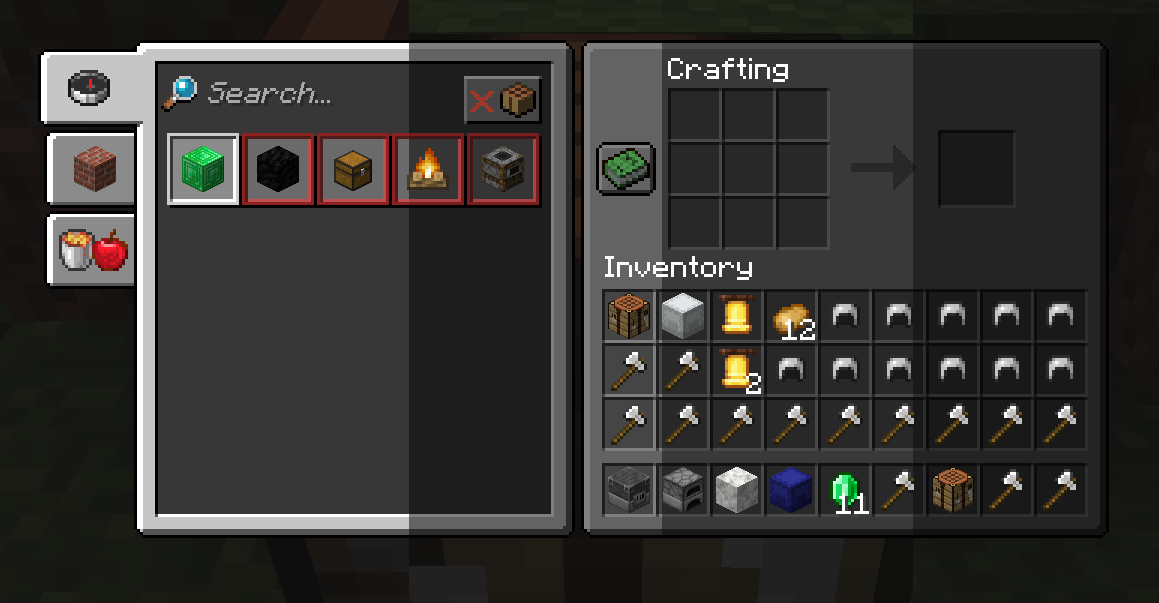
You can have the possibilty if adding new GUI shaders by modifying the "darkmodeeverywhereshaders.json" and using a Resource Loader mod or a Resource Pack.<
Shader Blacklist
# A list of strings that will prevent the dark shader to be used.
# Each string consists of the class and the method or any part of it to prevent the use of the dark shader.
# The dump will consist of a bunch of string with this style:
# 'net.minecraftforge.client.gui.overlay.ForgeGui:renderHunger' (class:method)
# Any part of that dump (like just using renderHunger) will prevent the hunger bar from using the dark shader.
METHOD_SHADER_BLACKLIST = [
    "mezz.jei.common.render.FluidTankRenderer:drawTextureWithMasking",
    "renderCrosshair",
    "net.minecraft.client.gui.screens.TitleScreen",
    "renderSky",
    "renderHotbar",
    "setupOverlayRenderState",
    "net.minecraftforge.client.gui.overlay.ForgeGui",
    "renderFood",
    "renderExperienceBar"
]
# Enabling this config will dump every 5 seconds which classes and methods were used to render something
# in the screen and the dark shader was trying to be used
METHOD_SHADER_DUMP = false
Project description from CurseForge.
Pick your setup
Dark Mode Everywhere by Minecraft version and loader
Choose the version and loader you play, then open the matching release.
Minecraft version
1.21.1
2 loader buildsMinecraft version
1.21
1 loader buildMinecraft version
1.20.1
1 loader buildMinecraft version
1.19.4
1 loader buildMinecraft version
1.19.3
1 loader buildMinecraft version
1.19.2
1 loader buildMinecraft version
1.19.1
1 loader buildMinecraft version
1.18.2
1 loader buildMinecraft version
1.18.1
1 loader buildCheck the dependencies, then try the file in a copied instance before changing a world you care about.
Recent files
Dark Mode Everywhere versions and loaders
DarkModeEverywhere-1.19.2-1.1.4.jar
23 Jul 2023
Client Source doesn’t say Server Source doesn’t say Dependencies No extras listed Listed on Release listing
Check the 1.19.2 · Forge setup 1.19.2Forge1.19.31.19.4 release
DarkModeEverywhere-1.19.2-1.1.3.jar
27 Jun 2023
Client Source doesn’t say Server Source doesn’t say Dependencies No extras listed Listed on Release listing
Check the 1.19.2 · Forge setup 1.19.2Forge release
DarkModeEverywhere-1.19.2-1.1.2.jar
6 May 2023
Client Source doesn’t say Server Source doesn’t say Dependencies No extras listed Listed on Release listing
Check the 1.19.2 · Forge setup 1.19.2Forge beta
DarkModeEverywhere-1.19.2-1.1.1.jar
24 Apr 2023
Client Source doesn’t say Server Source doesn’t say Dependencies No extras listed Listed on Release listing
Check the 1.19.2 · Forge setup 1.19.2Forge beta
DarkModeEverywhere-1.19.1-1.1.0.jar
15 Apr 2023
Client Source doesn’t say Server Source doesn’t say Dependencies No extras listed Listed on Release listing
Check the 1.19.2 · Forge setup 1.19.2Forge beta
DarkModeEverywhere-1.19.1-1.0.3.jar
2 Aug 2022
Client Source doesn’t say Server Source doesn’t say Dependencies No extras listed Listed on Release listing
Check the 1.19.2 · Forge setup 1.19.2Forge1.19.1 beta
Looking for an older file? The official CurseForge project page is in Resources.
 mod
mod CurseForge · Minecraft
Falling Leaves
The mod adds falling leaves to the main menu and the player's inventory, which can be pushed away using the cursor.
 mod
mod CurseForge · Minecraft
Smooth FreeCam
A smooth spectator-style freecam. Fly the camera freely while your player stays frozen, then glide back into gameplay with a smooth transition.
 mod
mod CurseForge · Minecraft
Kingdom Keys 2
A mod which adds elements from the Kingdom Hearts games