Kotlin for Forge Needed by Lucky Block lucky-block-neoforge-1.21.6-13.0
requiredMatching file found Matched file: Kotlin for Forge 5.12.0

CurseForge · Minecraft mod
Drops items, spawns mobs, structures and more!
Quick answer
Lucky Block lucky-block-neoforge-1.21.6-13.0 targets 1.21.8, 1.21.6, 1.21.7 with NeoForge. The project page does not say whether this file belongs on the client, dedicated server, or both. All 1 required mods have matching files.
Where it goes
The project page does not say whether this file belongs on the client, dedicated server, or both.
The source does not explicitly classify this release as client-only or server-only.
lucky-block-neoforge-1.21.6-13.0. Change the file and its required mods may change too.
Install Kotlin for Forge first. We found matching files for this game-version and loader setup.
We only count dependency files that match this setup. A file for another loader does not fill the gap.
Before you install it
Built for Lucky Block lucky-block-neoforge-1.21.6-13.0. Pick another file and the loader, install side or required mods may change.
Use lucky-block-neoforge-1.21.6-13.0. It targets 1.21.8, 1.21.6, 1.21.7 with NeoForge; another release may have different loader, side or dependency requirements.
Install Kotlin for Forge first. We found matching files for this game-version and loader setup.
The project page does not say whether this file belongs on the client, dedicated server, or both.
Use the “Get this file” button beside lucky-block-neoforge-1.21.6-13.0. It opens that exact file at the source.
About this project

The Block
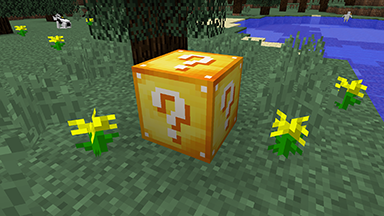
When you open a Lucky Block, it will randomly choose one of over 100 possible outcomes. These cover most components of the game, including items, chests, monsters, structures, potions, enchantments, etc.
The mod also adds three new items, which can occasionally be found in a Lucky Block.
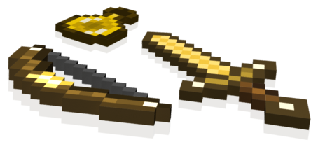
Lucky Sword
The Lucky Sword usually acts as a normal sword with 6 attack damage. However, occasional swings will give special powers - examples include a stream of arrows, extra health, or blindness for your opponent.
Lucky Bow
The Lucky Bow shoots arrows like a normal bow. However, it will occasionally shoot other things too - examples include TNT, a lava bucket, or a large meteorite.
Lucky Potion
The Lucky Potion can be thrown, and will produce a random effect on impact. This is often combined with additional items, monsters, etc.
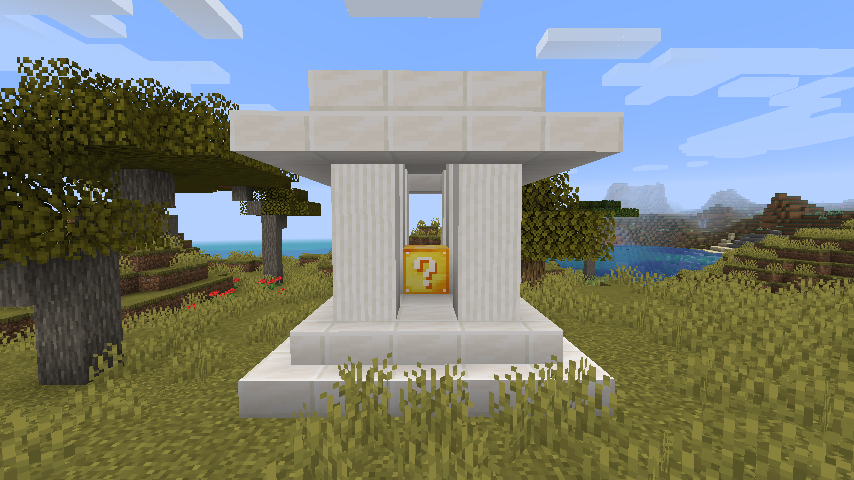
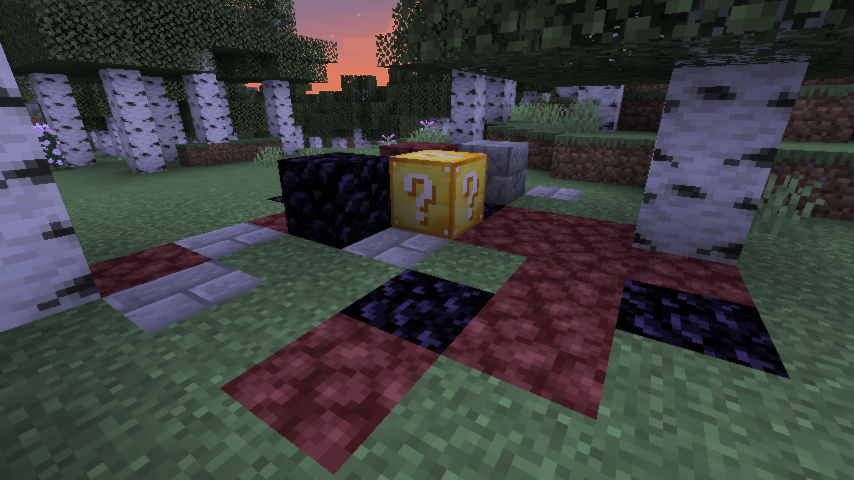
The Lucky Block will naturally spawn in your world, and across all dimensions. It's quite rare, though slightly more likely in dimensions such as The Nether. It may also generate within special structures, indicating how positive the outcome is likely to be.
You can craft a Lucky Block with 8 gold ingots and a dispenser.
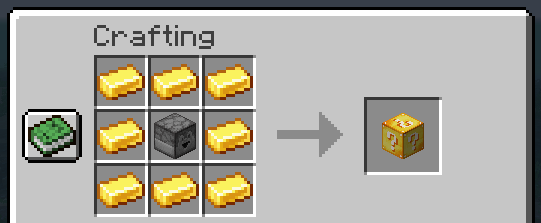
Additionally you can modify the 'luck' of the block (or any of the Lucky Items) by combining it with certain other items in a crafting table. This will skew the probability of getting positive/negative outcomes.
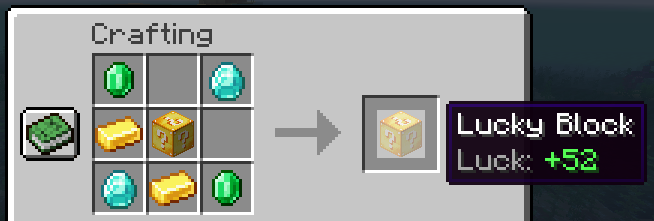
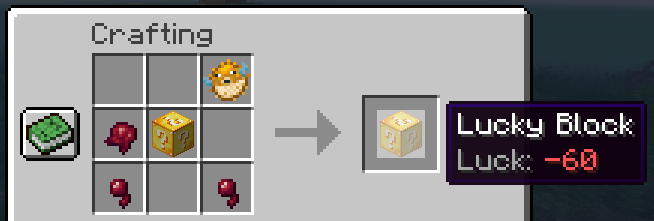

You can find a a range of custom Lucky Blocks on CurseForge, or you can make your own. To install, simply add them to your .minecraft/addons/lucky/ folder (after installing the original mod).
The Lucky Block (mod) was created by Alex Socha, alias PlayerInDistress. The Lucky Block is protected by Australian Copyright Law. By using the mod you agree to follow the guidelines below.
You are not allowed to:
You are allowed to, without asking for permission:
Project description from CurseForge.
Pick your setup
Choose the version and loader you play, then open the matching release.
Showing the newest 12 of 23 game versions. Older files are in the list below.
Check the dependencies, then try the file in a copied instance before changing a world you care about.
Recent files
lucky-block-neoforge-1.21.6-13.0.jar
26 Dec 2025
lucky-block-fabric-1.19.3-13.1.jar
12 Oct 2025
lucky-block-forge-1.20.2-13.0.jar
5 Nov 2023
lucky-block-fabric-1.20.2-13.0.jar
5 Nov 2023
26 Oct 2023
26 Oct 2023
26 Oct 2023
26 Oct 2023
lucky-block-fabric-1.19.2-13.0.jar
11 Sept 2022
lucky-block-forge-1.19.2-13.0.jar
11 Sept 2022
lucky-block-forge-1.19.2-13.0.jar
11 Sept 2022
lucky-block-fabric-1.19.1-13.0.jar
11 Sept 2022
Looking for an older file? The official CurseForge project page is in Resources.
 mod
modThis is a Minecraft mod designed to control mob spawners' behaviour.
 mod
modComplete physical economy system with tiered coins, functional wallets, lottery scratch-offs, and player-to-player auctions.
 mod
modNot just a boring zoom a full kit for your cinematics in Minecraft