Minecraft version
Back to mods 
CurseForge · Minecraft mod
BuildingBlocks
Adds many new blocks to build with to expand your building palette!
Choose a version Pick your version below, then grab the matching file.
Quick answer
Which BuildingBlocks release matches 1.19.2 Forge?
Best match for your filters BuildingBlocks-1.19.2-1.1
Game version 1.19.2
Loader Forge
BuildingBlocks-1.19.2-1.1 targets 1.19.2 with Forge. The project page does not say whether this file belongs on the client, dedicated server, or both. No extra mods listed for this file.
Where it goes
Is BuildingBlocks required on the client, server, or both?
The project page does not say whether this file belongs on the client, dedicated server, or both.
Client Source doesn’t say
Dedicated server Source doesn’t say
Loader for this release Forge
Required install it here Optional supported, not mandatory Not supported do not install here Source doesn’t say do not assume
The source does not explicitly classify this release as client-only or server-only.
What else does BuildingBlocks-1.19.2-1.1 need?
BuildingBlocks-1.19.2-1.1 on 1.19.2 Forge. Every mod below is checked against that same setup.
This file does not list any required mods. Do not add a library just because a different file uses it.
This file does not list any required or optional mods.
Before you install it
Add BuildingBlocks without breaking your instance.
Built for BuildingBlocks-1.19.2-1.1 on 1.19.2 Forge. Pick another file and the loader, install side or required mods may change.
- 01
Stick to this file
Use BuildingBlocks-1.19.2-1.1. It targets 1.19.2 with Forge; another release may have different loader, side or dependency requirements.
- 02
Bring the mods it needs
This file does not list any required mods. Do not add a library just because a different file uses it.
- 03
Put it on the correct side
The project page does not say whether this file belongs on the client, dedicated server, or both.
- 04
Pick the file you checked
Use the “Get this file” button beside BuildingBlocks-1.19.2-1.1. It opens that exact file at the source.
About this project
What does BuildingBlocks add?
🎨 Colored Building Blocks
This mod expands the building palette in Minecraft by introducing many new vibrant, naturally integrated decorative blocks.
🧱 What’s Included
- Colored Cobblestone – New cobblestone variants found naturally across different worlds and dimensions, giving each environment its own unique stone aesthetic.
- Colored Calcite – Adds fresh color options to calcite, perfect for detailed builds, interiors, and accents.
- Colored Concrete Bricks – A polished brick-style block made from concrete colors, ideal for modern, industrial, or structured builds.
- Slab Reconstruction – The ability to craft your unused slabs back into their block counterparts.
🌍 Designed to Feel Vanilla+
All blocks are designed to blend seamlessly with the vanilla game, fitting naturally into world generation and existing building styles while greatly expanding creative possibilities.
Whether you’re constructing massive structures, adding detail to survival builds, or just want more color variety without straying from the vanilla feel, this mod gives you more ways to build your world your way.


Currently a WIP with plenty more blocks to come. Suggestions are welcome.
Project description from CurseForge.
Pick your setup
BuildingBlocks by Minecraft version and loader
Choose the version and loader you play, then open the matching release.
Minecraft version
26.1.2
1 loader buildMinecraft version
1.21
1 loader buildMinecraft version
1.20.1
1 loader buildMinecraft version
1.19.2
1 loader buildMinecraft version
1.18.2
1 loader buildMinecraft version
1.17.1
1 loader buildCheck the dependencies, then try the file in a copied instance before changing a world you care about.
Recent files
BuildingBlocks versions and loaders
BuildingBlocks-1.19.2-1.1
BuildingBlocks-1.19.2-1.1.jar
10 Jan 2023
Client Source doesn’t say Server Source doesn’t say Dependencies No extras listed Listed on Release listing
Check the 1.19.2 · Forge setup 1.19.2Forge release
BuildingBlocks-1.19.2-1.0
BuildingBlocks-1.19.2-1.0.jar
29 Aug 2022
Client Source doesn’t say Server Source doesn’t say Dependencies No extras listed Listed on Release listing
Check the 1.19.2 · Forge setup 1.19.2Forge release
Looking for an older file? The official CurseForge project page is in Resources.
 mod
CurseForge · Minecraft
Distant thunders
A realism mod that introduces speed-of-sound physics to Minecraft. Lightning strikes are no longer heard instantly; instead, the thunder reaches you with a delay based on your distance from the strike. It also features dynamic volume scaling and realistic
 mod
CurseForge · Minecraft
Ipla (item placer 2)
Mod that lets you place items on any block side
 mod
CurseForge · Minecraft
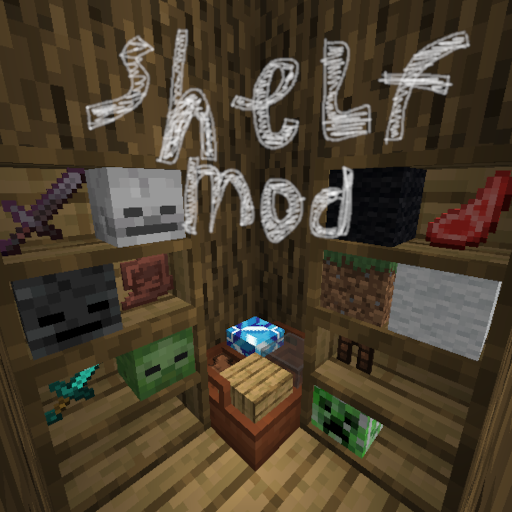
Shelves
This mod lets you convieniently place items inside 2 types of shelves