Minecraft version
Back to mods 
CurseForge · Minecraft mod
MCEF 1.16
Minecraft Chromium Embedded Framework
Choose a version Pick your version below, then grab the matching file.
Quick answer
Which MCEF 1.16 release should I use?
Latest stable file mcef-1.16.5-2.4.jar
Game version 1.16.5
Loader Forge
MCEF 1.16 mcef-1.16.5-2.4.jar targets 1.16.5 with Forge. The project page does not say whether this file belongs on the client, dedicated server, or both. No extra mods listed for this file.
Where it goes
Is MCEF 1.16 required on the client, server, or both?
The project page does not say whether this file belongs on the client, dedicated server, or both.
Client Source doesn’t say
Dedicated server Source doesn’t say
Loader for this release Forge
Required install it here Optional supported, not mandatory Not supported do not install here Source doesn’t say do not assume
The source does not explicitly classify this release as client-only or server-only.
What else does MCEF 1.16 mcef-1.16.5-2.4.jar need?
mcef-1.16.5-2.4.jar. Change the file and its required mods may change too.
This file does not list any required mods. Do not add a library just because a different file uses it.
This file does not list any required or optional mods.
Before you install it
Add MCEF 1.16 without breaking your instance.
Built for MCEF 1.16 mcef-1.16.5-2.4.jar. Pick another file and the loader, install side or required mods may change.
- 01
Stick to this file
Use mcef-1.16.5-2.4.jar. It targets 1.16.5 with Forge; another release may have different loader, side or dependency requirements.
- 02
Bring the mods it needs
This file does not list any required mods. Do not add a library just because a different file uses it.
- 03
Put it on the correct side
The project page does not say whether this file belongs on the client, dedicated server, or both.
- 04
Pick the file you checked
Use the “Get this file” button beside mcef-1.16.5-2.4.jar. It opens that exact file at the source.
About this project
What does MCEF 1.16 add?
MCEF is a mod and library for adding the Chromium web browser into Minecraft.
MCEF is based on java-cef (Java Chromium Embedded Framework), which is based on CEF (Chromium Embedded Framework), which is based on Chromium. It was originally created by montoyo.
MCEF contains a downloader system for downloading the java-cef & CEF binaries required by the Chromium browser.
This library will auto download the latest version of the java-cef binaries required by the browser on the first launch. This requires an internet connection.
Use cases: With this mod you can build any GUI using HTML, CSS, or any of your prefered front end web technologies. For example, those are examples of GUI build with NextJS and TailwindCSS for a mod using this library build for Teras, a sidemod by me for my own Pixelmon server.
Full Screen Pokédex example:
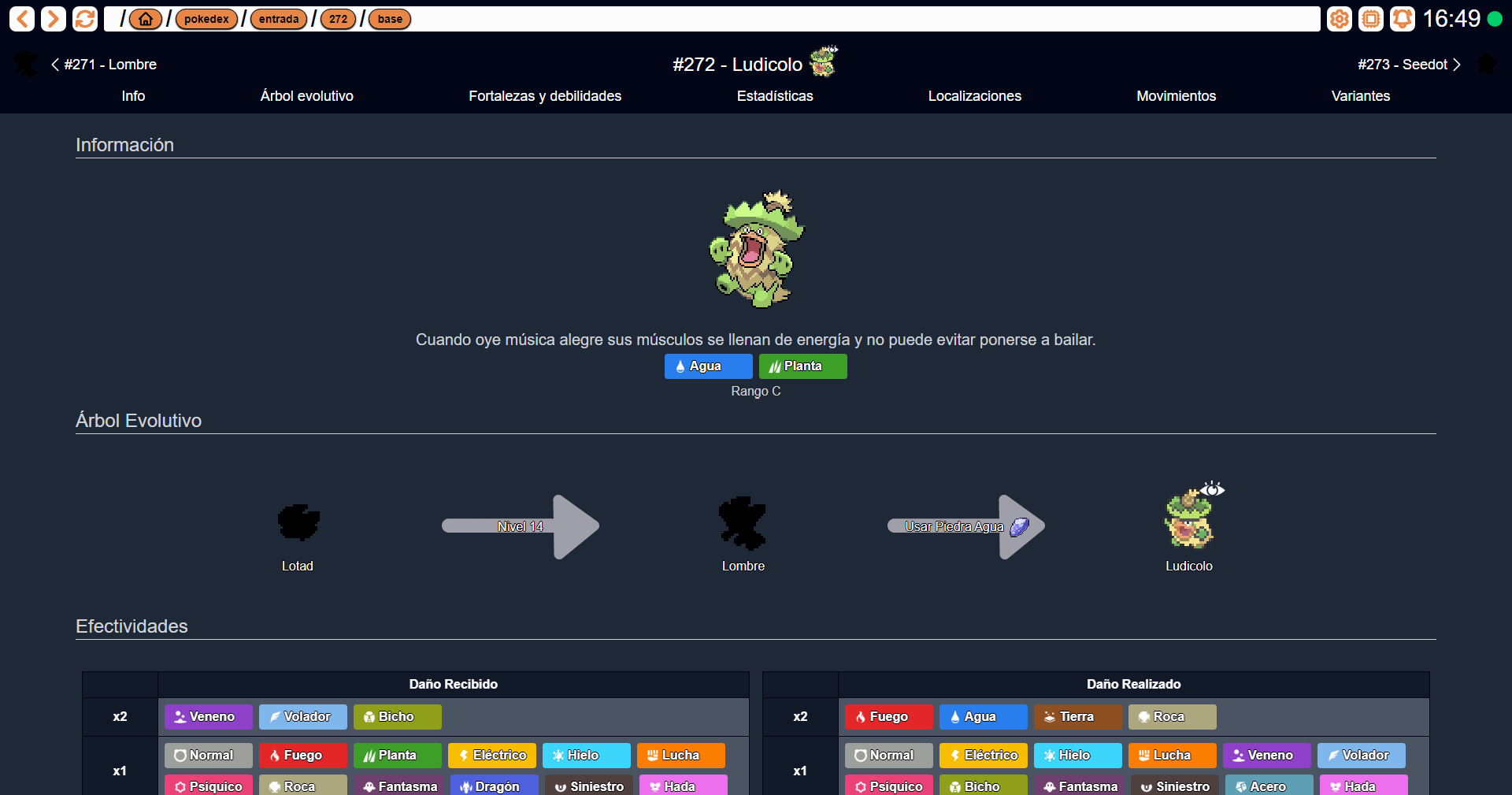
You can even render it in your hands!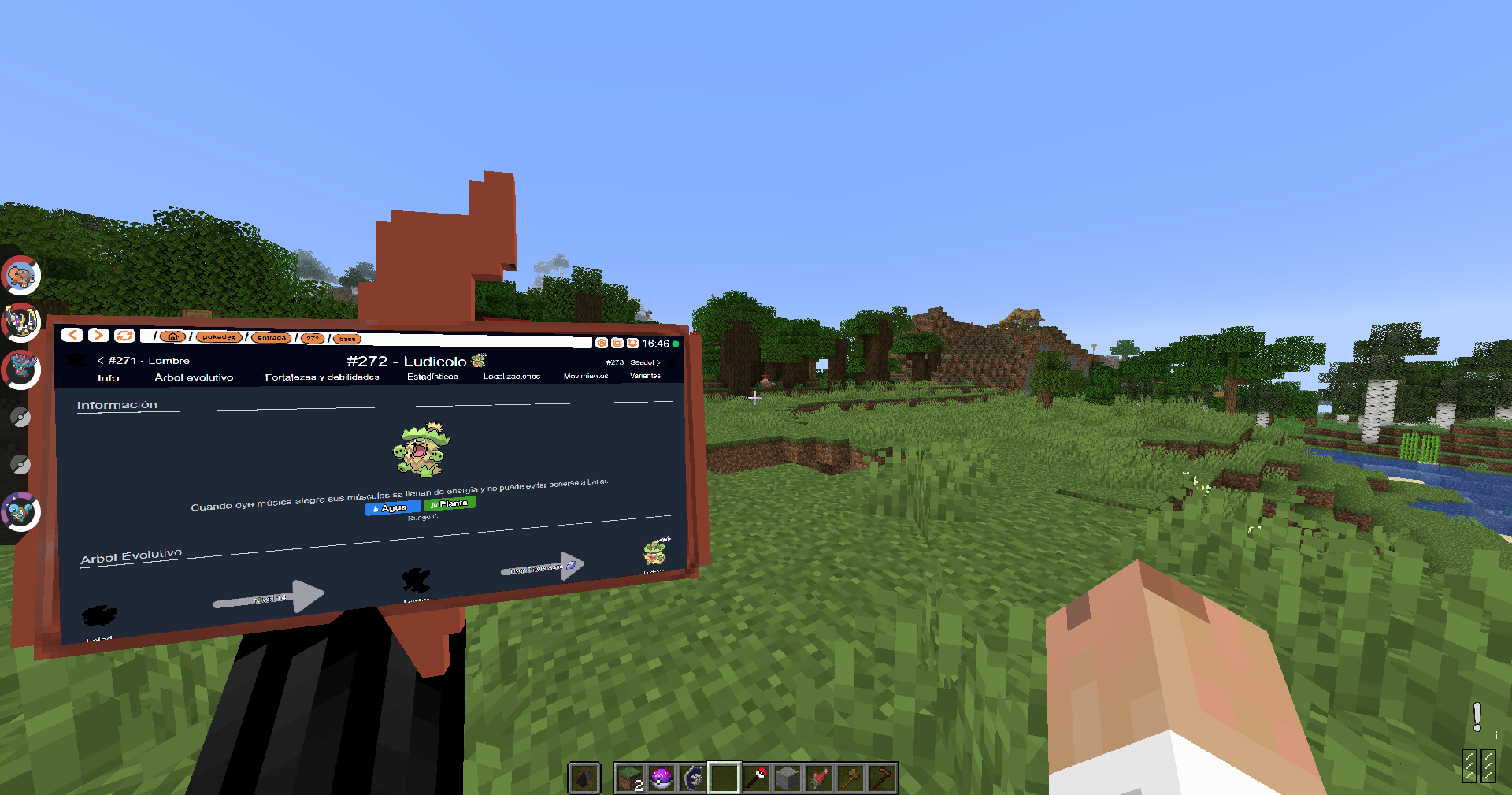
Current Chromium version: 116.0.5845.190
Supported Platforms
- Windows 10/11 (x86_64, arm64)*
- GNU Linux glibc 2.31 or greater (x86_64, arm64)**
*Some antivirus software may prevent MCEF from initializing. You may have to disable your antivirus or whitelist the mod files for MCEF to work properly.
**This mod will not work on Android.
Project description from CurseForge.
Pick your setup
MCEF 1.16 by Minecraft version and loader
Choose the version and loader you play, then open the matching release.
Minecraft version
1.12.2
1 loader buildCheck the dependencies, then try the file in a copied instance before changing a world you care about.
Recent files
MCEF 1.16 versions and loaders
mcef-1.16.5-2.5.jar
30 Aug 2025
Client Source doesn’t say Server Source doesn’t say Dependencies No extras listed Listed on Release listing
Check the 1.16.5 · Forge setup 1.16.5Forge beta
mcef-1.16.5-2.4.jar
21 Oct 2024
Client Source doesn’t say Server Source doesn’t say Dependencies No extras listed Listed on Release listing
Check the 1.16.5 · Forge setup 1.16.5Forge release
mcef-1.16.5-2.3.jar
20 Mar 2024
Client Source doesn’t say Server Source doesn’t say Dependencies No extras listed Listed on Release listing
Check the 1.16.5 · Forge setup 1.16.5Forge release
mcef-1.16.5-3.0.jar
14 Mar 2024
Client Source doesn’t say Server Source doesn’t say Dependencies No extras listed Listed on Release listing
Check the 1.16.5 · Forge setup 1.16.5Forge release
mcef-1.16.5-2.2.jar
2 Oct 2023
Client Source doesn’t say Server Source doesn’t say Dependencies No extras listed Listed on Release listing
Check the 1.16.5 · Forge setup 1.16.5Forge beta
mcef-1.16.5-2.1.jar
27 Feb 2023
Client Source doesn’t say Server Source doesn’t say Dependencies No extras listed Listed on Release listing
Check the 1.16.5 setup 1.16.5 release
mcef-1.16.5-2.0.jar
4 Feb 2023
Client Source doesn’t say Server Source doesn’t say Dependencies No extras listed Listed on Release listing
Check the 1.16.5 setup 1.16.5 release
mcef-1.1.1.jar
7 Nov 2022
Client Source doesn’t say Server Source doesn’t say Dependencies No extras listed Listed on Release listing
Check the 1.16.5 setup 1.16.5 beta
mcef-1.1.0.jar
29 Oct 2022
Client Source doesn’t say Server Source doesn’t say Dependencies No extras listed Listed on Release listing
Check the 1.16.5 setup 1.16.5 beta
mcef-3.4.3.jar
8 Feb 2022
Client Source doesn’t say Server Source doesn’t say Dependencies No extras listed Listed on Release listing
Check the 1.12.2 setup 1.12.2 release
Looking for an older file? The official CurseForge project page is in Resources.
 mod
mod CurseForge + Modrinth · Minecraft
Iris/Oculus Shader Folder
A mod to hide, recolor, add tooltips, and reorder shaderpacks in the Iris/Oculus shaders menu using flexible patterns. THIS IS NOT A SHADER LOADER
 mod
mod CurseForge + Modrinth · Minecraft
MDM (formerly Modern Decorations Mod)
A mod that adds decorative furniture such as kitchen sets, bathroom accessories, office, etc.
 mod
mod CurseForge · Minecraft
Moonlight Lib
Forge and Fabric lightweight library with utilities such as custom Villagers AI, data driven trades, global datapack, custom Map Markers, First and third person item animations, dynamic assets generation, dynamic registration & more