GeckoLib Needed by Living Chest livingchest-1.16.5-1.0.0.1.jar
requiredMatching file found Matched file: geckolib-forge-1.16.5-3.0.106.jar

CurseForge · Minecraft mod
A mod that adds Chester (from Don't Starve) to Minecraft.
Quick answer
Living Chest livingchest-1.16.5-1.0.0.1.jar targets 1.16.5 with Forge. The project page does not say whether this file belongs on the client, dedicated server, or both. All 1 required mods have matching files.
Where it goes
The project page does not say whether this file belongs on the client, dedicated server, or both.
The source does not explicitly classify this release as client-only or server-only.
livingchest-1.16.5-1.0.0.1.jar. Change the file and its required mods may change too.
Install GeckoLib first. We found matching files for this game-version and loader setup.
We only count dependency files that match this setup. A file for another loader does not fill the gap.
Before you install it
Built for Living Chest livingchest-1.16.5-1.0.0.1.jar. Pick another file and the loader, install side or required mods may change.
Use livingchest-1.16.5-1.0.0.1.jar. It targets 1.16.5 with Forge; another release may have different loader, side or dependency requirements.
Install GeckoLib first. We found matching files for this game-version and loader setup.
The project page does not say whether this file belongs on the client, dedicated server, or both.
Use the “Get this file” button beside livingchest-1.16.5-1.0.0.1.jar. It opens that exact file at the source.
About this project
A mod that adds Chester (from Don't Starve) to Minecraft.
This mod requires GeckoLib. See the list below for the required version.

To spawn/despawn your Chester, all you need to do is craft an Eye Bone and use it on a block while sneaking. Also, if you want Chester to sit and stay, simply place the Eye Bone anywhere.

Project description from CurseForge.
Pick your setup
Choose the version and loader you play, then open the matching release.
Check the dependencies, then try the file in a copied instance before changing a world you care about.
Recent files
17 Apr 2022
15 Apr 2022
15 Apr 2022
28 Feb 2022
14 Feb 2022
14 Feb 2022
Looking for an older file? The official CurseForge project page is in Resources.
 mod
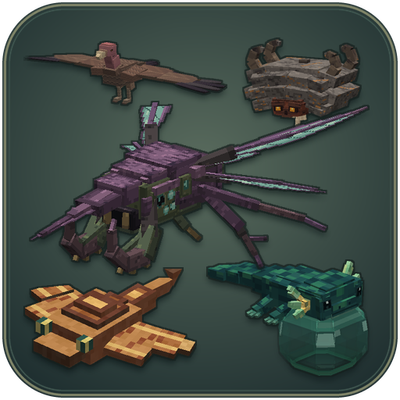
Adds new creatures and encounters to Minecraft.
 mod
Readable item, fluid, gas and energy pipes for Minecraft, with filters right at the port and channel-based tesseracts. For Fabric and NeoForge.
 mod
A JEI fork (aka "MCdestined's Simple Storage") that turns your crafting table into a smart Crafting Station: auto-pull ingredients from connected chests, Ender Chests, and Shulker Boxes, or extract in-stock items in 1 click.