Minecraft version
Back to mods 
CurseForge · Minecraft mod
BuildPaste (Fabric)
10,000+ unique structures available to /paste into your world
Choose a version Pick your version below, then grab the matching file.
Quick answer
Which BuildPaste (Fabric) release should I use?
Latest stable file BuildPaste_Fabric-26.1.2v3.0.1.jar
Game version 26.1.2
Loader Fabric
BuildPaste (Fabric) BuildPaste_Fabric-26.1.2v3.0.1.jar targets 26.1.2 with Fabric. The project page does not say whether it belongs on the client. The project page does not say whether it belongs on the dedicated server. No extra mods listed for this file.
Where it goes
Is BuildPaste (Fabric) required on the client, server, or both?
The project page does not say whether it belongs on the client. The project page does not say whether it belongs on the dedicated server.
Client Source doesn’t say
Dedicated server Source doesn’t say
Loader for this release Fabric
Required install it here Optional supported, not mandatory Not supported do not install here Source doesn’t say do not assume
The source does not explicitly classify this release as client-only or server-only.
What else does BuildPaste (Fabric) BuildPaste_Fabric-26.1.2v3.0.1.jar need?
BuildPaste_Fabric-26.1.2v3.0.1.jar. Change the file and its required mods may change too.
This file does not list any required mods. Do not add a library just because a different file uses it.
This file does not list any required or optional mods.
Before you install it
Add BuildPaste (Fabric) without breaking your instance.
Built for BuildPaste (Fabric) BuildPaste_Fabric-26.1.2v3.0.1.jar. Pick another file and the loader, install side or required mods may change.
- 01
Stick to this file
Use BuildPaste_Fabric-26.1.2v3.0.1.jar. It targets 26.1.2 with Fabric; another release may have different loader, side or dependency requirements.
- 02
Bring the mods it needs
This file does not list any required mods. Do not add a library just because a different file uses it.
- 03
Put it on the correct side
The project page does not say whether it belongs on the client. The project page does not say whether it belongs on the dedicated server.
- 04
Pick the file you checked
Use the “Get this file” button beside BuildPaste_Fabric-26.1.2v3.0.1.jar. It opens that exact file at the source.
About this project
What does BuildPaste (Fabric) add?
NOTE: /undopaste will (for unknown reasons) only work when the language is set to English. Fixed in version 1.21.8
Easily Copy, Paste, Upload and Share Builds!
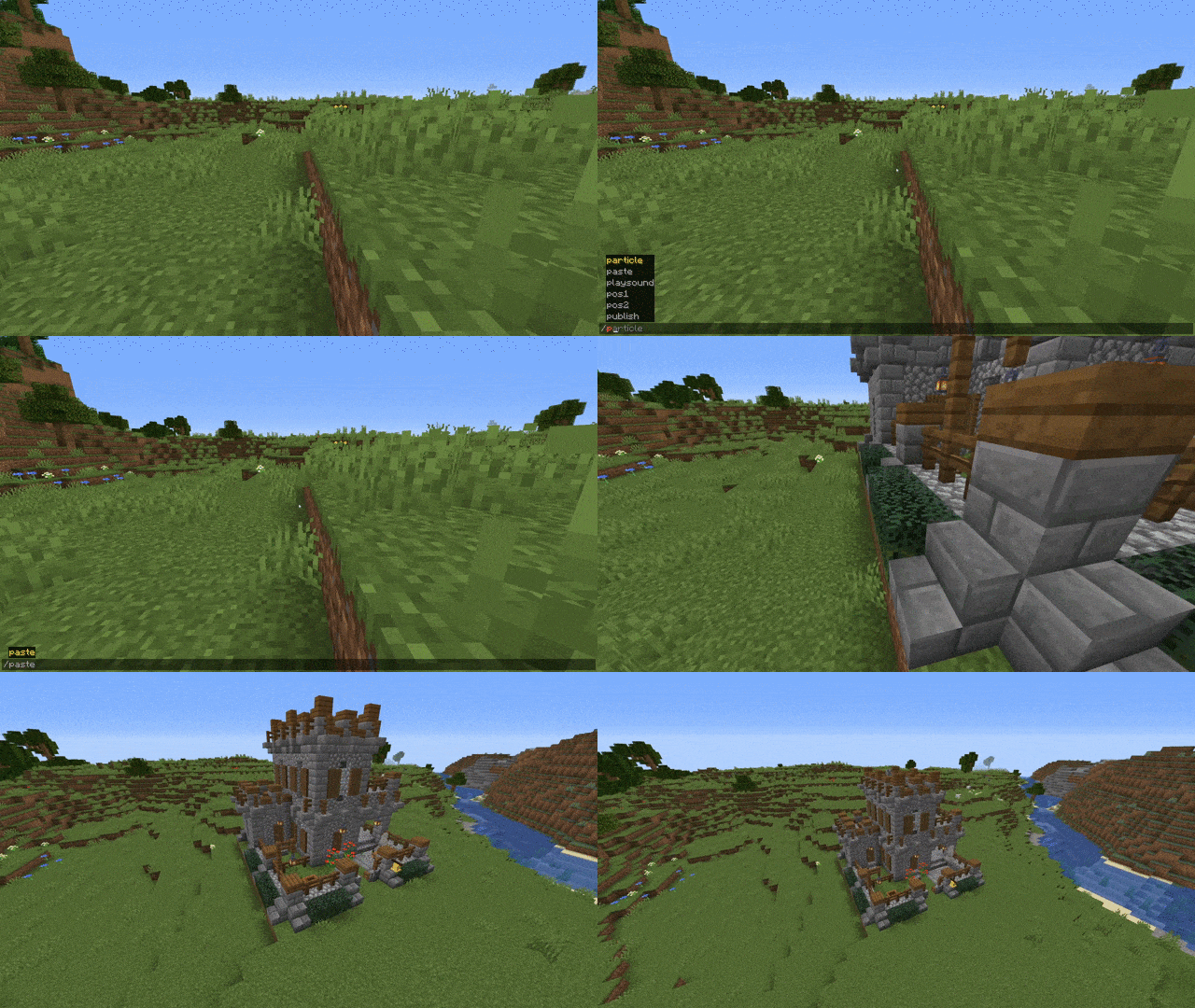
BuildPaste is a Minecraft mod that makes it really easy to copy and paste structures into your world! It's as easy as clicking a button and typing /paste. You can also easily upload and share your builds with your friends or anyone else!
Where can I find the builds?
You can find all available builds on https://buildpaste.net There are currently around 500 builds available, increasing every day, ranging from houses, towers and churches to working redstone machines, like flying machines or automatic farms!
How To Start:
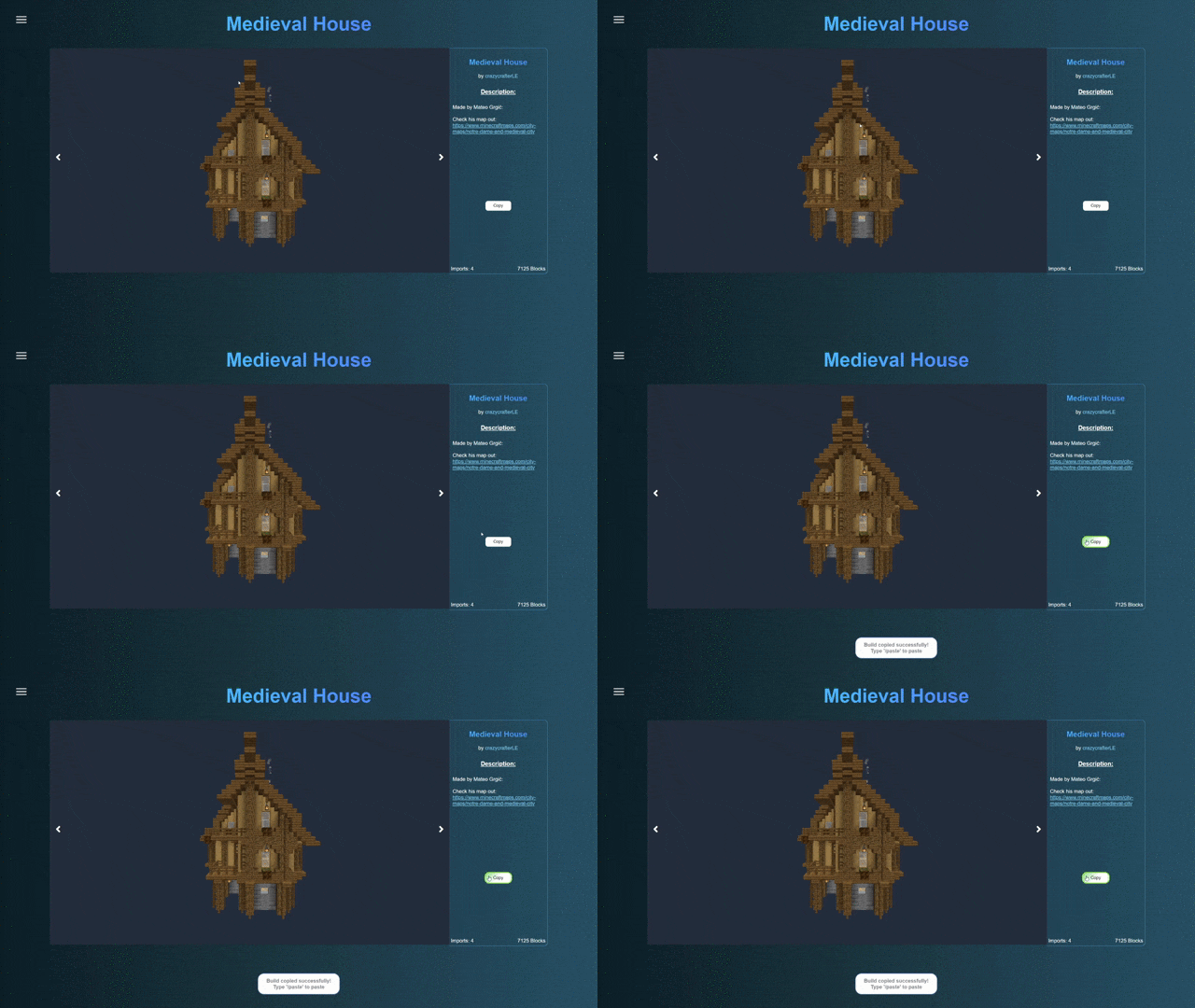
You can use BuildPaste with or without an account, but it's way more convenient with an account, because copying and pasting builds is much easier and you can also upload your own structures. To start, sign in to buildpaste.net and then add your Minecraft Name to your profile. After that, you can type /paste and it will paste a build right in front of you. Copying other builds is also fairly easy: Just click Copy on one. There are also online tutorials on how to start, you can find them below or on the YouTube Channel.
Can I Upload my own Builds?
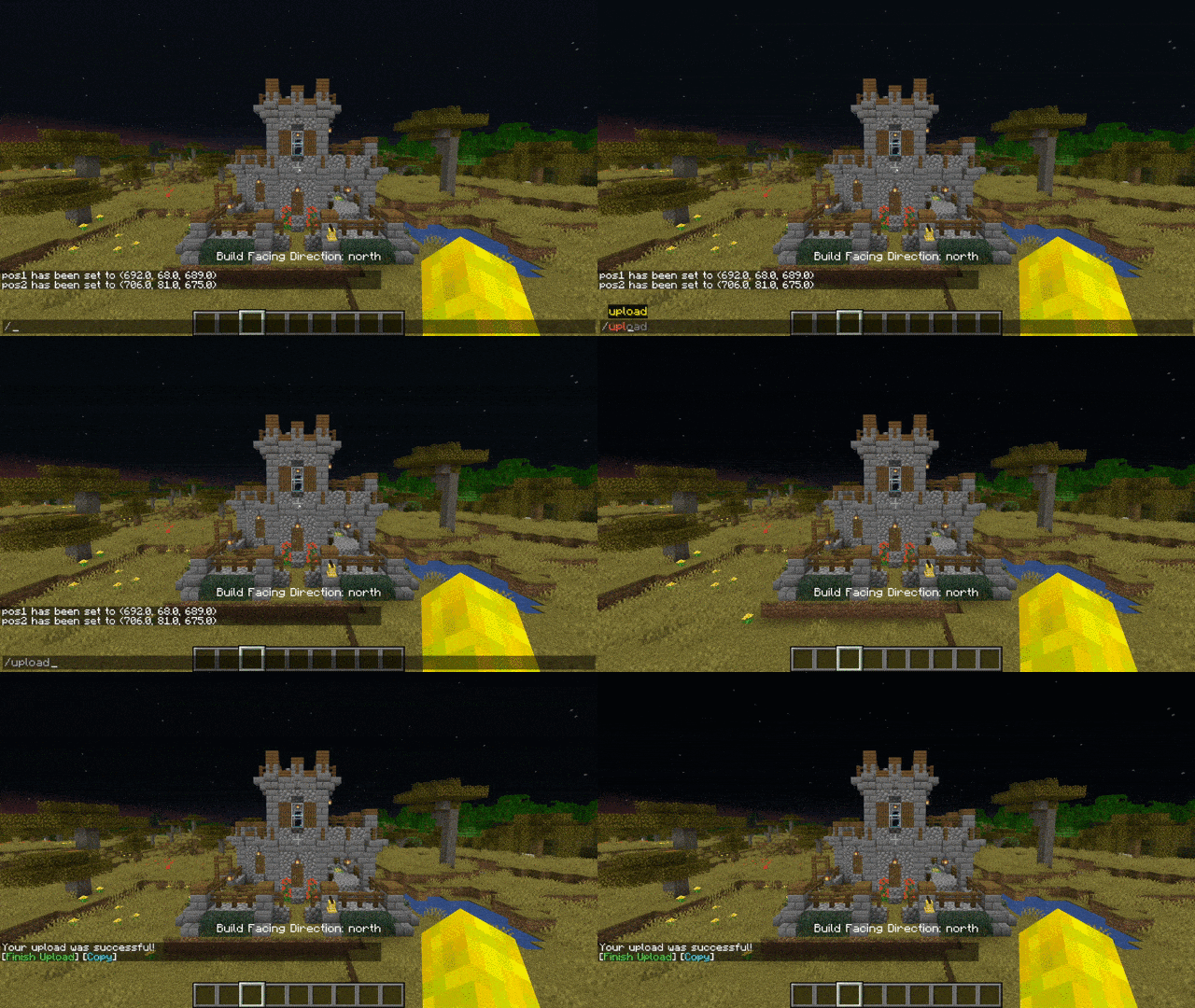
Yes you can! There's a YouTube tutorial available, check it out here
Can I use it on a Server?
Yes, but this version won't work on a server. You have to use the plugin, if you want to use it on a Spigot/Bukkit server. In case you want to use it on a Forge server, then you can use MohistMC and the Spigot/Bukkit plugin. There's a video showing that it works here.
Copy Minecraft Buildings from buildpaste.net:
Paste Minecraft Buildings into your world:
Upload Buildings:
Download as plugin: BuildPaste - Bukkit Plugins - CurseForge
Download as plugin on spigotmc.org: BuildPaste | SpigotMC - High Performance Minecraft
Installation:
Make sure that you are using the Java version of Minecraft.
- Install Minecraft Forge
- Download the BuildPaste Mod from this page
- Put the BuildPaste Mod file into your mods folder
Project description from CurseForge.
Pick your setup
BuildPaste (Fabric) by Minecraft version and loader
Choose the version and loader you play, then open the matching release.
Minecraft version
1.21.11
1 loader buildMinecraft version
1.21.10
1 loader buildMinecraft version
1.21.8
1 loader buildMinecraft version
1.21.5
1 loader buildMinecraft version
1.21.4
1 loader buildMinecraft version
1.21.1
1 loader buildMinecraft version
1.21
1 loader buildMinecraft version
1.20.4
1 loader buildMinecraft version
1.20.3
1 loader buildMinecraft version
1.20.2
1 loader buildMinecraft version
1.20.1
1 loader buildShowing the newest 12 of 21 game versions. Older files are in the list below.
Check the dependencies, then try the file in a copied instance before changing a world you care about.
Recent files
BuildPaste (Fabric) versions and loaders
BuildPaste_Fabric-26.1.2v3.0.1.jar
1 Aug 2026
Client Source doesn’t say Server Source doesn’t say Dependencies No extras listed Listed on Release listing
Check the 26.1.2 · Fabric setup Fabric26.1.2 release
BuildPaste_Fabric-26.1.2v1.8.2.jar
1 Jun 2026
Client Source doesn’t say Server Source doesn’t say Dependencies No extras listed Listed on Release listing
Check the 26.1.2 · Fabric setup Fabric26.1.2 release
BuildPaste_Fabric-1.21.11v1.8.1.jar
5 Feb 2026
Client Source doesn’t say Server Source doesn’t say Dependencies No extras listed Listed on Release listing
Check the 1.21.11 · Fabric setup Fabric1.21.11 release
BuildPasteFabric-1.21.10v1.8.0.jar
10 Jan 2026
Client Source doesn’t say Server Source doesn’t say Dependencies No extras listed Listed on Release listing
Check the 1.21.10 · Fabric setup Fabric1.21.10 release
BuildPaste_Fabric-1.21.8v1.7.3.jar
12 Aug 2025
Client Source doesn’t say Server Source doesn’t say Dependencies No extras listed Listed on Release listing
Check the 1.21.8 · Fabric setup Fabric1.21.8 release
BuildPaste_Fabric-1.21.8v1.7.2.jar
26 Jul 2025
Client Source doesn’t say Server Source doesn’t say Dependencies No extras listed Listed on Release listing
Check the 1.21.8 · Fabric setup Fabric1.21.8 release
BuildPaste_Fabric-1.21.5v1.7,1.jar
11 Jun 2025
Client Source doesn’t say Server Source doesn’t say Dependencies No extras listed Listed on Release listing
Check the 1.21.5 · Fabric setup 1.21.5Fabric release
BuildPaste_Fabric-1.21.5v1.7.0.jar
6 May 2025
Client Source doesn’t say Server Source doesn’t say Dependencies No extras listed Listed on Release listing
Check the 1.21.5 · Fabric setup 1.21.5Fabric release
BuildPasteFabric-1.21.4v1.6.6.jar
15 Jan 2025
Client Source doesn’t say Server Source doesn’t say Dependencies No extras listed Listed on Release listing
Check the 1.21.4 · Fabric setup Fabric1.21.4 release
BuildPasteFabric-1.21.4v1.6.4.jar
2 Jan 2025
Client Source doesn’t say Server Source doesn’t say Dependencies No extras listed Listed on Release listing
Check the 1.21.4 · Fabric setup Fabric1.21.4 release
BuildPasteFabric-1.21v1.6.2.jar
5 Oct 2024
Client Source doesn’t say Server Source doesn’t say Dependencies No extras listed Listed on Release listing
Check the 1.21.1 · Fabric setup Fabric1.21.1 release
BuildPasteFabric-1.21v1.6.2.jar
3 Sept 2024
Client Source doesn’t say Server Source doesn’t say Dependencies No extras listed Listed on Release listing
Check the 1.21.1 · Fabric setup 1.21Fabric1.21.1 release
Looking for an older file? The official CurseForge project page is in Resources.
 mod
mod CurseForge · Minecraft
Shadered
A mod that adds complex visual decorations
 mod
mod CurseForge · Minecraft
Effective Trim Materials
Add beneficial effects to trimmed armor based on the trim material.
 mod
mod CurseForge · Minecraft
Culling Games (CG)
This mod is based off the culling games from jjk and is very early in its development.