Just Enough Items (JEI) Optional for Just Enough Descriptions (JED) JED 1.2.3
optionalMatching file found Matched file: jei-1.18.1-9.4.1.172.jar
CurseForge · Minecraft mod
JED adds descriptions to every block and item in Minecraft!
Quick answer
Just Enough Descriptions (JED) JED 1.2.3 targets 1.18.1, 1.18.2, 1.18 with Forge. The project page does not say whether this file belongs on the client, dedicated server, or both. No extra mods listed for this file.
Where it goes
The project page does not say whether this file belongs on the client, dedicated server, or both.
The source does not explicitly classify this release as client-only or server-only.
JED 1.2.3. Change the file and its required mods may change too.
This file does not list any required mods. Do not add a library just because a different file uses it.
We only count dependency files that match this setup. A file for another loader does not fill the gap.
Before you install it
Built for Just Enough Descriptions (JED) JED 1.2.3. Pick another file and the loader, install side or required mods may change.
Use JED 1.2.3. It targets 1.18.1, 1.18.2, 1.18 with Forge; another release may have different loader, side or dependency requirements.
This file does not list any required mods. Do not add a library just because a different file uses it.
The project page does not say whether this file belongs on the client, dedicated server, or both.
Use the “Get this file” button beside JED 1.2.3. It opens that exact file at the source.
About this project


Just Enough Descriptions is Forge mod that adds descriptions to every item and block in Minecraft with a simple UI!
To open it, simply Hold Shift when hovering over an item!
Images

Configuration Options
You can change the keybind in keybind options. The default is Left Shift.
The configuration file can be found in the config folder, and is titled jed-client.toml. The options are:
We have currently completed translations for English (US) and English (UK) (And possibly an easter egg language?). If you want to work on any translation that has not been completed, join the discord.
To integrate JED support into your mods or resourcepacks, simply create a jed folder in your assets folder. For example:

Project description from CurseForge.
Pick your setup
Choose the version and loader you play, then open the matching release.
Check the dependencies, then try the file in a copied instance before changing a world you care about.
Recent files
JustEnoughDescriptions-1.2.3.jar
13 Mar 2022
JustEnoughDescriptions-1.2.2.jar
11 Mar 2022
JustEnoughDescriptions-1.2.1.jar
4 Mar 2022
JustEnoughDescriptions-1.2.0.jar
2 Mar 2022
JustEnoughDescriptions-1.1.0.jar
1 Mar 2022
JustEnoughDescriptions-1.0.1.jar
1 Mar 2022
JustEnoughDescriptions-1.0.jar
28 Feb 2022
Looking for an older file? The official CurseForge project page is in Resources.
 mod
A lightweight mesh loading and rendering library for Minecraft mods, with optional GeckoLib integration.
 mod
A dimensional strike weapon Aim at anything, pull the trigger, and watch a full cinematic play out. Somewhere across the galaxy, something enormous answers your call.
 mod
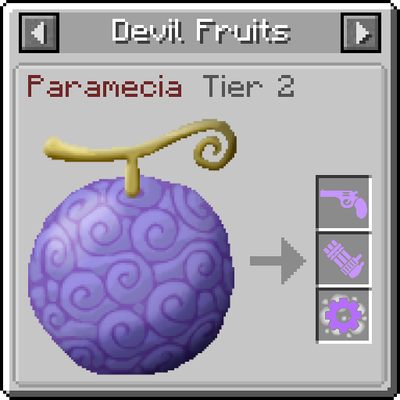
This is a client mod that integrates Mine Mine no Mi devil fruits, abilities into JEI, allowing you to read on them with ease.