

Minecraft version
Back to mods 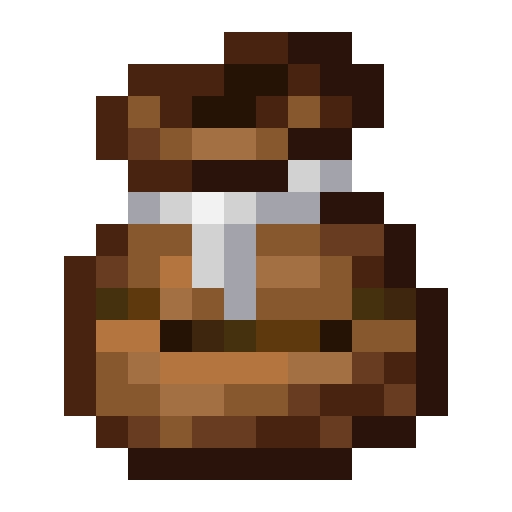
CurseForge · Minecraft mod
Compost Bag
Adds a bag that composts items like the composter and works like the bundle
Choose a version Pick your version below, then grab the matching file.
Quick answer
Which Compost Bag release matches 1.20.1 Forge?
Best match for your filters Forge-1.20-2.0.0
Game version 1.20.2, 1.20.1, 1.20
Loader NeoForge, Forge
Compost Bag Forge-1.20-2.0.0 targets 1.20.2, 1.20.1, 1.20 with NeoForge, Forge. The project page does not say whether this file belongs on the client, dedicated server, or both. No extra mods listed for this file.
Where it goes
Is Compost Bag required on the client, server, or both?
The project page does not say whether this file belongs on the client, dedicated server, or both.
Client Source doesn’t say
Dedicated server Source doesn’t say
Loader for this release NeoForge, Forge
Required install it here Optional supported, not mandatory Not supported do not install here Source doesn’t say do not assume
The source does not explicitly classify this release as client-only or server-only.
What else does Compost Bag Forge-1.20-2.0.0 need?
Forge-1.20-2.0.0 on 1.20.1 Forge. Every mod below is checked against that same setup.
This file does not list any required mods. Do not add a library just because a different file uses it.
This file does not list any required or optional mods.
Before you install it
Add Compost Bag without breaking your instance.
Built for Compost Bag Forge-1.20-2.0.0 on 1.20.1 Forge. Pick another file and the loader, install side or required mods may change.
- 01
Stick to this file
Use Forge-1.20-2.0.0. It targets 1.20.2, 1.20.1, 1.20 with NeoForge, Forge; another release may have different loader, side or dependency requirements.
- 02
Bring the mods it needs
This file does not list any required mods. Do not add a library just because a different file uses it.
- 03
Put it on the correct side
The project page does not say whether this file belongs on the client, dedicated server, or both.
- 04
Pick the file you checked
Use the “Get this file” button beside Forge-1.20-2.0.0. It opens that exact file at the source.
About this project
What does Compost Bag add?
Find me on Discord under #dhyces-mods in the community mods channel section
The compost bag is a utility item that allows you to compost items on the go, without needing to place down any pesky blocks!
In GUI
While in a GUI, the bag can be right-clicked to compost an item, input bonemeal, or remove bonemeal. Holding down right-click will speed up the process! You can also carry the bag with the mouse and right-click on slots to compost many items at once, pick up bonemeal, or remove bonemeal.
In World
In the world, the item can be used just like bonemeal to grow crops and saplings, grass and other flora. It also works in dispensers.
Updating to 1.20.5+
On updating to 1.20.5 or 1.21, all of the NBT data that compost bags originally had in old worlds will be stored as a custom_data component. This data is no longer used by Compost Bag in favor of new data components compostbag:max_bonemeal_count, compostbag:bonemeal_count, compostbag:max_compost_level, and compostbag:compost_level. To fix old bags, the world must be opened with an NBT editor and manually converted to use the new components. Unfortunately, there is no way to perform these conversions of data in the mod. Another change to note, configs no longer exist in favor of the compostbag:max_bonemeal_count component. On the GitHub page for the mod, there is a folder ExtraDatapacks which contains a default datapack to double the max size. Simply copy this datapack and change the max bonemeal count to your desired amount and enable the datapack. This also allows creators to add more recipes for custom compost bags of varying capacity and varying fill levels, if they so desire.

Project description from CurseForge.
Pick your setup
Compost Bag by Minecraft version and loader
Choose the version and loader you play, then open the matching release.
Minecraft version
1.21.1
3 loader buildsMinecraft version
1.21-Snapshot
3 loader buildsMinecraft version
1.21
3 loader buildsMinecraft version
1.20.5
3 loader buildsMinecraft version
1.20.3
3 loader buildsMinecraft version
1.20.2
4 loader buildsMinecraft version
1.20.1
4 loader buildsMinecraft version
1.20
4 loader buildsMinecraft version
1.19.4
2 loader buildsMinecraft version
1.19.3
2 loader buildsMinecraft version
1.19.2
2 loader buildsShowing the newest 12 of 15 game versions. Older files are in the list below.
Check the dependencies, then try the file in a copied instance before changing a world you care about.
Recent files
Compost Bag versions and loaders
Forge-1.20-2.0.0
CompostBag-Forge-1.20.1-2.0.0.jar
12 Aug 2023
Client Source doesn’t say Server Source doesn’t say Dependencies No extras listed Listed on Release listing
Check the 1.20.1 · Forge setup 1.20.2NeoForge1.20.1Forge release
Looking for an older file? The official CurseForge project page is in Resources.
 mod
Modrinth · Minecraft
Just enough weapons
Adds 16 new melee weapons to the game
 mod
CurseForge · Minecraft
Flan's Ultimate 2: Wolff's NPC Vehicles and Soldiers
Custom NPCs use Flan’s Mod guns, drive tanks, fly planes and fight team battles as soldiers and factions.
 mod
Modrinth · Minecraft
Ipla (item placer 2)
Place any item on any block side, up to 4 on one side