Minecraft version
Back to mods
CurseForge · Minecraft mod
XACT
XACT
Choose a version Pick your version below, then grab the matching file.
Quick answer
Which XACT release should I use?
Latest stable file XACT_v0.3.4b.jar
Game version 1.5.2
Loader Not required
XACT_v0.3.4b.jar targets 1.5.2. The project page does not say whether this file belongs on the client, dedicated server, or both. No extra mods listed for this file.
Where it goes
Is XACT required on the client, server, or both?
The project page does not say whether this file belongs on the client, dedicated server, or both.
Client Source doesn’t say
Dedicated server Source doesn’t say
Loader for this release No loader listed
Required install it here Optional supported, not mandatory Not supported do not install here Source doesn’t say do not assume
The source does not explicitly classify this release as client-only or server-only.
What else does XACT_v0.3.4b.jar need?
XACT_v0.3.4b.jar. Change the file and its required mods may change too.
This file does not list any required mods. Do not add a library just because a different file uses it.
This file does not list any required or optional mods.
Before you install it
Add XACT without breaking your instance.
Built for XACT_v0.3.4b.jar. Pick another file and the loader, install side or required mods may change.
- 01
Stick to this file
Use XACT_v0.3.4b.jar. It targets 1.5.2; another release may have different loader, side or dependency requirements.
- 02
Bring the mods it needs
This file does not list any required mods. Do not add a library just because a different file uses it.
- 03
Put it on the correct side
The project page does not say whether this file belongs on the client, dedicated server, or both.
- 04
Pick the file you checked
Use the “Get this file” button beside XACT_v0.3.4b.jar. It opens that exact file at the source.
About this project
What does XACT add?
Xhamolk_'s Advanced Crafting Table
What is XACT?
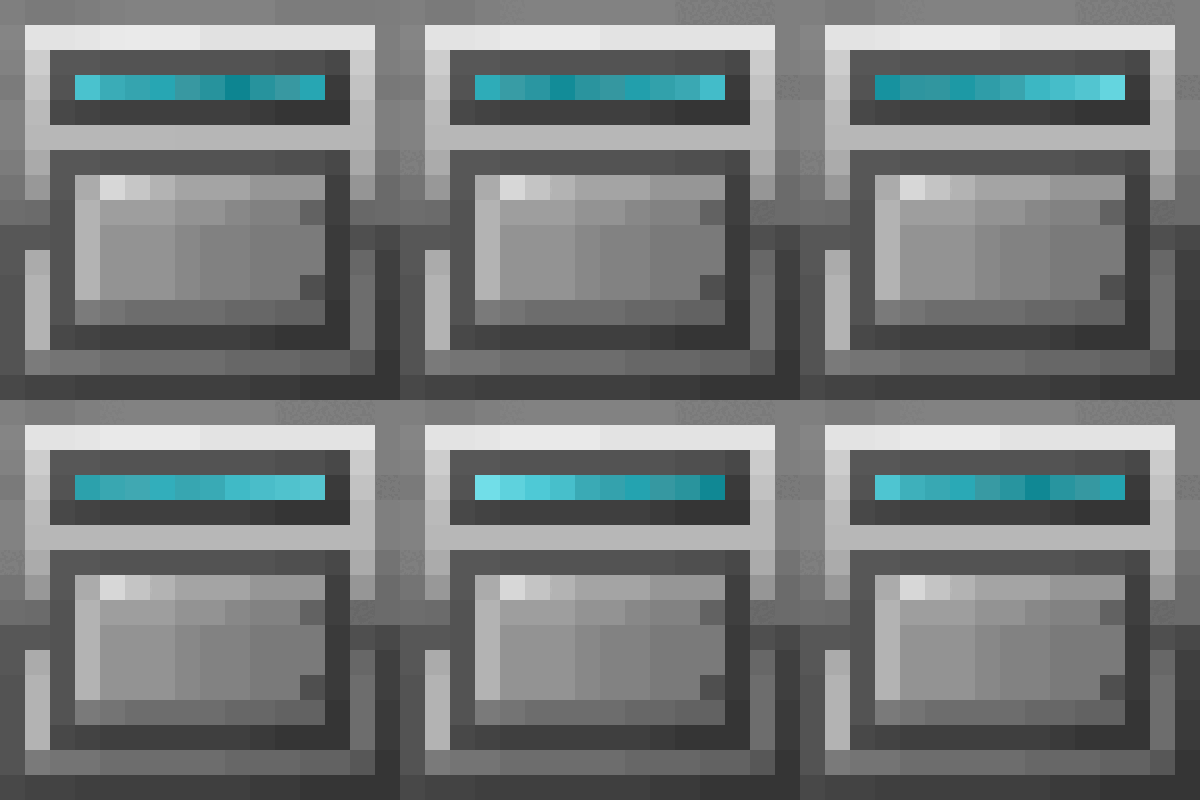
XACT is mod focused on the crafting process. It aims to ease the constructor of complex builds by simplifying the tedious and repetitive task of crafting the building components. No longer will you have to manually place the recipe's ingredients on their respective slots on the crafting grid, because XACT will do it for you. Neither will you need to remember the recipes, because XACT can encode any recipe into a Recipe Chip, which is portable.With XACT, you no longer have the need to spend hours on your crafting room, since your recipes will already be stored on your XACT Crafter Machines. Once you have set up your XACT Crafter(s), it's now a matter of simply passing by, pick up your items as if they where on a chest already, and moving on to your building ground.The best of XACT surely is it's portability. The XACT Craft Pad is your best bet for when you are not at home, because it can work as a regular workbench, but it's portable! Also, it can read the recipes from the Recipe Chips, and keeps stored the last recipe you used; but also has a button clear the crafting grid, because we all know that's annoying.
Features
- Portability: You can carry around a portable crafting tool anywhere you go. Simply bring your Craft Pad with you anywhere you go and right click it to open it's User Interface (GUI), which has a crafting grid.
- Easy crafting: Ever thought that, in order to craft multiple items, manually placing the ingredients on the exact quantities on the grid was a lot of trouble? The XACT Crafter is the stationary, heavy use, crafting machine that relieves that pain off your back. Once a recipe is set, it will take the ingredients from the resources buffer into the grid, so you can craft as many sets as you want, without having anything to worry too much about. Missing Ingredients: The crafting devices will let you know if you are missing ingredients for your crafts. The grid slots missing ingredients will become red.
- Store Recipes: Modded Minecraft adds a lot of game-play, but also a lot of recipes. Since some of them are frequently used a lot, XACT let's you store your frequently-used recipes into Recipe Chips. You can carry them around with you on the Chip Case, which can hold up to 30 recipes.
- Automation: You can keep the resources for the XACT Crafter supplied through Buildcraft Pipes or RP2 Tubes (feed from any side).
- NEI integration: Import recipes into the crafting grid directly from NEI.
- Modular Powersuits integration: You can install the CraftPad module into the MPS Power Gauntlet, so you always carrying a smart crafting table with you.
- The vanilla workbench is now able to keep it's contents after the GUI is closed.
- Did I mentioned that holding shift on the GUIs might reveal something that is hidden?
Recipes
Recipe Chip
Craft Pad
Chip Case
XACT Crafter
Project description from CurseForge.
Pick your setup
XACT by Minecraft version and loader
Choose the version and loader you play, then open the matching release.
Minecraft version
1.4.7
1 loader buildCheck the dependencies, then try the file in a copied instance before changing a world you care about.
Recent files
XACT versions and loaders
XACT_v0.3.4b.jar
23 Jun 2013
Client Source doesn’t say Server Source doesn’t say Dependencies No extras listed Listed on Release listing
Check the 1.5.2 setup 1.5.2 release
xact_0.2.6.zip
23 Jun 2013
Client Source doesn’t say Server Source doesn’t say Dependencies No extras listed Listed on Release listing
Check the 1.4.7 setup 1.4.7 release
Looking for an older file? The official CurseForge project page is in Resources.