Fabric API Needed by Litematica Wand 1.2.0+26.1.x
requiredMatching file found Matched file: 0.155.3+26.1.2

Modrinth · Minecraft mod
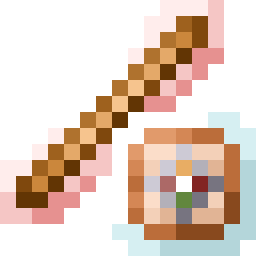
Client side dummy item for Litematica!
Quick answer
Litematica Wand 1.2.0+26.1.x targets 26.1, 26.1.1, 26.1.2 with Fabric. Installation on the client is optional. Installation on the dedicated server is optional. All 1 required mods have matching files.
Where it goes
Installation on the client is optional. Installation on the dedicated server is optional.
The source marks this as usable on both the client and server.
1.2.0+26.1.x on 26.1.2. Every mod below is checked against that same setup.
Install Fabric API first. We found matching files for this game-version and loader setup.
We only count dependency files that match this setup. A file for another loader does not fill the gap.
Before you install it
Built for Litematica Wand 1.2.0+26.1.x on 26.1.2. Pick another file and the loader, install side or required mods may change.
Use 1.2.0+26.1.x. It targets 26.1, 26.1.1, 26.1.2 with Fabric; another release may have different loader, side or dependency requirements.
Install Fabric API first. We found matching files for this game-version and loader setup.
Installation on the client is optional. Installation on the dedicated server is optional.
Use the “Get this file” button beside 1.2.0+26.1.x. It opens that exact file at the source.
About this project
Simple mod that adds a dummy item for Litematica.
Access the item in the "Operator Utilities" creative tab. Enable this tab in Options ➜ Controls ➜ Operator Items Tab
You can also do /lwand to receive a ghost wand that will disappear upon interacting with. This is useful if you're playing in survival or on a server.
As of Litematica Wand 1.3.0 (26.2+), the wand item will work as your Litematica tool item regardless of what your Litematica config is set to.
Project description from Modrinth.
Pick your setup
Choose the version and loader you play, then open the matching release.
Showing the newest 12 of 17 game versions. Older files are in the list below.
Check the dependencies, then try the file in a copied instance before changing a world you care about.
Recent files
litematicaWand-1.2.0+26.1.x.jar
9 Jun 2026
Looking for an older file? The official Modrinth project page is in Resources.
 mod
Addon adds new tasks, rewards and functions.
 mod
A Config API for Fabric, Forge, NeoForge and Quilt
 mod
This datapack adds a way to add commands directly as a component to items! Great way to add custom items with some additional features like cooldowns!