Minecraft version
Back to mods 
Modrinth · Minecraft mod
OmniChest
The first-ever inter-chest network search mod in Minecraft history
Choose a version Pick your version below, then grab the matching file.
Quick answer
Which OmniChest release matches 26.1.2?
Best match for your filters 1.8.0
Game version 26.1.2
Loader Fabric
OmniChest 1.8.0 targets 26.1.2 with Fabric. It must be installed on the client. Do not install it on the dedicated server. No extra mods listed for this file.
Where it goes
Is OmniChest required on the client, server, or both?
It must be installed on the client. Do not install it on the dedicated server.
Client Required
Dedicated server Not supported
Loader for this release Fabric
Required install it here Optional supported, not mandatory Not supported do not install here Source doesn’t say do not assume
This file is marked client-only.
What else does OmniChest 1.8.0 need?
1.8.0 on 26.1.2. Every mod below is checked against that same setup.
This file does not list any required mods. Do not add a library just because a different file uses it.
This file does not list any required or optional mods.
Before you install it
Add OmniChest without breaking your instance.
Built for OmniChest 1.8.0 on 26.1.2. Pick another file and the loader, install side or required mods may change.
- 01
Stick to this file
Use 1.8.0. It targets 26.1.2 with Fabric; another release may have different loader, side or dependency requirements.
- 02
Bring the mods it needs
This file does not list any required mods. Do not add a library just because a different file uses it.
- 03
Put it on the correct side
It must be installed on the client. Do not install it on the dedicated server.
- 04
Pick the file you checked
Use the “Get this file” button beside 1.8.0. It opens that exact file at the source.
About this project
What does OmniChest add?
Features
🔍 Network-Wide Storage Search
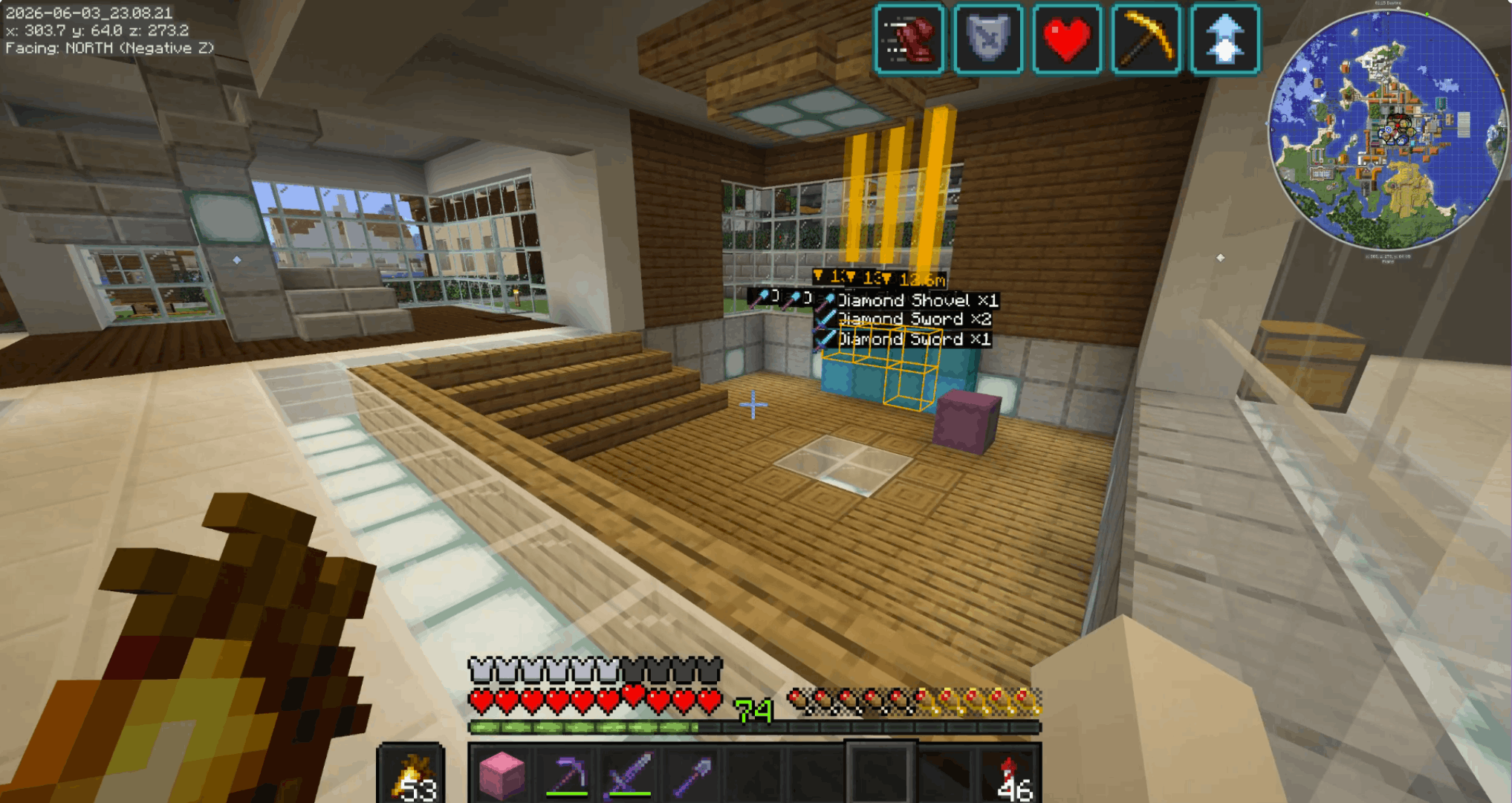
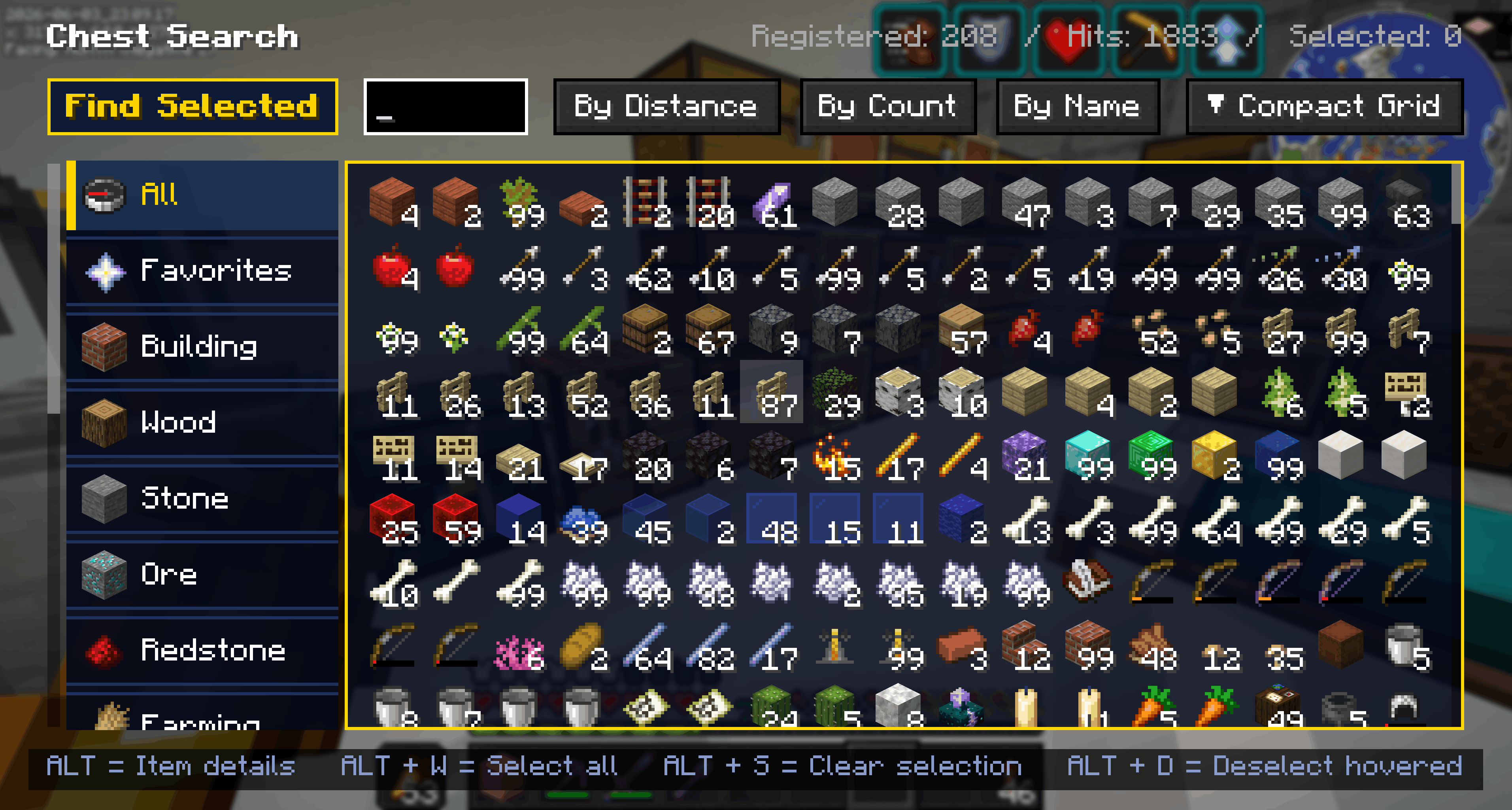
- Search for any item across every chest you've ever opened on the server.
- See exactly which chest, where, and how many — then OmniChest drops an in-world pin & beacon beam so you can spot it from a distance.
- Searches inside shulker boxes and ender chests (nested containers supported too)
- Creative-inventory-style category tabs and favorites (★)
🗂️ Category Sort
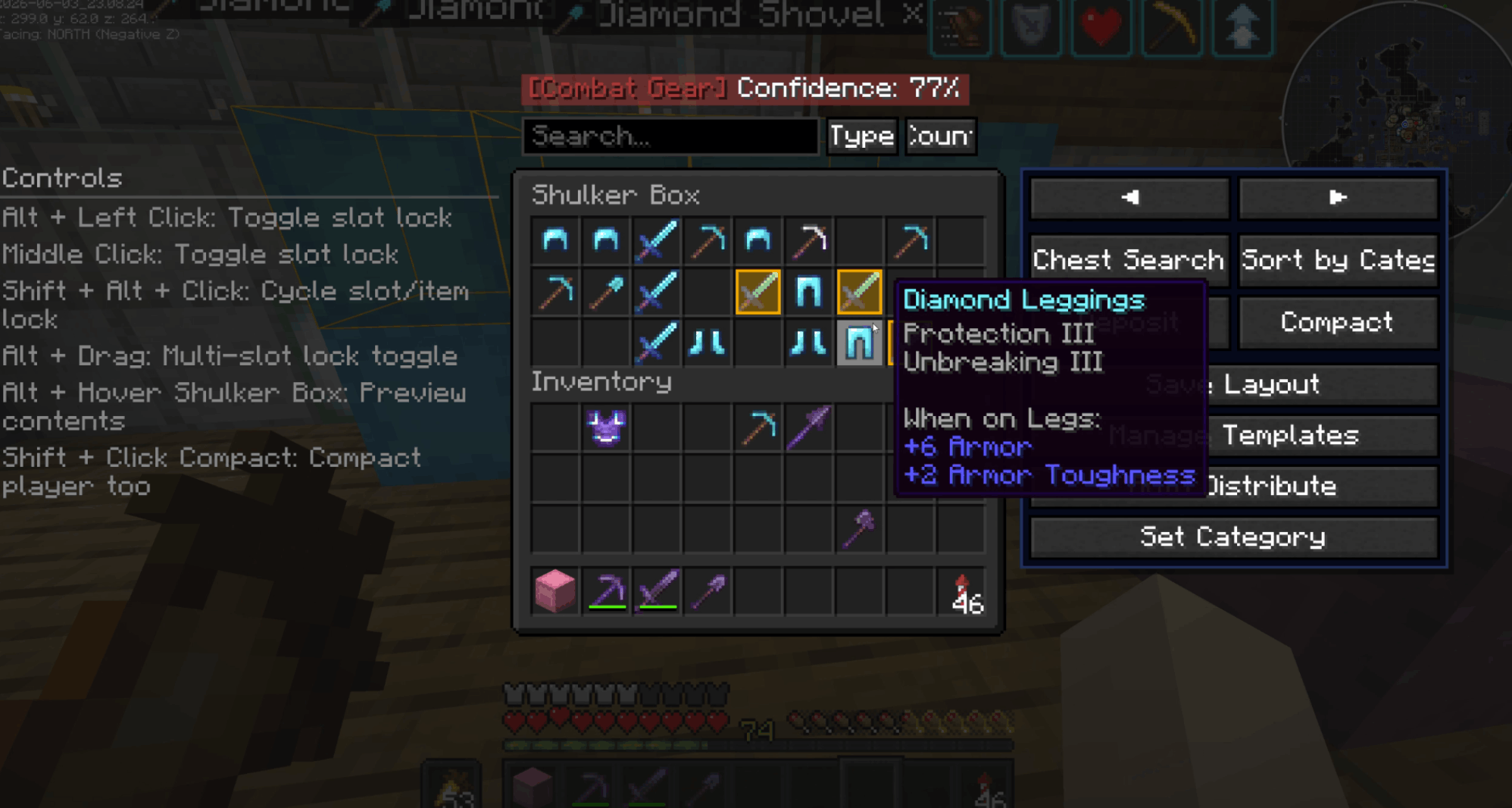
- Automatically sorts a chest's contents into meaningful categories —
building, wood, ore, food, and more. Respects item tags and Creative-tab ordering,
and merges identical items into single stacks.
📥 Smart Deposit
- Deposits items from your inventory into a chest, but only the types already stored
there. Quickly offload your hotbar without messing up an organized chest.
📦 Compact
- Merge half-stacks of the same item into one with a single click — your inventory too,
if you want.
🔒 Slot Lock
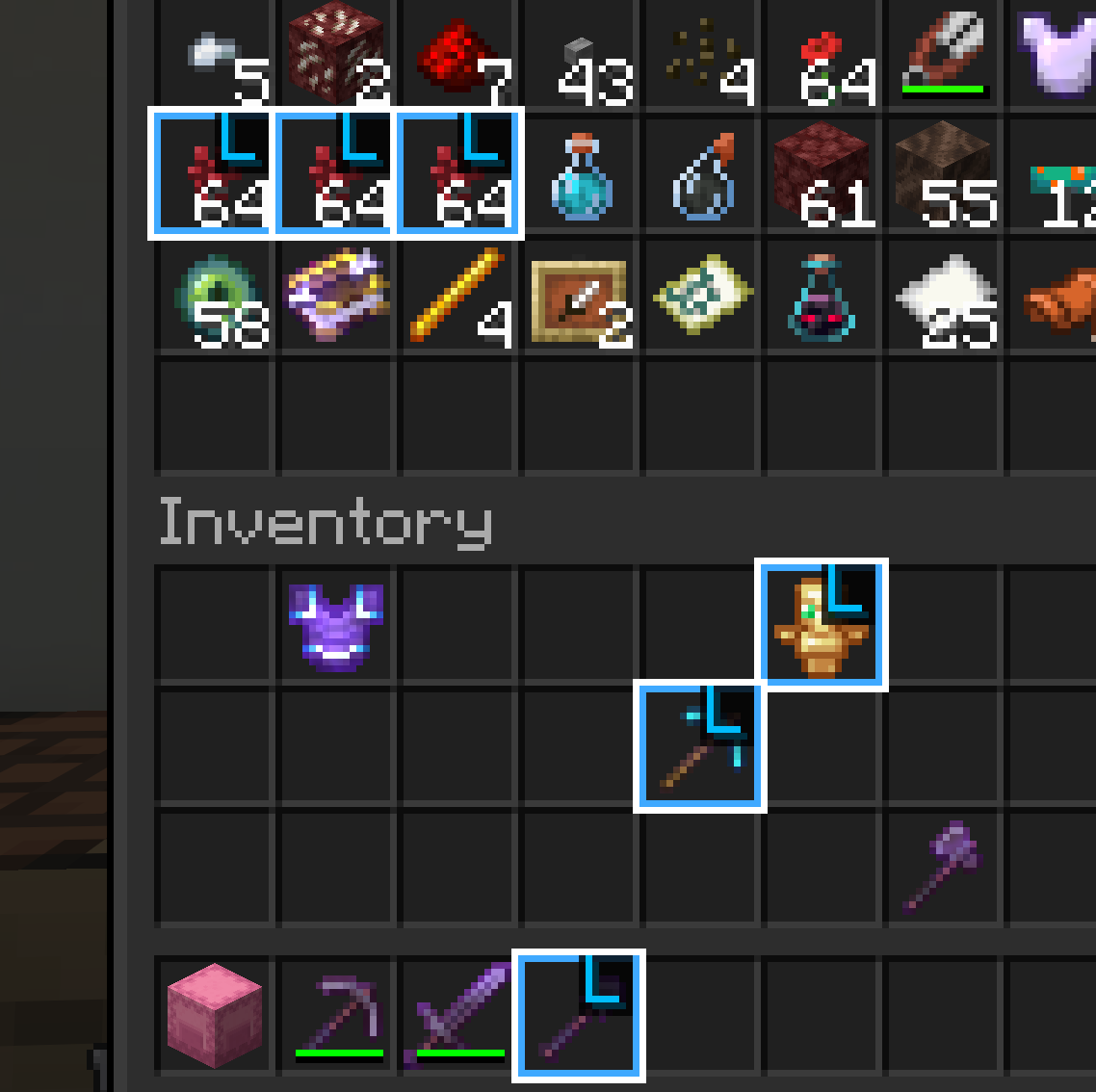
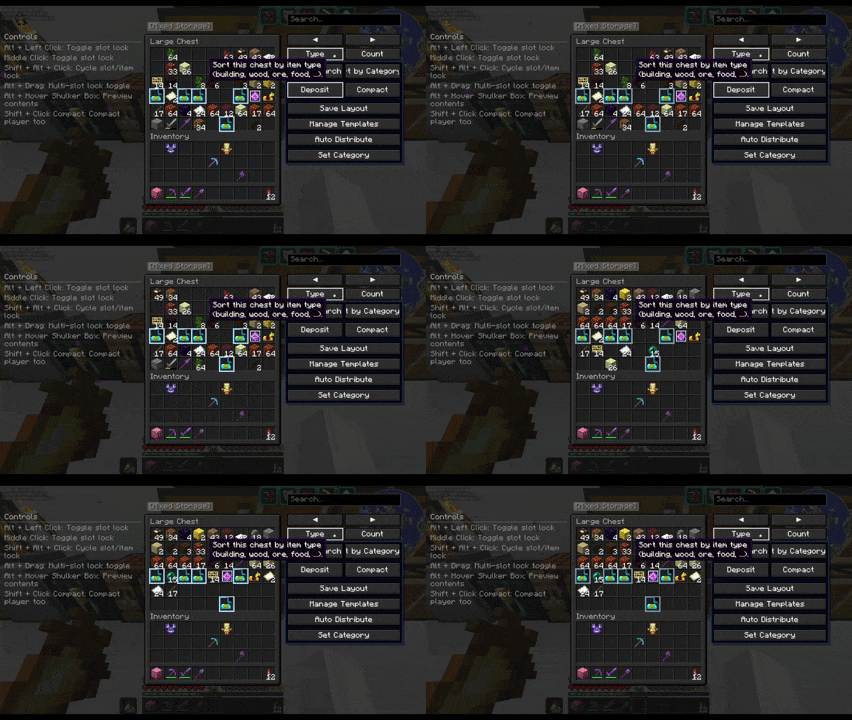
- Protect important items from sorting and deposits. Lock by slot or by item,
and optionally protect your hotbar, offhand, and armor slots by default.
📋 Chest Templates
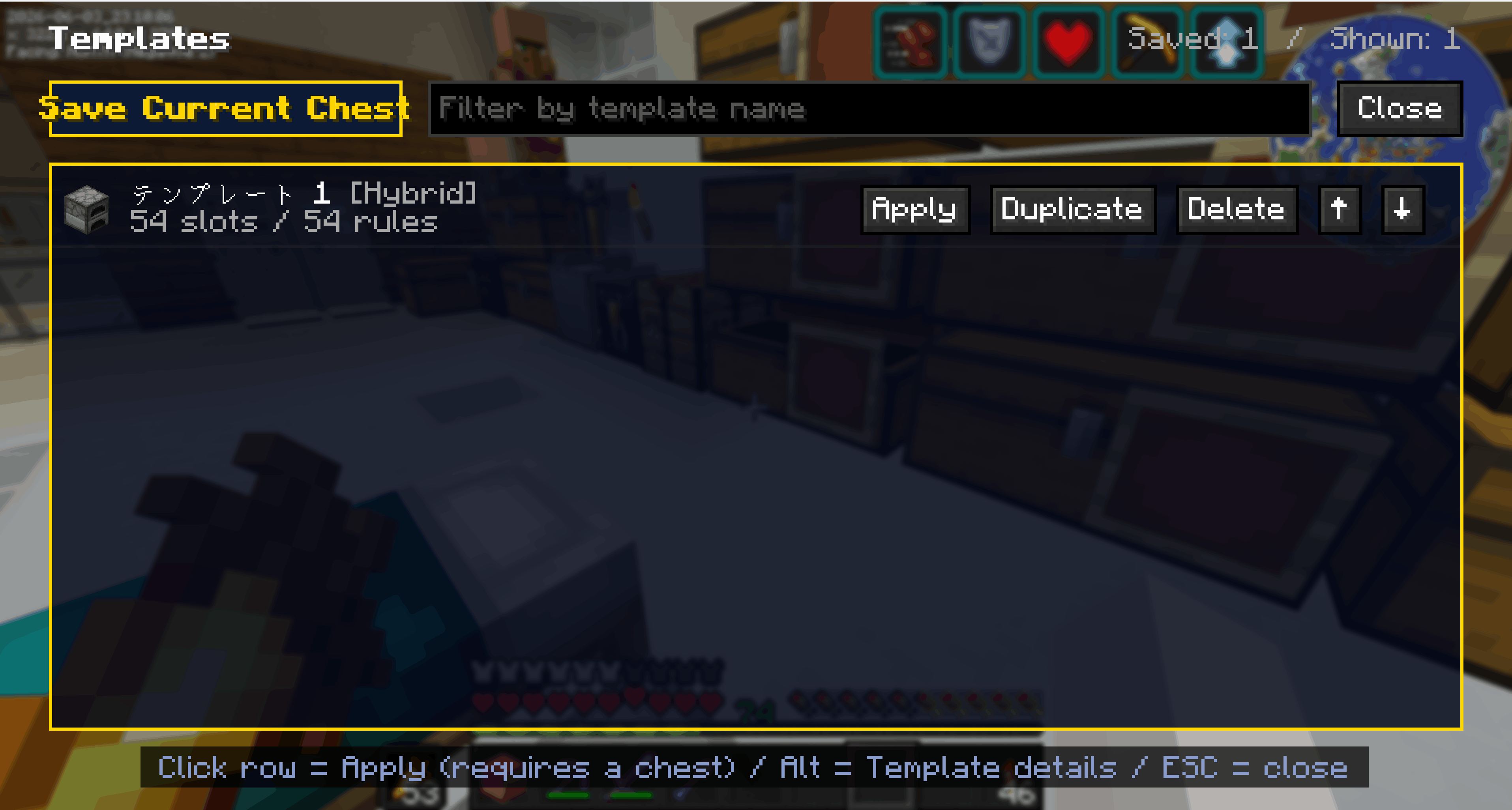
- Save a chest layout you like and reapply it to any other chest in one click.
Choose Exact / Category / Hybrid matching so material storages stay flexible.
🤖 Auto-Sort & Distribution
- Learns each chest's category from your deposit history, then automatically routes
items to the right category storage. Supports queued transfers to distant chests.
Who it's for
- Players with sprawling storage bases that are impossible to keep tidy
- Anyone who loses track of where their items ended up
- Players who want a fast, vanilla-feeling organization mod
Localization
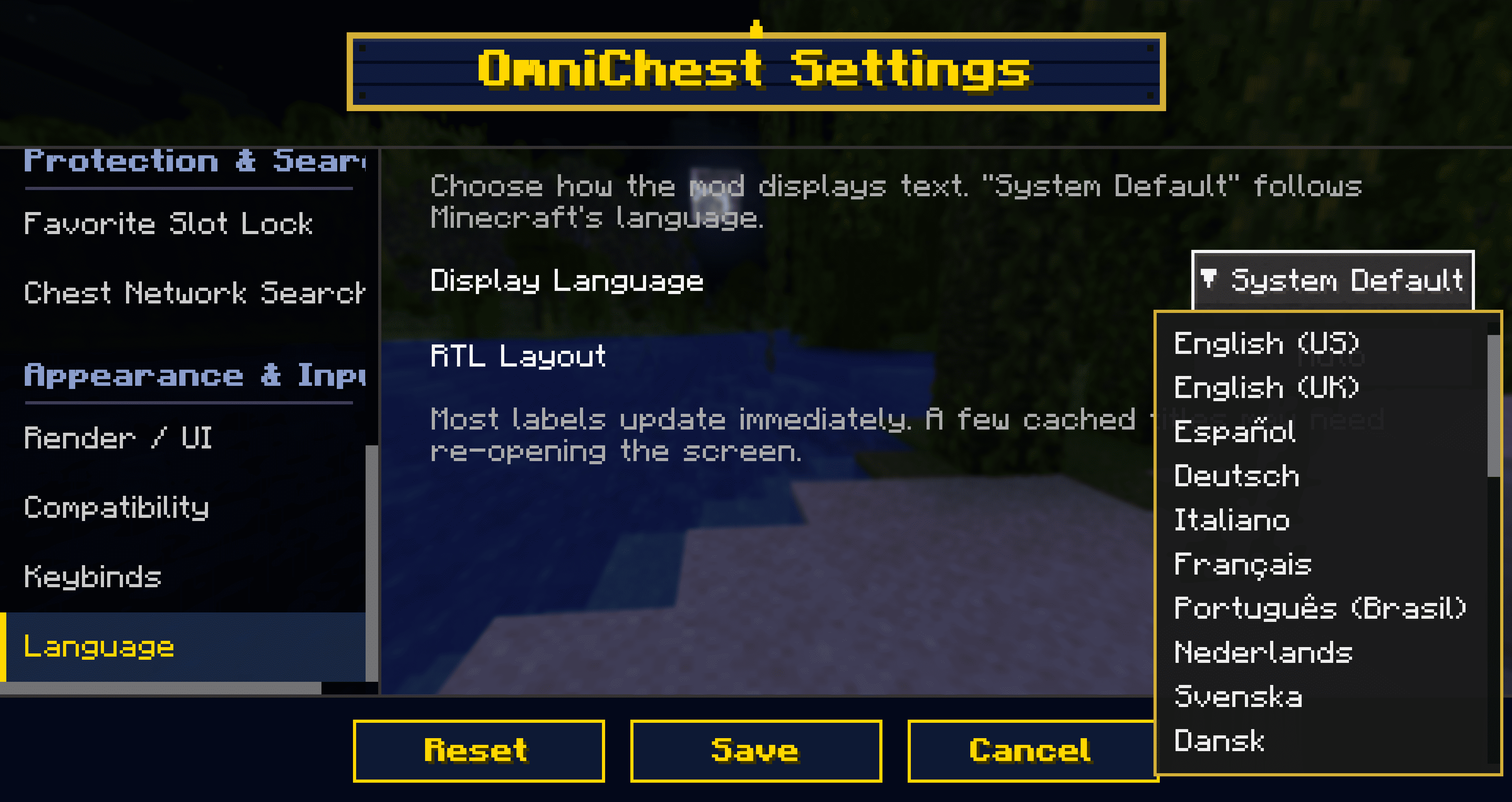
Supports 27 languages + System Default. You can even switch OmniChest's display
language independently of Minecraft (e.g. keep the game in English but read
OmniChest in your own language).
Compatibility
- Dedicated render path to avoid conflicts with Iris / Oculus (shaders)
- Integrates with REI / EMI / Inventory Profiles and similar mods
- Built-in safety layers for resource packs and Unicode/CJK fonts
Configuration
Every feature can be toggled and fine-tuned from Mod Menu (Cloth Config) —
which buttons to show, sorting speed, search radius, visual effects, and more.
Requirements
| Item | Requirement |
|---|---|
| Minecraft | 1.21.11 |
| Mod Loader | Fabric |
| Required | Fabric API |
| Recommended | Mod Menu (for the settings screen) |
| Environment | Client-side only (no server install needed) |
License: CC0-1.0
Project description from Modrinth.
Pick your setup
OmniChest by Minecraft version and loader
Choose the version and loader you play, then open the matching release.
Minecraft version
26.1.2
1 loader buildMinecraft version
26.1.1
1 loader buildMinecraft version
26.1
1 loader buildMinecraft version
1.21.11
1 loader buildMinecraft version
1.21.10
1 loader buildCheck the dependencies, then try the file in a copied instance before changing a world you care about.
Recent files
OmniChest versions and loaders
1.8.0
omnichest-1.8.0+26.1.2-fabric.jar
11 Aug 2026
Client Required Server Not supported Dependencies No extras listed Listed on Release listing
Check the 26.1.2 · Fabric setup 26.1.2Fabric release
1.8.0
omnichest-1.8.0+26.1.2-fabric.jar
11 Aug 2026
Client Required Server Not supported Dependencies No extras listed Listed on Release listing
Check the 26.1.2 · Fabric setup 26.1.2Fabric release
1.7.0-release
omnichest-1.7.0+26.1.2-fabric.jar
9 Aug 2026
Client Required Server Not supported Dependencies No extras listed Listed on Release listing
Check the 26.1.2 · Fabric setup 26.1.2Fabric release
1.1.1-release
omnichest-1.1.1+26.1.2-fabric.jar
3 Aug 2026
Client Required Server Not supported Dependencies No extras listed Listed on Release listing
Check the 26.1.2 · Fabric setup 26.1.2Fabric release
1.1.0-release
omnichest-1.1.0+26.1.2-fabric.jar
7 Jul 2026
Client Required Server Not supported Dependencies No extras listed Listed on Release listing
Check the 26.1.2 · Fabric setup 26.1.2Fabric release
1.0.6-release
omnichest-1.0.6+26.1.2-fabric.jar
17 Jun 2026
Client Required Server Not supported Dependencies No extras listed Listed on Release listing
Check the 26.1.2 · Fabric setup 26.1.2Fabric release
1.0.5-release
omnichest-1.0.5+26.1.2-fabric.jar
7 Jun 2026
Client Required Server Not supported Dependencies No extras listed Listed on Release listing
Check the 26.1.2 · Fabric setup 26.1.2Fabric release
1.0.4-beta.2-3
omnichest-1.0.4+26.1.2-fabric.jar
7 Jun 2026
Client Required Server Not supported Dependencies No extras listed Listed on Release listing
Check the 26.1.2 · Fabric setup 26.1.2Fabric beta
Looking for an older file? The official Modrinth project page is in Resources.
 mod
mod Modrinth · Minecraft
Colossal Chests
For when regular chests are too small
 mod
mod Modrinth · Minecraft
Integrated Terminals
Terminals for managing and overviewing Integrated Dynamics networks
 mod
mod Modrinth · Minecraft
Totem of Infinity Extended
An unofficial port of the classic Totem of Infinity mod, bringing infinite totem mechanics to Minecraft 1.21.11.