Minecraft version
Back to mods 
CurseForge · Minecraft mod
No Crop Trample
Stop players and mobs from destroying your precious crops!
Choose a version Pick your version below, then grab the matching file.
Quick answer
Which No Crop Trample release matches 1.21.2?
Best match for your filters nocroptrample-neoforge-1.6+backport.1.20.6-1.21.10.jar
Game version 1.21, 1.21.8, 1.21.5
Loader NeoForge
No Crop Trample nocroptrample-neoforge-1.6+backport.1.20.6-1.21.10.jar targets 1.21, 1.21.8, 1.21.5 with NeoForge. The project page does not say whether this file belongs on the client, dedicated server, or both. No extra mods listed for this file.
Where it goes
Is No Crop Trample required on the client, server, or both?
The project page does not say whether this file belongs on the client, dedicated server, or both.
Client Source doesn’t say
Dedicated server Source doesn’t say
Loader for this release NeoForge
Required install it here Optional supported, not mandatory Not supported do not install here Source doesn’t say do not assume
The source does not explicitly classify this release as client-only or server-only.
What else does No Crop Trample nocroptrample-neoforge-1.6+backport.1.20.6-1.21.10.jar need?
nocroptrample-neoforge-1.6+backport.1.20.6-1.21.10.jar on 1.21.2. Every mod below is checked against that same setup.
This file does not list any required mods. Do not add a library just because a different file uses it.
This file does not list any required or optional mods.
Before you install it
Add No Crop Trample without breaking your instance.
Built for No Crop Trample nocroptrample-neoforge-1.6+backport.1.20.6-1.21.10.jar on 1.21.2. Pick another file and the loader, install side or required mods may change.
- 01
Stick to this file
Use nocroptrample-neoforge-1.6+backport.1.20.6-1.21.10.jar. It targets 1.21, 1.21.8, 1.21.5 with NeoForge; another release may have different loader, side or dependency requirements.
- 02
Bring the mods it needs
This file does not list any required mods. Do not add a library just because a different file uses it.
- 03
Put it on the correct side
The project page does not say whether this file belongs on the client, dedicated server, or both.
- 04
Pick the file you checked
Use the “Get this file” button beside nocroptrample-neoforge-1.6+backport.1.20.6-1.21.10.jar. It opens that exact file at the source.
About this project
What does No Crop Trample add?
No Crop Trample
A lightweight, server-side only mod for Fabric and NeoForge that prevents players and mobs from trampling farmland into dirt. Vanilla clients can join servers with nothing installed; installing the mod on the client is completely optional and adds a localized config screen (10 languages).
Demo
The same test with each setting off and on.
| Off | On | |
|---|---|---|
| Player | 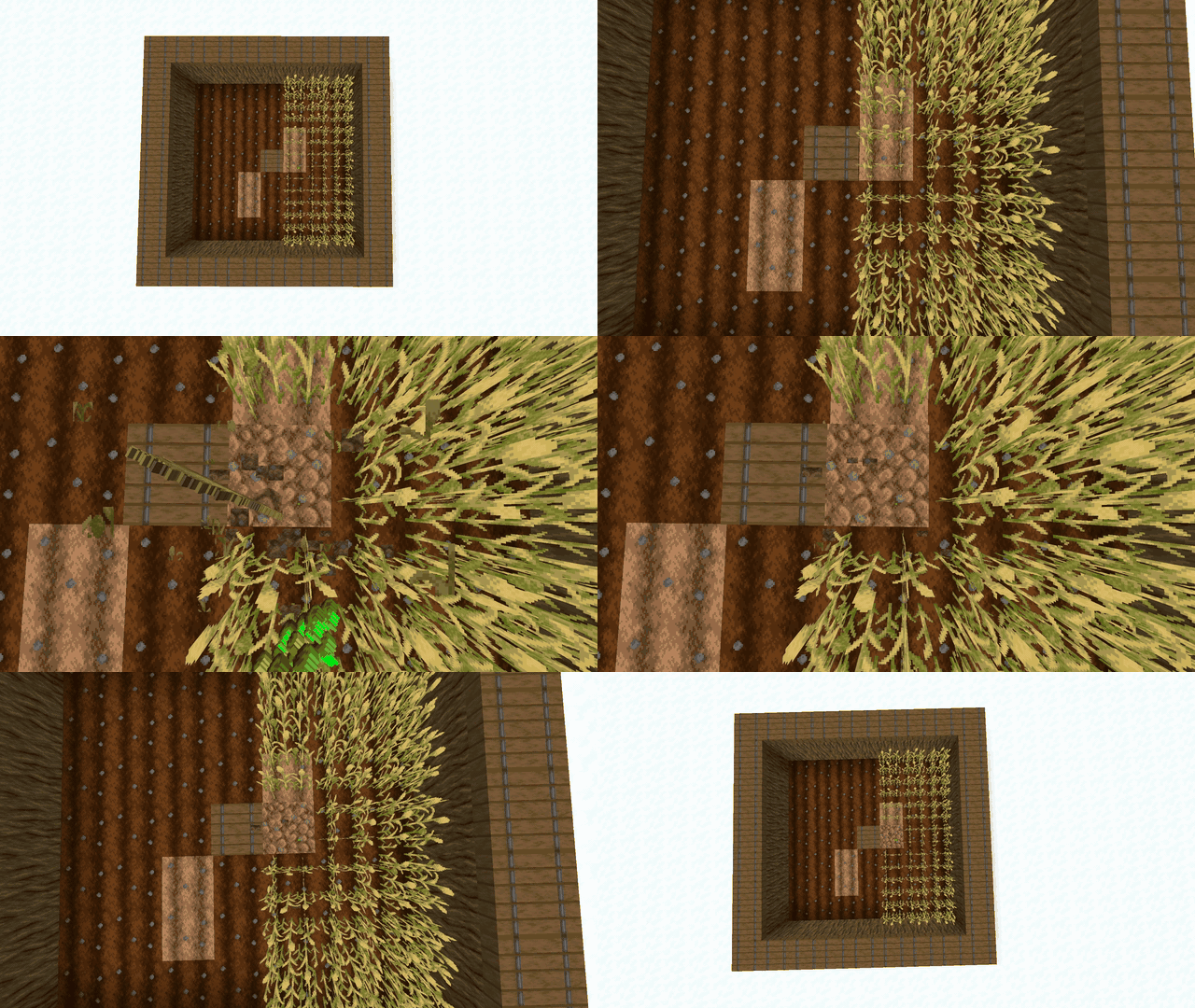 |
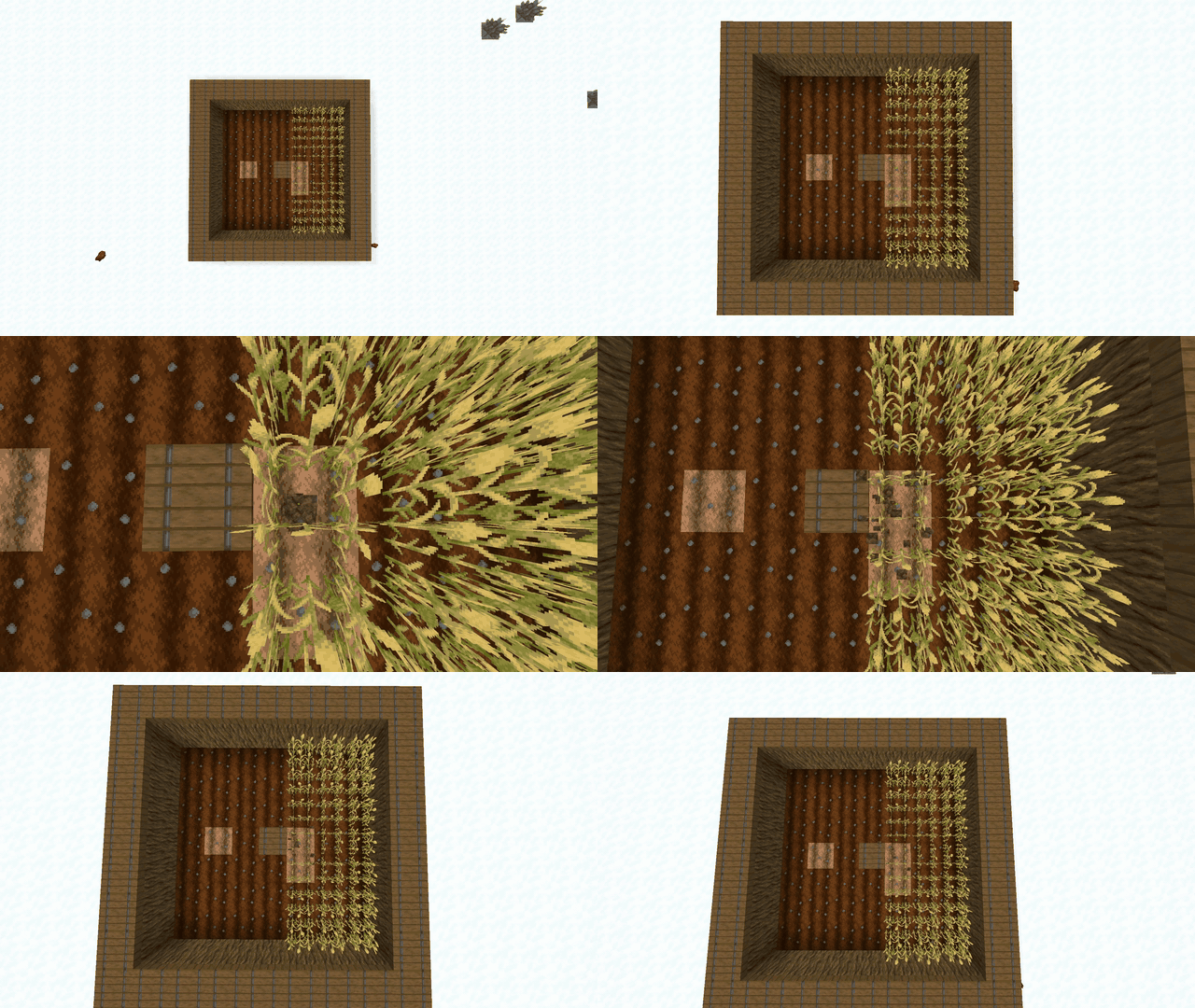 |
| Mob | 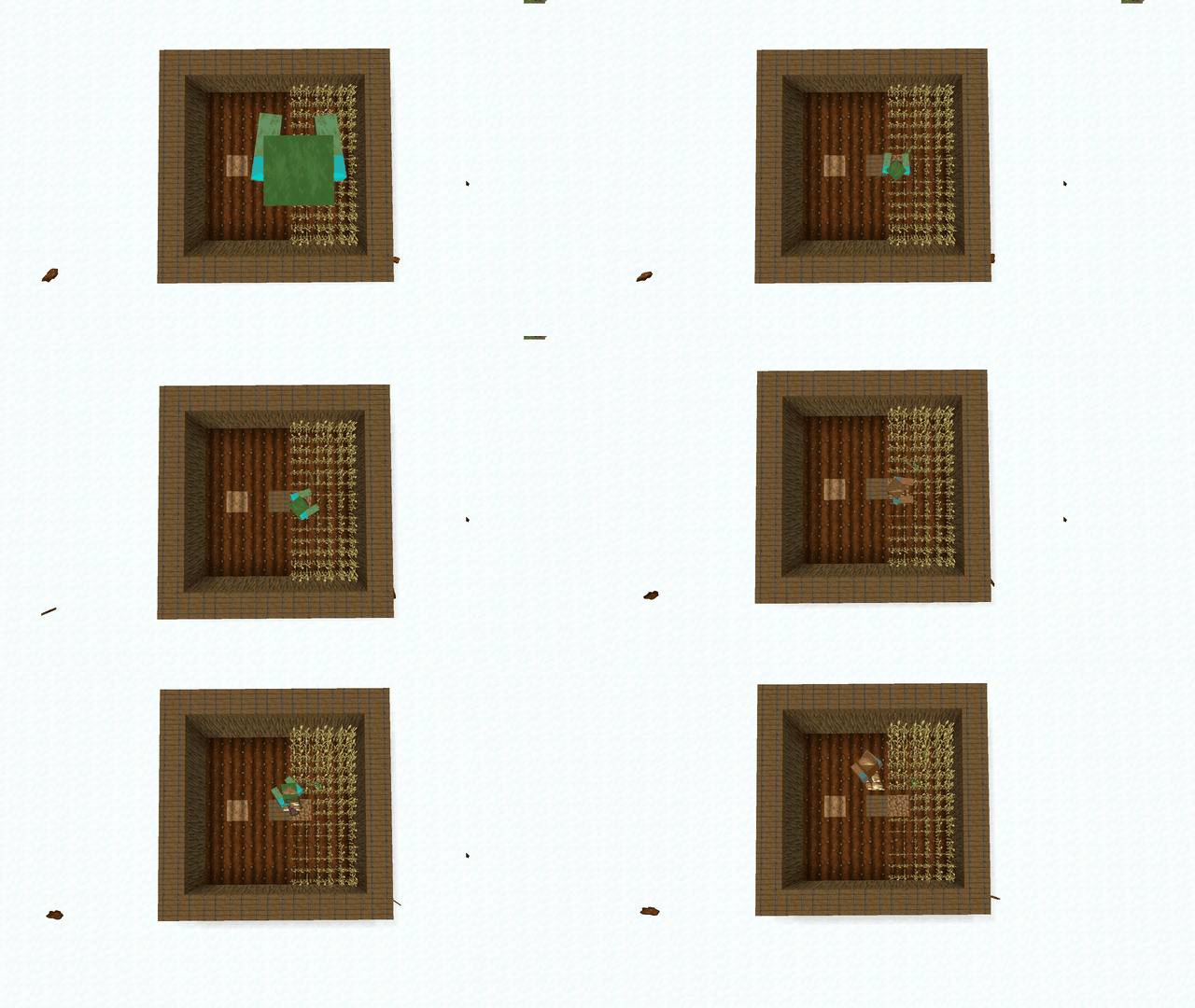 |
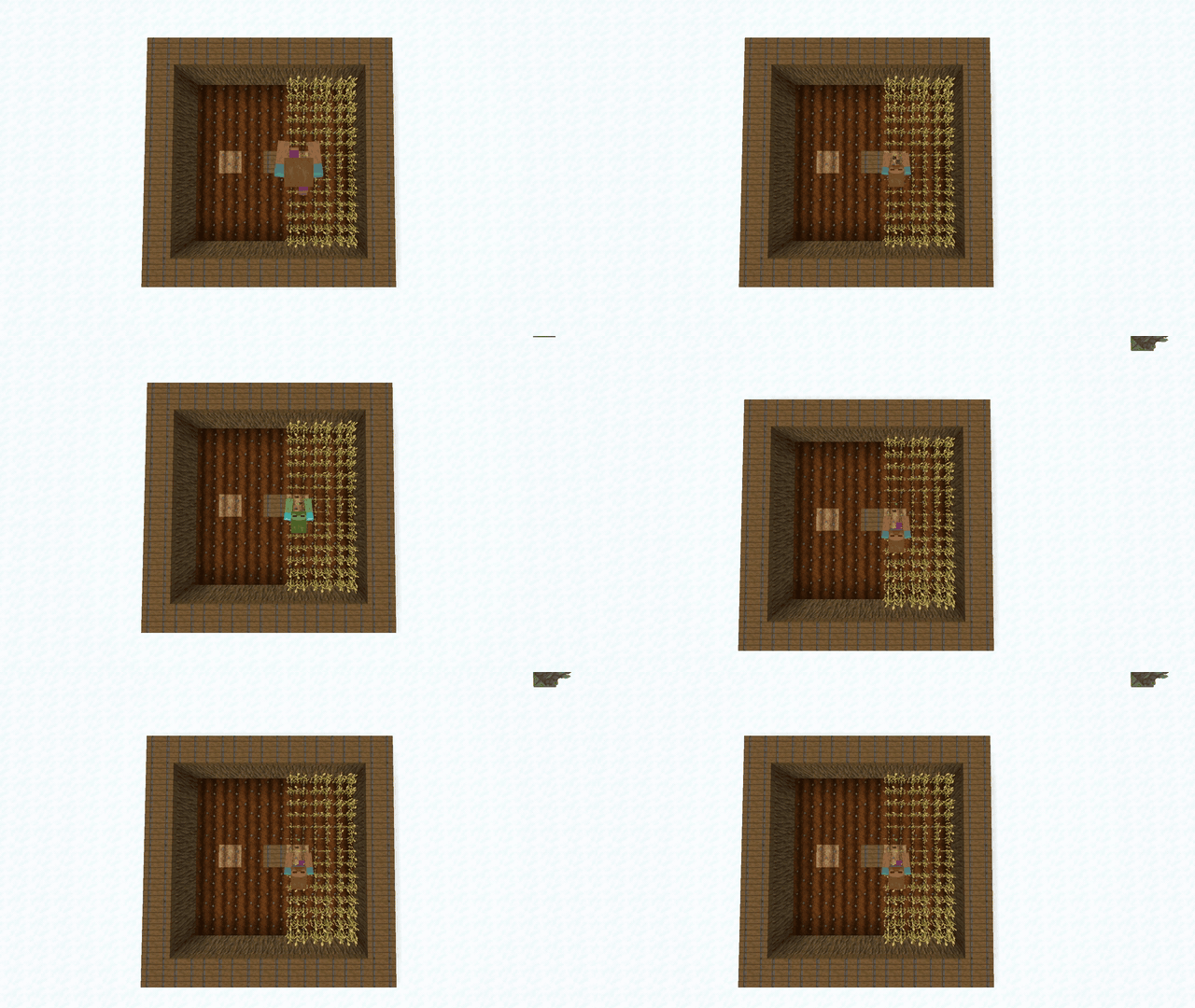 |
| Empty farmland | 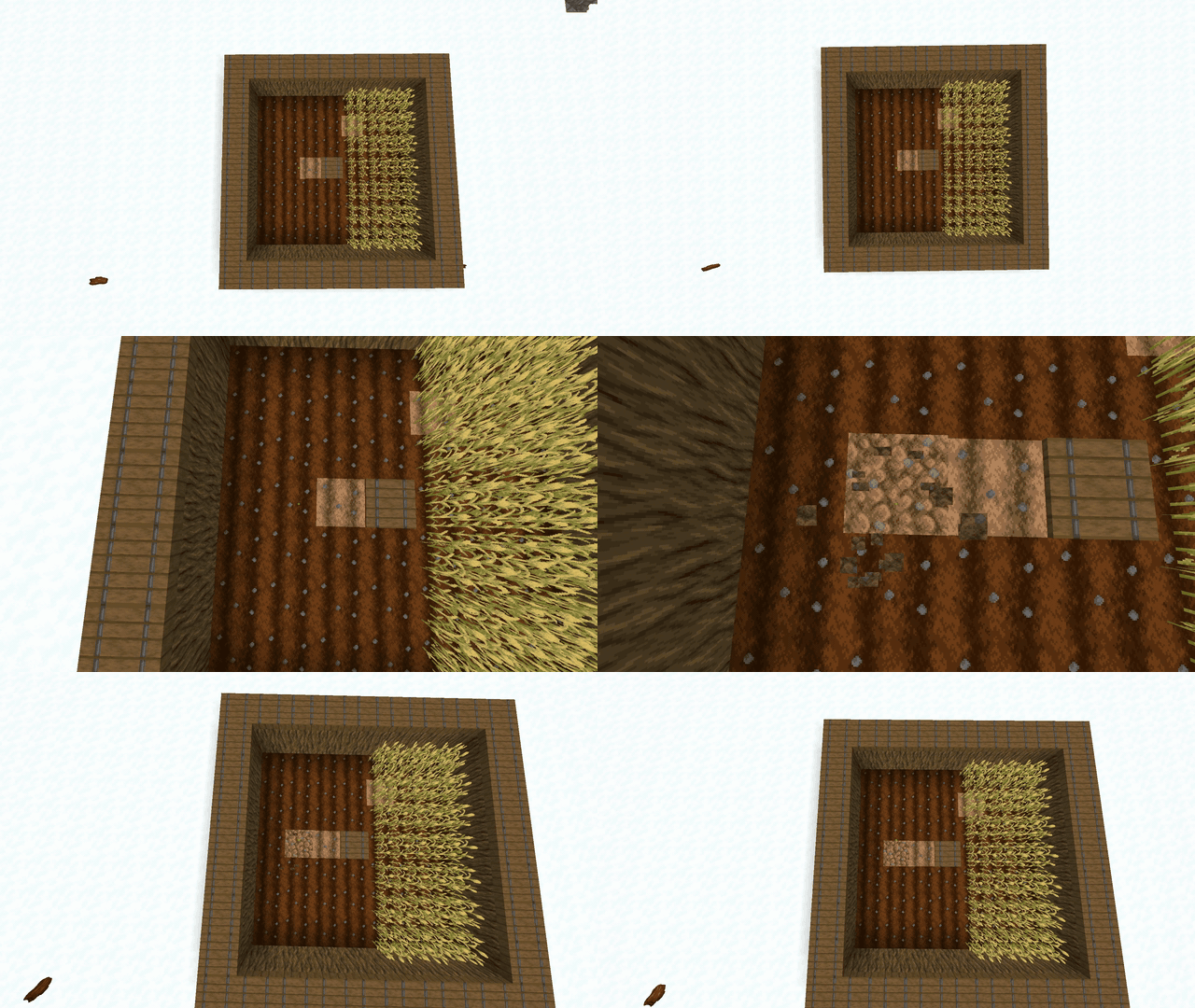 |
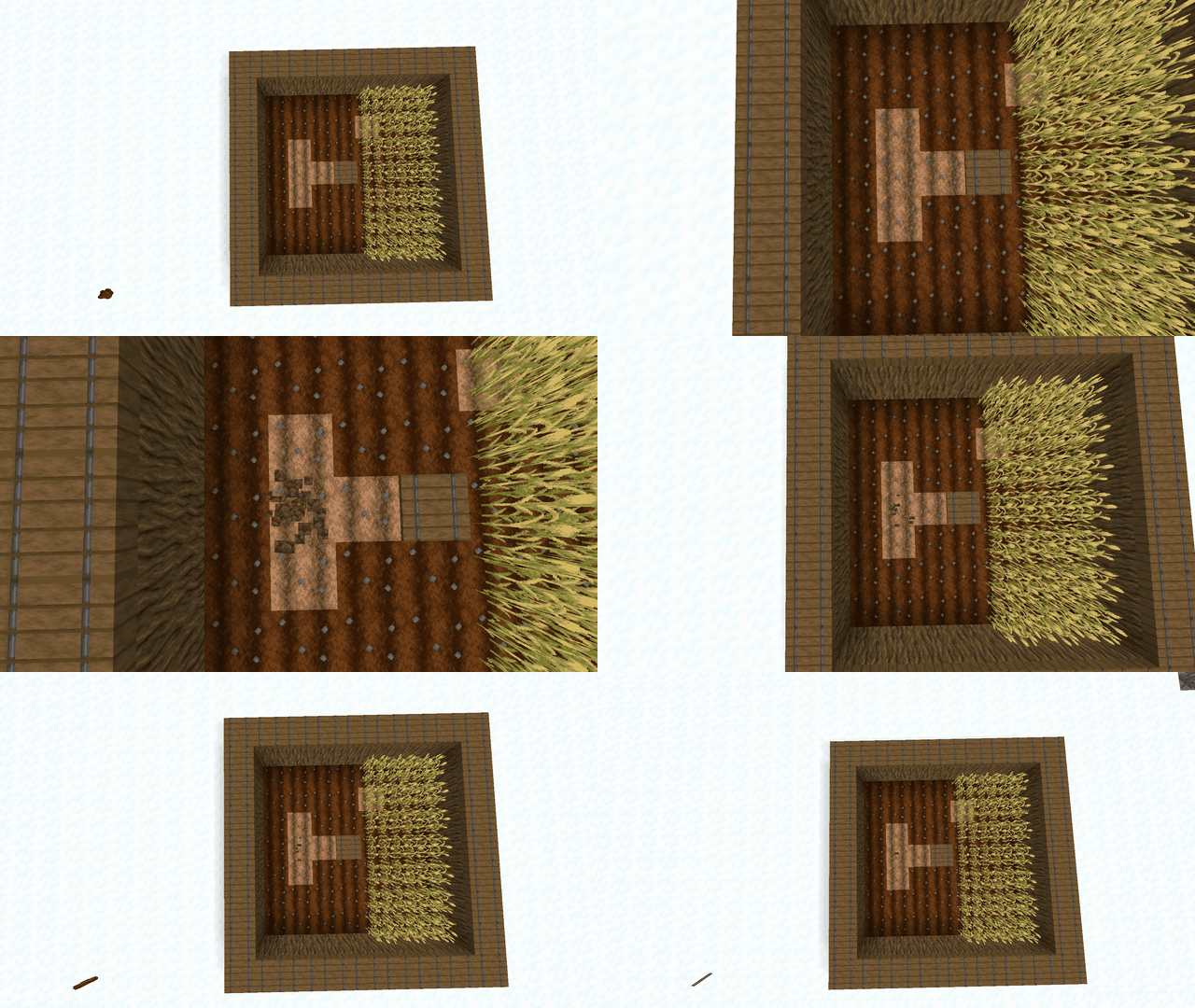 |
Empty farmland protection only affects unplanted farmland; planted farmland follows the player and mob settings.
Features
- Independent toggles for players, mobs, and empty (unplanted) farmland.
- Mounted players follow player rules — horses, camels, pigs, and other player-controlled mounts use player rules (including Feather Falling).
- Optional survival balance:
- Min Feather Falling (
0–4) — require boots with at least that Feather Falling level before player protection applies. - Max Safe Fall Distance (
0–100blocks,0= unlimited) — keep normal jumps safe while letting high falls still trample farmland.
- Min Feather Falling (
- Zero tick overhead — event-driven (a single Fabric Mixin / NeoForge's native
FarmlandTrampleEvent), no tick loops or entity scanning. - 100% server-side — vanilla clients join without needing the mod.
How Settings Work
- In an active world (per-world GameRules): Each world saves its own live settings as native Minecraft GameRules (
nocroptrample:*). Change them anytime via/nocroptrample,/gamerule, Minecraft's Game Rules screen, or (in singleplayer) the mod's config screen. Different worlds can have different rules. - Defaults for new worlds (
config/nocroptrample.json): The JSON config file sets the starting values for newly created worlds — edit it by hand or from the Title Screen (via ModMenu on Fabric, or Mods → Config on NeoForge). To apply updated JSON defaults to an existing world, run/nocroptrample reload. - Multiplayer servers (optional client GUI): Only the server needs the mod. Players who also install it on their client see the server's live settings (read-only) in the config screen (automatically updated when an OP changes a rule), or a clear notice on servers without the mod.
Commands & GameRules
Viewing status works for everyone; changing settings requires OP permission level 2 (OPs also get clickable controls in /nocroptrample status).
| Setting | Default | Command | GameRule |
|---|---|---|---|
| Empty farmland | true |
/nocroptrample empty [on|off] |
nocroptrample:prevent_empty_trampling |
| Players & mounts | true |
/nocroptrample player [on|off] |
nocroptrample:prevent_player_trampling |
| Mobs | true |
/nocroptrample mob [on|off] |
nocroptrample:prevent_mob_trampling |
| Min Feather Falling | 0 (off) |
/nocroptrample featherfalling [0-4] |
nocroptrample:min_feather_falling_level |
| Max safe fall | 0 (unlimited) |
/nocroptrample falldistance [0-100] |
nocroptrample:max_safe_fall_distance |
Utility commands:
/nocroptrampleor/nocroptrample status— show current world settings (with clickable toggles/steps for OPs)./nocroptrample reload— reloadconfig/nocroptrample.jsonand apply those defaults to the current world./nocroptrample reset— reset the current world's rules back to mod defaults.
Default Configuration
config/nocroptrample.json seeds newly created worlds and /nocroptrample reload (existing worlds store their own overrides in GameRules):
{
  "preventEmptyTrampling": true,
  "preventPlayerTrampling": true,
  "preventMobTrampling": true,
  "minFeatherFallingLevel": 0,
  "maxSafeFallDistance": 0
}
Modpacks & Datapack Tags
| Tag | Path | Purpose |
|---|---|---|
#nocroptrample:protected_crops |
data/nocroptrample/tags/block/protected_crops.json |
Extra blocks treated as planted crops (includes minecraft:torchflower by default; CropBlock, StemBlock, AttachedStemBlock, and #minecraft:crops are already detected automatically). |
#nocroptrample:trample_exempt_entities |
data/nocroptrample/tags/entity_type/trample_exempt_entities.json |
Entities that never trample farmland. |
#nocroptrample:always_trample_entities |
data/nocroptrample/tags/entity_type/always_trample_entities.json |
Entities that always trample farmland (takes priority over all protection rules, including trample_exempt_entities). |
Example datapack override (data/nocroptrample/tags/entity_type/always_trample_entities.json):
{
  "replace": false,
  "values": [
    "minecraft:ravager"
  ]
}
Requirements
- Minecraft 26.3+
- Fabric Loader 0.16+ and Fabric API, or NeoForge 26.3+
- Java 25+
Links
Project description from CurseForge.
Pick your setup
No Crop Trample by Minecraft version and loader
Choose the version and loader you play, then open the matching release.
Minecraft version
26.2
1 loader buildMinecraft version
26.1.2
1 loader buildMinecraft version
26.1.1
1 loader buildMinecraft version
26.1-snapshot-11
1 loader buildMinecraft version
26.1-snapshot-10
1 loader buildMinecraft version
26.1-snapshot-9
1 loader buildMinecraft version
26.1-snapshot-8
1 loader buildMinecraft version
26.1-snapshot-7
1 loader buildMinecraft version
26.1-snapshot-6
1 loader buildMinecraft version
26.1-snapshot-5
1 loader buildMinecraft version
26.1-snapshot-4
1 loader buildShowing the newest 12 of 35 game versions. Older files are in the list below.
Check the dependencies, then try the file in a copied instance before changing a world you care about.
Recent files
No Crop Trample versions and loaders
nocroptrample-neoforge-1.6+backport.1.20.6-1.21.10.jar
25 Sept 2026
Client Source doesn’t say Server Source doesn’t say Dependencies No extras listed Listed on Release listing
Check the 1.21.2 · NeoForge setup 1.211.21.81.21.51.21.4 release
nocroptrample-fabric-1.6+backport.1.20.6-1.21.10.jar
25 Sept 2026
Client Source doesn’t say Server Source doesn’t say Dependencies No extras listed Listed on Release listing
Check the 1.21.2 · Fabric setup 1.21Fabric1.21.81.21.5 release
1.0.0-1.21.x
nocroptrample-1.0.0.jar
19 Dec 2025
Client Not supported Server Required Dependencies 1 required · 1 unchecked Listed on Release listing
Check the 1.21.2 · Fabric setup 1.211.21.11.21.101.21.11 release
Looking for an older file? The official CurseForge project page is in Resources.
 mod
CurseForge + Modrinth · Minecraft
Just Enough Backups (JEB)
Backup mod that keeps your worlds safe with automatic and manual backups, with an easy in-game UI to create, manage, and restore them.
 mod
CurseForge + Modrinth · Minecraft
Quick Skin
Sick of wasting time with Minecraft’s slow launcher just to change your skin? Quick Skin lets you swap skins instantly even on “offline” servers and gives you access to every official Minecraft cape.
 mod
CurseForge + Modrinth · Minecraft
Carpet TIS Addition
A Carpet mod (fabric-carpet) extension, a collection of carpet mod style useful tools and interesting features