Roughly Enough Items (REI) Needed by REI Custom Command 26.0.0+fabric
requiredMatching file found Matched file: 26.1.819+fabric
Modrinth · Minecraft mod
Adds your frequently used commands to bookmarks/favorites in REI
Quick answer
REI Custom Command 26.0.0+fabric targets 26.1, 26.1.1, 26.1.2 with Fabric, Quilt. It must be installed on the client. Do not install it on the dedicated server. All 4 required mods have matching files.
Where it goes
It must be installed on the client. Do not install it on the dedicated server.
This file is marked client-only.
26.0.0+fabric on 26.1. Every mod below is checked against that same setup.
Install Roughly Enough Items (REI), Fabric API, Cloth Config API, Architectury API first. We found matching files for this game-version and loader setup. 3 come through another mod in the chain.
3 extra mods were pulled in by other dependencies. Indented rows show who needs each one. We only count dependency files that match this setup. A file for another loader does not fill the gap.
Before you install it
Built for REI Custom Command 26.0.0+fabric on 26.1. Pick another file and the loader, install side or required mods may change.
Use 26.0.0+fabric. It targets 26.1, 26.1.1, 26.1.2 with Fabric, Quilt; another release may have different loader, side or dependency requirements.
Install Roughly Enough Items (REI), Fabric API, Cloth Config API, Architectury API first. We found matching files for this game-version and loader setup. 3 come through another mod in the chain.
It must be installed on the client. Do not install it on the dedicated server.
Use the “Get this file” button beside 26.0.0+fabric. It opens that exact file at the source.
About this project
This mod allows you to add frequently used commands to bookmarks/favorites in REI.
To add a command, simply type the commands in the search bar (starting and separated by "/") and press enter.
To name a bookmark, type some words before the "/" when adding the bookmark. (can use "$" for formatting codes)
Text component parsing is supported. You can use it to add hex color or localizable text. For example:
{text:HI,color:"#FFAA00"}/say hi
(In this example, you can see the lenient JSON mode is enabled. So you don't have to always enter quotes.)
You can also specify an item as an icon. For example:
{item:"minecraft:apple"}/say hi
Alternatively, to assign tags to the item:
{item:"potion[potion_contents={potion:\\"minecraft:regeneration\\"}]"}/say hi
A small command block will be displayed on the icon. Holding CTRL to hide it.
When adding a custom command, press CTRL+Enter to keep the contents in the search box.
Multiple commands: Separated by "/", escaped by "\"
/tellraw @a "Note about \\"REICC\\":" /say You can download it from CurseForge\/Modrinth
Text component parsing is supported. You can use it to add hex color or localizable text. For example:
{text:HI,color:"#FFAA00"}/say hi
(In this example, you can see the lenient JSON mode is enabled. So you don't have to always enter quotes.)
You can also specify an item as an icon. For example:
{item:"minecraft:apple"}/say hi
Alternatively, to assign tags to the item:
{item:{id:potion,tag:{Potion:regeneration}}}/say hi
A small command block will be displayed on the icon. Holding CTRL to hide it.
When adding a custom command, press CTRL+Enter to keep the contents in the search box.
Separated by "/", escaped by "\"
/tellraw @a "Note about \\"REICC\\":" /say You can download it from CurseForge\/Modrinth
Project description from Modrinth.
Pick your setup
Choose the version and loader you play, then open the matching release.
Check the dependencies, then try the file in a copied instance before changing a world you care about.
Recent files
REICustomCommand-mc26.1-Fabric-26.0.0.jar
21 Jun 2026
Looking for an older file? The official Modrinth project page is in Resources.
 mod
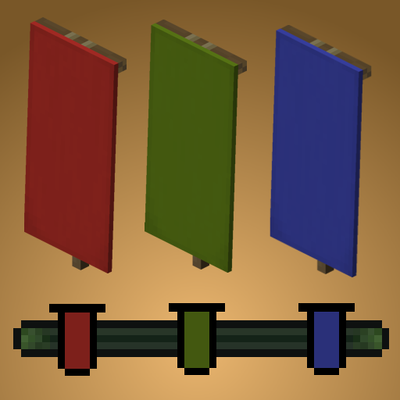
Turn banners into locator bar waypoints
 mod
High-performance animation and rendering framework for Minecraft. Advanced animations, custom 3D models, GPU instancing, mesh deformation, player animations, and more.
 mod
Automatic snapshots of your config folder with a line-by-line diff and one-click restore. Undo any config change, on the client or on a server.