Minecraft version
Back to mods 
Modrinth · Minecraft mod
Geo Restrict
Country, ASN, VPN and proxy access rules for Minecraft servers and proxy networks.
Choose a version Pick your version below, then grab the matching file.
Quick answer
Which Geo Restrict release matches 26.3 sponge?
Best match for your filters 2.1.0-sponge
Game version 1.16, 1.16.1, 1.16.2
Loader sponge
Geo Restrict 2.1.0-sponge targets 1.16, 1.16.1, 1.16.2 with sponge. The project page does not say whether this file belongs on the client, dedicated server, or both. No extra mods listed for this file.
Where it goes
Is Geo Restrict required on the client, server, or both?
The project page does not say whether this file belongs on the client, dedicated server, or both.
Client Source doesn’t say
Dedicated server Source doesn’t say
Loader for this release sponge
Required install it here Optional supported, not mandatory Not supported do not install here Source doesn’t say do not assume
The source does not explicitly classify this release as client-only or server-only.
What else does Geo Restrict 2.1.0-sponge need?
2.1.0-sponge on 26.3 sponge. Every mod below is checked against that same setup.
This file does not list any required mods. Do not add a library just because a different file uses it.
This file does not list any required or optional mods.
Before you install it
Add Geo Restrict without breaking your instance.
Built for Geo Restrict 2.1.0-sponge on 26.3 sponge. Pick another file and the loader, install side or required mods may change.
- 01
Stick to this file
Use 2.1.0-sponge. It targets 1.16, 1.16.1, 1.16.2 with sponge; another release may have different loader, side or dependency requirements.
- 02
Bring the mods it needs
This file does not list any required mods. Do not add a library just because a different file uses it.
- 03
Put it on the correct side
The project page does not say whether this file belongs on the client, dedicated server, or both.
- 04
Pick the file you checked
Use the “Get this file” button beside 2.1.0-sponge. It opens that exact file at the source.
About this project
What does Geo Restrict add?
GeoRestrict
Friendly geographic access control for Minecraft servers and proxies.
GeoRestrict lets you make practical rules around where connections come from. Block a short list of countries, keep a private server open to one region, stop traffic from a troublesome hosting network, or add a VPN rule while an attack is active. The policy stays in your own config.yml, where you can read it and change it.
Sponsored by Nexeu Hosting

High-performance, affordable hosting for your Minecraft server. Premium hardware, instant setup, 24/7 support.
The useful bits
- Country allowlists and blocklists
- ASN rules for individual ISPs and hosting networks
- Configurable VPN, proxy and hosting detection
- Geyser / Floodgate (Bedrock) integration with custom bypass options
- Developer API (
GeoRestrictAPI) for Paper, BungeeCord, and Velocity (Geo-Routing, VPN queries, ASN lookups) - One v2.0.2 jar for Bukkit, Spigot, Paper, Purpur, Folia, BungeeCord, Waterfall and Velocity
- Local, bounded cache with atomic saves and automatic expiry cleanup
- Clear behavior when the lookup service is temporarily unavailable
- Discord block notifications with IP masking enabled by default
/georestrict check,cachestats,purgecacheandreloadgeorestrict.bypasson servers compatible with Bukkit
Start small
- Put
georestrict-2.0.2.jarin the server or proxyplugins/folder. - Restart once to create
plugins/GeoRestrict/config.yml. - Pick
BLOCKLISTorALLOWLISTand add two letter country codes. - Run
/georestrict reload. - Use
/georestrict check <ip>to confirm the result before inviting everyone back.
You do not need to enable every feature on day one. Country rules are enough for many communities; ASN and VPN controls can wait until you have a specific problem to solve.
When a lookup fails
v2.0.2 blocks by default when the cache is empty and the lookup service is unavailable. The player receives your kickMessageLookupFailure. Set blockOnLookupFailure: false if keeping the server reachable during an outage matters more than strict filtering.
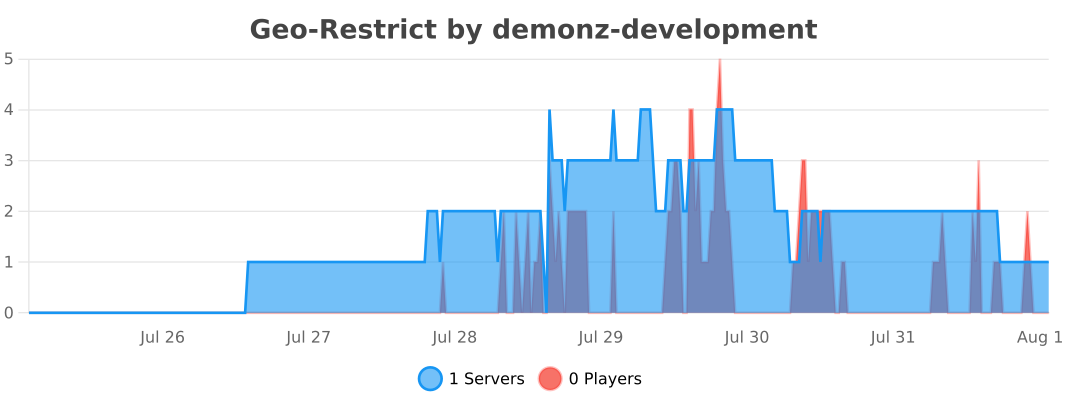
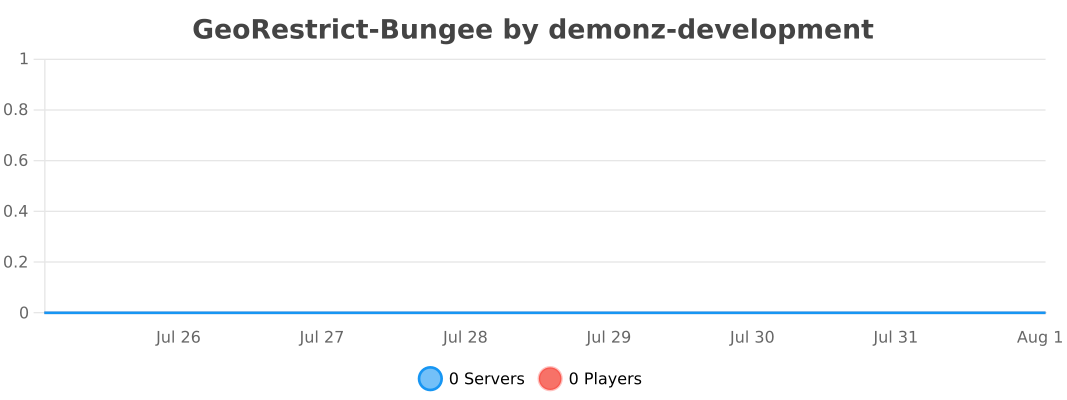
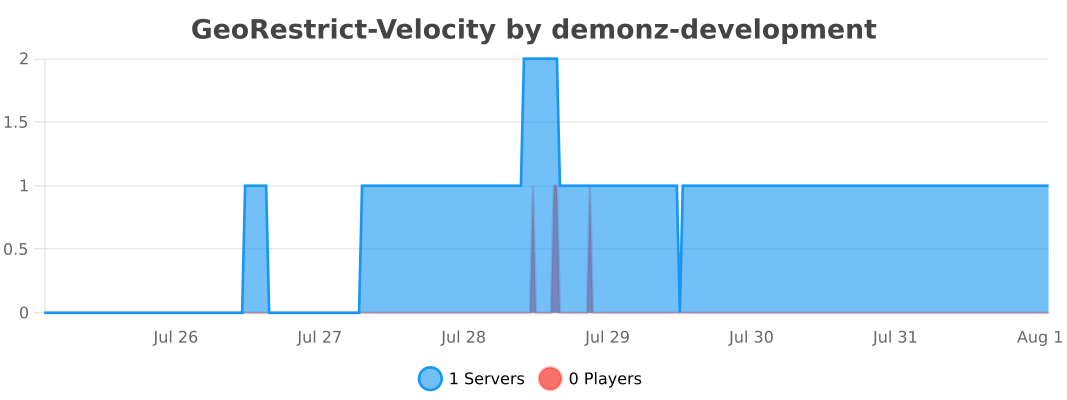
Live Statistics
Privacy, without vague promises
On a cache miss, the connecting IP goes to the configured lookup service for country, ASN and proxy data. GeoRestrict does not run a central player panel or player analytics service. Standard aggregate bStats metrics are available per platform; bStats does not receive player names or IP addresses from this plugin. Most communities can keep the generated network settings unchanged.
Requirements
- GeoRestrict targets Java 17 bytecode; use the newer Java version required by your platform
- Check the tested version table in the wiki for your Minecraft release
- A supported Bukkit server or proxy platform
- Outbound HTTPS access to the configured lookup service
Help and project links
- Source code
- Download on Modrinth
- Documentation
- Privacy Policy
- Terms and Conditions
- Discord support and feedback
- Bug reports
- Demonz Development
GeoRestrict was originally created by linuxaddict and is now maintained by the Demonz Development open source community. Licensed under GPL-3.0.
Project description from Modrinth.
Pick your setup
Geo Restrict by Minecraft version and loader
Choose the version and loader you play, then open the matching release.
Minecraft version
26.2
4 loader buildsMinecraft version
26.1.2
4 loader buildsMinecraft version
26.1.1
4 loader buildsMinecraft version
26.1
4 loader buildsMinecraft version
1.21.11
4 loader buildsMinecraft version
1.21.10
4 loader buildsMinecraft version
1.21.9
4 loader buildsMinecraft version
1.21.8
4 loader buildsMinecraft version
1.21.7
4 loader buildsMinecraft version
1.21.6
4 loader buildsMinecraft version
1.21.5
4 loader buildsShowing the newest 12 of 57 game versions. Older files are in the list below.
Check the dependencies, then try the file in a copied instance before changing a world you care about.
Recent files
Geo Restrict versions and loaders
2.1.0-sponge
georestrict-sponge-2.1.0.jar
14 Oct 2026
Client Source doesn’t say Server Source doesn’t say Dependencies No extras listed Listed on Release listing
Check the 26.3 · sponge setup 1.161.16.11.16.21.16.3 release
Looking for an older file? The official Modrinth project page is in Resources.
 mod
mod Modrinth · Minecraft
DirtyAliasing
Simple Anti-Aliasing (FXAA/TAA) and CAS Upscaling solution for smoother gameplay.
 mod
mod Modrinth · Minecraft
Faster Boats
Increases boat speed by 1.3x forwards and in reverse, with an additional speed boost for sustained straight-line travel.
 mod
mod CurseForge + Modrinth · Minecraft
Large Fluid Tank
Add some types of tanks, which can be combined vertically. Tanks can hold Fluids and Potions.