Mod Menu Optional for autokey-1.0.0+1.19.jar
optionalMatching file found Matched file: Mod Menu v4.0.4 for 1.19

CurseForge · Minecraft mod
Simple, client side scripting for Minecraft.
Quick answer
autokey-1.0.0+1.19.jar targets 1.19 with Fabric. The project page does not say whether this file belongs on the client, dedicated server, or both. All 1 required mods have matching files.
Where it goes
The project page does not say whether this file belongs on the client, dedicated server, or both.
The source does not explicitly classify this release as client-only or server-only.
autokey-1.0.0+1.19.jar on 1.19. Every mod below is checked against that same setup.
Install Fabric API first. We found matching files for this game-version and loader setup.
We only count dependency files that match this setup. A file for another loader does not fill the gap.
Before you install it
Built for autokey-1.0.0+1.19.jar on 1.19. Pick another file and the loader, install side or required mods may change.
Use autokey-1.0.0+1.19.jar. It targets 1.19 with Fabric; another release may have different loader, side or dependency requirements.
Install Fabric API first. We found matching files for this game-version and loader setup.
The project page does not say whether this file belongs on the client, dedicated server, or both.
Use the “Get this file” button beside autokey-1.0.0+1.19.jar. It opens that exact file at the source.
About this project
Autokey is a free and open-source fabric mod for Minecraft that aims to provide a simple and easy-to-understand scripting interface.
This mod allows you to write and use scripts or macros that can press keys, send chat messages, do calculations and much more!
Just drop the mod and the Fabric API into your mods folder. Press B to open the main menu.
You can code your own scripts or download some from the snippets section of this project on GitLab.


Code:
parts = split(message, " ")

firstNumber = getArrayElementAt(parts, 1)
operator = getArrayElementAt(parts, 2)
secondNumber = getArrayElementAt(parts, 3)

result = "invalid"
if (operator == "+")
{
    result = parseDouble(firstNumber) + parseDouble(secondNumber)
}
if (operator == "-")
{
    result = parseDouble(firstNumber) - parseDouble(secondNumber)
}
if (operator == "*")
{
    result = parseDouble(firstNumber) * parseDouble(secondNumber)
}
if (operator == "/")
{
    result = parseDouble(firstNumber) / parseDouble(secondNumber)
}

print(firstNumber _ " " _ operator _ " " _ secondNumber _ " = " _ toString(result))

Project description from CurseForge.
Pick your setup
Choose the version and loader you play, then open the matching release.
Check the dependencies, then try the file in a copied instance before changing a world you care about.
Recent files
23 Aug 2022
Looking for an older file? The official CurseForge project page is in Resources.
 mod
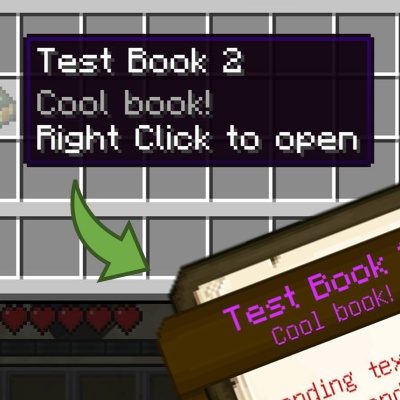
Open guidebooks, backpacks, handhelds and more with a single click in inventory
 mod
Eliminates attack cooldown for rapid attacks
 mod
Stop rerolling villagers. Press Pick trade and select any 2 trades its profession can offer (max-level enchanted books included). Fast trade and saves time.