
Minecraft version
Back to mods 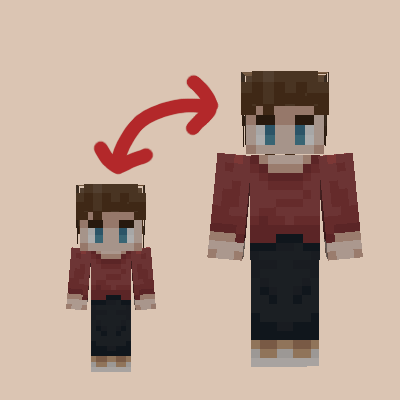
CurseForge · Minecraft mod
JinGames Years C - Remastered
Select an age and get old.
Choose a version Pick your version below, then grab the matching file.
Quick answer
Which JinGames Years C - Remastered release should I use?
Latest stable file Years C v1.2.2 [1.20.2]
Game version 1.20.2
Loader Forge
JinGames Years C - Remastered Years C v1.2.2 [1.20.2] targets 1.20.2 with Forge. The project page does not say whether this file belongs on the client, dedicated server, or both. No extra mods listed for this file.
Where it goes
Is JinGames Years C - Remastered required on the client, server, or both?
The project page does not say whether this file belongs on the client, dedicated server, or both.
Client Source doesn’t say
Dedicated server Source doesn’t say
Loader for this release Forge
Required install it here Optional supported, not mandatory Not supported do not install here Source doesn’t say do not assume
The source does not explicitly classify this release as client-only or server-only.
What else does JinGames Years C - Remastered Years C v1.2.2 [1.20.2] need?
Years C v1.2.2 [1.20.2]. Change the file and its required mods may change too.
This file does not list any required mods. Do not add a library just because a different file uses it.
This file does not list any required or optional mods.
Before you install it
Add JinGames Years C - Remastered without breaking your instance.
Built for JinGames Years C - Remastered Years C v1.2.2 [1.20.2]. Pick another file and the loader, install side or required mods may change.
- 01
Stick to this file
Use Years C v1.2.2 [1.20.2]. It targets 1.20.2 with Forge; another release may have different loader, side or dependency requirements.
- 02
Bring the mods it needs
This file does not list any required mods. Do not add a library just because a different file uses it.
- 03
Put it on the correct side
The project page does not say whether this file belongs on the client, dedicated server, or both.
- 04
Pick the file you checked
Use the “Get this file” button beside Years C v1.2.2 [1.20.2]. It opens that exact file at the source.
About this project
What does JinGames Years C - Remastered add?
Years C - Remastered Mod
(Forge 1.20.1-2, 1.19, 1.18.x, 1.17.1, 1.16.5)
A standalone mod that lets you choose your Age, and grow old.
Be sure to use the latest Forge version for each release!
Usage:
- Press the V key to set your Age
- Afterwards pressing the V key will open up your data sheet, showing your Age, and other information from the mod
- Command:
- /jycage <livedDays> <playerName>
- Sets the Age of a Player depending on how many Minecraft Days you have set.
Some Features:
- Starting Age selector
- You age as the game goes on
- If you have Hair C installed as well, then your Hair will turn white as you become Old
- Being too old will kill the player
Compatible Mod:
Common Question(s):
Q: Will the mod be updated/downgraded to a newer/older Forge version?
A: Maybe, but there are no fixed plans on this yet.
Q: Is it possible to play with this mod in older forge versions?
A: You can find an older version for 1.7.10 on it's official page here: main.jingames.net/jinryuus-years-c/ OR Here On CurseForge
Credits:
- Creator: Tamás "JinRyuu" Nagy (Passed away)
- Current developer: Benjámin "JinGames_Ben" Nagy
Donate:
OUR PATREON: patreon.com/JinRyuu
SERVER DONATION: JinGames DBC Zero S Minecraft Server

JinGames is Sponsored by BisectHosting!
Need a Minecraft Server? BisectHosting is a super easy to use Server Hosting provider!
Use our Link and promo code JinGames to get 25% OFF your first month.
 WEBSITE |
 DISCORD |
|---|
Project description from CurseForge.
Pick your setup
JinGames Years C - Remastered by Minecraft version and loader
Choose the version and loader you play, then open the matching release.
Minecraft version
1.20.1
1 loader buildMinecraft version
1.19
1 loader buildMinecraft version
1.18.2
1 loader buildMinecraft version
1.18.1
1 loader buildMinecraft version
1.18
1 loader buildMinecraft version
1.17.1
1 loader buildMinecraft version
1.16.5
1 loader buildCheck the dependencies, then try the file in a copied instance before changing a world you care about.
Recent files
JinGames Years C - Remastered versions and loaders
Years C v1.2.2 [1.20.2]
yearsc-forge-1.20.2-1.2.2.jar
27 Nov 2023
Client Source doesn’t say Server Source doesn’t say Dependencies No extras listed Listed on Release listing
Check the 1.20.2 · Forge setup 1.20.2Forge release
Years C v1.2 [1.20.2]
yearsc-forge-1.20.2-1.2.1.jar
26 Oct 2023
Client Source doesn’t say Server Source doesn’t say Dependencies No extras listed Listed on Release listing
Check the 1.20.2 · Forge setup 1.20.2Forge release
Years C v1.2 [1.16.5]
yearsc-forge-1.16.5-1.2.0.jar
3 Sept 2023
Client Source doesn’t say Server Source doesn’t say Dependencies No extras listed Listed on Release listing
Check the 1.16.5 · Forge setup 1.16.5Forge release
Years C v1.2 [1.20.1]
yearsc-forge-1.20.1-1.2.1.jar
19 Jun 2023
Client Source doesn’t say Server Source doesn’t say Dependencies No extras listed Listed on Release listing
Check the 1.20.1 · Forge setup 1.20.1Forge release
Years C v1.2 [1.19]
yearsc-1.19-v1.2.jar
15 Jun 2022
Client Source doesn’t say Server Source doesn’t say Dependencies No extras listed Listed on Release listing
Check the 1.19 · Forge setup Forge1.19 release
Years C v1.2 [1.18.x]
yearsc-1-18-x.jar
18 Apr 2022
Client Source doesn’t say Server Source doesn’t say Dependencies No extras listed Listed on Release listing
Check the 1.18.2 · Forge setup 1.18.11.18.2Forge1.18 release
Years C v1.2 [1.17.1]
yearsc-1-17-x.jar
18 Apr 2022
Client Source doesn’t say Server Source doesn’t say Dependencies No extras listed Listed on Release listing
Check the 1.17.1 · Forge setup 1.17.1Forge release
Years C v1.1 [1.18.x]
yearsc-1-18-x.jar
10 Apr 2022
Client Source doesn’t say Server Source doesn’t say Dependencies No extras listed Listed on Release listing
Check the 1.18.2 · Forge setup 1.18.11.18.2Forge1.18 release
Years C v1.1 [1.17.1]
yearsc-1-17-x.jar
10 Apr 2022
Client Source doesn’t say Server Source doesn’t say Dependencies No extras listed Listed on Release listing
Check the 1.17.1 · Forge setup 1.17.1Forge release
Years C v1.0 [1.18.x]
yearsc-1-18-x.jar
7 Apr 2022
Client Source doesn’t say Server Source doesn’t say Dependencies No extras listed Listed on Release listing
Check the 1.18.2 · Forge setup 1.18.11.18.2Forge1.18 release
Years C v1.0 [1.17.1]
yearsc-1-17-x.jar
7 Apr 2022
Client Source doesn’t say Server Source doesn’t say Dependencies No extras listed Listed on Release listing
Check the 1.17.1 · Forge setup 1.17.1Forge release
Looking for an older file? The official CurseForge project page is in Resources.
 mod
mod CurseForge + Modrinth · Minecraft
Jade Addons (Neo/Forge)
Jade 🔍's additional mod supports for Neo/Forge
 mod
mod CurseForge · Minecraft
Mama's Happy Hallows
HappyHallows is a Halloween-themed companion to Mama's Merrymaking. Create spooky builds with aging wood and decorations galore. Collect costumes and surprise bags from Monsters, eat lots of treats and have your fortune told by the Crystal Ball.
 mod
mod CurseForge · Minecraft
MINEBHOP
Bring CS2-style bunny hopping to Minecraft. Chain jumps, preserve momentum, air strafe, and build speed with skill-based movement. Master the mechanics and fly across your world faster than ever.