Minecraft version
Back to mods 
CurseForge · Minecraft mod
MacCraft
Drop whole stacks, shift and scroll, and boost performance on Mac!
Choose a version Pick your version below, then grab the matching file.
Quick answer
Which MacCraft release matches 1.19.2 Forge?
Best match for your filters Update to 1.19.2
Game version 1.19.2
Loader Forge
MacCraft Update to 1.19.2 targets 1.19.2 with Forge. The project page does not say whether this file belongs on the client, dedicated server, or both. No extra mods listed for this file.
Where it goes
Is MacCraft required on the client, server, or both?
The project page does not say whether this file belongs on the client, dedicated server, or both.
Client Source doesn’t say
Dedicated server Source doesn’t say
Loader for this release Forge
Required install it here Optional supported, not mandatory Not supported do not install here Source doesn’t say do not assume
The source does not explicitly classify this release as client-only or server-only.
What else does MacCraft Update to 1.19.2 need?
Update to 1.19.2 on 1.19.2 Forge. Every mod below is checked against that same setup.
This file does not list any required mods. Do not add a library just because a different file uses it.
This file does not list any required or optional mods.
Before you install it
Add MacCraft without breaking your instance.
Built for MacCraft Update to 1.19.2 on 1.19.2 Forge. Pick another file and the loader, install side or required mods may change.
- 01
Stick to this file
Use Update to 1.19.2. It targets 1.19.2 with Forge; another release may have different loader, side or dependency requirements.
- 02
Bring the mods it needs
This file does not list any required mods. Do not add a library just because a different file uses it.
- 03
Put it on the correct side
The project page does not say whether this file belongs on the client, dedicated server, or both.
- 04
Pick the file you checked
Use the “Get this file” button beside Update to 1.19.2. It opens that exact file at the source.
About this project
What does MacCraft add?
Minecraft doesn't always get along with MacOS. This mod aims to fix these annoying little issues for Mac users:
Shift + scroll now actually works!
You can now drop whole stacks like your Windows friends can! Use ⌥+Q to drop a stack from your hotbar or inventory!
MacCraft also causes Minecraft to work better with Retina displays, which can significantly boost performance!
Project description from CurseForge.
Pick your setup
MacCraft by Minecraft version and loader
Choose the version and loader you play, then open the matching release.
Minecraft version
1.19.2
1 loader buildMinecraft version
1.18.2
1 loader buildCheck the dependencies, then try the file in a copied instance before changing a world you care about.
Recent files
MacCraft versions and loaders
Update to 1.19.2
maccraft-2.0.jar
26 Sept 2022
Client Source doesn’t say Server Source doesn’t say Dependencies No extras listed Listed on Release listing
Check the 1.19.2 · Forge setup 1.19.2Forge release
Looking for an older file? The official CurseForge project page is in Resources.
 mod
CurseForge · Minecraft
Instantly Destroy Tree :Clear Path for Horse Riding
Cut tree fastor than Treecapitator or Lumberjack , efficient terraforming. Like VeinMiner, our Demolish Axe instantly removes trees. It offers fast logging with zero wait. Leaving zero items,Clear Obstacles,Instant Break,Fast Logging
 mod
CurseForge · Minecraft
Enderberry :teleport Iron Golem ,animals or villagers, yourself ,alternative to Carry On,return safe location '
temporary alternative to Carry On ,recall bed,home command. allows players to bind and teleport animals, villagers, and aquatic creatures to desired locations, simplifying mob logistics.move mobs,portable mob,relocate,pick up
 mod
CurseForge · Minecraft
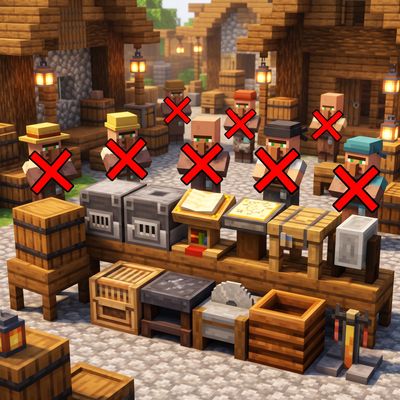
Stop jobsite Stop Work station
Adds identical, non-job-site duplicates of vanilla workstation blocks so you can freely decorate and store items without villagers claiming them.