Minecraft version
Back to mods 
CurseForge · Minecraft mod
special
You can add various weapons and armors, ores, foods, blocks, dimensions, etc.
Choose a version Pick your version below, then grab the matching file.
Quick answer
Which special release should I use?
Latest stable file special1.16.5 ver3.jar
Game version 1.16.5
Loader Not required
special1.16.5 ver3.jar targets 1.16.5. The project page does not say whether this file belongs on the client, dedicated server, or both. No extra mods listed for this file.
Where it goes
Is special required on the client, server, or both?
The project page does not say whether this file belongs on the client, dedicated server, or both.
Client Source doesn’t say
Dedicated server Source doesn’t say
Loader for this release No loader listed
Required install it here Optional supported, not mandatory Not supported do not install here Source doesn’t say do not assume
The source does not explicitly classify this release as client-only or server-only.
What else does special1.16.5 ver3.jar need?
special1.16.5 ver3.jar. Change the file and its required mods may change too.
This file does not list any required mods. Do not add a library just because a different file uses it.
This file does not list any required or optional mods.
Before you install it
Add special without breaking your instance.
Built for special1.16.5 ver3.jar. Pick another file and the loader, install side or required mods may change.
- 01
Stick to this file
Use special1.16.5 ver3.jar. It targets 1.16.5; another release may have different loader, side or dependency requirements.
- 02
Bring the mods it needs
This file does not list any required mods. Do not add a library just because a different file uses it.
- 03
Put it on the correct side
The project page does not say whether this file belongs on the client, dedicated server, or both.
- 04
Pick the file you checked
Use the “Get this file” button beside special1.16.5 ver3.jar. It opens that exact file at the source.
About this project
What does special add?
This mod has various colors of weapons added, such as a coal sword, a blue sword, and a red sword. Armor has also been added, and like the sword, there is coal armor, blue armor, and red armor. Food is also added, and various foods such as radish, rice balls, and curry are added. Ore is also added, including blue ore, red ore, and red sapphire. In addition, new ore blocks will be added, including blue ore blocks, red ore blocks, and red sapphire blocks. There are also dimensions, and if you enter there, you can go to a place made with only one type of block. You can go to the dimension by creating a gate with the blocks added by this mod, creating an item to ignite the gate, and right-clicking on the item created in the gate. How to make a gate is the same as when making a nether gate. There are other blocks, the name of which is Rainbow Block. As the name implies, the blocks are iridescent. This mod does not have any special abilities such as magic added. If you use a kamado to burn red sapphire, it becomes red ore. A new creative tab has also been added, and the creative dub with the blue sword mark has swords, armor, items for igniting the gate, etc. added in this mod. there is. There are many other creative meat marks such as curry and rice ball radish added in this mod. The ore added by this mod will be added to the creative dub with the blue ore mark.
Project description from CurseForge.
Pick your setup
special by Minecraft version and loader
Choose the version and loader you play, then open the matching release.
Check the dependencies, then try the file in a copied instance before changing a world you care about.
Recent files
special versions and loaders
special1.16.5 ver3.jar
special_MOD ver3.jar
10 May 2022
Client Source doesn’t say Server Source doesn’t say Dependencies No extras listed Listed on Release listing
Check the 1.16.5 setup 1.16.5 release
special1.16.5ver2.jar
special_MOD ver2.jar
25 Apr 2022
Client Source doesn’t say Server Source doesn’t say Dependencies No extras listed Listed on Release listing
Check the 1.16.5 setup 1.16.5 release
special 1.16.5 ver1.jar
special_MOD ver1.jar
21 Apr 2022
Client Source doesn’t say Server Source doesn’t say Dependencies No extras listed Listed on Release listing
Check the 1.16.5 setup 1.16.5 release
Looking for an older file? The official CurseForge project page is in Resources.
 mod
CurseForge · Minecraft
Holy Cross: Anti-Horror
Fight back against horror mods with holy crosses, holy water, churches and exorcism rituals that banish, block and silence the creatures haunting your world.
 mod
CurseForge + Modrinth · Minecraft
Insane's Survival Overhaul (aka IguanaTweaks Reborn)
Overhaul survival with many changes to existing mechanics. Weapon rebalance, enchanting rework, and much more
 mod
CurseForge · Minecraft
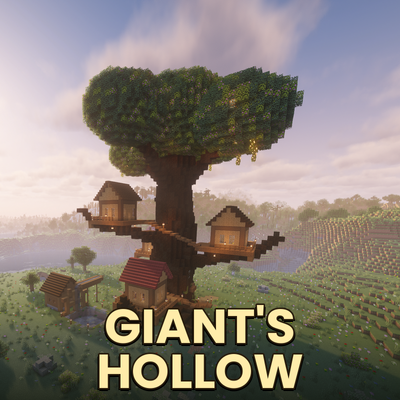
Giant’s Hollow (Tree house Structure)
A whole village growing up a gigantic tree now spawns in your world – treehouses, a secret room in the trunk, a watermill and loot.