Minecraft version
Back to mods 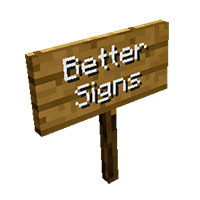
CurseForge · Minecraft mod
Better Signs Mod
Better Signs is a small mod wich improves the handling and visuals of the standard signs.
Choose a version Pick your version below, then grab the matching file.
Quick answer
Which Better Signs Mod release should I use?
Latest stable file BetterSignsMod_v1.6.2.B_.jar
Game version 1.6.2
Loader Not required
Better Signs Mod BetterSignsMod_v1.6.2.B_.jar targets 1.6.2. The project page does not say whether this file belongs on the client, dedicated server, or both. No extra mods listed for this file.
Where it goes
Is Better Signs Mod required on the client, server, or both?
The project page does not say whether this file belongs on the client, dedicated server, or both.
Client Source doesn’t say
Dedicated server Source doesn’t say
Loader for this release No loader listed
Required install it here Optional supported, not mandatory Not supported do not install here Source doesn’t say do not assume
The source does not explicitly classify this release as client-only or server-only.
What else does Better Signs Mod BetterSignsMod_v1.6.2.B_.jar need?
BetterSignsMod_v1.6.2.B_.jar. Change the file and its required mods may change too.
This file does not list any required mods. Do not add a library just because a different file uses it.
This file does not list any required or optional mods.
Before you install it
Add Better Signs Mod without breaking your instance.
Built for Better Signs Mod BetterSignsMod_v1.6.2.B_.jar. Pick another file and the loader, install side or required mods may change.
- 01
Stick to this file
Use BetterSignsMod_v1.6.2.B_.jar. It targets 1.6.2; another release may have different loader, side or dependency requirements.
- 02
Bring the mods it needs
This file does not list any required mods. Do not add a library just because a different file uses it.
- 03
Put it on the correct side
The project page does not say whether this file belongs on the client, dedicated server, or both.
- 04
Pick the file you checked
Use the “Get this file” button beside BetterSignsMod_v1.6.2.B_.jar. It opens that exact file at the source.
About this project
What does Better Signs Mod add?

Better Signs is a small mod wich improves the handling and visuals of the standard signs. Goto original thread: Better Signs Mod
Some Facts
- Adds more readable text (white letters with a dark shadow).
- Adds a standard edit-cursor.
- Adds LEFT-, RIGHT- and DEL-Key support.
- Adds CTRL+V (paste from clipboard) support.
- Adds text size 140% (lines <= 2, letters per line <=11).
- Adds text size 180% (lines <= 2, letters per line <=8).
- Adds the ability to vertically center 1 and 3 lines of text.
- Adds the ability to shift lines with UP and DOWN.
- Adds horizontal sign posts (signs will cling to fences/stone walls).
- Improves BACKSPACE- and RETURN-Key functionality.
- This Mod patches 3 classes: bix, bbt, axv
- This mod is client sided and won't change your map data.
- You'll need Forge Modloader.
Install
- Download and install Forge Modloader.
- Put the mod's JAR-File into your mods folder.
Project description from CurseForge.
Pick your setup
Better Signs Mod by Minecraft version and loader
Choose the version and loader you play, then open the matching release.
Check the dependencies, then try the file in a copied instance before changing a world you care about.
Recent files
Better Signs Mod versions and loaders
BetterSignsMod_v1.6.2.B_.jar
15 Jul 2013
Client Source doesn’t say Server Source doesn’t say Dependencies No extras listed Listed on Release listing
Check the 1.6.2 setup 1.6.2 release
Looking for an older file? The official CurseForge project page is in Resources.
 mod
CurseForge · Minecraft
TVD: Vampires, Witches & Werewolves
A mod based on The Vampire Diaries & The Originals.
 mod
CurseForge · Minecraft
ReturnSMP Shenanigans
a mod that adds new emotes, and various assets
 mod
CurseForge · Minecraft
Hud4U
A customizable HUD with FPS, coordinates, keystrokes, ping, and more. drag-and-drop layout editor!