Minecraft version
Back to mods 
CurseForge · Minecraft mod
Soarin'
This mod adds thermals to minecraft, allowing you to remain in the air without firework rockets!
Choose a version Pick your version below, then grab the matching file.
Quick answer
Which Soarin' release matches 1.18?
alpha file PT-Soarin-Mod-1.0.0-1.18.2.jar
Game version 1.18.1, 1.18.2, 1.18
Loader Fabric
Soarin' PT-Soarin-Mod-1.0.0-1.18.2.jar targets 1.18.1, 1.18.2, 1.18 with Fabric. The project page does not say whether this file belongs on the client, dedicated server, or both. No extra mods listed for this file.
Where it goes
Is Soarin' required on the client, server, or both?
The project page does not say whether this file belongs on the client, dedicated server, or both.
Client Source doesn’t say
Dedicated server Source doesn’t say
Loader for this release Fabric
Required install it here Optional supported, not mandatory Not supported do not install here Source doesn’t say do not assume
The source does not explicitly classify this release as client-only or server-only.
What else does Soarin' PT-Soarin-Mod-1.0.0-1.18.2.jar need?
PT-Soarin-Mod-1.0.0-1.18.2.jar on 1.18. Every mod below is checked against that same setup.
This file does not list any required mods. Do not add a library just because a different file uses it.
This file does not list any required or optional mods.
Before you install it
Add Soarin' without breaking your instance.
Built for Soarin' PT-Soarin-Mod-1.0.0-1.18.2.jar on 1.18. Pick another file and the loader, install side or required mods may change.
- 01
Stick to this file
Use PT-Soarin-Mod-1.0.0-1.18.2.jar. It targets 1.18.1, 1.18.2, 1.18 with Fabric; another release may have different loader, side or dependency requirements.
- 02
Bring the mods it needs
This file does not list any required mods. Do not add a library just because a different file uses it.
- 03
Put it on the correct side
The project page does not say whether this file belongs on the client, dedicated server, or both.
- 04
Pick the file you checked
Use the “Get this file” button beside PT-Soarin-Mod-1.0.0-1.18.2.jar. It opens that exact file at the source.
About this project
What does Soarin' add?
Phobia Tech is proud to release the Soarin' Mod for Minecraft!
For fabric versions: 1.18.2, 1.19.2, 1.20.1
For forge versions: 1.20.1
The 1.16.5 version is no longer supported unless demand is high for that version.
Version 2.0.0 has been released!
This version adds server support, and a config file (You can customize the thermals), and makes the code work better.
This mod adds thermals to Minecraft. I'm sure most of you are wondering, "What even are thermals?", well here's the answer: Thermals are warm air currents that move upwards. Birds, Paragliders, Hangliders, etc… use these to remain flying with little to no energy. The Soarin' mod hopes to re-create these "Thermals" in Minecraft.
The thermals in this mod are generated from a list of blocks during the day like sand, dirt, gravel, etc… to push you just above the clouds. Updrafts are generated by hot blocks like lava, fire, Magma blocks, and Campfires. Updrafts work like normal thermals, but are stronger and will exist even at night and in caves. Thermals and Updrafts will not form in the nether because the entire dimension is essentially an oven so you can't have rising warm air if everything is the same temperature.
Blocks that make thermals during the day by default:
Red sand, Sandstone, Stone, Sand, Dirt, Couse Dirt, Gravel, Farmland, Grass Path, Black and grey concrete and their powder counterparts, obsidian
*Note: Farmland that has been Planted will still make thermals
*Note 2: Thermal blocks do not produce thermals during rain, thunderstorms, in dimensions without a skylight (you need the sun to heat blocks), or in UltraWarm dimensions (like the nether)
Blocks that always make updrafts by default:
Lava, Fire, Magma block, and Campfires.
*Note: These blocks' thermals (called Updrafts) are stronger, can exist in the end and under-ground, won't go away at night, and push higher into the sky
*Note 2: Updraft blocks will still produce updrafts during rain and thunderstorms, but not in UltraWarm dimensions like the nether
I made this mod because I love gliding with Elytra and using the origins mod Elytrian, I felt like thermals were a missing feature in Minecraft. Try out my Advanced Elytrian Origin (Avians+) or my more vanilla-friendly Elytrian Origin Redux
I recommend a mini-map mod because it makes it easier to stay in thermals
**Note In the 1.18.2+ version I increased the height of the thermal because of the increased world height
**warning do NOT join a server with the (old)1.0.0 version of this mod! **
**I finally properly learned Java, went back to work on this mod, and found that it runs on both the client and the server.**
**aka if you join a vanilla server you will start flying in thermals. WHICH COULD GET YOU BANNED. Version 2.0.0 and all new releases fixe this**
TODO:
**Make a config file for mod Added config in the 2.0.0 release
Remove thermals inside lava
Make what dimensions and biomes can produce Thermals/Updrafts configerable
**
undefined
MIGHT DO:
add wind and weather effects?
undefined
WHAT YOU MAY DO WITH THIS MOD:
You may use this mod with your mod pack. You may use its textures/code with permission or credit (links to this page)
You may redistribute this mod with permission only
CONTACTS:
Join my Discord for updates and to make bug reports!
Business: uavwaffle@gmail.com
Please consider donating thx :)
Project description from CurseForge.
Pick your setup
Soarin' by Minecraft version and loader
Choose the version and loader you play, then open the matching release.
Minecraft version
1.19.2
1 loader buildMinecraft version
1.18.2
1 loader buildMinecraft version
1.18.1
1 loader buildMinecraft version
1.18
1 loader buildMinecraft version
1.16.5
1 loader buildCheck the dependencies, then try the file in a copied instance before changing a world you care about.
Recent files
Soarin' versions and loaders
PT-Soarin-Mod-1.0.0-1.18.2.jar
14 Jul 2022
Client Source doesn’t say Server Source doesn’t say Dependencies No extras listed Listed on Release listing
Check the 1.18 · Fabric setup 1.18.1Fabric1.18.21.18 alpha
Looking for an older file? The official CurseForge project page is in Resources.
 mod
CurseForge + Modrinth · Minecraft
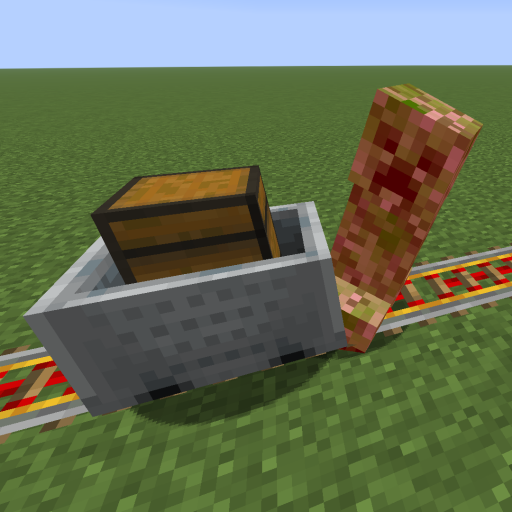
Kinetic Minecart
This mod increases damage to moving minecarts; the faster they move, the higher the damage, with virtually no damage limit!
 mod
CurseForge · Minecraft
Pro Fullbright
A lightweight Fabric mod that makes dark areas fully visible, perfect for caves, mining, and nighttime exploration.
 mod
CurseForge · Minecraft
Secret Blocks (multi-loader)
Secret Blocks adds blocks that take the look of the blocks around them. Use them to build hidden rooms, secret doors, traps and redstone that nobody can see.