Minecraft version
Back to mods 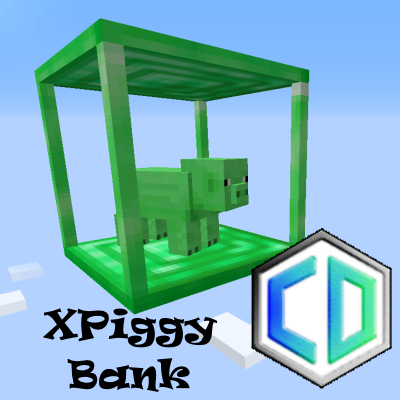
CurseForge · Minecraft mod
XPiggy Bank
Collect XP Orbs, store and retrieve player XP, and pipe fluids in exchange for XP!
Choose a version Pick your version below, then grab the matching file.
Quick answer
Which XPiggy Bank release should I use?
beta file cuboidxpiggybank-1.16.5-0.1.2.jar
Game version 1.16.5
Loader Forge
XPiggy Bank cuboidxpiggybank-1.16.5-0.1.2.jar targets 1.16.5 with Forge. The project page does not say whether this file belongs on the client, dedicated server, or both. No extra mods listed for this file.
Where it goes
Is XPiggy Bank required on the client, server, or both?
The project page does not say whether this file belongs on the client, dedicated server, or both.
Client Source doesn’t say
Dedicated server Source doesn’t say
Loader for this release Forge
Required install it here Optional supported, not mandatory Not supported do not install here Source doesn’t say do not assume
The source does not explicitly classify this release as client-only or server-only.
What else does XPiggy Bank cuboidxpiggybank-1.16.5-0.1.2.jar need?
cuboidxpiggybank-1.16.5-0.1.2.jar. Change the file and its required mods may change too.
This file does not list any required mods. Do not add a library just because a different file uses it.
This file does not list any required or optional mods.
Before you install it
Add XPiggy Bank without breaking your instance.
Built for XPiggy Bank cuboidxpiggybank-1.16.5-0.1.2.jar. Pick another file and the loader, install side or required mods may change.
- 01
Stick to this file
Use cuboidxpiggybank-1.16.5-0.1.2.jar. It targets 1.16.5 with Forge; another release may have different loader, side or dependency requirements.
- 02
Bring the mods it needs
This file does not list any required mods. Do not add a library just because a different file uses it.
- 03
Put it on the correct side
The project page does not say whether this file belongs on the client, dedicated server, or both.
- 04
Pick the file you checked
Use the “Get this file” button beside cuboidxpiggybank-1.16.5-0.1.2.jar. It opens that exact file at the source.
About this project
What does XPiggy Bank add?
Using XPiggy Bank
This is a simple mod for dealing with XP in bulk. It adds a single block, the XPiggy Bank, which is where you can:
- Store your XP as Liquid Experience or any of the configured compatible fluids
- Retrieve XP
- Collect XP Orbs in a radius (if not disabled)
- Pipe in compatible fluids and auto-convert them
- Pipe out a compatible fluid
You can store and retrieve your own XP by right-clicking on the XPiggy Bank and then using the buttons to transfer 10, 100, 1000 or all XP.
You can change the XPiggy Bank's fluid type by using the arrows above the tank image on the right. This does not stop you storing or retrieving XP manually, and any supported fluid can still be piped in and automatically converted. This does, however, change the type of fluid that can be piped out of the XPiggy Bank.
Configuring the mod
You're more than welcome to use this mod in your own mod packs.
Mod configuration options include:
- Compatible fluids and their conversion rates. This allows things like either using the single Liquid Experience added by this mod, or specifying different rates of conversion for "Experience Fluids" added by other mods. For example, CoFH's Experience might be a 1:1 conversion, but Industrial Foregoing's Essence could be configured at 100:1 since it's easier to obtain.
- The radius of the XP collection (the default covers a 9x9 area)
- Change the number ticks between collections (defaults to every 10 ticks, or twice a second)
- Set the internal tank size. The default is a whopping 20 million mB (20 thousand buckets of Liquid Experience - or about 2125 levels!)
- Disable/Enabled the XP Orb pickup function (defaults to enabled).
If you need any help using this mod in your own mod packs, then please reach out to me on my Discord.
To report any bugs or make suggestions, please use my GitHub repo for this project
Project description from CurseForge.
Pick your setup
XPiggy Bank by Minecraft version and loader
Choose the version and loader you play, then open the matching release.
Check the dependencies, then try the file in a copied instance before changing a world you care about.
Recent files
XPiggy Bank versions and loaders
cuboidxpiggybank-1.16.5-0.1.2.jar
2 May 2022
Client Source doesn’t say Server Source doesn’t say Dependencies No extras listed Listed on Release listing
Check the 1.16.5 · Forge setup 1.16.5Forge beta
cuboidxpiggybank-1.16.5-0.1.1.jar
2 May 2022
Client Source doesn’t say Server Source doesn’t say Dependencies No extras listed Listed on Release listing
Check the 1.16.5 · Forge setup 1.16.5Forge beta
cuboidxpiggybank-1.16.5-0.1.0.jar
29 Apr 2022
Client Source doesn’t say Server Source doesn’t say Dependencies No extras listed Listed on Release listing
Check the 1.16.5 · Forge setup 1.16.5Forge beta
Looking for an older file? The official CurseForge project page is in Resources.
 mod
Modrinth · Minecraft
Create: Vintage Grinder Edition
Just a Create: Vintage Grinder
 mod
Modrinth · Minecraft
Inventory Sorter
A lightweight client-side container and inventory sorting mod.
 mod
CurseForge · Minecraft
Lectern for Mind Games
The official mod for the Mind Games. Lectern lifts the limits vanilla Minecraft puts on us, so our server can do things a plugin never could.