Minecraft version
Back to mods 
CurseForge · Minecraft mod
CheatUtils
This mod includes XRay or block finder, entity highlighting, kill aura, etc
Choose a version Pick your version below, then grab the matching file.
Quick answer
Which CheatUtils release should I use?
Latest stable file cheatutils-3.15.8-forge-1.21.11-cf.jar
Game version 1.21.11
Loader Forge
cheatutils-3.15.8-forge-1.21.11-cf.jar targets 1.21.11 with Forge. The project page does not say whether this file belongs on the client, dedicated server, or both. No extra mods listed for this file.
Where it goes
Is CheatUtils required on the client, server, or both?
The project page does not say whether this file belongs on the client, dedicated server, or both.
Client Source doesn’t say
Dedicated server Source doesn’t say
Loader for this release Forge
Required install it here Optional supported, not mandatory Not supported do not install here Source doesn’t say do not assume
The source does not explicitly classify this release as client-only or server-only.
What else does cheatutils-3.15.8-forge-1.21.11-cf.jar need?
cheatutils-3.15.8-forge-1.21.11-cf.jar. Change the file and its required mods may change too.
This file does not list any required mods. Do not add a library just because a different file uses it.
This file does not list any required or optional mods.
Before you install it
Add CheatUtils without breaking your instance.
Built for cheatutils-3.15.8-forge-1.21.11-cf.jar. Pick another file and the loader, install side or required mods may change.
- 01
Stick to this file
Use cheatutils-3.15.8-forge-1.21.11-cf.jar. It targets 1.21.11 with Forge; another release may have different loader, side or dependency requirements.
- 02
Bring the mods it needs
This file does not list any required mods. Do not add a library just because a different file uses it.
- 03
Put it on the correct side
The project page does not say whether this file belongs on the client, dedicated server, or both.
- 04
Pick the file you checked
Use the “Get this file” button beside cheatutils-3.15.8-forge-1.21.11-cf.jar. It opens that exact file at the source.
About this project
What does CheatUtils add?
Please watch tutorial videos before using this mod. You can only configure this mod from browser (except assigning key bindings). This is unusual approach in minecraft modding and without videos you can get confused. In short you have to open http://localhost:5005/ in your browser to access mod settings (while game is running with mod loaded).
This mod is client only.
Because of CurseForge’s strict automated jar checks, the mod is available in two versions: one with the -cf suffix and one without. The -cf version is the CurseForge-approved build and has some limitations (for example, the os.exec API method is disabled). If you want the full version without these restrictions, you can download it from GitHub.
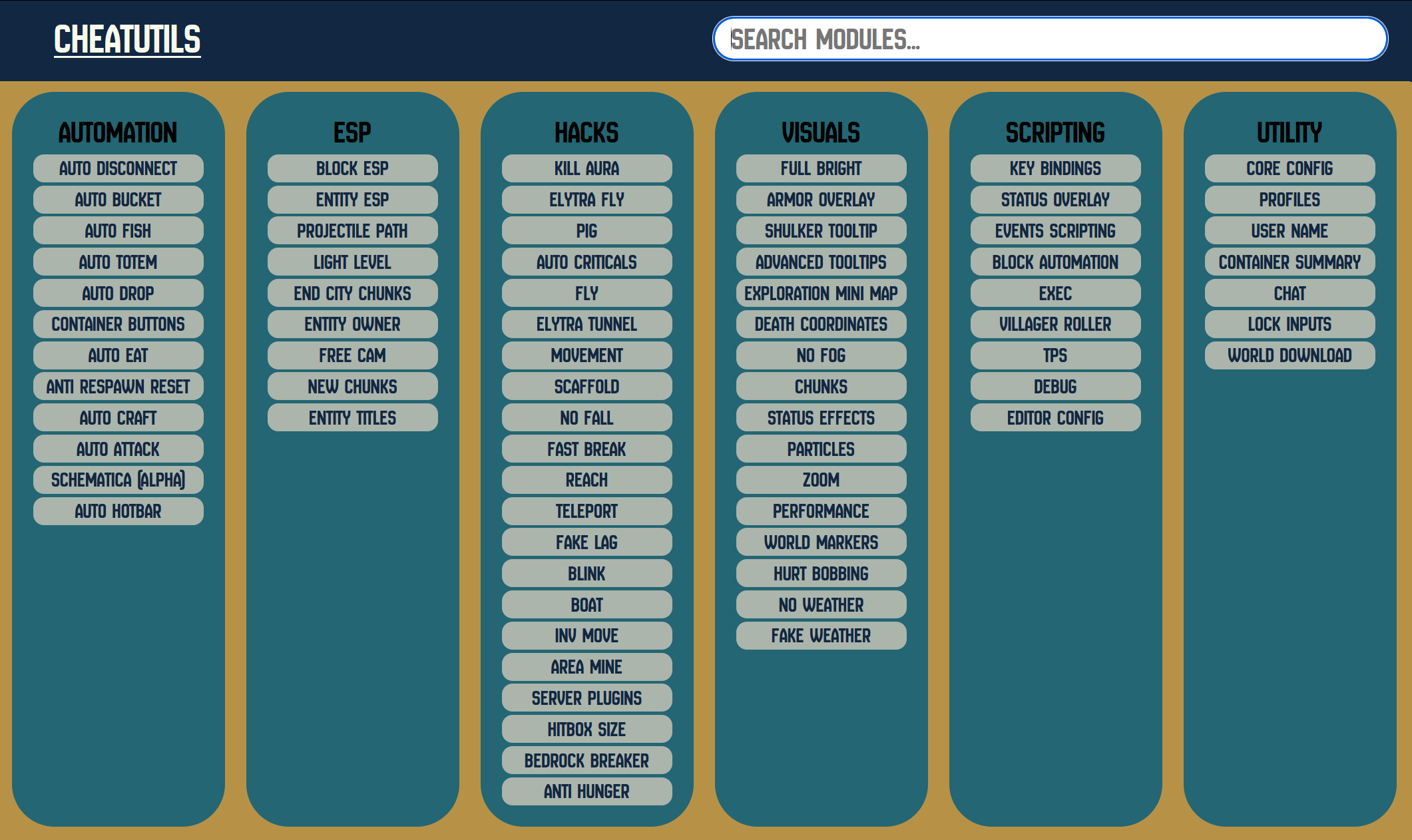
Watch videos to see mod in action: YouTube Playlist
Project description from CurseForge.
Pick your setup
CheatUtils by Minecraft version and loader
Choose the version and loader you play, then open the matching release.
Minecraft version
26.1.2
3 loader buildsMinecraft version
26.1.1
3 loader buildsMinecraft version
26.1
3 loader buildsMinecraft version
1.21.11
3 loader buildsMinecraft version
1.21.10
2 loader buildsMinecraft version
1.21.9
1 loader buildMinecraft version
1.21.1
3 loader buildsMinecraft version
1.20.1
2 loader buildsCheck the dependencies, then try the file in a copied instance before changing a world you care about.
Recent files
CheatUtils versions and loaders
cheatutils-3.15.8-forge-1.21.11-cf.jar
7 Aug 2026
Client Source doesn’t say Server Source doesn’t say Dependencies No extras listed Listed on Release listing
Check the 1.21.11 · Forge setup Forge1.21.11 release
cheatutils-3.15.8-fabric-1.21.11-cf.jar
7 Aug 2026
Client Source doesn’t say Server Source doesn’t say Dependencies No extras listed Listed on Release listing
Check the 1.21.11 · Fabric setup Fabric1.21.11 release
cheatutils-3.15.8-neoforge-1.21.11-cf.jar
7 Aug 2026
Client Source doesn’t say Server Source doesn’t say Dependencies No extras listed Listed on Release listing
Check the 1.21.11 · NeoForge setup NeoForge1.21.11 release
cheatutils-3.16.17-mc-26.1-cf.jar
7 Aug 2026
Client Source doesn’t say Server Source doesn’t say Dependencies No extras listed Listed on Release listing
Check the 26.1.2 · Fabric setup FabricForgeNeoForge26.1 release
cheatutils-3.18.7-mc-26.2-cf.jar
7 Aug 2026
Client Source doesn’t say Server Source doesn’t say Dependencies No extras listed Listed on Release listing
Check the 26.2 · Fabric setup FabricForgeNeoForge26.2 release
cheatutils-3.18.4-mc-26.2-cf.jar
25 Jul 2026
Client Source doesn’t say Server Source doesn’t say Dependencies No extras listed Listed on Release listing
Check the 26.2 · Fabric setup FabricForgeNeoForge26.2 release
cheatutils-3.18.1-mc-26.2-cf.jar
16 Jul 2026
Client Source doesn’t say Server Source doesn’t say Dependencies No extras listed Listed on Release listing
Check the 26.2 · Fabric setup FabricForgeNeoForge26.2 release
cheatutils-3.18.0-mc-26.2-cf.jar
15 Jul 2026
Client Source doesn’t say Server Source doesn’t say Dependencies No extras listed Listed on Release listing
Check the 26.2 · Fabric setup FabricForgeNeoForge26.2 release
cheatutils-3.17.1-mc-26.2-cf.jar
18 Jun 2026
Client Source doesn’t say Server Source doesn’t say Dependencies No extras listed Listed on Release listing
Check the 26.2 · Fabric setup FabricForgeNeoForge26.2 release
cheatutils-3.17.0-mc-26.2-cf.jar
16 Jun 2026
Client Source doesn’t say Server Source doesn’t say Dependencies No extras listed Listed on Release listing
Check the 26.2 · Fabric setup FabricNeoForge26.2 release
cheatutils-3.16.13-mc-26.1-cf.jar
7 Jun 2026
Client Source doesn’t say Server Source doesn’t say Dependencies No extras listed Listed on Release listing
Check the 26.1.2 · Fabric setup FabricForgeNeoForge26.1 release
cheatutils-3.15.5-fabric-1.21.11-cf.jar
7 Jun 2026
Client Source doesn’t say Server Source doesn’t say Dependencies No extras listed Listed on Release listing
Check the 1.21.11 · Fabric setup Fabric1.21.11 release
Looking for an older file? The official CurseForge project page is in Resources.
 mod
mod CurseForge + Modrinth · Minecraft
Stylish Effects
Status effect display overhaul: Display them in any menu! And way more compact.
 mod
mod CurseForge · Minecraft
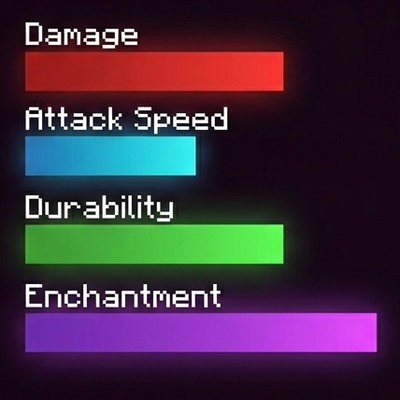
Tooltip Bars
Replaces vanilla text stats for weapons, armor, food, enchantments, and potions with colored bars.
 mod
mod CurseForge · Minecraft
Point Blank Addon: Expanded
Miscellaneous additions and improvements for Vic's Point Blank.