Fabric API Needed by ParticleGenerator-FABRIC-26.3-1.2.1.jar
requiredMatching file found Matched file: 0.162.0+26.3
CurseForge · Minecraft mod
Adds Particle Generator block
Quick answer
ParticleGenerator-FABRIC-26.3-1.2.1.jar targets 26.3 with Fabric. The project page does not say whether this file belongs on the client, dedicated server, or both. All 1 required mods have matching files.
Where it goes
The project page does not say whether this file belongs on the client, dedicated server, or both.
The source does not explicitly classify this release as client-only or server-only.
ParticleGenerator-FABRIC-26.3-1.2.1.jar. Change the file and its required mods may change too.
Install Fabric API first. We found matching files for this game-version and loader setup.
We only count dependency files that match this setup. A file for another loader does not fill the gap.
Before you install it
Built for ParticleGenerator-FABRIC-26.3-1.2.1.jar. Pick another file and the loader, install side or required mods may change.
Use ParticleGenerator-FABRIC-26.3-1.2.1.jar. It targets 26.3 with Fabric; another release may have different loader, side or dependency requirements.
Install Fabric API first. We found matching files for this game-version and loader setup.
The project page does not say whether this file belongs on the client, dedicated server, or both.
Use the “Get this file” button beside ParticleGenerator-FABRIC-26.3-1.2.1.jar. It opens that exact file at the source.
About this project
ParticleGenerator is a Minecraft mod created mainly for builders and mapmakers. It adds Particle Generator block into the game.
Particle Generator block is highly customisable and using it is much more convenient and efficient than using command blocks. It allows you to generate multiple particles from one block and set generated particles position and speed randomization.
/pgen show - Shows edges of Particle Generators
/pgen hide - Hides edges of Particle Generators
/pgen info - Displays information about mod
/pgen help - Displays the help message
position=[center(default)/top/bottom] - determines position of particles generation
>Particles:[{...}] - list of compounds:
>>id:"" - particle id
>>Motion:[x,y,z] - particle velocities [blocks/tick] (in most cases)
>>MotionRand:[x,y,z] - randomization of "Motion" values
>>PositionOffset:[x,y,z] - offset of particle positions
>>PositionRand:[x,y,z] - randomization of particle positions
>>Interval:int - interval between particles [ticks]
>>Probability:double - probability of particle spawning
>>ParticleCount:int - number of particles when spawned
>>ParticleMaxCount:int - maximum number of particles
>>SignalMin:int - minimal redstone signal to activate particle
>>SignalMax:int - maximal redstone signal to activate particle
>>AdditionalTags:{} - additional tags (like block id)
>UseAnimateTick:bool - spawn particles on animateTick
*For position and motion, random value is in range from val-(rand/2) to val+(rand/2).
*For particle count, random value is in range from ParticleCount to ParticleMaxCount.
*By default UseAnimateTick tag is set to false. That means particles will try to spawn every tick and their spawn rate can be manipulated using Interval and Propability tags. When set to true particles will try to spawn when animateTick method is called. This will allow you to recreate particle spawn rate of for example torches and many other blocks that uses animateTick to spawn particles.
*If you want to spawn particles that require additional block or item ID (like block particle) add tag AdditionalTags:{id:"some_block_id"} .
>BlockStateTag:{} - specifies block states
>BlockEntityTag:{} - specifies block NBT tags
>block_state:{...} - specifies block states
>block_entity_data:{id:"pgen:particle_generator",...} - specifies block NBT tags
You can find list of particles with its IDs on https://minecraft.wiki/w/Particles_(Java_Edition)
If you want to copy Particle Generator block (with NBT data) hold control key when pressing MMB.
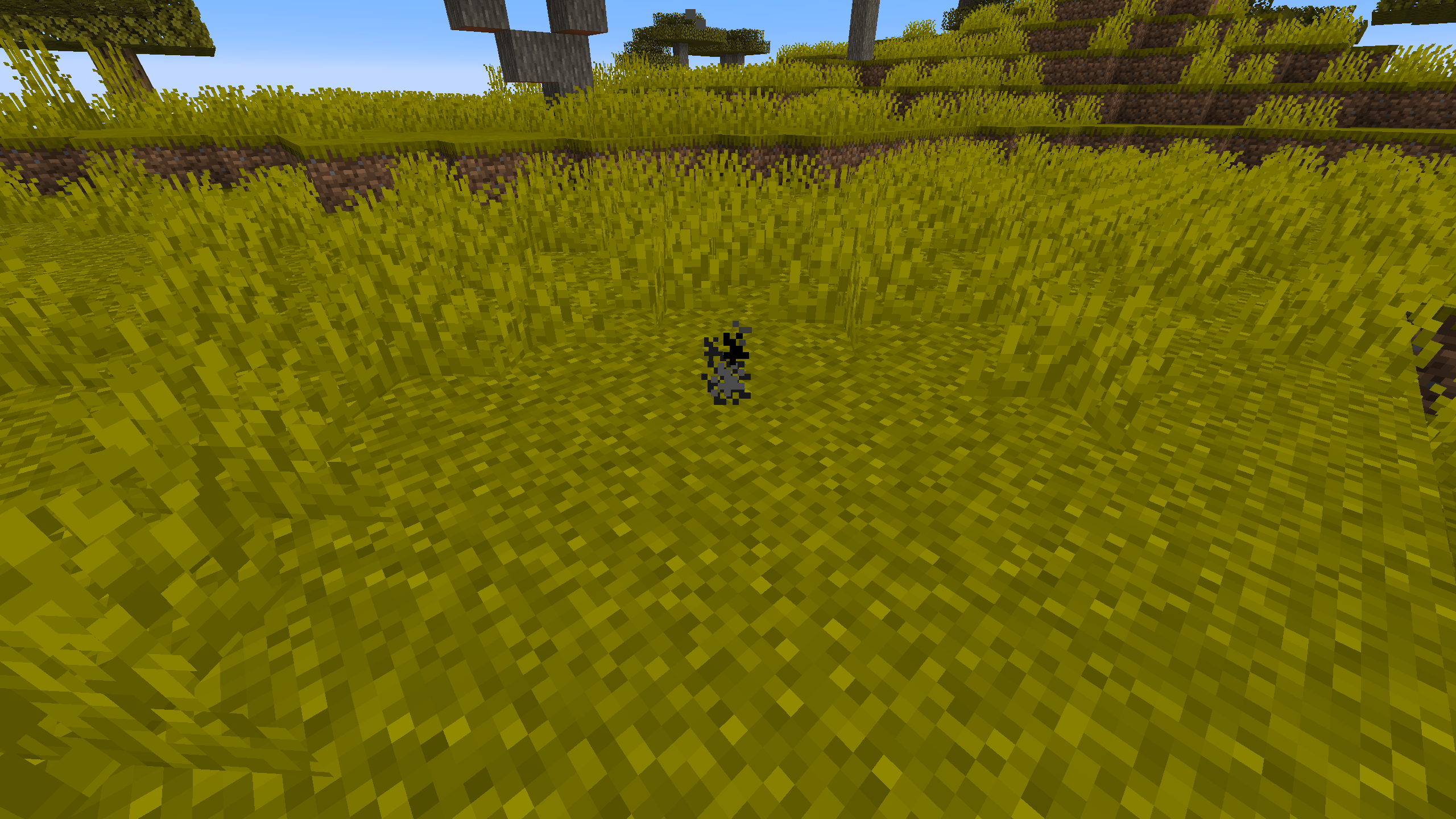
Using a /setblock: /setblock ~ ~ ~ pgen:particle_generator{Particles:[{id:"smoke"}],UseAnimateTick:true}
Using a /give: /give @p pgen:particle_generator{BlockEntityTag:{Particles:[{id:"smoke"}],UseAnimateTick:true}}
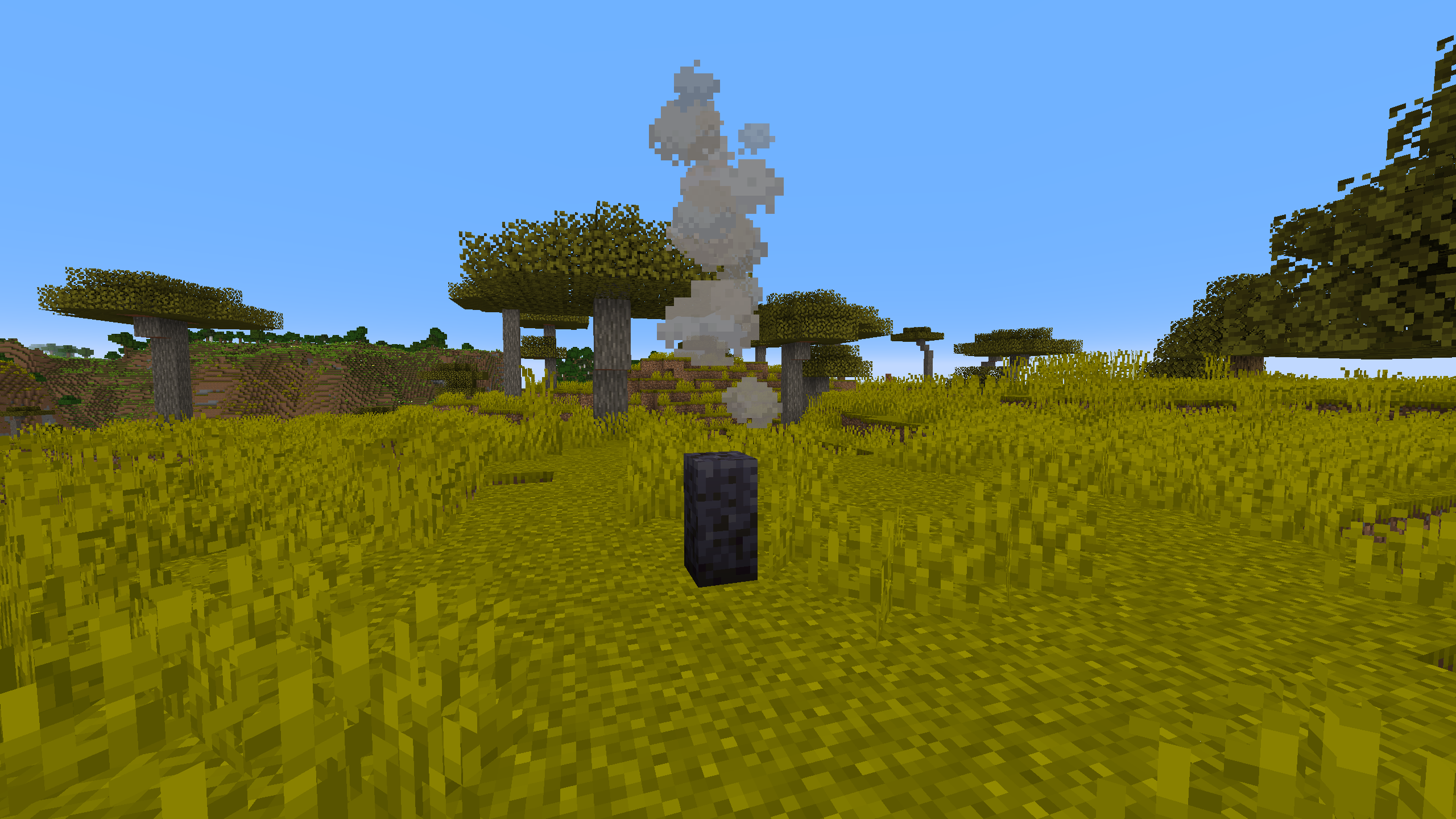
Using a /setblock: /setblock ~ ~ ~ pgen:particle_generator[position=bottom]{Particles:[{id:"campfire_cosy_smoke",Motion:[0.0,0.07,0.0],PositionRand:[0.67,0.0,0.67],ParticleCount:2,ParticleMaxCount:3,Probability:0.11}]}
Using a /give: /give @p pgen:particle_generator{BlockStateTag:{position:"bottom"},BlockEntityTag:{Particles:[{id:"campfire_cosy_smoke",Motion:[0.0,0.07,0.0],PositionRand:[0.67,0.0,0.67],ParticleCount:2,ParticleMaxCount:3,Probability:0.11}]}}
You can easily get these commands by using /pgen help and use them as a template.
Project description from CurseForge.
Pick your setup
Choose the version and loader you play, then open the matching release.
Showing the newest 12 of 29 game versions. Older files are in the list below.
Check the dependencies, then try the file in a copied instance before changing a world you care about.
Recent files
3 Oct 2026
3 Oct 2026
17 Jun 2026
17 Jun 2026
29 Mar 2026
29 Mar 2026
11 Dec 2025
11 Dec 2025
4 Oct 2025
4 Oct 2025
13 Aug 2025
13 Aug 2025
Looking for an older file? The official CurseForge project page is in Resources.