Minecraft version
Back to mods 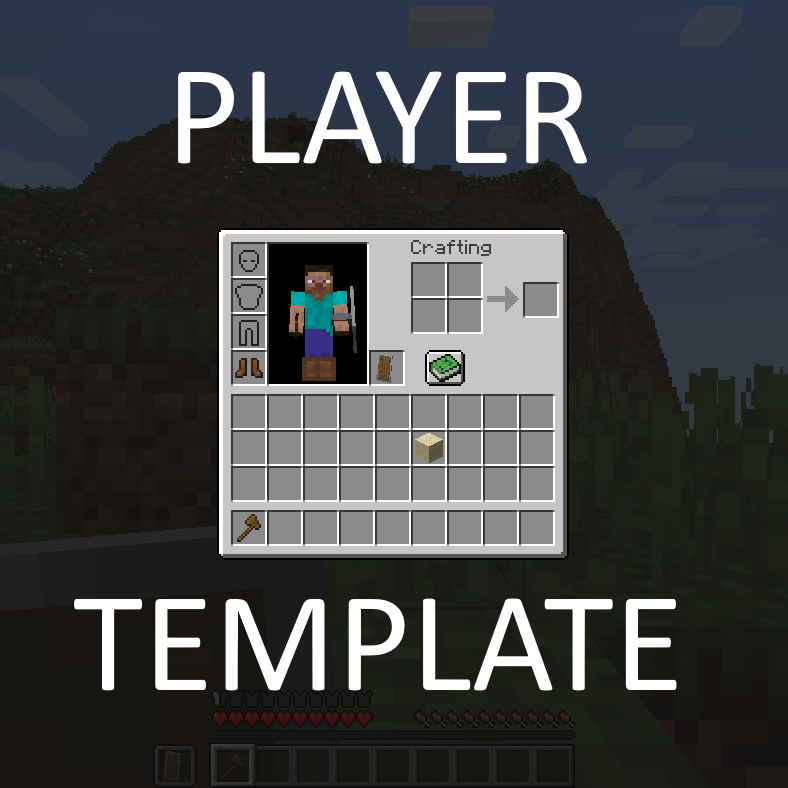
CurseForge · Minecraft mod
Player Template
Small mod to apply an inventory template (starter kit) to new players
Choose a version Pick your version below, then grab the matching file.
Quick answer
Which Player Template release matches 1.19?
Best match for your filters PlayerTemplate-1.19-1.3.0.jar
Game version 1.19.3, 1.19.4, 1.19.2
Loader Forge
Player Template PlayerTemplate-1.19-1.3.0.jar targets 1.19.3, 1.19.4, 1.19.2 with Forge. The project page does not say whether this file belongs on the client, dedicated server, or both. No extra mods listed for this file.
Where it goes
Is Player Template required on the client, server, or both?
The project page does not say whether this file belongs on the client, dedicated server, or both.
Client Source doesn’t say
Dedicated server Source doesn’t say
Loader for this release Forge
Required install it here Optional supported, not mandatory Not supported do not install here Source doesn’t say do not assume
The source does not explicitly classify this release as client-only or server-only.
What else does Player Template PlayerTemplate-1.19-1.3.0.jar need?
PlayerTemplate-1.19-1.3.0.jar on 1.19. Every mod below is checked against that same setup.
This file does not list any required mods. Do not add a library just because a different file uses it.
This file does not list any required or optional mods.
Before you install it
Add Player Template without breaking your instance.
Built for Player Template PlayerTemplate-1.19-1.3.0.jar on 1.19. Pick another file and the loader, install side or required mods may change.
- 01
Stick to this file
Use PlayerTemplate-1.19-1.3.0.jar. It targets 1.19.3, 1.19.4, 1.19.2 with Forge; another release may have different loader, side or dependency requirements.
- 02
Bring the mods it needs
This file does not list any required mods. Do not add a library just because a different file uses it.
- 03
Put it on the correct side
The project page does not say whether this file belongs on the client, dedicated server, or both.
- 04
Pick the file you checked
Use the “Get this file” button beside PlayerTemplate-1.19-1.3.0.jar. It opens that exact file at the source.
About this project
What does Player Template add?
What Is This?
Player Template is a server-only mod that lets you apply an inventory template (sometimes referred to as starter kit) to new players.
The template can be easily saved from ingame via a command.
Unlike other mods, Player Template remembers the slot locations of the items, so the template will be applied exactly, hotbar, equipment and all.
Commands
/playertemplate reload
The reload command loads the template from disk, in case you have modified it by hand.
/playertemplate give <players> [<template>]
The give command applies a template to the given player(s). Existing items are kept in their slots, and any item that should go to a filled slot will instead get added to the first available slot, or dropped to the ground. If the template parameter is not specified, it apples the "default" template.
/playertemplate replace <players> [<template>]
The replace command removes all existing items and gear, and then applies the template to the given player(s). If the template parameter is not specified, it apples the "default" template.
/playertemplate save <player> [<template>]
The save command saves the inventory from the given player into the template, overwriting the template if it existed. If the template parameter is not specified, it saves to the "default" template.
/playertemplate remove <template>
The remove command removes a template from the config.
TODO
Modded inventories, such as Curios, are not currently supported.
Can I use this in <X>?
Yes. Unless <X>'s license is incompatible with this mod's, which is unlikely.
Help and Support
For bug reports and feature requests, visit the issue tracker (link above)
You can also find me on discord, in my little discord server (please use the support forum channels! DO NOT DM me unless strictly necessary).
I've got a Patreon!
Help me continue making games and mods! Click here
Project description from CurseForge.
Pick your setup
Player Template by Minecraft version and loader
Choose the version and loader you play, then open the matching release.
Minecraft version
26.1.2
1 loader buildMinecraft version
26.1.1
1 loader buildMinecraft version
26.1
1 loader buildMinecraft version
1.21.11
1 loader buildMinecraft version
1.21.10
1 loader buildMinecraft version
1.21.9
1 loader buildMinecraft version
1.21.8
1 loader buildMinecraft version
1.21.7
1 loader buildMinecraft version
1.21.6
1 loader buildMinecraft version
1.21.5
1 loader buildMinecraft version
1.21.4
1 loader buildShowing the newest 12 of 26 game versions. Older files are in the list below.
Check the dependencies, then try the file in a copied instance before changing a world you care about.
Recent files
Player Template versions and loaders
PlayerTemplate-1.19-1.3.0.jar
24 Jul 2022
Client Source doesn’t say Server Source doesn’t say Dependencies No extras listed Listed on Release listing
Check the 1.19 · Forge setup 1.19.31.19.41.19.2Forge release
PlayerTemplate-1.19-1.2.0.jar
10 Jun 2022
Client Source doesn’t say Server Source doesn’t say Dependencies No extras listed Listed on Release listing
Check the 1.19 · Forge setup Forge1.19 release
Looking for an older file? The official CurseForge project page is in Resources.
 mod
CurseForge + Modrinth · Minecraft
EasyAuth
Authentication mod for Fabric servers
 mod
CurseForge + Modrinth · Minecraft
EasyWhitelist
Name-based whitelist for Fabric servers
 mod
CurseForge · Minecraft
Compat login
Makes it simpler for server hosters to allow different sources access the server, no matter through third party or mojang account.