Minecraft version
Back to mods 
CurseForge · Minecraft mod
Ominous
Ominous is a mod that adds a collection of random blocks and items.
Choose a version Pick your version below, then grab the matching file.
Quick answer
Which Ominous release should I use?
Latest stable file ominous.jar
Game version 1.18.2
Loader Forge
ominous.jar targets 1.18.2 with Forge. The project page does not say whether this file belongs on the client, dedicated server, or both. No extra mods listed for this file.
Where it goes
Is Ominous required on the client, server, or both?
The project page does not say whether this file belongs on the client, dedicated server, or both.
Client Source doesn’t say
Dedicated server Source doesn’t say
Loader for this release Forge
Required install it here Optional supported, not mandatory Not supported do not install here Source doesn’t say do not assume
The source does not explicitly classify this release as client-only or server-only.
What else does ominous.jar need?
ominous.jar. Change the file and its required mods may change too.
This file does not list any required mods. Do not add a library just because a different file uses it.
This file does not list any required or optional mods.
Before you install it
Add Ominous without breaking your instance.
Built for ominous.jar. Pick another file and the loader, install side or required mods may change.
- 01
Stick to this file
Use ominous.jar. It targets 1.18.2 with Forge; another release may have different loader, side or dependency requirements.
- 02
Bring the mods it needs
This file does not list any required mods. Do not add a library just because a different file uses it.
- 03
Put it on the correct side
The project page does not say whether this file belongs on the client, dedicated server, or both.
- 04
Pick the file you checked
Use the “Get this file” button beside ominous.jar. It opens that exact file at the source.
About this project
What does Ominous add?
Ominous!
"Owl's mixed items 'n other unusual stuff" is a small random things mod filled with strange new blocks and items with no coherent theme,
that can be used to add a bit of extra life to any playthrough.
Updates for this mod will most likely also be random and all over the place.
If you have any questions about this mod or find any bugs, please let me know on the mods discord:
Project description from CurseForge.
Pick your setup
Ominous by Minecraft version and loader
Choose the version and loader you play, then open the matching release.
Check the dependencies, then try the file in a copied instance before changing a world you care about.
Recent files
Ominous versions and loaders
ominous.jar
18 Jun 2022
Client Source doesn’t say Server Source doesn’t say Dependencies No extras listed Listed on Release listing
Check the 1.18.2 · Forge setup 1.18.2Forge release
Looking for an older file? The official CurseForge project page is in Resources.
 mod
CurseForge · Minecraft
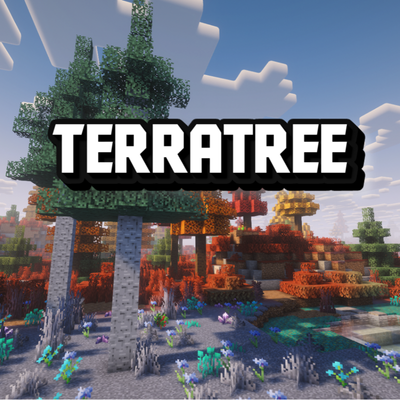
TerraTree - Terralith Woods, Palms & Biome Trees
Terralith addon: swaps Terralith's vanilla-block trees for 20+ new woods (logs, planks, doors, boats, signs, leaves with fixed colours) without touching terrain.
 mod
CurseForge · Minecraft
FL0X-Origins-Reborn
Choose your origin and shape how you play with unique abilities, strengths, and weaknesses.
 mod
CurseForge + Modrinth · Minecraft
VanillaHUD
A mod that modifies various vanilla HUD elements, such as the bossbar, action bar, sidebar / scoreboard, hotbar, title / subtitle, and more. By Polyfrost, best with OneClient.